Fifteen Linux security commands for Ubuntu 26.04 LTS and Ubuntu 26.10: privilege elevation, secure remote access, firewalls (ufw, nftables and iptables), scanners and permission tools.
Before You Start
Ubuntu version
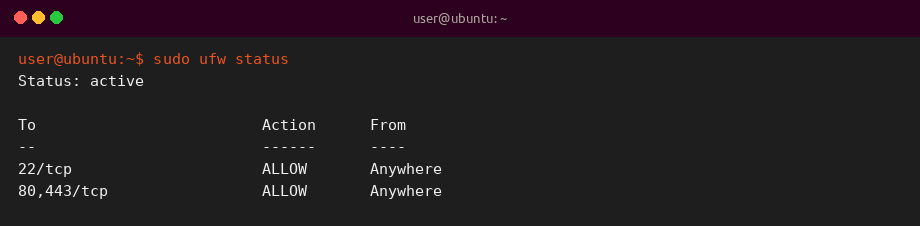
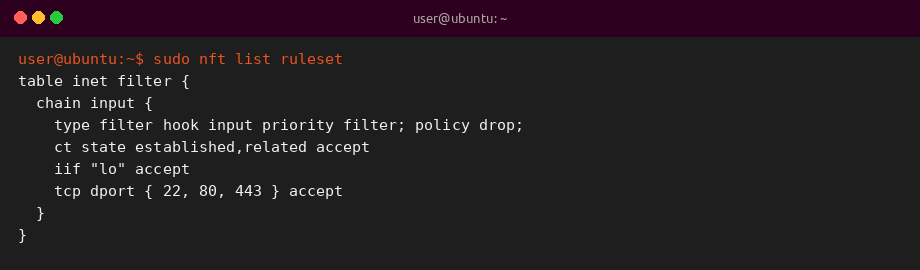
Targets Ubuntu 26.04 LTS and 26.10. ufw is the friendly front end; nftables is the modern packet filter.
Permissions
Many examples need sudo. Confirm commands on a test machine before changing production firewall rules.
Firewall stack
Prefer ufw for everyday rules. Use nft for advanced sets. iptables remains available for legacy examples.
KEY TAKEAWAYS
01Start with sudo and ssh
Least privilege and encrypted remote login are the foundation of Ubuntu server hygiene.
02ufw plus nftables
On Ubuntu 26.04, manage day-to-day rules with ufw and inspect advanced policy with nft.
03iptables still exists
iptables remains useful for older rulesets, but new designs should learn nftables too.
04Cheat sheet included
Download the free security commands cheat sheet in PDF or ebook formats.
05Scan only what you own
nmap belongs on networks you administer or have written permission to test.
06Permissions matter
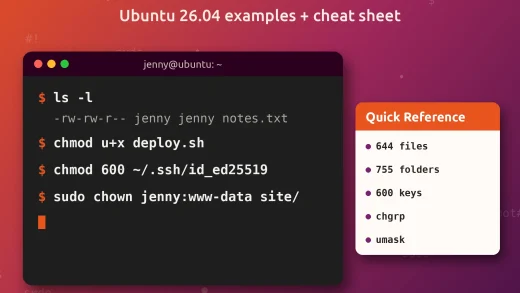
chmod and chown prevent accidental world-writable files after ownership fixes.
Free Cheat Sheet
Download the Linux Security Commands Cheat Sheet
Security-focused commands from this guide in one file. Pick PDF for printing, or EPUB / DOCX / MOBI / AZW3 for your reader.
Ubuntu security work mixes identity, transport encryption and host firewalls. Learning ufw for daily rules and nftables for deeper policy matches Ubuntu 26.04, while iptables remains useful when you inherit older documentation.