Some of the best file managers for Ubuntu include Nautilus, Dolphin, and Yazi. While Ubuntu comes with a reliable default explorer, switching to a specialized file manager is the fastest way to improve your directory navigation, file organization, and overall system productivity.
In this guide, we’ve selected the 10 best options available today. We’ve categorized them into graphical (GUI) tools for ease of use and terminal (CLI) tools for maximum speed, ensuring you find the exact match for your workflow.
🎯 Quick Selection Matrix
| Your Goal | Recommendation |
|---|---|
| Simplicity (Default) | Nautilus – Clean, stable, and integrated. |
| Power & Features | Dolphin – The most customizable option. |
| Speed on Old PCs | Thunar – Lightweight and lightning fast. |
| Terminal Mastery | Yazi – Modern, keyboard-driven speed. |
Part 1: Best GUI File Managers
1. Nautilus (GNOME Files)
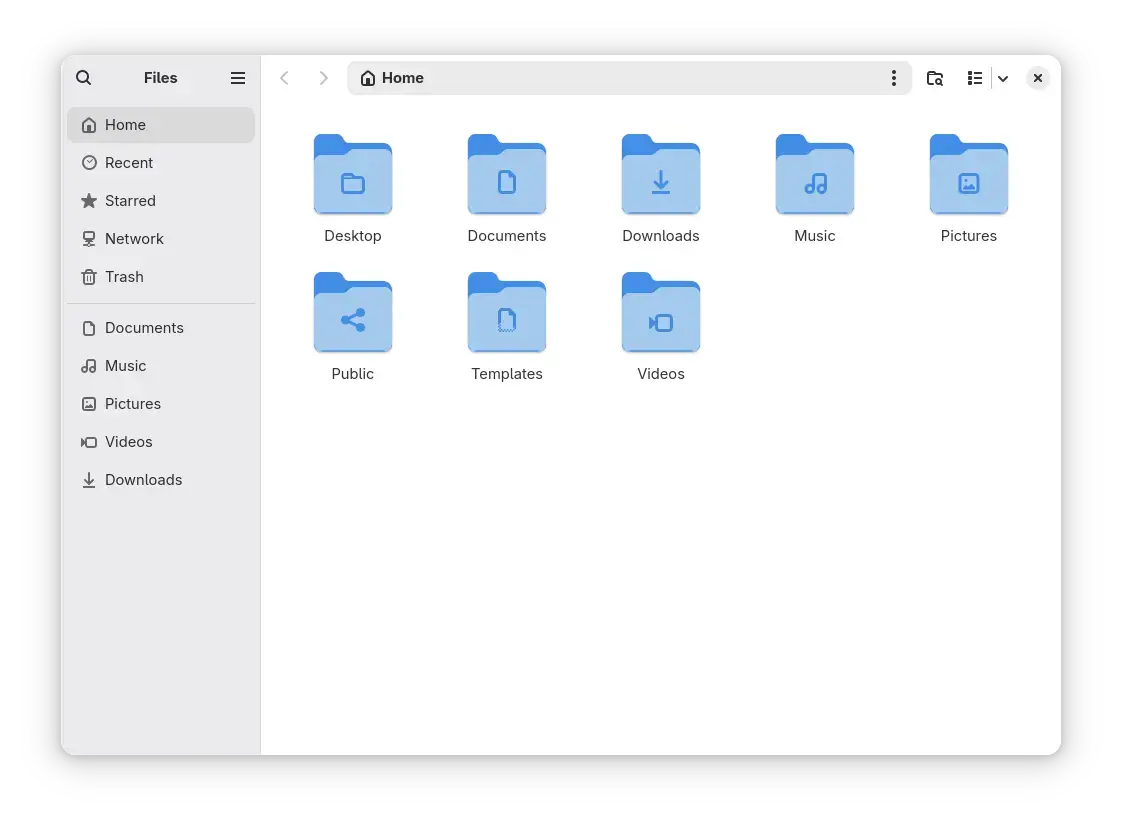
Nautilus is the default file manager for Ubuntu and the GNOME desktop. It focuses on a clean, modern aesthetic that stays out of your way. While it may look simple, it integrates perfectly with Ubuntu’s cloud accounts, provides excellent search speed, and supports extensions like “Open in Terminal” or “Batch Rename” natively.
- Best For: Most users who want a clean, stable experience.
- Key Feature: Seamless integration with Ubuntu and GNOME extensions.
- Why Choose It: It works without any configuration and feels native to the OS.
2. Dolphin
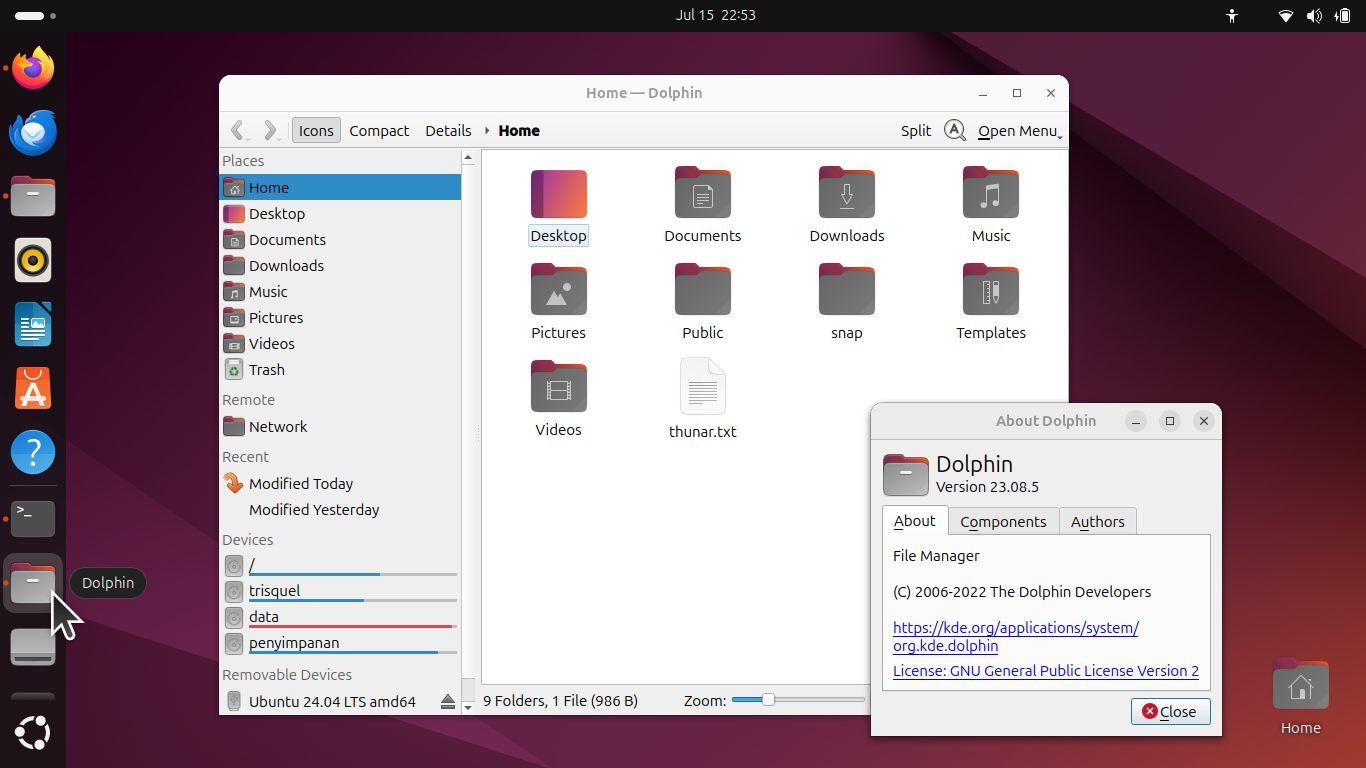
Dolphin is widely considered the most feature-rich file manager in the Linux world. Originally built for KDE Plasma, it runs beautifully on Ubuntu and offers a split-view mode, an integrated terminal, and a deep plugin system. You can browse remote files via FTP/SSH as if they were local folders and customize every single pixel of the interface.
- Best For: Power users and those who need advanced split-view features.
- Key Feature: Built-in terminal and quad-pane support via plugins.
- Why Choose It: If Nautilus feels too limited, Dolphin is the logical step up.
3. Nemo
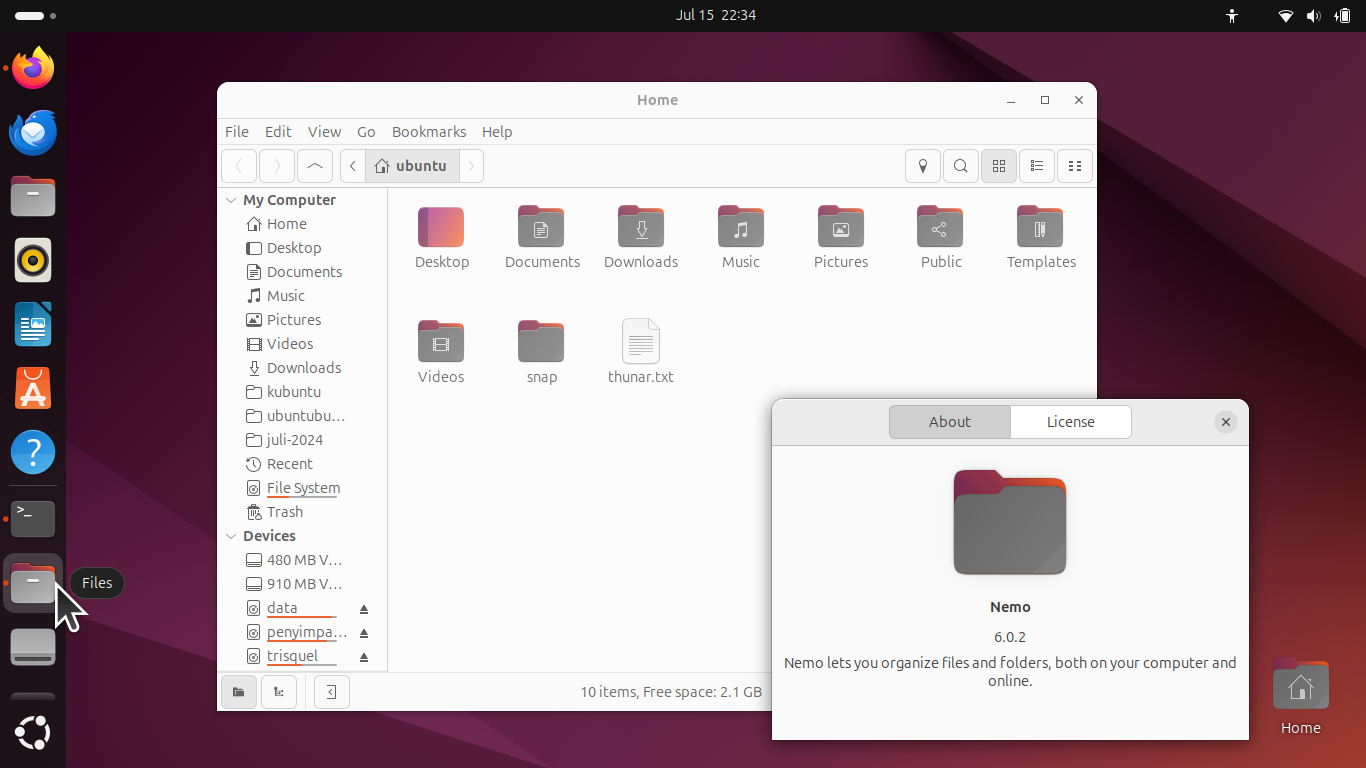
Nemo is the default manager for Linux Mint (Cinnamon), but it’s a favorite for Ubuntu users who miss traditional menus and toolbars. It was forked from Nautilus when it became “too simple,” so it retains features like “Open as Root” and a status bar that shows disk space, which were removed from other managers.
- Best For: Users who want a classic desktop feel with full toolbar controls.
- Key Feature: Native “Open as Root” and better pathbar navigation.
- Why Choose It: It’s the perfect balance between Nautilus’s speed and Dolphin’s power.
4. Thunar
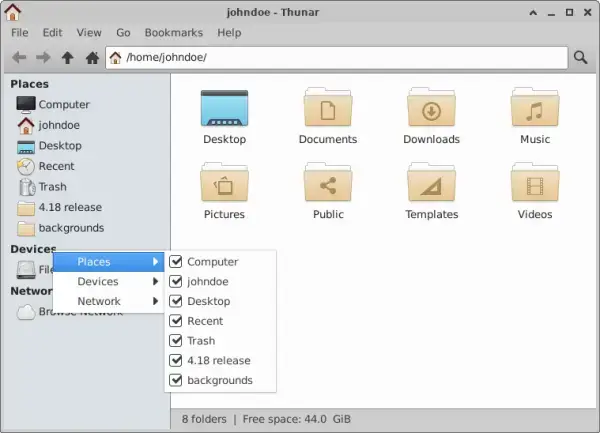
Thunar is designed specifically for the Xfce desktop, making it one of the most lightweight and fastest file managers on this list. It focuses on a clean layout and speed. One of its standout features is the “Bulk Rename” tool, which is incredibly powerful for managing large photo or media collections.
- Best For: Older hardware or users who prioritize speed over flashiness.
- Key Feature: Integrated Bulk Renamer.
- Why Choose It: It opens instantly and never hangs, even on low-spec machines.
5. Krusader

Krusader is a twin-panel file manager for the KDE desktop, but it’s a standard tool for sysadmins on Ubuntu. It uses the “Commander” style layout (popularized by Midnight Commander). It includes powerful synchronization, content comparison, and archive management tools that modern “simple” file managers lack.
- Best For: Sysadmins and users managing complex file structures.
- Key Feature: Side-by-side directory comparison and syncing.
- Why Choose It: It’s a specialized tool for people who move hundreds of files daily.
6. Double Commander
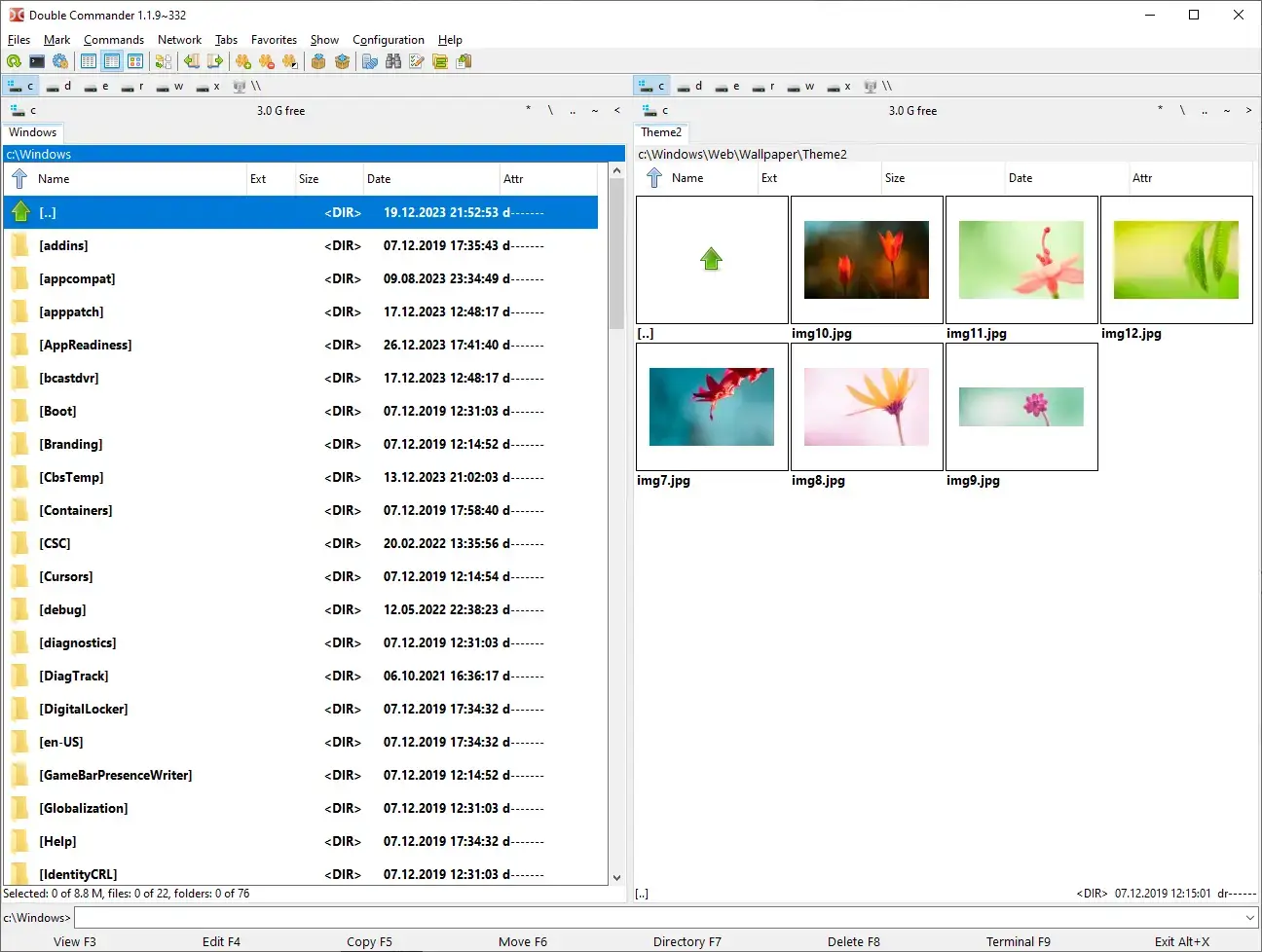
Double Commander is a cross-platform open-source file manager with two panels side by side. It is inspired by Total Commander but adds a huge range of Linux-specific features. It is built to handle massive file operations and supports internal text editors, hex viewers, and an extremely customizable column view.
- Best For: Users who want a cross-platform “Total Commander” clone.
- Key Feature: Extensive internal viewers (Hex, Binary, Text).
- Why Choose It: It is rock-solid and works identically across Linux and Windows.
7. PCManFM-Qt
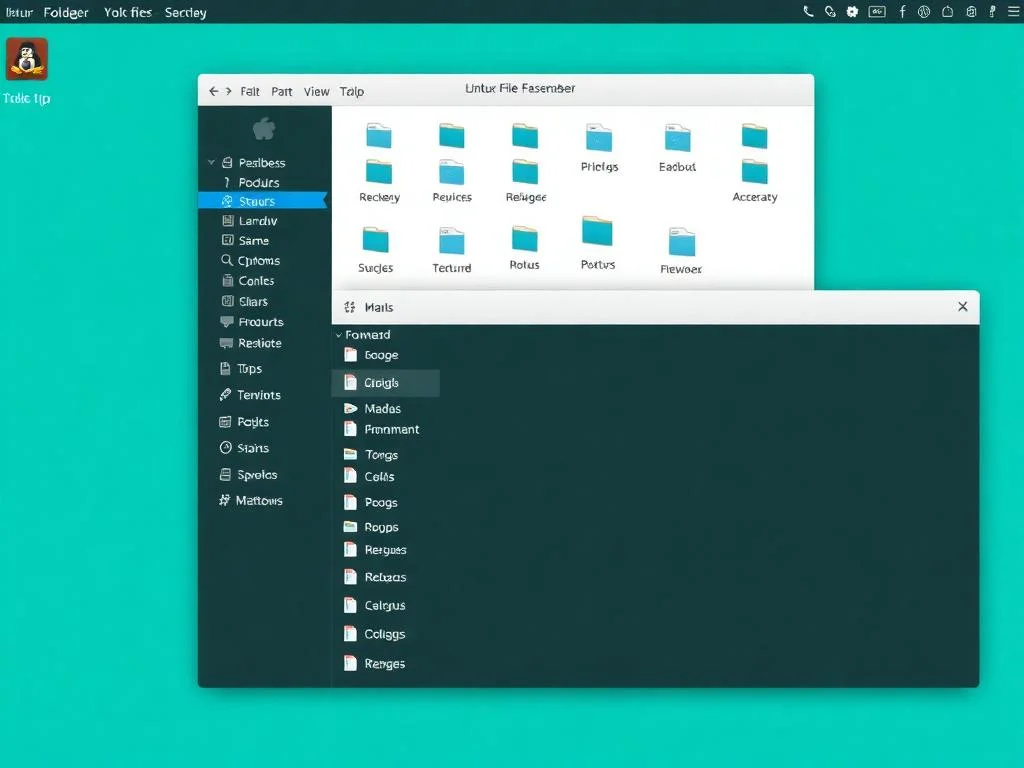
PCManFM-Qt is the default file manager for LXQt. It is extremely fast and has very low memory usage. Despite being “lightweight,” it still supports tabbed browsing, desktop management (icons on your desktop), and remote file access. It is the best choice if you are running Ubuntu on a laptop with limited RAM.
- Best For: Lightweight desktops and systems with low memory.
- Key Feature: Ultra-low resource footprint.
- Why Choose It: It’s faster than Nautilus while keeping a familiar layout.
Part 2: Best Terminal File Managers
8. Yazi
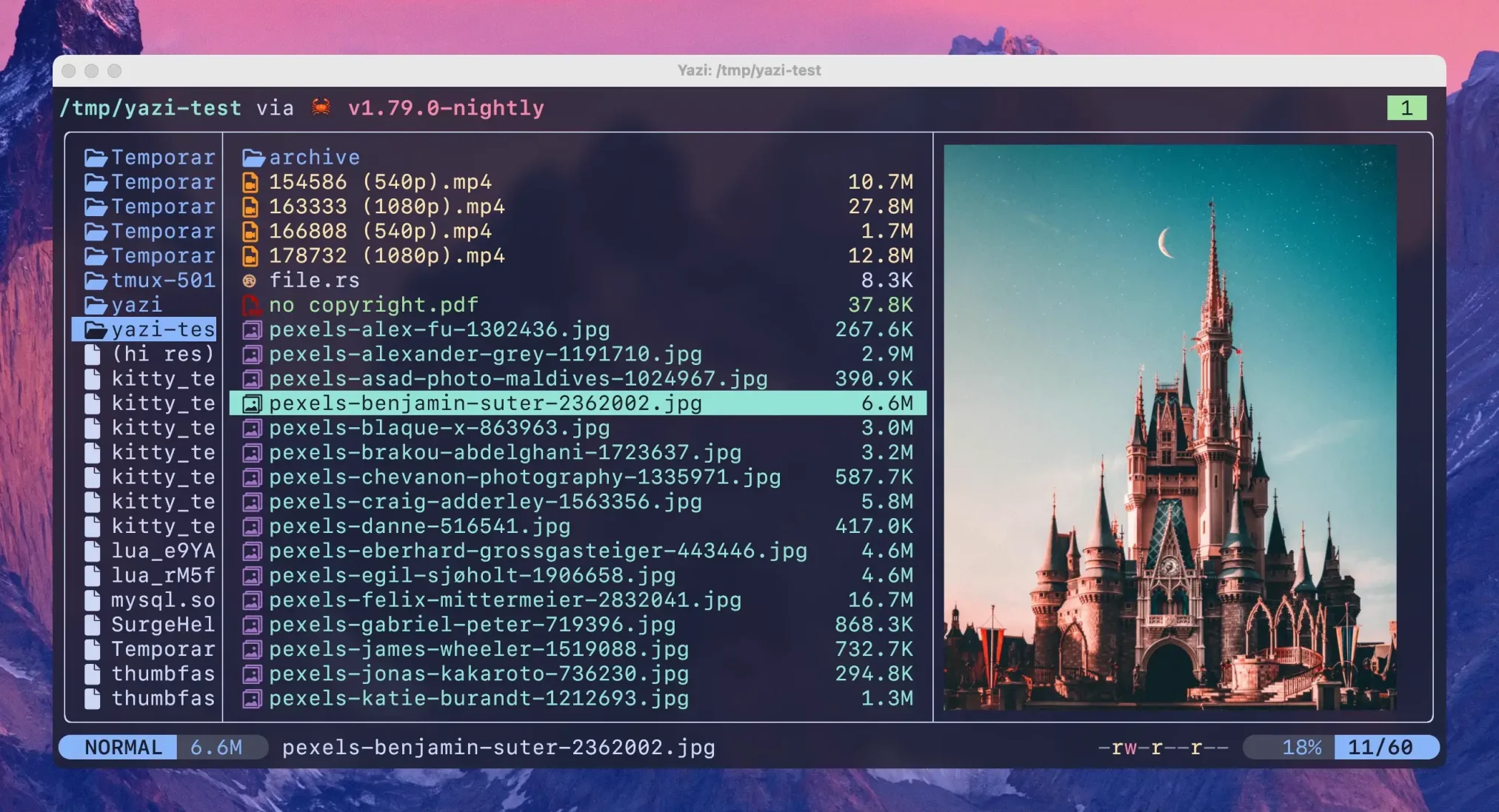
Yazi is the newest star in the terminal world. Written in Rust, it is designed to be blazing fast and can handle multiple tasks at once without slowing down. It provides a modern interface within your terminal with excellent image preview support, a customizable layout, and a powerful plugin system. If you want a terminal manager that feels like it belongs in 2026, Yazi is it.
- Best For: Modern terminal users and those who love speed.
- Key Feature: High-speed file handling and modern image previews.
- Why Choose It: It is significantly faster than traditional file managers and handles large folders instantly.
9. Midnight Commander (mc)
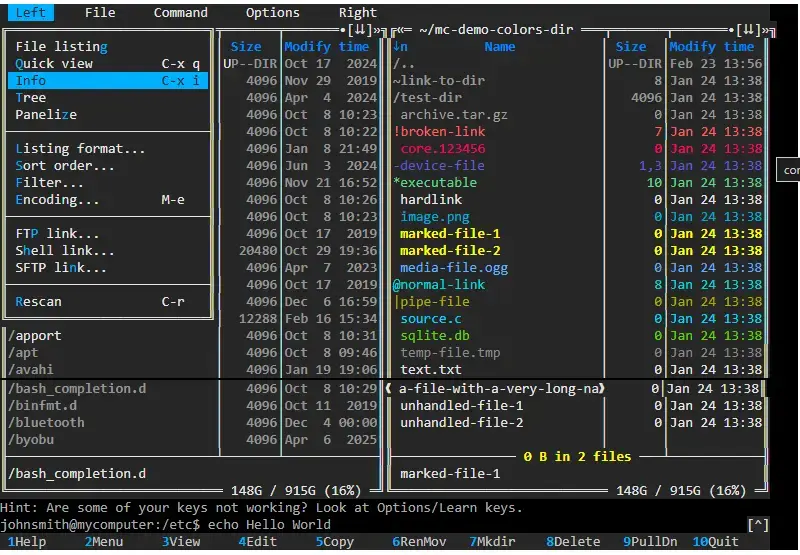
Midnight Commander is the “Old Reliable” of the Linux world. It is a visual shell that allows you to manage files using a dual-pane interface in the terminal. It is legendary for its stability and is often the first tool installed on a new server. It includes a built-in editor (mcedit) and supports virtual filesystems like FTP and FISH.
- Best For: Server administration and classic terminal users.
- Key Feature: Dual-pane terminal interface.
- Why Choose It: It works over SSH as easily as it does on your local machine.
10. Ranger
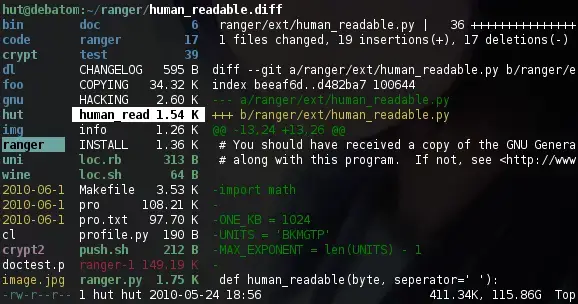
Ranger is a console file manager with VI keybindings. It provides a multi-column display where you can see the parent directory, the current directory, and a preview of the selected file all at once. It is highly scriptable in Python and is the gold standard for users who want a “Vim-like” file management experience.
- Best For: Vim users and keyboard-centric power users.
- Key Feature: Three-column view and VI keybindings.
- Why Choose It: It makes navigating deep directory trees incredibly fast.
Frequently Asked Questions
How do I change the default file manager on Ubuntu?
xdg-mime default your-manager.desktop inode/directory. Replace “your-manager.desktop” with the name of the software you installed (e.g., dolphin.desktop).Can I have multiple file managers installed at once?
Does installing Dolphin make my Ubuntu slow?
Which terminal file manager is fastest?
Can I use these file managers on Ubuntu Server?
Choosing the right tool depends entirely on your workflow. If you value simplicity, stick with Nautilus. If you need maximum control, Dolphin or Krusader are your best bets. For those living in the terminal, Yazi is the future of file management on Ubuntu.
Check out our other guides on Ubuntu Customization and the best AI tools for Linux to further optimize your setup.
Feel free to contact us if we missed your favorite tool!