 Minitube is a native YouTube client for Ubuntu that plays videos outside the browser. You type a keyword or paste a channel link, and it streams videos one after another without ads, comment sections, or related-video rabbit holes. It uses less CPU and memory than a browser tab, which makes it useful on older hardware or any machine where you want YouTube playing in the background without the overhead of a full browser.
This guide covers three install methods: APT from Ubuntu’s repositories, the official DEB from the developer’s site, and Flatpak from Flathub. Each method gives you a different version, and that difference matters because Minitube 4.0 introduced a subscription requirement. The right install path depends on whether you want the latest version or a free build.
What You Need to Know
- Current version: 4.0 (released August 2024, Qt6-based)
- APT version on Ubuntu 24.04: 3.9.3 — free, older, fully functional
- Version 4.0 requires: a subscription of €9.99/year — developer-supported ongoing funding model
- Snap: not available — APT, DEB, or Flatpak only
- Requires Ubuntu: 23.04 or later for the official DEB
- No YouTube account needed — channel subscriptions are stored locally
4.0
Current Version
Aug 2024
Last Release
€9.99
Per Year (v4.0)
Free
APT Version (3.9.x)
Jump to a section
What Is Minitube?
Minitube is a YouTube client built natively for Linux, Windows, and macOS by developer Flavio Tordini. Rather than wrapping a browser, it talks to YouTube directly and presents a stripped-down interface focused on continuous playback. You type a search term, paste a channel URL, or browse categories, and Minitube queues up videos and plays them one after another.
The practical appeal is specific. Minitube is not trying to replicate the YouTube website. There are no comments, no recommendation algorithms pulling you sideways, no autoplay traps. It is closer to leaving a music channel on TV: you point it at something and let it run. That makes it genuinely useful for background music, kids’ content with the content filter turned on, or any situation where you want video without the distraction layer YouTube wraps around it.
It is a one-developer project. Flavio has maintained it since 2010. In August 2024 he released version 4.0, rebuilt on Qt6, and introduced a €9.99/year subscription to keep development financially sustainable. The Linux version remains free to download. The subscription unlocks continued use and supports future updates. If you want to use the older free build, Ubuntu’s APT repository has version 3.9.3, which works without any subscription.
Get Minitube for Linux
Official download from the developer’s site. Works on Ubuntu 23.04 and later.
Method 1: Install Minitube with APT
Ubuntu 22.04 and 24.04 both include Minitube in the standard repositories. Ubuntu 24.04 Noble ships version 3.9.3. This is not the current 4.0 release, but it is fully functional, free, and maintained within Ubuntu’s package system. If you do not need the latest version and prefer not to deal with a subscription, this is the simplest route.
Open a terminal and run:
sudo apt update
sudo apt install minitube
After install, launch Minitube from your application menu or by running minitube in the terminal.
Note: APT installs version 3.9.3 on Ubuntu 24.04, not the current 4.0 release. If you need 4.0 with Qt6 support and the latest features, use the DEB method below instead.
Method 2: Install Minitube 4.0 via the Official DEB
The developer’s site provides a direct DEB file that installs Minitube 4.0 on Ubuntu 23.04 and later. This is the route to get the current release, including the Qt6 rebuild and all new features. It also comes with the €9.99/year subscription requirement for continued use.
The developer is transparent about why: Minitube is a one-person project, and Linux maintenance takes real time. The subscription is how that work gets funded. If you find value in the app, it is worth supporting. If you prefer to avoid the subscription, use the APT method above.
To install, go to the official Minitube page and download the Linux DEB file:
Once downloaded, install it with APT, which handles dependencies automatically:
cd ~/Downloads
sudo apt install ./minitube.deb
Using apt install ./ rather than dpkg -i is the recommended approach because APT will pull in any missing dependencies automatically. After install, launch Minitube from your application menu and enter your subscription details when prompted.
Method 3: Install Minitube via Flatpak
Minitube is available on Flathub as org.tordini.flavio.Minitube. If you have Flatpak set up on your system, this method works across Ubuntu versions without depending on what is in the Ubuntu repository.
Known issue: Some users have reported that the Flatpak version of Minitube displays search results but does not play videos. This is a documented issue in the Flathub repository. If you run into this, switch to the APT or DEB install method instead.
If Flatpak is not already installed, set it up first:
sudo apt install flatpak
flatpak remote-add --if-not-exists flathub https://flathub.org/repo/flathub.flatpakrepo
Then install Minitube:
flatpak install flathub org.tordini.flavio.MinitubeLaunch it after install:
flatpak run org.tordini.flavio.MinitubeYou may need to log out and back in before the Minitube launcher appears in your application menu.
Which Install Method Should You Use?
Screenshots
-
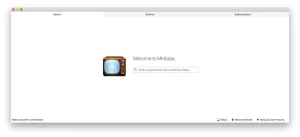
- Minitube homescreen from Download MiniTube App – Automatically Play YouTube Videos From Any Playlist
-
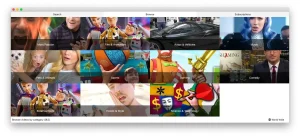
- Minitube browse category from Download MiniTube App – Automatically Play YouTube Videos From Any Playlist
-
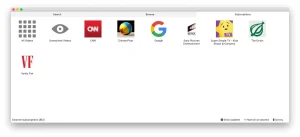
- Channel subscriptions minitube from Download MiniTube App – Automatically Play YouTube Videos From Any Playlist
First Run and Setup
After installation, open Minitube from your application menu. On first launch you will see a simple search bar. There is no account setup, no sign-in screen, and no onboarding flow. Type a keyword, a channel name, or paste a YouTube URL and press Enter.
Minitube will return a stream of matching videos and begin playing the first one automatically. From there it queues up the next video without any further input. That is the core experience: set a topic and let it run.
A few things worth doing on first run:
- Subscribe to channels: Search for a channel by name, then click the subscribe button next to it. Subscriptions are stored locally and show up in the sidebar. No Google account is involved.
- Check playback quality: Go to Preferences and set your preferred video quality. Minitube supports up to 1080p depending on the video and your connection.
- Set up content filters: If you are using Minitube for kids, enable the content filter in Preferences. It filters out videos flagged as inappropriate by YouTube’s own rating system.
- Try compact mode: A small always-on-top window mode is available if you want video running while you work in other apps. Find it in the View menu.
Support Minitube Development
Version 4.0 is funded by subscriptions. €9.99/year keeps the project alive and maintained.
Key Features
Minitube is intentionally minimal. It does one thing well and does not try to compete with a full browser experience. Here is what it actually offers:
Continuous Playback
Search for a keyword and Minitube queues up a stream of matching videos. Each one plays automatically after the last. No clicks required between videos.
Channel Subscriptions Without a Google Account
Subscribe to YouTube channels and get notified of new videos. All subscription data is stored locally. No Google login required.
Lower Resource Usage
Minitube uses less CPU and memory than a browser tab running YouTube. On older hardware or low-power machines, the difference is meaningful.
Content Filter
A built-in content filter blocks videos flagged as inappropriate. Useful if Minitube is running in a shared space or for kids.
Compact Mode
A small, always-on-top window mode lets you keep video running while working in other applications. Useful for background music or passive viewing.
Editable Playlist and Sorting
Drag and drop to reorder videos in the queue, remove ones you do not want, and sort results by date, view count, or rating. Filters by duration and publication date are also available.
Snapshot and Clipboard Tools
Take a still image from any video at full resolution. Copy the YouTube link to clipboard directly from within Minitube, or share via email.
Fullscreen Mode
Full screen with auto-hiding toolbar and playlist. Mouse cursor hides automatically. Clean viewing experience without browser chrome.
System Requirements
Known Limitations
Minitube is worth understanding before you commit to it. There are real constraints you should know about.
It is a one-developer project. Flavio Tordini maintains Minitube alone. That means response time on bugs can be slow, and there are currently 79 open issues on the GitHub repository. For most users the app works fine, but edge cases and platform-specific problems can sit unresolved for extended periods.
YouTube API changes can break it. Minitube depends on YouTube’s data API. Google has periodically restricted API access, changed response formats, and revoked keys used by third-party clients. There is a long history of “Forbidden” errors in the issue tracker tied to API changes. The app may stop working temporarily after a YouTube-side change, waiting for a developer fix.
Ubuntu 25.10 startup issues are reported. One user filed an issue in December 2025 reporting that Minitube will not start on Ubuntu 25.10. If you are on a very recent Ubuntu release, test it after install before assuming everything works.
The Flatpak version has video playback problems. As noted in the install section, the Flatpak build has a documented issue where videos do not play. If you used Flatpak and videos are not loading, switch to APT or the official DEB.
No download feature. Minitube plays videos. It does not download them. If you need to save YouTube videos locally, that is a different tool. ClipGrab and FFmpeg cover that use case on Ubuntu.
No playback speed control. There is an open feature request for this. Currently you cannot adjust playback speed within Minitube.
Need help or want to report a bug? The developer runs an official support forum at flavio.tordini.org/forums. That is the right place for bug reports, feature requests, and technical support questions. If you are on the subscription plan, support is also available via email through the developer’s site.
How to Uninstall Minitube
The uninstall command depends on which method you used to install.
If you installed via APT or the official DEB:
sudo apt remove minitubeTo also remove configuration files left behind:
sudo apt purge minitubeIf you installed via Flatpak:
flatpak uninstall org.tordini.flavio.MinitubeTo remove leftover Flatpak data as well:
flatpak uninstall --delete-data org.tordini.flavio.MinitubeFrequently Asked Questions
What is Minitube?
Minitube is a native YouTube client for Linux, Windows, and macOS. It plays YouTube videos outside the browser, using less CPU and memory than a browser tab. You search for something and it plays videos continuously without ads, comment sections, or recommended-video distractions.
Is Minitube free on Ubuntu?
It depends on which version you install. The version in Ubuntu’s APT repositories (3.9.x) is free and open source. The current release, Minitube 4.0, requires a subscription of €9.99 per year. The developer introduced the subscription model in August 2024 to keep the project financially sustainable.
Does Minitube work on Ubuntu 24.04?
Yes. The APT package in Ubuntu 24.04 Noble is version 3.9.3, which installs and runs without issues. The official 4.0 DEB from the developer’s site targets Ubuntu 23.04 or later, so it works on 24.04. Some users have reported startup problems on Ubuntu 25.10, so test after install on newer releases.
Does Minitube need a YouTube account?
No. Minitube lets you search, play, and subscribe to YouTube channels without logging in to a Google account. Channel subscriptions are stored locally on your machine. That is one of the privacy advantages the developer highlights.
Why does Minitube require a subscription now?
The developer, Flavio Tordini, introduced the €9.99/year subscription with version 4.0 in August 2024. The stated reason is that Linux development, bug fixes, and ongoing support require financial resources that one-time purchase prices were not covering sustainably. If you want to use Minitube 4.0 long-term, the subscription is how that work gets funded.
Is there a Minitube Snap package?
No. Minitube is not on the Snap Store. Your options are APT from Ubuntu’s repositories, the official DEB from the developer’s site, or Flatpak from Flathub.
Minitube is not playing videos. What do I do?
If you installed via Flatpak, this is a known issue with that package — switch to the APT or DEB install method. If you are using APT or the DEB and videos are not loading, it may be a YouTube API change that requires a Minitube update. Check the GitHub issues page at github.com/flaviotordini/minitube for recent reports, and update Minitube if a new version is available.
More Ubuntu app guides: Top Media Players on Ubuntu · Install Kodi on Ubuntu · ClipGrab for Ubuntu