The short version: KeePassXC 2.8.0 is out, the first stable release of the popular open source password manager’s 2.8 series. It moves the whole app to Qt 6, finally makes Auto-Type work on Wayland, adds a Polkit-based Quick Unlock for Linux and fixes several security bugs. The KeePassXC team published it on 21 October 2026, a month after the 2.8 Beta.
Auto-Type finally works on Wayland
What Auto-Type does: instead of copying and pasting, KeePassXC types your username and password straight into another app’s login form when you press a global shortcut. On X11 this has worked for years. On Wayland, apps are not allowed to fake keystrokes into other windows, so Auto-Type simply did not work there.
How 2.8 solves it: KeePassXC now asks the desktop for permission through XDG Desktop Portals, the same system that sandboxed apps use for screen sharing. You bind the global trigger through the desktop’s shortcuts portal, approve a one-time remote input request, and KeePassXC can then type for you. Because Ubuntu has shipped a Wayland session by default for years, this is the change most Ubuntu users will notice.
A few rough edges: the developer behind the feature tested it on KDE Plasma and GNOME, and notes that GNOME still has some quirks with global shortcuts. If a shortcut you change in GNOME Settings does not take effect, logging out and back in should help. AppImage users also benefit: the AppImage now launches itself through systemd-run when it can, so portal-based Auto-Type works properly on GNOME and KDE.
Qt 6 and a familiar look
Same app, newer foundation: the move from Qt 5 to Qt 6 has been in progress for a long time. Do not expect a redesign. KeePassXC 2.8 looks and works much like 2.7, but Qt 6 keeps it on an actively developed toolkit with stronger support for modern desktops, including Wayland and high-DPI screens.
Quick Unlock with Polkit
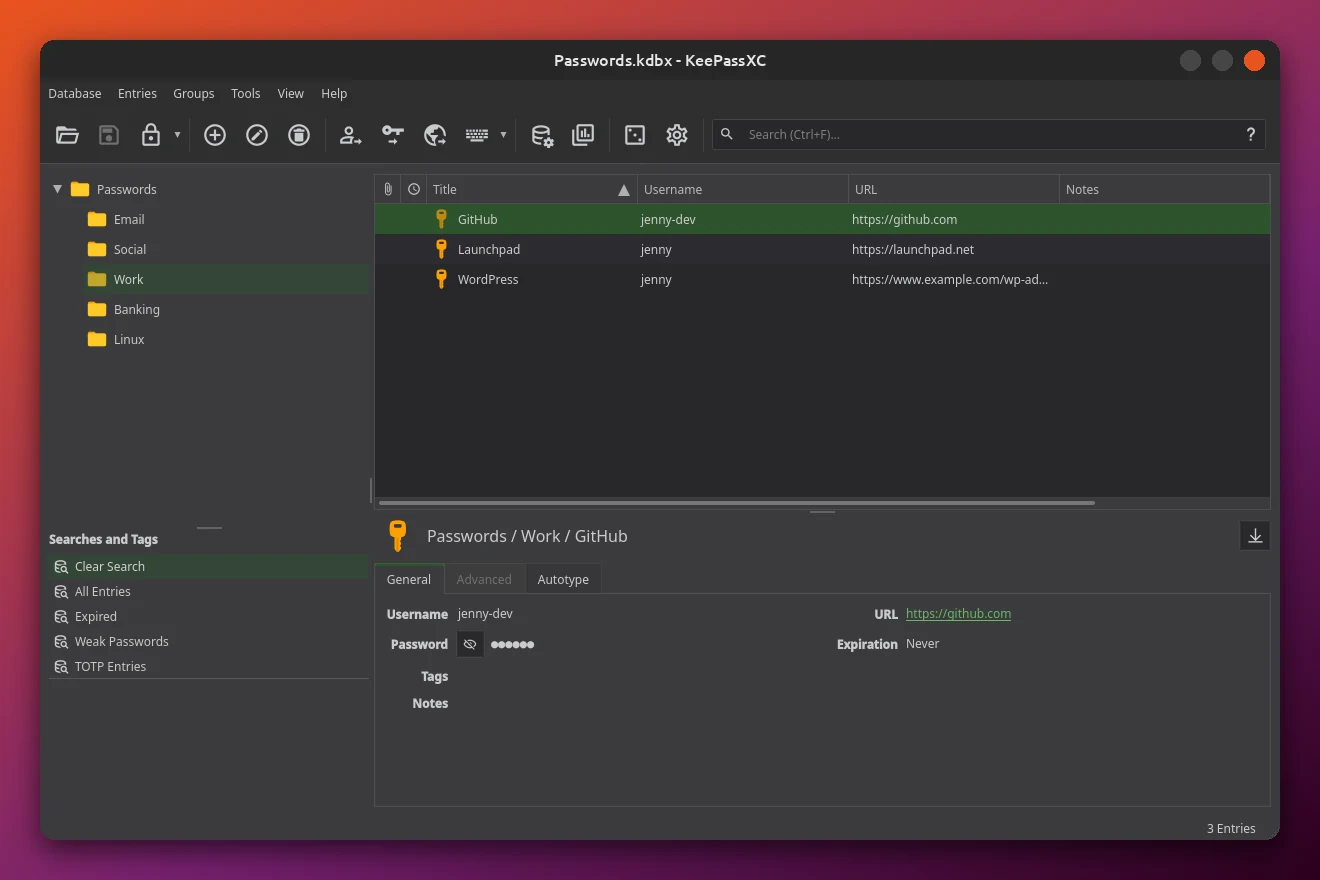
Linux catches up: Mac users have had Touch ID and Windows users have had Windows Hello for quick unlocking. On Linux, KeePassXC 2.8 now uses Polkit, the same system that shows the password prompt when you change system settings. If you have set up fingerprint login on Ubuntu, that prompt can accept your fingerprint. If not, it falls back to your account password.
Good to know: the first time you use it, KeePassXC adds an identifier to the database’s public metadata, so the database shows as modified on first launch. That is expected and not a sign of a problem. You still need your master password the first time you open a database in each session.
Custom shortcuts, Remote Sync and SSH keys
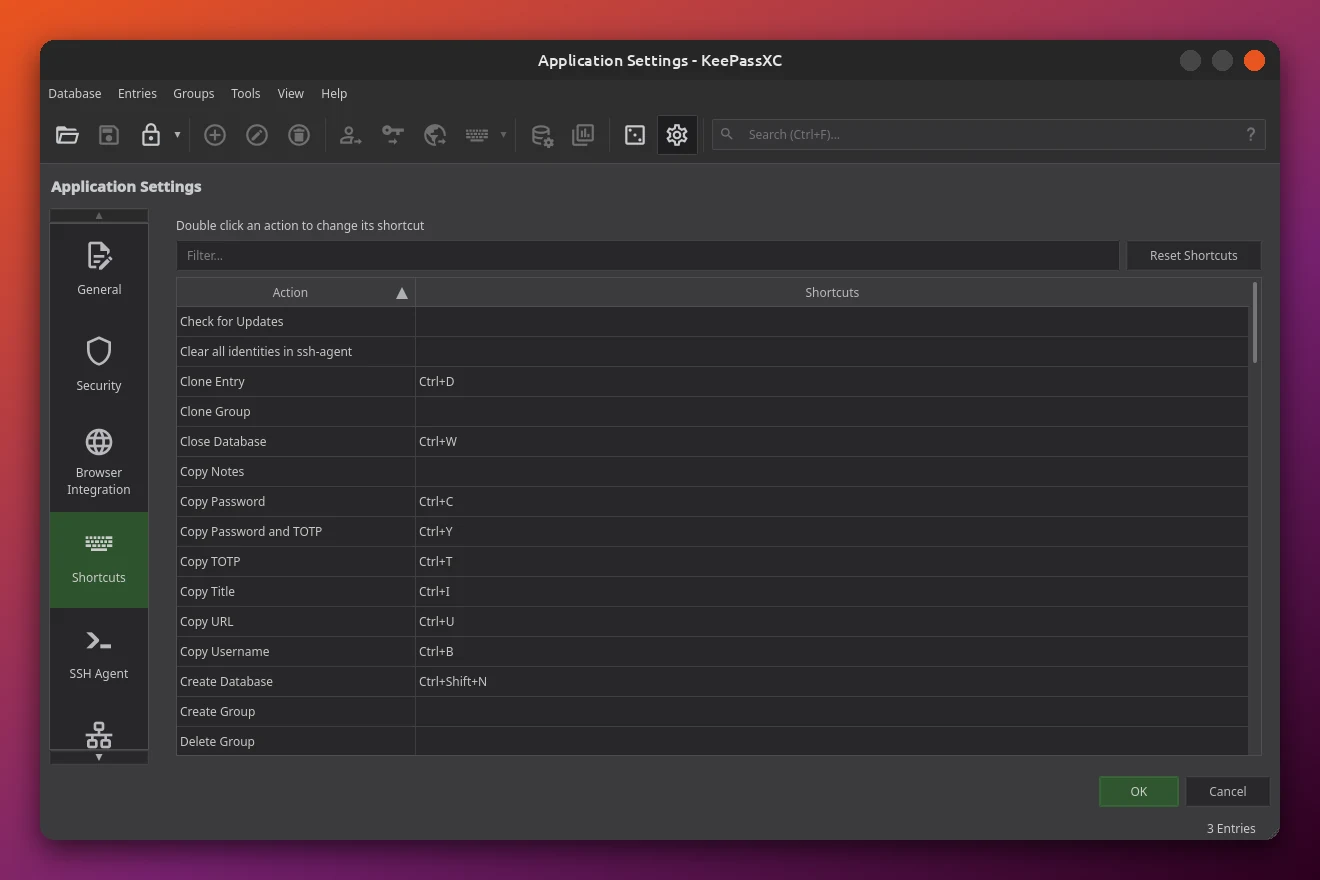
Configurable keyboard shortcuts: a new Shortcuts page in Settings lists every action. Double click one to change it, or use Reset Shortcuts to go back to the defaults. One default changed too: Clone Entry now uses Ctrl+D.
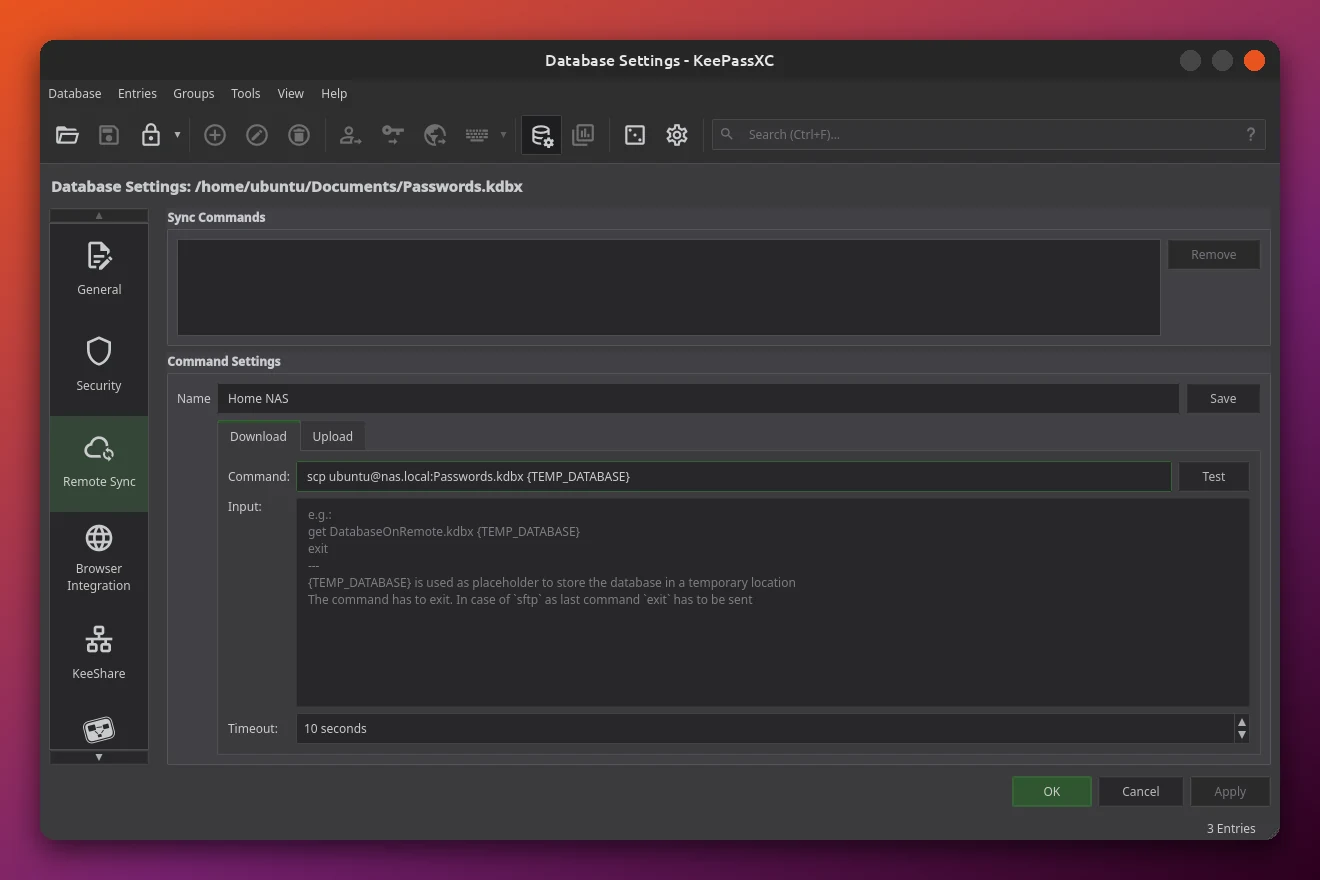
Remote Sync: KeePassXC still does not run its own cloud. Instead, Database Settings has a new Remote Sync page where you save commands, such as scp or sftp, that download and upload a copy of your database. You can then sync or import from that remote copy through the Database menu. It suits people who keep their vault on a home server or NAS.
SSH key generation: the SSH Agent integration can now create RSA, ECDSA and Ed25519 keys directly inside KeePassXC, so you no longer need a separate ssh-keygen step before storing a key.
Other notable changes
- ARM builds: an experimental AArch64 AppImage for Linux, plus native ARM64 builds for Windows.
- Better stats: database statistics now count passkey and TOTP entries, in both the app and the command line tool.
- Smarter attributes: KeePassXC suggests names when you add or rename custom attributes.
- Proton Pass import: now brings over Wi-Fi entries, SSH keys and unknown entry types.
- Fewer freezes: lockups on PCs with one or two CPU cores are fixed.
- Tidier files: on Linux, app state now lives in
XDG_STATE_HOMEinstead of the cache folder.
Security fixes in 2.8
Why you should update: 2.8.0 brings five vulnerability fixes that first shipped in the Beta to everyone. They include a use-after-free when importing crafted KDB files (CVE-2026-69150), out-of-bounds writes in browser messaging and an entry reference injection issue through the browser extension. The team says all 2.7.x and older versions are affected, the issues are rated low to moderate, and none touch the core encryption. Most still await CVE numbers from GitHub.
Where to get KeePassXC 2.8 on Ubuntu
We checked each channel on 25 October 2026. Here is where 2.8.0 is available today:
How to install or update
Flatpak (recommended): if you have not set up Flatpak yet, our things to do after installing Ubuntu 26.04 guide covers it. Then run the official install command:
Already on Flatpak? Update it with:
Official PPA: prefer a regular .deb package? Add the KeePassXC team’s PPA and install. If you already use the PPA, a normal system update brings in 2.8. Our apt and snap commands guide explains each step.
Snap users: snaps update on their own, but you can pull 2.8.0 right away with:
AppImage: download the 2.8.0 AppImage from the KeePassXC website, make it executable and run it. It now creates and refreshes its own menu entry, so the launcher always points to the version you last opened.
Bottom line
KeePassXC 2.8 is the most important update for Ubuntu users in years, mainly because Auto-Type now works on the Wayland session most of us use. Add Polkit Quick Unlock, custom shortcuts and a batch of security fixes, and there is good reason to move off the 2.7 package in Ubuntu’s repository. If you are still picking a password manager, KeePassXC sits high on our list of the best software for Ubuntu, and you can see how far it has come since our KeePassXC 2.7.10 coverage.
Source: KeePassXC 2.8.0 on GitHub.