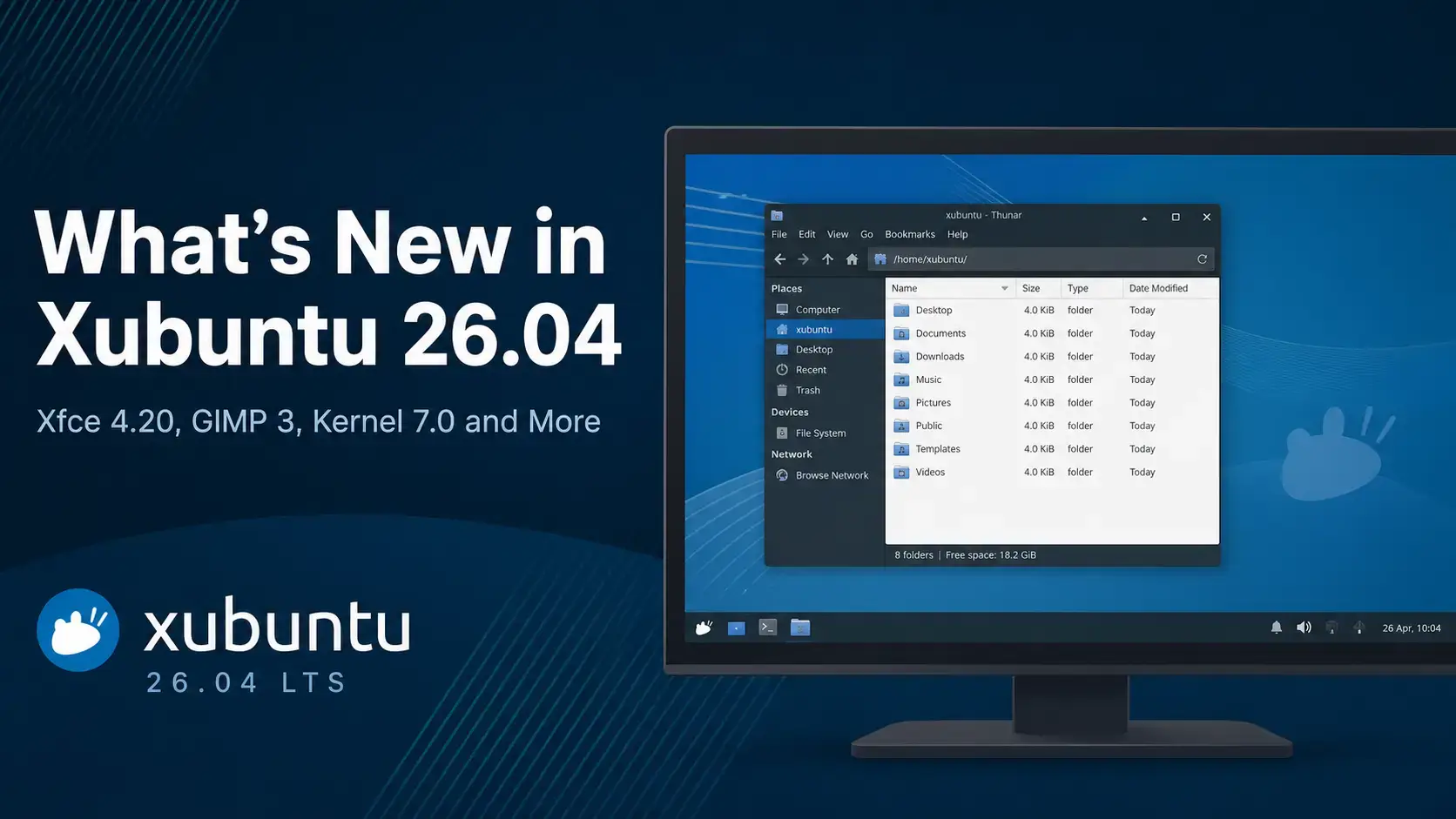
 Xubuntu 26.04 LTS Resolute Raccoon ships with Xfce 4.20, Linux kernel 7.0, GIMP 3.2.2, and eight community anniversary wallpapers. Below is a complete breakdown of every major change worth knowing about before you upgrade from 24.04.
Resolute Raccoon
Every major change in this LTS release – from Xfce 4.20 and the kernel to updated apps, the new panel setup, and the 20th anniversary wallpapers.
Xfce 4.20 – The Desktop Upgrade
Xubuntu 26.04 ships Xfce 4.20, released in December 2024 after almost two years of development since Xfce 4.18. The focus for this cycle was two things: bringing Wayland support to most of the desktop stack, and a steady wave of usability improvements across core components. For LTS upgraders coming from Xubuntu 24.04, this is the headline change. For the full technical changelog, see the official Xubuntu 26.04 release notes.
The tree view side pane now has typeahead search – start typing a folder name and Thunar jumps to it. You can display symbolic icons in the side pane. Thumbnail scaling is improved, and up to four emblems are now always visible on file icons without hovering.
New keyboard shortcuts: Ctrl+Enter to execute a command directly, Ctrl+N and Ctrl+P to move through results without touching the mouse. New preferences let you auto-close the window when focus is lost and launch items with a single click instead of double.
A dedicated preference now controls what happens when you close the laptop lid – separate from the general suspend setting. The panel plugin responds to scroll wheel events for quick brightness adjustment. Battery icon levels and brightness management have both been improved.
The Clock plugin now shows week numbers. Panel border width is configurable. Icon scaling is more consistent. Wayland support has been improved throughout the panel and its plugins, including the PulseAudio plugin which moves from 0.4.8 to 0.5.1.
A new preference enables client-side decorations (CSD) in dialogs for apps that support it. Dark theme detection is improved. The display profiles dialog has been redesigned with better scaling previews and improved mirror state management.
Wallpaper gradients now use dithering to reduce color banding on displays with limited color depth. Icon sort direction is handled more reliably. SVG wallpaper support is improved on large screens. Custom colors for icon labels and icon backgrounds can now be set.
You can now set a minimum width for notifications, which prevents very short messages from looking cramped. Wayland support in the notification daemon has also been improved.
The session manager now ships an xdg-desktop-portal configuration file for better portal integration with apps that use it. libxfce4ui adds the distribution logo to the About Xfce dialog and changes Super key detection to fire on key release, replacing the xcape workaround used in 24.04.
Wayland Support – Experimental but Real Progress
Xfce 4.20 dedicates a large part of its development cycle to Wayland. Most Xfce components now have Wayland support – but it is still experimental. The default session in Xubuntu 26.04 is X11, which is stable and unchanged. Wayland is available to those who want to test it.
startxfce4 --wayland. Xfce 4.20 supports the Labwc and Wayfire compositors for this. However, xfwm4 (the Xfce window manager) is not yet ported to Wayland – you need to use Labwc or Wayfire as a replacement compositor when running a Wayland session. Most everyday users should stay on the default X11 session for now.| Xfce Component | Wayland Status in Xfce 4.20 |
|---|---|
| Most components (panel, settings, apps) | Wayland support added. Works with Labwc or Wayfire compositors. |
| xfwm4 (window manager) | Not yet ported. Use Labwc or Wayfire for Wayland sessions. |
| Screenshooter | Full-screen capture via wlroots screencopy works. Region and active window capture not yet supported on Wayland. |
| Default session | X11. Stable and unchanged. Wayland is opt-in only. |
Panel Change – Indicator Plugin Removed
One visible change in the default Xubuntu 26.04 panel: the legacy indicator plugin is no longer included in the default panel layout. This affects users who had apps relying on the old Ayatana/AppIndicator system tray standard.
Linux Kernel 7.0
Xubuntu 26.04 ships with Linux kernel 7.0, the same kernel as Ubuntu 26.04 LTS. This is a significant jump from kernel 6.8 in Xubuntu 24.04 and brings hardware support for components that did not exist when 24.04 shipped.
Application Changes – 24.04 vs 26.04
Here is a direct comparison of the key application versions between Xubuntu 24.04 and 26.04.
| Application | Xubuntu 24.04 | Xubuntu 26.04 | Notes |
|---|---|---|---|
| Desktop environment | Xfce 4.18 | Xfce 4.20 | Wayland support, Thunar improvements, Application Finder shortcuts |
| Linux kernel | 6.8 | 7.0 | New hardware support, AMD/Intel GPU improvements |
| GIMP | 2.10.36 | 3.2.2 | GTK 3 port complete, improved color management, new plugin API |
| LibreOffice | 24.2.2 | 26.2.2.2 | Two major version cycles of improvements |
| Mousepad (text editor) | 0.6.1 | 0.7.0 | New major version |
| Parole (media player) | 4.18.2 | 4.20.0 | Aligned with Xfce 4.20 release cycle |
| Catfish (file search) | 4.16.4 | 4.20.0 | New Archives and Other filter categories, performance improvements |
| Thunar (file manager) | 4.18.8 | 4.20.7 | Typeahead tree search, symbolic icons, improved thumbnails, 4 emblems |
| Whisker Menu | 2.8.3 | 2.10.1 | Two minor versions of refinements |
| Thunderbird | 115.9.0 (snap) | 140.9.0 (snap) | Significant update across multiple major versions |
Xubuntu 26.04 vs Ubuntu 26.04 – How They Differ
Both Xubuntu 26.04 and Ubuntu 26.04 share the same base: identical Ubuntu repositories, the same Linux kernel 7.0, the same security update schedule, and the same support window until April 2029 for the flavor. The difference is the desktop layer on top.
| Feature | Xubuntu 26.04 | Ubuntu 26.04 |
|---|---|---|
| Desktop environment | Xfce 4.20 | GNOME 50 |
| Default display session | X11 (Wayland optional) | Wayland only |
| RAM usage at idle | ~600-800 MB typical | ~1.2-1.5 GB typical |
| Minimum RAM to install | 2 GB | 4 GB |
| Image editor | GIMP 3.2.2 | GIMP 3.0 |
| LTS support | 3 years (until April 2029) | 5 years (until April 2031) |
| Best for | Older hardware, users who prefer a traditional desktop layout | Modern hardware, users who want the latest GNOME experience |
Free. Open source. Xfce 4.20. Supported until April 2029.
GIMP 3 – A Major Step Up
Xubuntu 26.04 ships GIMP 3.2.2, replacing GIMP 2.10.36 which had been the default in Xubuntu 24.04. GIMP 3.0 was a milestone release years in the making – completing a full rewrite of the GTK 3 port, improving color management with full linear light compositing support, and refreshing the plugin and scripting API. GIMP 3.2 builds further on that foundation.
Other Updated Applications
Beyond the major updates, several other bundled applications have moved to new versions.
The file search tool adds new Archives and Other filter categories to the side pane. The error that appeared when no default app was set for a file type is fixed. General performance improvements.
Xfburn now supports opening toast and img file extensions, expanding the range of disc image formats you can burn directly from the app.
The icon theme is now fully GPLv3 licensed. A new HiDPI variant introduced in 25.04 works better at 2x and 3x window scaling. The former dark theme variant has been consolidated into a single adaptive theme.
The audio and video routing layer moves from 1.0.4 to 1.6.2. Better Bluetooth audio handling, improved latency management, and more stable behavior with professional audio interfaces.
20th Anniversary – Eight New Wallpapers
Xubuntu 26.04 marks the project’s 20th anniversary. To celebrate, the team ran two community wallpaper contests: one for six original community-designed wallpapers, and one to create remixes of two beloved wallpapers from past Xubuntu releases. All eight ship on the default desktop installation alongside the official Resolute Raccoon wallpaper.
Known Issues in Xubuntu 26.04
The following issues are documented in the official release notes. All are relatively minor and have workarounds.
If you change your wallpaper after install, the xfce4-screensaver lock screen may still show the old wallpaper. Once you manually set a wallpaper from the Desktop Settings dialog, the lock screen updates and stays in sync going forward.
The graphical SSH agent is currently unavailable due to a known issue with the openssh package. Users who rely on a graphical SSH passphrase prompt will need to use the terminal-based agent or an alternative like seahorse-daemon as a workaround for now.
On some dual-boot configurations, the GRUB boot menu does not display automatically. This is a known GRUB issue. You can access GRUB by holding Shift at startup. A fix is expected in an upcoming package update.
System Requirements – Has Anything Changed?
The minimum hardware requirements for Xubuntu 26.04 are the same as 24.04. Xfce 4.20 does not require more resources than Xfce 4.18. If your machine ran Xubuntu 24.04 comfortably, it will run 26.04 comfortably.
- CPU: 1.5 GHz dual-core
- RAM: 2 GB
- Storage: 20 GB free
- Display: 1024 x 768
- CPU: 4-core 64-bit processor
- RAM: 4 GB or more
- Storage: 40 GB SSD
- Display: 1920 x 1080
Frequently Asked Questions
What is the biggest change in Xubuntu 26.04?
The biggest change is Xfce 4.20, released in December 2024 and now shipping in its first LTS Ubuntu flavor. It brings expanded Wayland support across the desktop stack, Thunar file manager improvements, Application Finder keyboard shortcuts, power management refinements, and panel updates. On top of that, Xubuntu 26.04 also ships GIMP 3.2.2, which is a major step up from GIMP 2.10 that shipped in 24.04.
What version of Xfce does Xubuntu 26.04 use?
Xubuntu 26.04 ships with Xfce 4.20, released in December 2024. This is a significant jump from Xfce 4.18 which was included in Xubuntu 24.04. Xfce 4.20 is the first Xfce version with expanded Wayland support across most components.
Does Xubuntu 26.04 support Wayland?
Xubuntu 26.04 includes experimental Wayland support through Xfce 4.20. You can start a Wayland session, but it is not the default. Most Xfce components now have Wayland support, though xfwm4 (the window manager) is not yet ported. The default desktop session remains X11, which is stable and fully supported. Wayland is available for users who want to test it.
What kernel does Xubuntu 26.04 use?
Xubuntu 26.04 ships with Linux kernel 7.0. This is the same kernel as Ubuntu 26.04 LTS and brings improved driver support for newer hardware, better AMD and Intel graphics performance, and stronger ARM64 platform support.
What happened to GIMP in Xubuntu 26.04?
Xubuntu 26.04 ships GIMP 3.2.2, which is part of the GIMP 3.x series. Xubuntu 24.04 shipped GIMP 2.10.36. GIMP 3.0 was a major milestone that completed the GTK 3 port, brought improved color management, and introduced a refreshed plugin and scripting API. GIMP 3.2.2 builds further on that foundation.
What are the new wallpapers in Xubuntu 26.04?
Xubuntu 26.04 is the project’s 20th anniversary release. To mark the occasion, the team ran two community wallpaper contests: one for six original submissions and one to remix two community favorites from past releases. All eight new wallpapers ship on the default desktop installation alongside the official Resolute Raccoon wallpaper.
How long is Xubuntu 26.04 supported?
Xubuntu 26.04 LTS is supported for three years, until April 2029. This is standard for Ubuntu flavor releases. The main Ubuntu 26.04 LTS receives five years of support, but flavors like Xubuntu, Kubuntu, and Lubuntu follow the three-year cycle.
More Xubuntu 26.04 guides: Xubuntu 26.04 Download · Upgrade to Xubuntu 26.04 · Xubuntu 26.04 Wallpapers