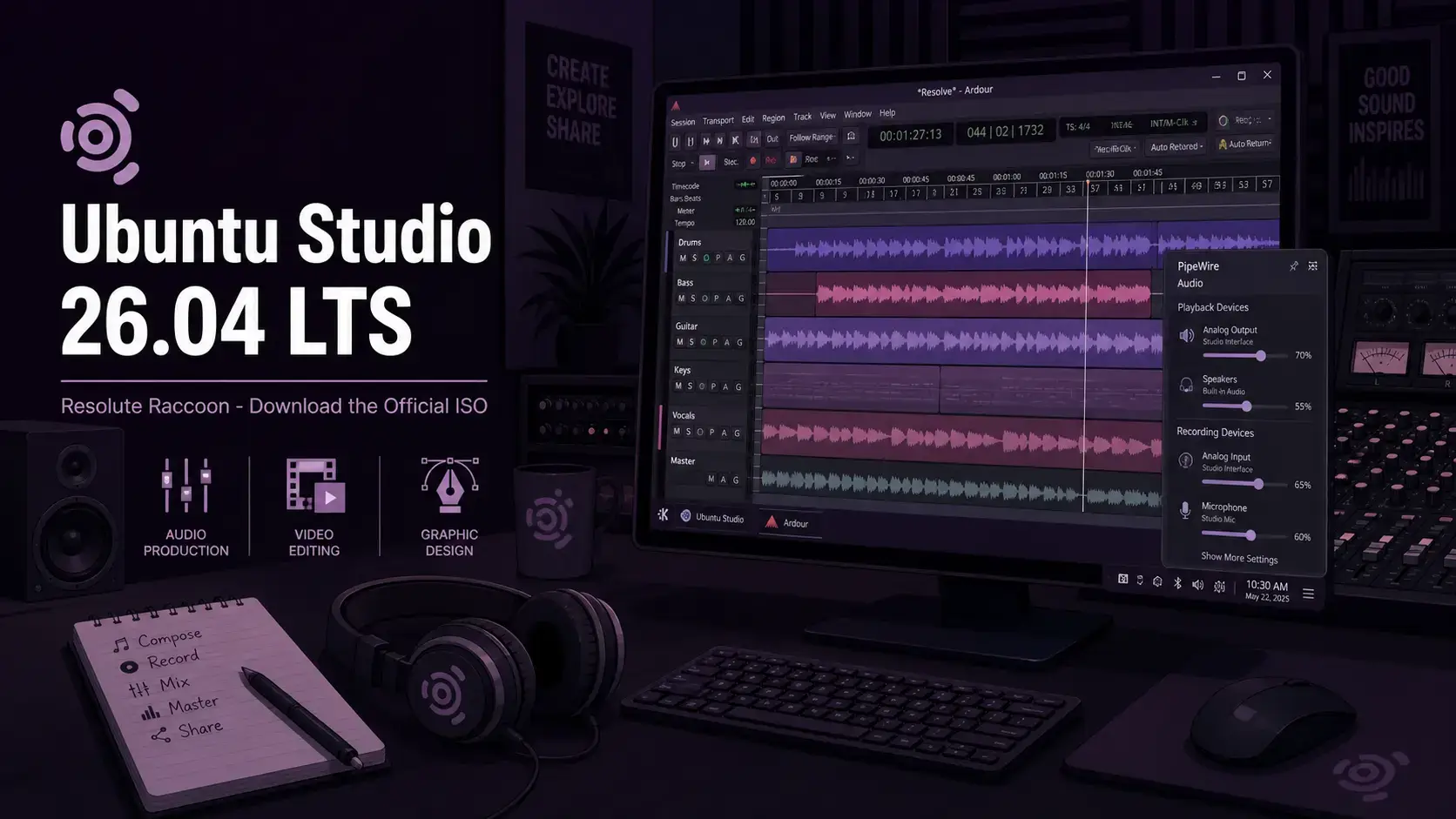
 Ubuntu Studio 26.04 LTS Resolute Raccoon is available to download now from Canonical’s official image server. This long-term support release ships with KDE Plasma 6.6 and Linux kernel 7.0, built for audio production, video editing, graphic design, and publishing. It receives free security updates until April 2029. Below you will find the direct ISO link, torrent option, SHA256 verification steps, and system requirements.
Resolute Raccoon
A free, open source Linux distro built for creators. Audio, video, graphics, and publishing tools included. Supported until April 2029.
What Is Ubuntu Studio?
Ubuntu Studio is the official Ubuntu flavor built for creative professionals. Where standard Ubuntu gives you a general-purpose desktop, Ubuntu Studio ships with a full toolkit for audio production, video editing, digital painting, graphic design, and desktop publishing – all configured and ready to use from first boot.
It uses KDE Plasma as its desktop environment, chosen for its flexibility and low memory footprint compared to GNOME. The audio stack is built around PipeWire with low-latency kernel settings enabled by default, so you can open a digital audio workstation like Ardour and start recording without configuring anything manually.
It shares the same Ubuntu base and security update schedule as standard Ubuntu. You get the reliability of a mainstream distribution with a production-focused setup on top.
Download Ubuntu Studio 26.04 LTS
The link below goes directly to cdimage.ubuntu.com, Canonical’s official image server for Ubuntu flavors. Ubuntu Studio 26.04 is available as a single 64-bit desktop ISO only.
Size: 6.7 GB
Desktop: KDE Plasma 6.6
Filename: ubuntustudio-26.04-desktop-amd64.iso
What’s New in Ubuntu Studio 26.04
This LTS brings KDE Plasma 6.6, rewritten setup tools, expanded audio hardware support, and three selectable desktop layouts. For the full changelog, see the official Ubuntu Studio 26.04 release notes.
Choose from a classic Ubuntu Studio top-panel layout, a macOS-style layout with a global menu and bottom dock, or a new Windows-style bottom-panel layout. The default was selected by community vote. Switch layouts any time after install.
Ubuntu Studio Audio Configuration v3 was rebuilt from the ground up in Python with GTK4 and Qt6 frontends. It handles PipeWire buffer settings, real-time privileges, CPU governor, FireWire device setup, and interface profiles – all through a clean GUI instead of config files.
Built-in support for FFADO FireWire audio interfaces is now included in the Audio Configuration tool. If you use professional FireWire gear – Focusrite Saffire, MOTU, TC Electronic – it now connects without manual setup.
Plasma 6.6 ships alongside Qt 6.10.2 and KDE Frameworks 6.24.0. New default additions include VLC as the media player, vmpk replacing jack-keyboard for MIDI input, Loopino (audio sampler), and DistroAV for OBS NDI streaming support.
How to Verify Your Download (SHA256)
Always verify your ISO before writing it to a USB drive. This confirms the file downloaded completely and was not corrupted or tampered with.
SHA256SUMS file to the same folder as your ISO.Run the checksumOn Linux or macOS:
sha256sum ubuntustudio-26.04-desktop-amd64.iso
On Windows (PowerShell):
Get-FileHash ubuntustudio-26.04-desktop-amd64.iso -Algorithm SHA256
How to Install Ubuntu Studio 26.04
Once you have the ISO, the process is the same as any Ubuntu flavor. You need an 8 GB or larger USB drive.
Creative Tools Included
Ubuntu Studio 26.04 ships with a complete cross-discipline toolkit. These are the headline versions in this release.
| Application | Version | Use |
|---|---|---|
| Ardour 9.0.0 | 9.0.0 | Digital audio workstation |
| Blender | 5.0.1 | 3D modeling and animation |
| Kdenlive | 25.12.3 | Video editing |
| Krita | 6.0.1 | Digital painting |
| GIMP | 3.2.2 | Image editing |
| OBS Studio | 32.1.0 | Live streaming and screen recording |
| VLC | Latest | Media playback (new default) |
System Requirements
Ubuntu Studio is a full creative workstation. The more RAM and CPU you have, the more audio tracks and video effects you can run simultaneously without dropouts.
- CPU: 2 GHz dual-core 64-bit processor
- RAM: 4 GB (8 GB for comfortable audio work)
- Storage: 30 GB free disk space
- Display: 1024 x 768
- USB: 8 GB drive for installation
- CPU: 4-core 64-bit processor or better
- RAM: 16 GB or more
- Storage: 60 GB+ SSD
- Display: 1920 x 1080
- Audio: Dedicated audio interface recommended for recording
Free. Open source. KDE Plasma 6.6. Supported until April 2029.
Frequently Asked Questions
Can I try Ubuntu Studio 26.04 without installing it?
Yes. When you boot from the USB, choose the live session option at the boot menu. This loads Ubuntu Studio directly from the USB drive without touching your hard disk. You can test it as long as you like, then restart to return to your current system. Live sessions have the screensaver disabled by default so demos are not interrupted.
Is Ubuntu Studio good for audio recording and music production?
Yes, that is its primary purpose. Ubuntu Studio 26.04 ships with PipeWire 1.4.x, a low-latency kernel configuration using PREEMPT_DYNAMIC, and the Ubuntu Studio Audio Configuration tool for setting buffer sizes without touching config files. It includes Ardour 9.0.0, FFADO support for FireWire interfaces, and the Plasma PipeWire Settings widget in the system tray for on-the-fly adjustments. It is one of the most complete out-of-the-box Linux audio setups available.
What is the difference between an LTS release and a regular Ubuntu release?
LTS stands for Long Term Support. Canonical releases a new Ubuntu version every 6 months, but only LTS versions receive multi-year security updates. Regular releases are supported for just 9 months. For a production workstation or studio machine, LTS is the right choice – install it once and stay secure for years without having to upgrade.
Can I run Ubuntu Studio 26.04 inside a virtual machine?
You can install it in VirtualBox, VMware, or QEMU/KVM, but real-time audio work does not perform well inside a VM. The low-latency kernel settings and audio scheduling that Ubuntu Studio relies on are restricted in a virtual environment. Use a VM for exploring the desktop and tools, but for actual audio or video production, install it on physical hardware.
How do I create a bootable USB from the ISO file?
On Windows, use Rufus and select the ISO file. On macOS or Linux, use Balena Etcher. Both are free. Select your USB drive carefully as all data on it will be erased. The Ubuntu Studio ISO is 6.7 GB, so you need an 8 GB or larger USB drive.
Is Ubuntu Studio 26.04 free to use?
Yes. Ubuntu Studio is free to download, install, and use on any computer. There is no license fee. It is built and maintained by a volunteer community and published under open source licenses.
Can I upgrade from Ubuntu Studio 24.04 LTS to 26.04 without reinstalling?
Yes. Upgrades from Ubuntu Studio 24.04 LTS will be enabled with the release of 26.04.1 LTS in August 2026. Upgrades from 25.10 are expected shortly after release. Back up your home folder and any important files first. The full step-by-step upgrade process is covered in the upgrade guide linked in the footer below.
More Ubuntu Studio 26.04 guides: What’s New in Ubuntu Studio 26.04 · Upgrade to Ubuntu Studio 26.04 · Ubuntu Studio 26.04 Wallpapers · Ubuntu Budgie 26.04 Download · Ubuntu Cinnamon 26.04 Download