
The short version: the Ladybird web browser has reached its first alpha, bringing the first genuinely new independent desktop browser engine in years to Linux and macOS. Until now, trying Ladybird meant cloning its source tree and compiling it yourself.
Ubuntu users get first-class packages: alongside a recommended Flatpak build, the Ladybird team hosts official APT repositories for Ubuntu 24.04 LTS, Ubuntu 26.04 LTS, and Ubuntu 26.10 on both x86-64 and ARM64. Just keep expectations realistic: this is an early alpha that crashes, breaks on some sites, and explicitly carries no security guarantees yet.
Why a brand-new browser engine matters
Breaking the monoculture: almost every web browser on Ubuntu runs on one of three engines. Chrome, Edge, Brave, Opera, and Vivaldi share Google’s Blink engine, Firefox runs on Mozilla’s Gecko, and GNOME Web uses WebKitGTK.
Four years in the making: as Phoronix notes, Ladybird spun out of SerenityOS four years ago and is now run by the Ladybird Browser Initiative, a 501(c)(3) non-profit funded by donations and unrestricted sponsorships. Project founder Andreas Kling says Ladybird refuses default search engine deals, crypto tokens, and other user monetization.
| Browser / Project | Engine | Origin & Funding Model |
|---|---|---|
| Ladybird (Alpha) | Custom (LibWeb / LibJS) | Independent 501(c)(3) non-profit; donor and sponsor funded, no search deals |
| Chrome / Brave / Edge / Vivaldi | Blink (Chromium) | Google-led engine used across most commercial desktop browsers |
| Firefox | Gecko | Mozilla engine; major revenue relies on search placement agreements |
| GNOME Web / Safari | WebKit | Apple-led engine, wrapped on Linux via WebKitGTK |
Under the hood: Ladybird isolates each site inside sandboxed renderer processes, with separate helper processes for networking, audio, image decoding, and Linux hardware video decoding via Vulkan. While the project started in C++, the team adopted Rust incrementally in 2026, moving the LibJS JavaScript runtime and its new WebAssembly engine over to Rust.
What works in the Ladybird alpha
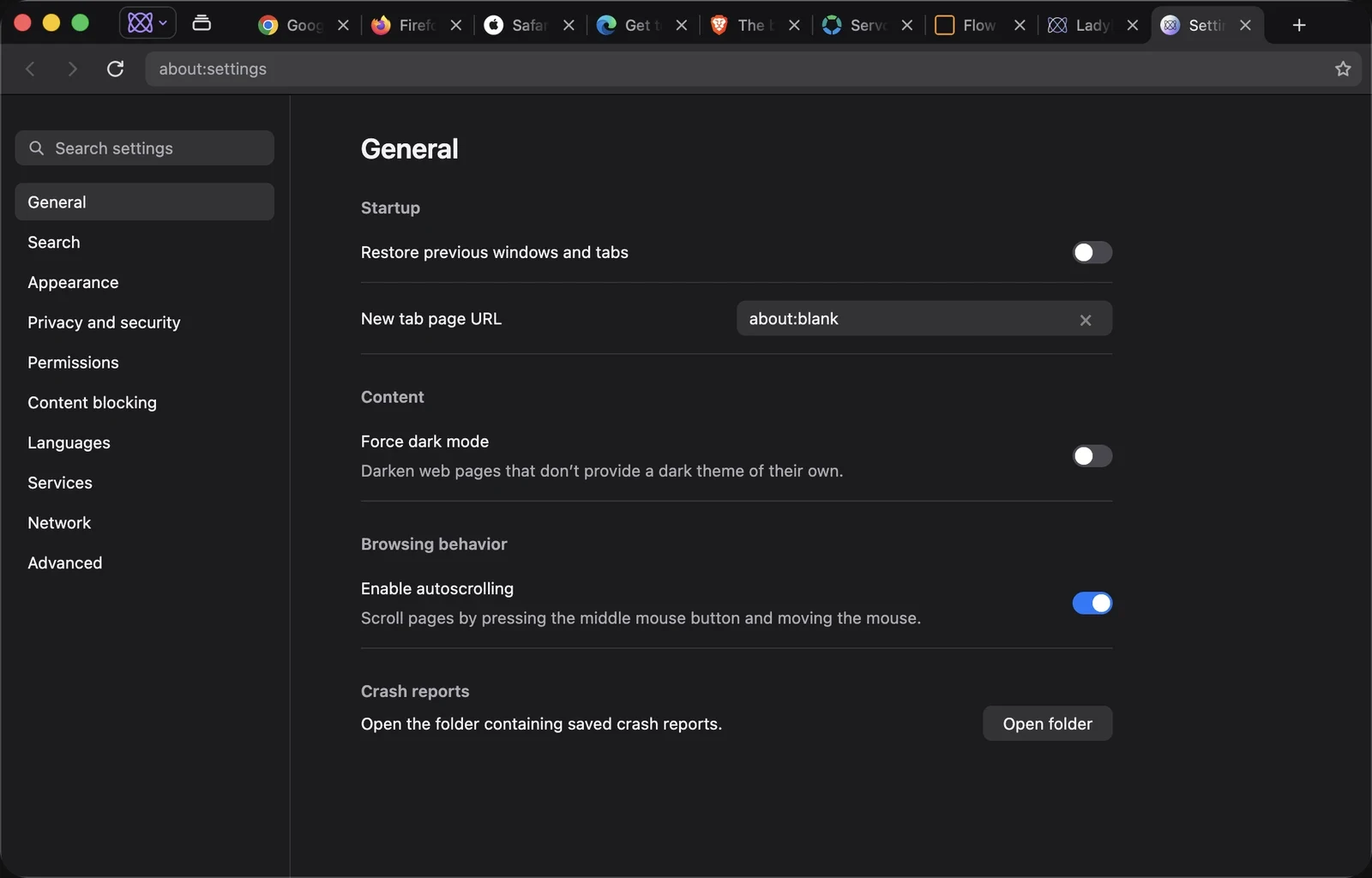
Modest but usable: Kling describes the browser chrome around the new engine as modest and functional, built to stay out of the page’s way. A late-2026 redesign unified tabs, toolbars, menus, and internal about: pages across Linux and macOS.
- Rolling alpha updates: Flatpak, Ubuntu APT, and Fedora RPM builds live on a rolling channel, delivering regular updates without rebuilding from source.
- Modern desktop browser basics: pinned tabs, open-tab search, session restore on launch, smooth scrolling, per-site ad blocking toggles, and light, dark, and private-window themes.
- JIT and off-main-thread rendering: LibJS compiles hot JavaScript on x86-64 and AArch64, while style, layout, and paint recording run off the main JS thread.
- Developer testing tools: supports WebDriver for automated site testing, the Firefox DevTools protocol, Inspect Element, and console autocomplete.
- Early Linux accessibility: initial Orca screen reader support works alongside built-in broken-site reporting and opt-in crash reports.
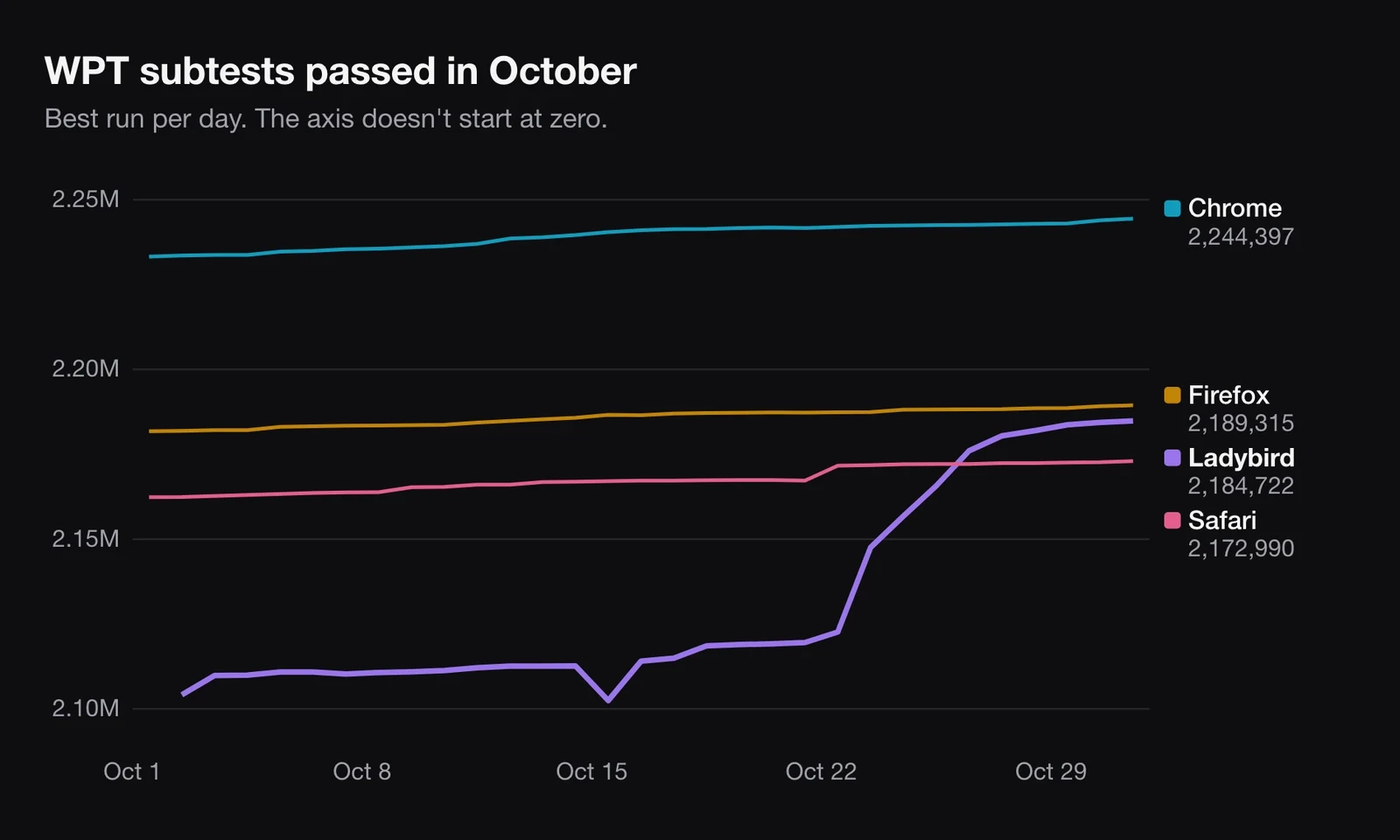
Rapid standards catch-up: in October 2026, Ladybird passed Safari Technology Preview in Web Platform Tests (WPT) subtests, reaching 2,184,722 passing subtests and closing in on Firefox’s score. That compatibility work is why major web apps and interactive pages are starting to hold together in testing.
What does not work yet and what to avoid
Do not ditch Firefox or Chrome yet: the Ladybird team is blunt about where the alpha stands. It is meant for curious Linux users, web developers testing their own sites, and bug hunters rather than daily work.
Andreas Kling explicitly says Ladybird makes no promises about security today and actively invites security researchers to break the browser and report vulnerabilities. Treat it like a test bench: avoid banking, password managers, or sensitive logins in the alpha.
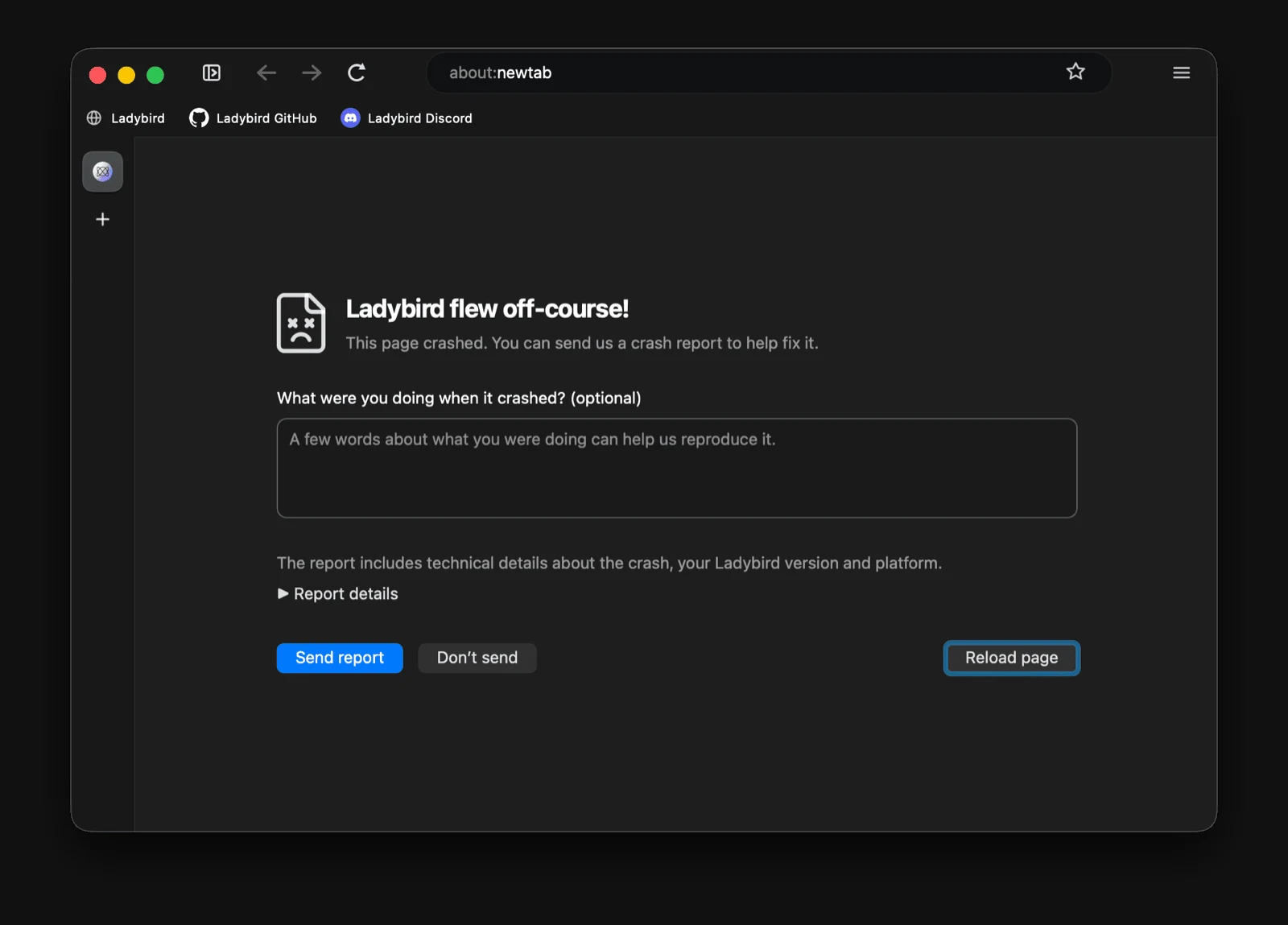
- Crashes and broken layouts: some websites still fail to load or crash a tab. You can report broken pages from inside the browser, or inspect a crash report before choosing whether to send it.
- No hardening guarantees: sandbox and memory-safety work is ongoing, so security bugs are expected and actively solicited during alpha testing.
- Platform gaps: full desktop builds target Linux and macOS right now. Native Windows support is planned for a later stage, and Android/iOS remain on hold until desktop matures.
How to install and run Ladybird on Ubuntu
Pick Flatpak or APT: the official Ladybird download page recommends Flatpak for most Linux distributions, and also provides signed APT repositories for Ubuntu 24.04 LTS, Ubuntu 26.04 LTS, and Ubuntu 26.10. Fedora RPMs and standalone tarballs are also available there, though standalone archives do not update automatically.
Option 1: Install via Flatpak (recommended)
Works on almost any Ubuntu setup: if you have already set up Flatpak on Ubuntu, install Ladybird in user space with the official .flatpakref file (x86-64 and ARM64 supported).
Launch it: open Ladybird from your Ubuntu app menu, or start it from a terminal.
Option 2: Install via the official Ubuntu APT repository
Native deb package: Ladybird hosts signed APT repositories for both amd64 and arm64. Pick the block that matches your Ubuntu version.
For Ubuntu 24.04 LTS (Noble Numbat):
For Ubuntu 26.04 LTS and Ubuntu 26.10 (Resolute):
Start browsing: once installed, launch Ladybird from your desktop launcher or run ladybird in a terminal. Developers who want to hack on the engine can still clone the Ladybird GitHub repository and run ./Meta/ladybird.py run directly.