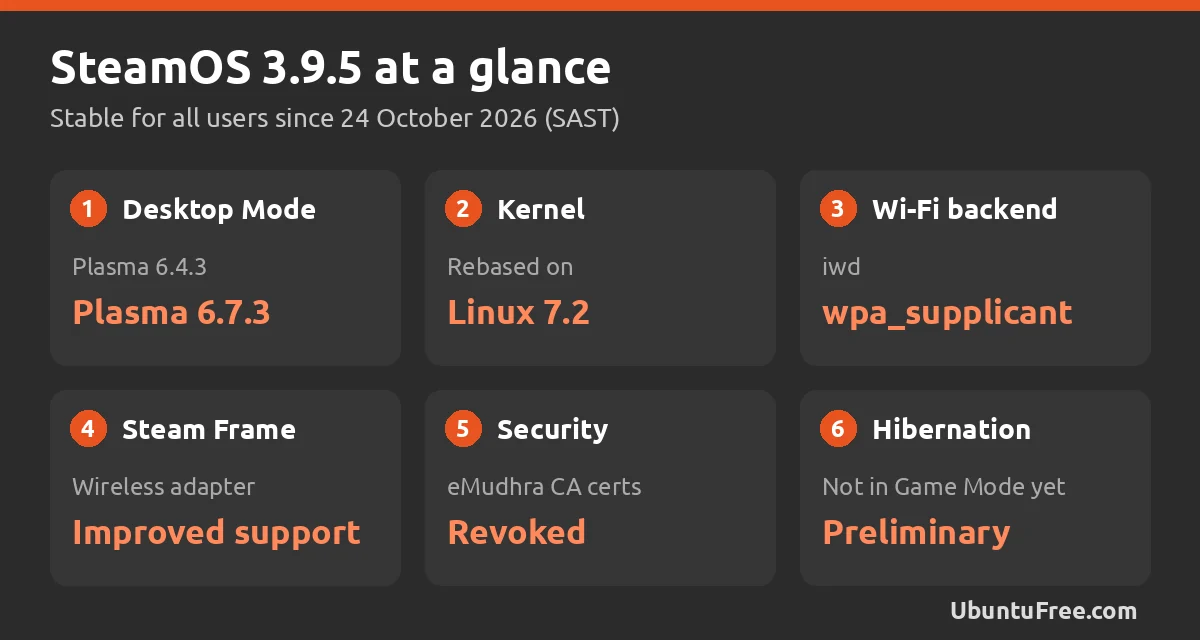
The short version: Valve has released SteamOS 3.9.5, the first stable release in the SteamOS 3.9 series, for the Steam Deck and other SteamOS devices. It moves Desktop Mode to KDE Plasma 6.7.3, rebases the kernel on Linux 7.2, improves support for the Steam Frame wireless adapter and rolls in a batch of security and stability fixes. Valve posted the release notes on 24 October 2026.
Plasma 6.7 and Linux 7.2
A much newer desktop: Desktop Mode, the full KDE desktop you get when you switch out of Game Mode, moves from Plasma 6.4.3 to Plasma 6.7.3. That is three feature releases of KDE work in one update, on top of a refreshed Arch Linux base. The lock screen can now be explicitly turned on, though it stays off by default, and a Remote Desktop login bug is fixed.
A new kernel: for developers and tinkerers, Valve has rebased the SteamOS kernel on Linux 7.2. The same release adds preliminary hibernation support, which is not exposed in the Game Mode interface and not enabled on the Steam Deck yet, plus support for running SteamOS as a virtual machine guest with virtio-gpu and Venus.
Steam Frame, security and the rest
Steam Frame: SteamOS 3.9.5 improves support for the Steam Frame wireless adapter and fixes the frame limiter being applied to VR games streamed from a Steam Machine to a Steam Frame. Steam Machine owners also get fixes for firmware updates and for Remote Play when no display is attached.
Security: Valve lists security and stability updates, including revoking certificates from the compromised eMudhra certificate authority so they can no longer be trusted by the system.
Smaller fixes: the update also fixes lost input when a launcher window is dragged in Game Mode, FPS limits on external displays, Disable Frame Limiter with VRR, suspend and resume on RDNA1 and RDNA2 graphics cards, audio after plugging in a monitor and a timezone bug in Desktop Mode.
What it means for gaming on Ubuntu
You cannot install SteamOS updates on Ubuntu, but the work behind them reaches you anyway. The Steam client and Proton, the compatibility layer that runs Windows games on Linux, are the same on Ubuntu as on a Steam Deck. Valve also contributes to the kernel and graphics driver work that every distribution shares, so the more SteamOS devices there are, the more games get tested and fixed on Linux, including on Ubuntu.
Ubuntu or SteamOS? If you want a desktop that also games well, Ubuntu with Steam and Proton is a strong choice. If you want a console-like experience, SteamOS or a SteamOS-style distro may suit you better. Our list of the best Linux distros for gaming compares the options, and our look at the Epic Games Launcher on Linux covers playing beyond Steam. To get started on Ubuntu, see our guide to installing Steam on Ubuntu.
How to get SteamOS 3.9.5
On a Steam Deck or other SteamOS device: open Settings, System, make sure the update channel is set to Stable, then check for updates and apply SteamOS 3.9.5. The device restarts to finish the install.
Bottom line
SteamOS 3.9.5 is a big platform update dressed as a point release: a three-version jump for Plasma, a Linux 7.2 kernel, better Steam Frame support and a long list of handheld fixes. Steam Deck owners should install it, and Ubuntu gamers can expect the work behind it to keep improving Proton and Linux gaming in general.
Source: SteamOS 3.9 release notes on Steam.