Ubuntu 26.10 Stonking Stingray brings GNOME 51, Linux 7.3, a layout picker for tiling windows, driver installs inside App Center, and the last GNU core utilities swapped for Rust ones. It is supported until July 2027.
Below: every change that matters on a desktop, what was removed, the known issues at release, and whether to upgrade. Server and cloud changes are summarised at the end.
GNOME 51
The desktop moves from GNOME 50 to GNOME 51. Most of the changes are small and welcome.
- Reduced Motion in Accessibility turns down most animations.
- Screen brightness is remembered across restarts and HDR switches.
- Automatic screen rotation and an orientation lock on convertibles and tablets.
- The touchpad can switch off when you plug in a mouse.
- Settings > About is one page, and the Windowing System line is gone, since Wayland is the only session.
- Document Viewer (Papers) lets you draw a signature onto a PDF. It is a picture, not a cryptographic signature.
- Desktop icons moved to GTK 4, so their menus finally match the rest of the desktop.
- Resources, the system monitor, now shows AMD NPU usage.
Window Tiling Gets a Layout Picker
Drag a window and a small strip of layouts slides down from the top of the screen: halves, quarters and full screen. Drop the window on one and it snaps there, with a preview first. Ubuntu then offers your other open windows to fill the rest. It works much like snap layouts on Windows 11.
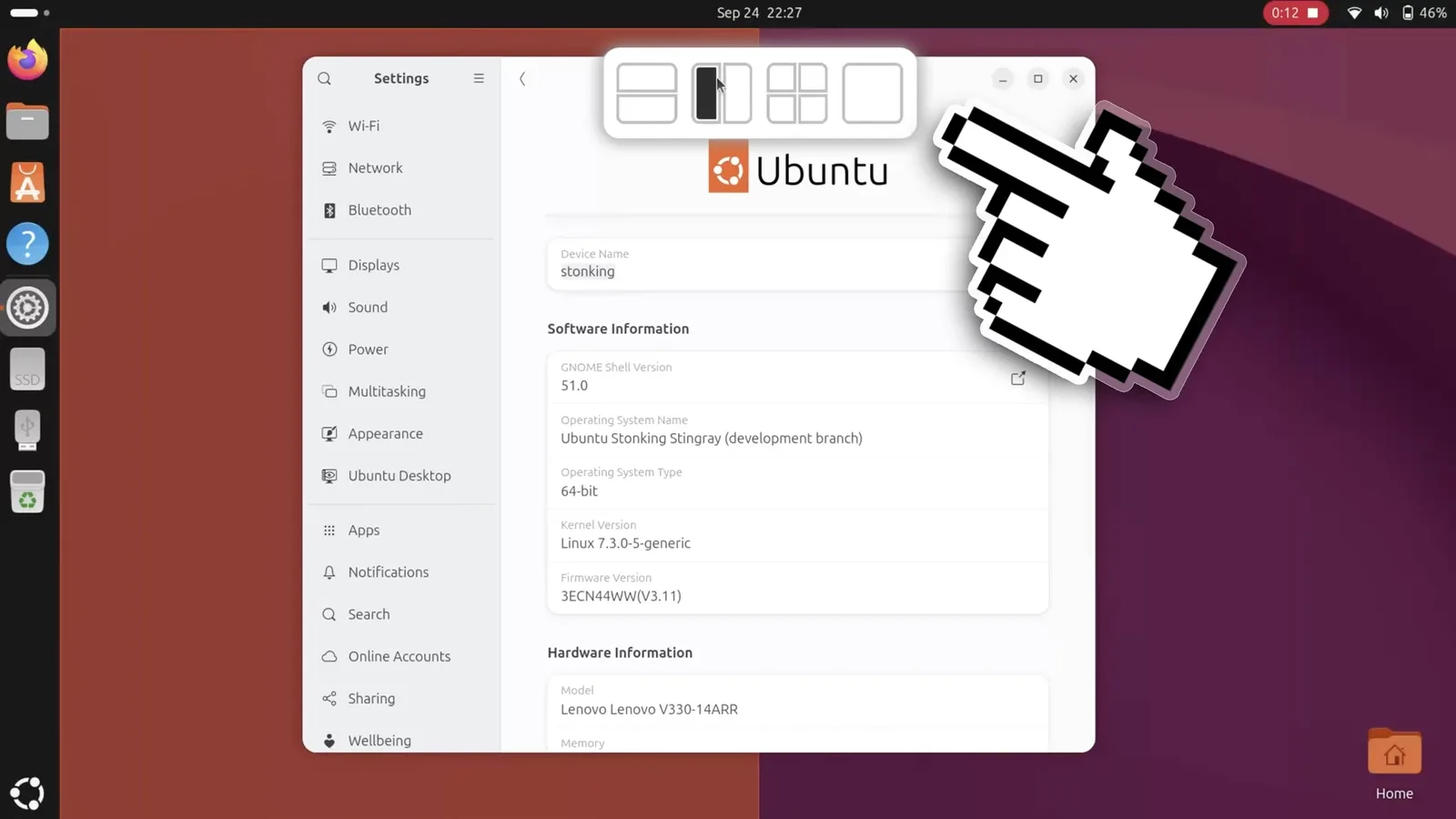
The layouts are the same ones edge snapping already supported. The picker just makes them easier to find.
Drivers and Codecs Move Into App Center
Ubuntu 26.04 removed Software & Updates, and with it the Additional Drivers tab. 26.10 puts drivers back in a window: App Center > Add-ons > Additional drivers. It only appears when your hardware has a closed-source driver available. If you do not see it, your hardware is already using the best driver.
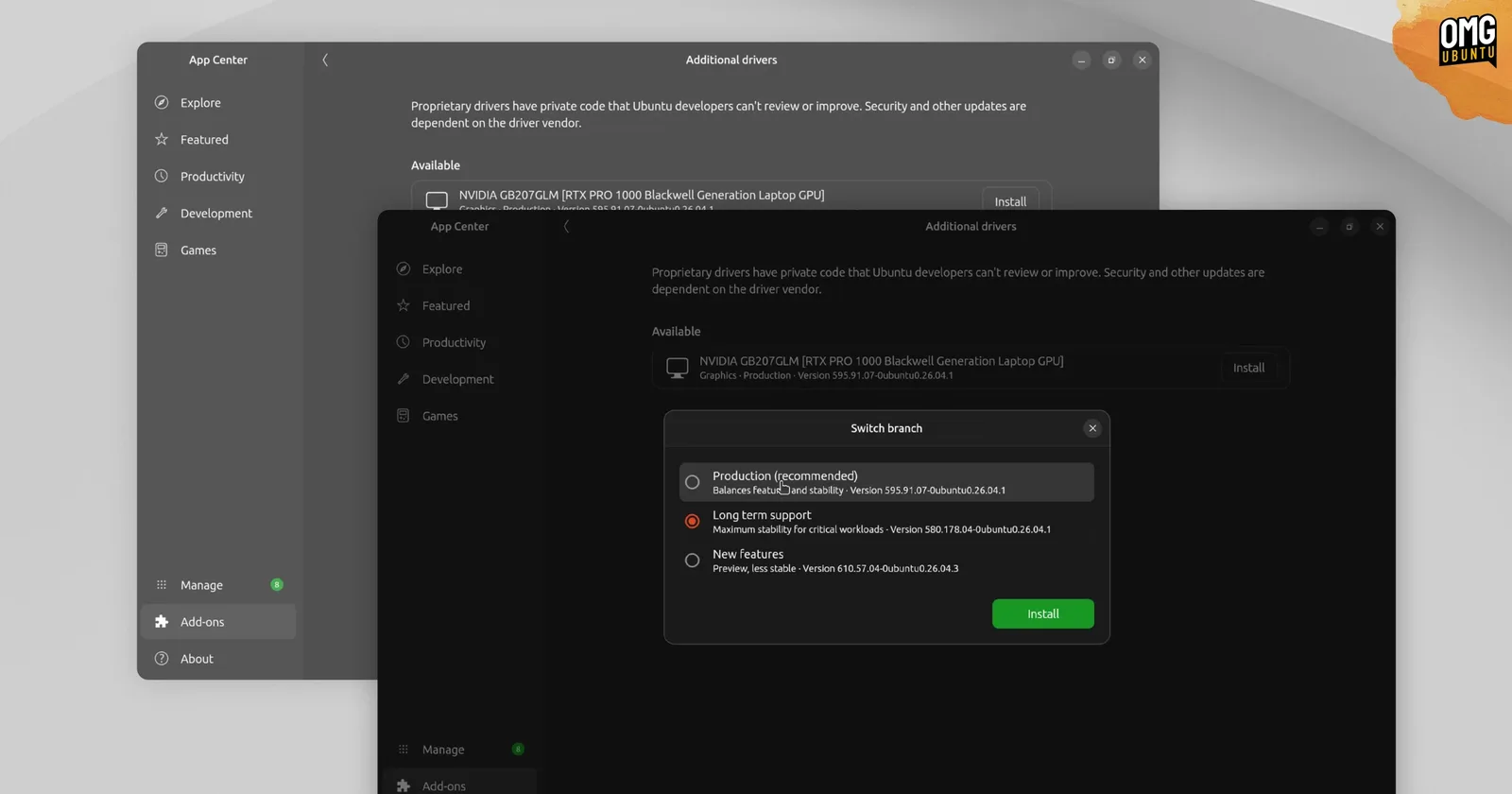
- NVIDIA 580 and 615 are the two driver series built in. 615 ships only the open kernel modules, which need a GTX 16 or RTX card. GTX 900 and 10 series cards stay on 580.
- Codecs on demand: when a video needs a proprietary codec, App Center can install it for that one file.
- One details page for Snap and Debian packages, instead of two different layouts.
The terminal route still works and is in our drivers guide.
New Ways to Sign In
The login and lock screens add passkeys (FIDO2) and a web login that shows a QR code to scan with your phone. Through authd, managed machines can sign in with a Microsoft Entra ID password and approve the login in Microsoft Authenticator. These are aimed at company laptops. A home install keeps the normal password login.
Myna: Local Dictation, Not Installed Yet
Myna is Canonical’s speech-to-text preview. Hold a key, speak, and the text appears where you are typing. It runs entirely on your machine. It is opt-in, not installed by default, and Canonical says its features may change, so treat it as a preview.
Under the Hood
| Component | In 26.10 | What it means |
|---|---|---|
| Linux kernel | 7.3 | Early Snapdragon X2 Elite and AMD Zen 6 support, more Intel cameras and audio |
| Core utilities | Rust (uutils), all of them | cp, mv and rm were the last GNU tools and are now replaced |
| D-Bus | dbus-broker | Replaces dbus-daemon. Faster and sturdier under load |
| Low memory | Desktop protected | Core desktop services sit lower in the kill order, so an app is closed before the session |
| Mesa | 26.2 | Mesh shaders on NVK, faster Vulkan video on AMD |
| systemd | 261 | Old SysV init scripts are no longer supported |
| Python | 3.14.7 | Same series as 26.04 |
| GCC / LLVM / Rust | 15.2 / 22.1 / 1.97 | Toolchain updates |
| OpenSSL | 4.0 | Encrypted Client Hello and wider QUIC support |
| OpenPGP | Sequoia sq and sqv added | Rust tools alongside gpg, which stays |
| Install images | New AMD64v3 and RISC-V desktop ISOs | AMD64v3 is built for newer Intel and AMD processors |
Hardware certification is also new: Settings shows whether your computer is Ubuntu Certified, and the hwctl tool that reports it is now a Snap.
What Was Removed
- WEP Wi-Fi is no longer offered in Settings. WEP has been insecure for twenty years; switch the router to WPA2 or WPA3.
- SysV init scripts no longer run. Packages that only had them now ship systemd units or were dropped.
- OpenSSL engines are gone in OpenSSL 4. Configurations using a PKCS#11 engine must move to a provider.
- OpenSSH without GSSAPI is now the default. Kerberos users get openssh-gssapi automatically on upgrade.
Known Issues at Release
| Area | Problem |
|---|---|
| Upgrades | May stop while installing base-files if /lib32 is a broken link. A fix is in progress. |
| TPM disk encryption | Upgrades from 26.04 with TPM-backed encryption are not supported yet. |
| Snapdragon X2 Elite | Keyboard may not work, even in the installer. Use a USB keyboard. |
| Intel AX211 Wi-Fi | Firmware crashes and dropped connections. |
| AMD dual-GPU laptops | Display may freeze with panel self-refresh active. |
| Showtime video player | Subtitles may not show and playback can stall. |
Should You Upgrade?
If you are on 26.04 LTS for stability, stay there: it is supported until 2031 and 26.10 ends in July 2027. If you want the tiling picker, App Center drivers and newer hardware support now, upgrade in five steps or download the ISO for a fresh install.
Server and cloud users get PHP 8.5, Samba 4.24, OpenSSH 10.5, HAProxy 3.4 and MySQL 9.7. The official release notes list every package.
Helpful Resources
Frequently Asked Questions
When was Ubuntu 26.10 released?
On 15 October 2026. It is an interim release supported for nine months, until July 2027.
What desktop does Ubuntu 26.10 use?
GNOME 51, running on Wayland only. The GNOME on Xorg session was removed in 26.04, and older X11 apps still run through XWayland.
What kernel does Ubuntu 26.10 ship?
Linux 7.3. It adds early support for Snapdragon X2 Elite laptops and AMD Zen 6 processors.
Where are the additional drivers in Ubuntu 26.10?
In App Center, under Add-ons and then Additional drivers. The page only appears when your hardware has a closed-source driver available.
Is Myna dictation included in Ubuntu 26.10?
No. Myna is an early preview and is not installed by default. It runs locally and Canonical says its features may change.
Is Ubuntu 26.10 worth upgrading to from 26.04?
Only if you want the new features now. 26.04 LTS is supported until 2031, while 26.10 needs another upgrade by July 2027.
Fresh install from the ISO, or upgrade 26.04 in place.
More Ubuntu 26.10 guides: Download Ubuntu 26.10 · Upgrade to Ubuntu 26.10 · Download Ubuntu 26.04 LTS · Things to Do After Installing Ubuntu