
A major new LTS: System76 has officially released Pop!_OS 26.04 LTS, bringing nearly a year of desktop and platform work into a new long-term support release built on Ubuntu 26.04 LTS.
Ubuntu underneath, COSMIC on top: because the distribution sits on top of the latest Ubuntu LTS package base (codenamed resolute), you get access to the core Ubuntu 26.04 archives alongside System76’s own hardware tuning and custom COSMIC desktop environment.
Ready from the first boot: if you followed our earlier look at Pop!_OS 24.04 LTS launching with COSMIC Alpha, this release pulls that work together with one-click desktop theming, graphics tablet controls, automatic updates, and refreshed native apps.
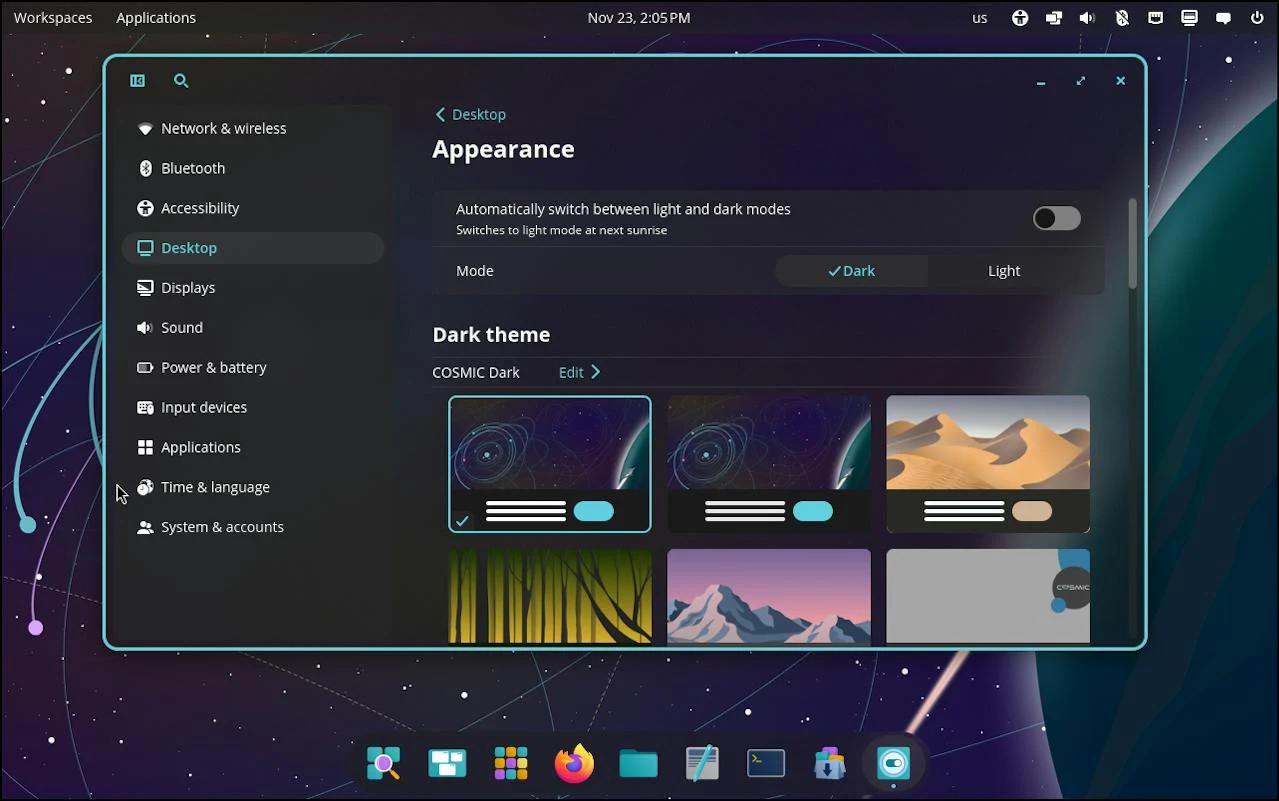
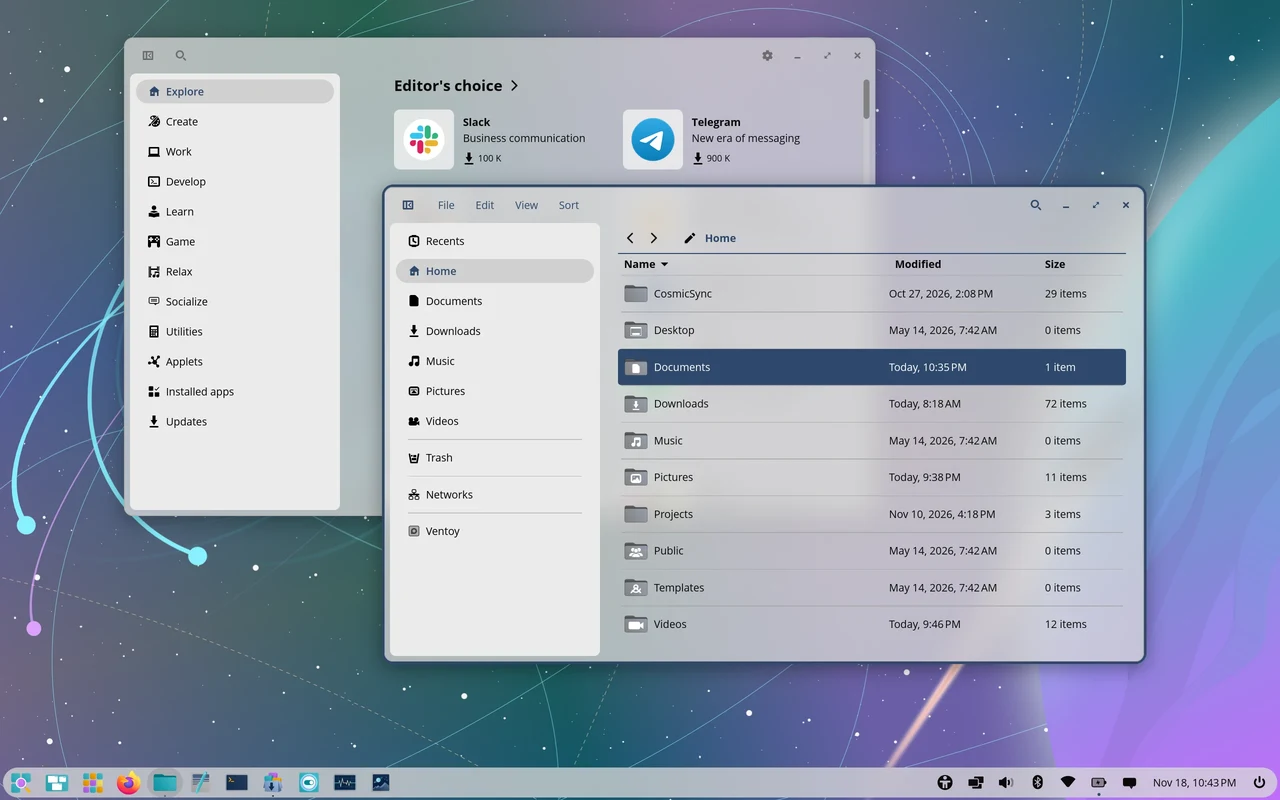
COSMIC Constellations: one-click desktop themes
Skip the five-menu hunt: previously, overhauling how COSMIC looked meant jumping through Desktop > Wallpaper, Appearance, Panel, Dock, and Window Management one pane at a time. Constellations bundle all of those choices into a single preset.
How it works: open Settings > Desktop > Appearance, pick Dark or Light mode (or enable automatic light/dark switching), and choose a Constellation to update your wallpaper, accent colors, icons, and fonts in one click.
Customize and share: you can turn on COSMIC’s Frosted Glass effect on any Constellation, tweak nearly every visual detail yourself, and export your custom Constellation to back it up or share it with others.
Drawing tablet support and touch-friendly input
Built for pen hardware: Pop!_OS 26.04 LTS introduces native drawing tablet support (for graphics tablets such as Wacom), bringing precise pen input alongside user-facing controls for features like tilt sensitivity and pressure.
More room for creative apps: System76 points directly to graphic design, photo editing, animation, note-taking, CAD, and GIS software as immediate winners from the new tablet controls.
Couch and touchscreen ready: the release also adds an on-screen keyboard that supports both touch and gamepad input, making Pop!_OS easier to navigate on tablets, handhelds, or a living-room TV.
New native COSMIC apps and desktop additions
A fuller native toolkit: alongside the visual updates, System76 is shipping new and redesigned native COSMIC applications plus a long list of everyday desktop refinements.
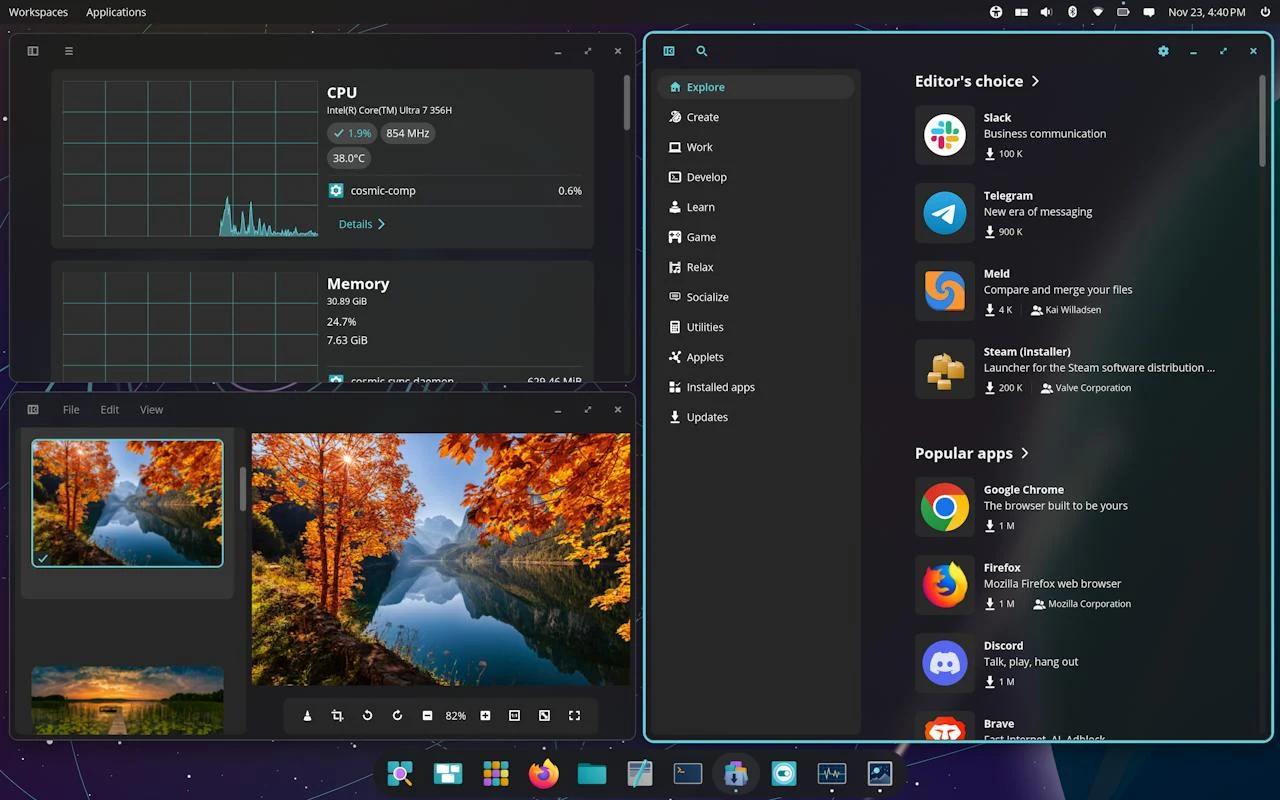
- COSMIC Viewer: a clean, native image and media viewer tailored for quick browsing and basic inspection.
- COSMIC System Monitor: live CPU, memory, and process telemetry built right into the COSMIC suite.
- Redesigned COSMIC Store: a rebuilt software center with clearer sections for Explore, categories, Editor’s choice, popular apps, applets, installed apps, and updates.
- Remote desktop support: built-in remote desktop support so you can access or assist a Pop!_OS session without hunting down third-party workarounds.
- Accessibility upgrades: shake to find cursor, scalable cursors, adjustable pointer size, and improved screen magnification, expanding on earlier COSMIC accessibility milestones.
- Gaming, workspaces, and hybrid GPUs: pointer constraints for games, fullscreen fixes, configurable workspace wrapping, and smarter automatic GPU switching on hybrid laptops.
Automatic updates without the fuss
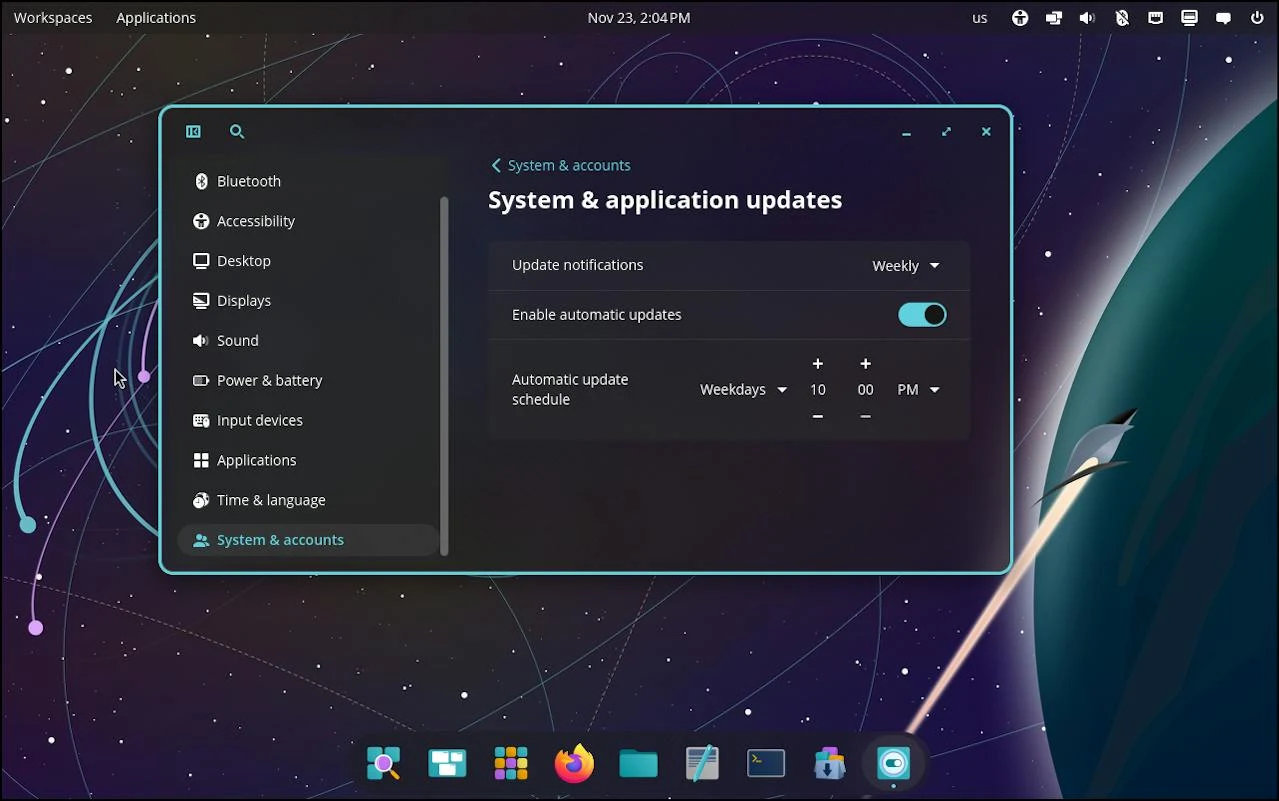
Set it and forget it: Pop!_OS 26.04 LTS lets you turn on automatic updates during initial setup, or anytime later inside Settings > System & accounts > System & application updates.
Flexible scheduling: you can choose how often update notifications appear and set a recurring schedule (such as weekdays at a specific hour) so patches land when you are away from the keyboard.
How to download Pop!_OS 26.04 LTS or upgrade from 24.04
Why 24.04 users may recognize parts of it: because System76 ships COSMIC desktop updates on a rolling cadence, many of these interface and app improvements have already trickled down to Pop!_OS 24.04 LTS.
Fresh install vs. in-place upgrade: the full 26.04 LTS release combines those desktop updates with the newer Ubuntu 26.04 base. Here is how your two paths compare right now.
| Option | Availability | Best For |
|---|---|---|
| Fresh install (ISO) | Live Now | New installs, spare machines, or anyone who wants the complete 26.04 LTS experience immediately. |
| Upgrade from 24.04 LTS | December 2026 | Existing Pop!_OS 24.04 LTS systems that want to keep apps and settings intact with an official upgrade path. |
Where to get it: you can download the Pop!_OS 26.04 LTS ISO directly from system76.com/pop. System76 notes that a fresh install delivers the cleanest 26.04 experience today, while Pop!_OS 24.04 to 26.04 upgrades turn on in December. Shopping for a machine to run it on? See our guide to the best laptops for Linux.
Bottom line
Pop!_OS 26.04 LTS gives System76’s Ubuntu-based distro a cohesive flagship release: one-click Constellations themes, creator-friendly tablet controls, automatic updates, and polished native COSMIC apps on top of Ubuntu 26.04 LTS. If you are already on 24.04 LTS, watch for the upgrade switch next month; otherwise, the fresh ISO is ready to flash today.
Source: System76 Blog.