The Linux world still breaks a lot of news on X. Kernel fights, Proton fixes, Ubuntu codenames and new tools often show up there before anyone writes an article about them.
We went past the brand accounts and picked the people who actually build and explain Linux: developers, gaming insiders, homelab creators and journalists. Here are the best Linux accounts to follow on X, grouped by what you use Linux for.
The best Linux accounts to follow on X, by role
Best Ubuntu accounts for desktop users
- Ubuntu for official release days and security notices
- Jono Bacon for Ubuntu history and how open source communities grow
- Brodie Robertson for daily Linux desktop news and hot takes
- Chris Titus for switching from Windows to Linux
Best Linux accounts for gamers
- GloriousEggroll (Thomas Crider) for Proton builds and getting Windows games running
- Baldly Rudy for quick SteamOS, Proton and handheld updates
- CachyOS for a gaming-tuned Arch distro
- Valve for Steam hardware and SteamOS announcements
Best Linux accounts for developers
- ThePrimeagen for Neovim, terminals and Linux dev culture
- Mitchell Hashimoto for modern terminal development with Ghostty
- Jeff Geerling for Raspberry Pi, ARM boards and Ansible
- Brad Spengler for Linux kernel security deep dives
Best Linux accounts for sysadmins and self-hosters
- Techno Tim for homelab builds and networking
- Tom Lawrence for firewalls, permissions and IT security basics
- Brandon Hopkins (TechHut) for self-hosting and creative apps on Linux
- Wendell (Level1Techs) for servers, workstations and Linux hardware
- NetworkChuck for network security basics for self-hosters
Best Linux news accounts on X
- Steven J. Vaughan-Nichols for Linux and open source business news
- Chris Fisher for Linux podcasts and self-hosting talk
- UbuntuFree for Ubuntu guides, news and Linux gaming
Best Ubuntu accounts for desktop users
If Ubuntu is your daily driver, these four keep you up to date on releases, desktop changes and the people behind them. Pair them with our rundown of Ubuntu 26.10 new features.
1. Ubuntu (@ubuntu)
Best for: Official Ubuntu releases, codenames and security fixes
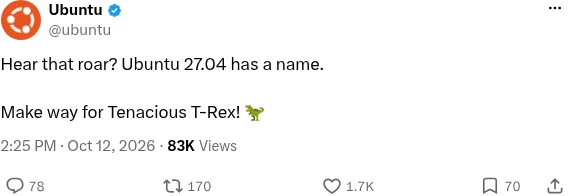
One of only a few brand accounts on this list, because nothing beats hearing it from the source. In October 2026 it launched Ubuntu 26.10 Stonking Stingray and revealed that Ubuntu 27.04 will be called Tenacious T-Rex. Turn on notifications here if you only follow one account.
2. Jono Bacon (@jonobacon)
Best for: Ubuntu community stories and open source leadership
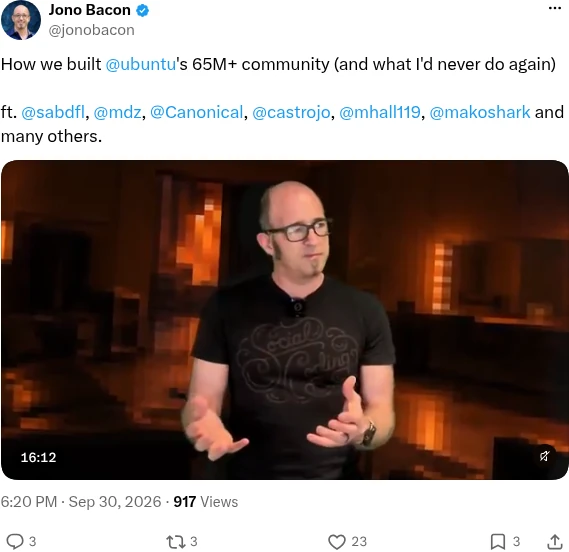
Jono Bacon was Ubuntu’s community manager at Canonical during its fastest growth years, and he still talks about that era with real insight. In September 2026 he shared a video on how the Ubuntu community was built, featuring Mark Shuttleworth and other early Ubuntu names, plus a popular “35 years of Linux in 35 facts” video. Today he runs Stateshift, so expect some business talk too.
3. Brodie Robertson (@BrodieOnLinux)
Best for: Fast reactions to Linux desktop news
Brodie Robertson runs one of the busiest Linux commentary channels on YouTube, and X is where he reacts first. He covers Wayland, KDE, GNOME and distro drama, and he is refreshingly practical about things like gaming on Linux. Expect funny, very online and occasionally spicy takes.
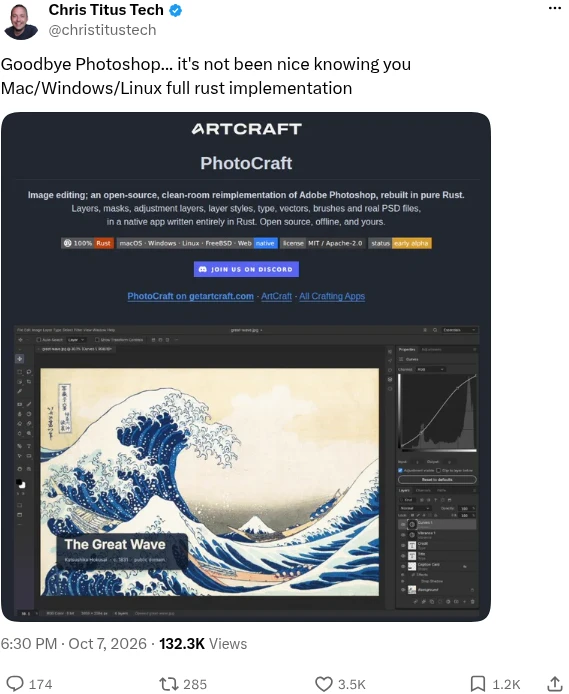
4. Chris Titus (@christitustech)
Best for: Windows switchers and practical desktop tools
Chris Titus is the creator of WinUtil and a tech YouTuber who covers Windows and Linux side by side, which makes him ideal if you are moving over. Lately he has been testing open source creative apps, like Rust-built Photoshop-style editors that run on Linux. His posts are blunt and opinionated.
Best Linux accounts for gamers
Linux gaming moves fast, from Proton builds to new Steam hardware. These accounts explain what changed and whether your games will run. For the latest Valve update, see our coverage of SteamOS 3.9.5.
5. GloriousEggroll (Thomas Crider) (@GloriousEggroll)
Best for: GE-Proton, Nobara and the technical side of gaming
GloriousEggroll is a Red Hat engineer who created and maintains GE-Proton and Nobara Linux, and also helps maintain Lutris. His posts explain the details most people skip, such as why many “recompiled” game ports still rely on emulated graphics backends. If a Windows game will not start on Linux, he probably knows why.
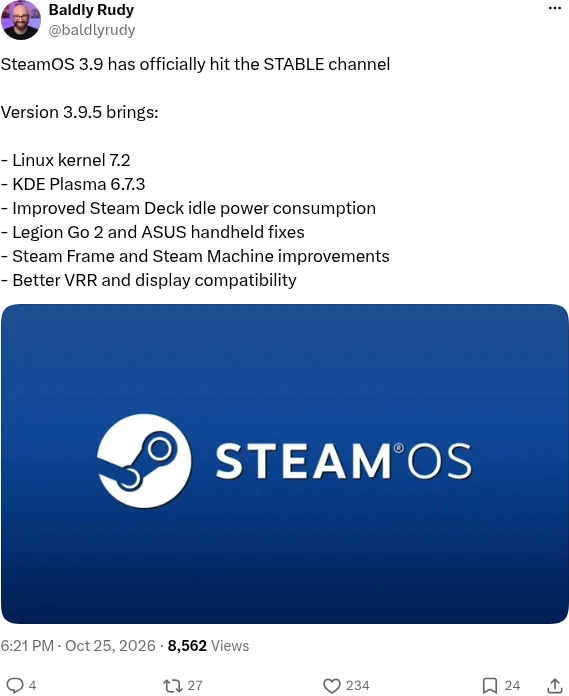
6. Baldly Rudy (@baldlyrudy)
Best for: Bite-sized SteamOS, Proton and handheld news
Baldly Rudy is a YouTuber who tests PCs and handhelds, and his X feed turns every Linux gaming update into a short, readable list. Recent posts covered SteamOS 3.9.5 hitting stable, new Proton Experimental fixes and the Steam client finally going 64-bit. It is the easiest way to keep up without reading changelogs.
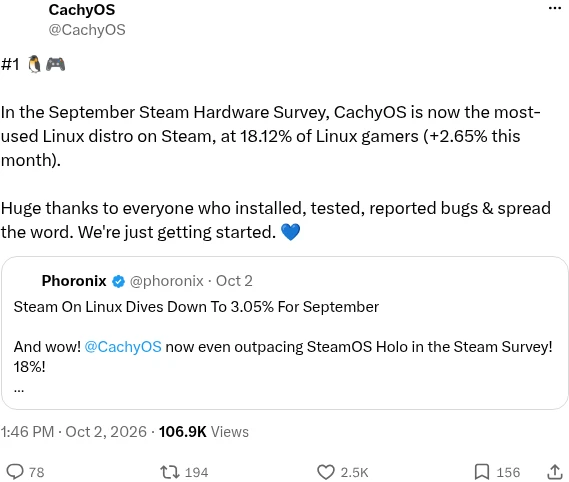
7. CachyOS (@CachyOS)
Best for: Performance-focused distro news
CachyOS is an Arch-based distro tuned for speed, and it has become a favorite with Linux gamers. In the September 2026 Steam Hardware Survey it became the most-used Linux distro on Steam. The account posts kernel tweaks and gaming improvements as they land.
8. Valve (@valvesoftware)
Best for: Steam Machine, Steam Frame and SteamOS news
Valve does more for Linux gaming than any other company, since SteamOS and Proton run on Linux. In 2026 its feed announced the Steam Machine, the Steam Frame headset and a new Steam Controller. It posts rarely, but every post moves the whole Linux gaming world.

Best Linux accounts for developers
These developers live in the terminal and write about tools, performance and the code that keeps Linux running. Some are funny, some are deeply technical, all of them post about Linux in 2026.
9. ThePrimeagen (@ThePrimeagen)
Best for: Neovim fans and terminal-first developers
ThePrimeagen is one of the most-watched programming streamers, and his feed is full of Neovim, Arch and Omarchy talk. In April 2026 he said a new Dell XPS running Linux with Omarchy gave him a Mac-like experience on battery life. Expect loud, funny takes on every tech story of the week.
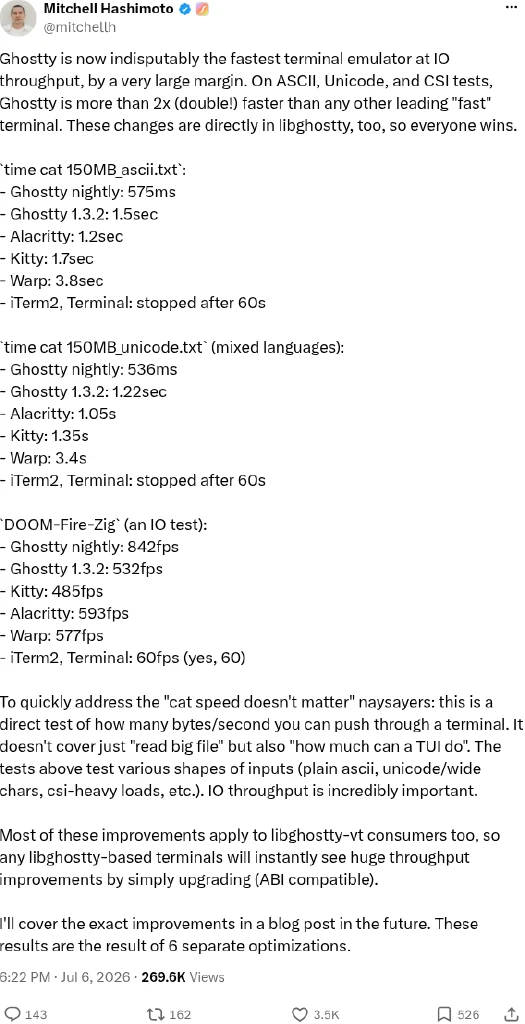
10. Mitchell Hashimoto (@mitchellh)
Best for: Terminal nerds and performance-minded developers
Mitchell Hashimoto co-founded HashiCorp and created Vagrant and Terraform, and now builds Ghostty, a fast native terminal for Linux and macOS. He writes detailed posts on performance, like the July 2026 update that made Ghostty more than twice as fast at IO throughput as other leading terminals. His feed also covers AI tools and his new projects.
11. Jeff Geerling (@geerlingguy)
Best for: Raspberry Pi, ARM boards and automation
Jeff Geerling is an author and developer known for Raspberry Pi testing, home lab builds and his work on Ansible. He benchmarks new boards like the Radxa Dragon 8QB against the Pi 5 and flags security issues quickly. A must if you run Ubuntu Server on small hardware.

12. Brad Spengler (@spendergrsec)
Best for: Kernel security and stable backport analysis
Brad Spengler is president of Open Source Security and the developer of grsecurity, a long-running set of Linux kernel hardening patches. He posts close readings of kernel commits, such as stable backports that quietly bundled extra fixes. It is technical, but nobody else on X watches kernel security this closely.
Best Linux accounts for sysadmins and self-hosters
If you run a home lab, a Proxmox box or a few Ubuntu servers, these creators share builds, security advice and lessons from real networks.
13. Techno Tim (@TechnoTimLive)
Best for: Homelab builders and network tinkerers
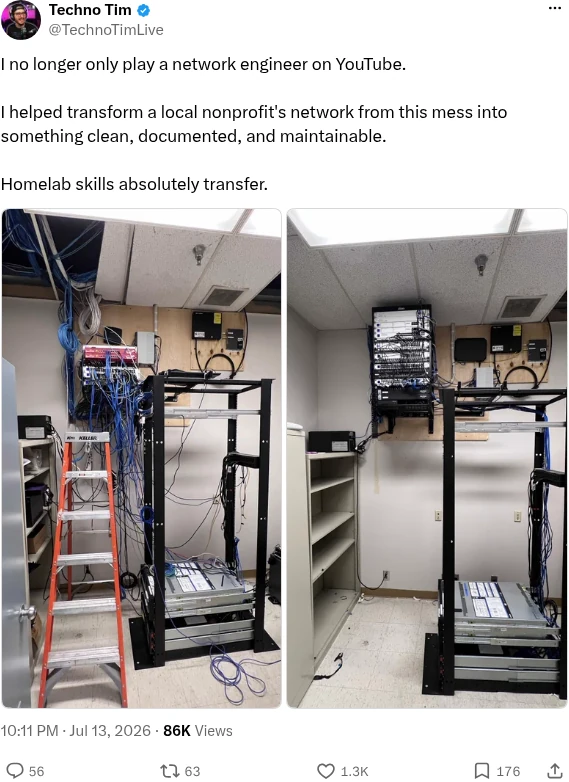
Techno Tim is a homelab YouTuber whose feed is full of rack builds, UniFi tips and self-hosted tools. In July 2026 he showed how he rebuilt a nonprofit’s messy network using homelab skills. He also shares Docker images and AI server experiments.
14. Tom Lawrence (@TomLawrenceTech)
Best for: Practical IT security for small networks
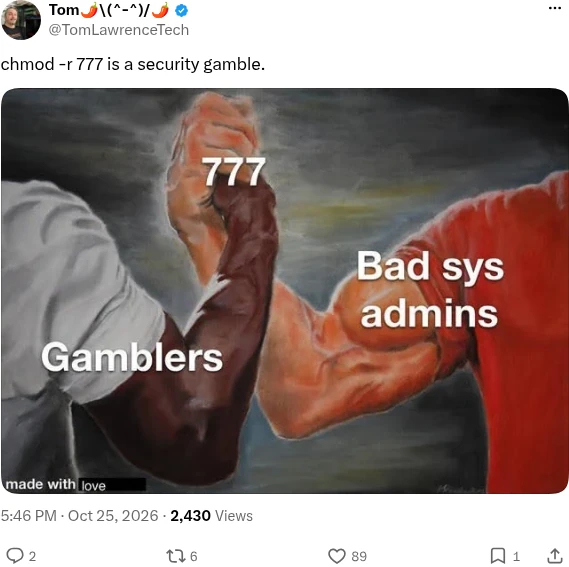
Tom Lawrence runs Lawrence Systems and talks about firewalls, Proxmox, SSH exposure and everyday Linux security. Posts like his warning that chmod 777 is a security gamble are short, useful reminders for anyone running servers. He also shares his lab setups.
15. Brandon Hopkins (TechHut) (@TechHutTV)
Best for: Self-hosting and Linux desktop apps
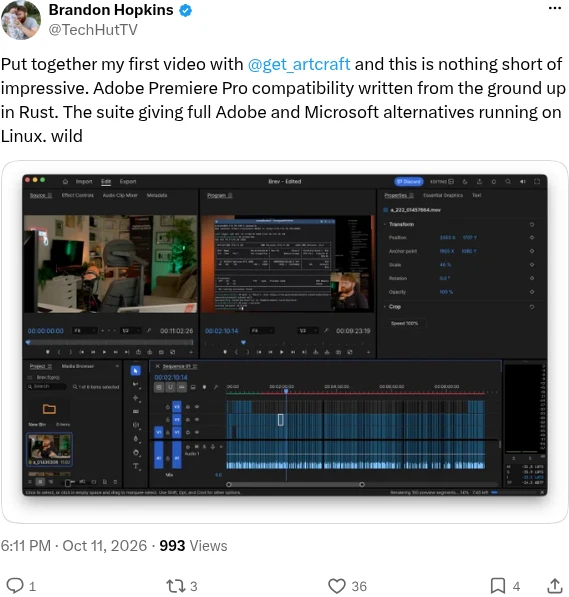
Brandon Hopkins runs TechHut Media and calls himself a homelab and Linux enthusiast. His feed mixes self-hosting and networking with tests of creative apps that run on Linux. A smaller account than most here, which keeps the signal high.
16. Wendell (Level1Techs) (@tekwendell)
Best for: Server and workstation hardware on Linux
Wendell is the nerd behind Level1Techs, and he goes deeper on hardware than almost anyone. He tests servers, GPUs and laptops with Linux, like the Asus P16 RTX laptop he showed running Linux in October 2026. Follow him before your next hardware purchase.
17. NetworkChuck (@NetworkChuck)
Best for: Beginner-friendly networking and security
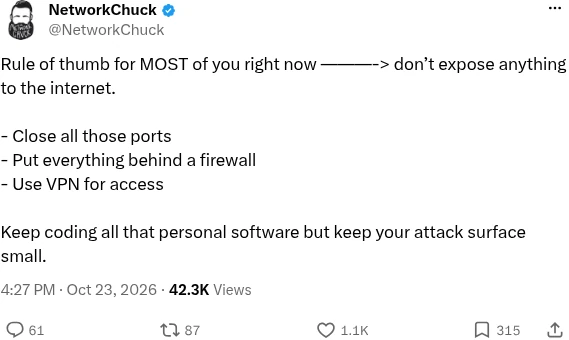
NetworkChuck makes some of the most popular networking and ethical hacking videos on YouTube. His X feed is full of simple, useful advice for people who self-host, like keeping ports closed and putting services behind a VPN. Good for beginners who want to lock down a home lab.
Best Linux news accounts on X
Want the news without the noise? These three cover Linux and open source every week, from big business moves to new guides. If you would rather listen, our list of the best Linux podcasts includes Chris Fisher’s shows.
18. Steven J. Vaughan-Nichols (@sjvn)
Best for: Open source business and policy news
Steven J. Vaughan-Nichols has covered Linux for decades and writes for ZDNET and other outlets. In October 2026 he wrote about Munich and the Dutch tax authorities moving toward open source. His feed also has animal photos and dry jokes.
19. Chris Fisher (@ChrisLAS)
Best for: LINUX Unplugged listeners
Chris Fisher makes some of the most popular Linux podcasts, including LINUX Unplugged. He posts every live episode, like the October 2026 show on KDE’s 30 years. Follow him if you like your Linux news with discussion.
20. UbuntuFree (@ubuntufree)
Best for: Ubuntu how-tos and daily Linux news
Yes, this is us. We post every new UbuntuFree article on X, from security updates and release guides to command cheat sheets and Linux gaming news. Follow us to get each new guide the day it goes live.
How we picked these accounts
We checked every account on X in late October 2026. Each one had to be the real person or project, post about Linux or open source in 2026 and keep politics and abuse out of the feed. We leaned toward individuals over brands, so only four company or project accounts made it, and one of them is ours.
One surprise: many kernel, GNOME and KDE developers have moved their posting to Mastodon or Bluesky, so their X accounts are quiet. If you like the developers here, check their bios for links to their other profiles.
How to actually use this list
Make a private X List. Add these accounts to a List and read it once a day. Your main timeline is sorted by engagement, so a List is the only way to see every post in order.
Turn on notifications for two or three. Alerts for @ubuntu, @BrodieOnLinux and @GloriousEggroll are enough to catch release days, desktop drama and Proton updates as they happen.
Mute what you do not need. Several of these people post about life outside Linux. Muting a few words keeps the feed on topic. Prefer video? Our pick of the best Linux YouTube channels covers many of the same creators.
Which accounts should you follow first?
New to Ubuntu: start with @ubuntu, @christitustech and @ubuntufree for releases, switching tips and step-by-step guides.
Gamer: follow @GloriousEggroll and @baldlyrudy, then add @valvesoftware for hardware news.
Developer: @ThePrimeagen for the fun side, @mitchellh for terminal engineering and @spendergrsec if you care about kernel security.
Home lab or server admin: @TechnoTimLive, @geerlingguy and @TomLawrenceTech cover builds, boards and security.