

The short version: Epic Games now says its new Linux launcher is meant for SteamOS too, alongside Fedora, CachyOS, Omarchy and more. You do not have to wait to try it on Ubuntu, though. The Epic Games Launcher Preview already runs natively on Ubuntu 22.04 LTS and newer, and Epic ships an official .deb you can install in one command.
epic-games-launcher 0.113.0.What Epic said about SteamOS
A clear answer from Epic: when the Linux Preview arrived in October, Epic only listed Ubuntu, Debian and Fedora. GamingOnLinux then asked Epic which distributions it really plans to support, and Communications Director Jake Jones replied:
“The new Epic Games Launcher is still in Preview and we plan to support as many Linux distributions as possible, including Fedora, SteamOS, Cachy, Omarchy, and more. We’re testing and evaluating packaging formats for distribution, and we’ll restore AppImage this month.”
Why it matters: SteamOS runs on the Steam Deck and Valve’s other SteamOS machines, so official support would put the Epic Games Store on the most popular Linux gaming device without community workarounds. The Verge picked up the statement on 8 November 2026 as confirmation that the launcher is headed to SteamOS. Epic has not given a date.
Packaging is still moving: the Preview first shipped as an AppImage (a single file that runs on most distros), then switched to a .deb package for Debian and Ubuntu. Epic now says the AppImage will return in November, so expect download options to change while the Preview settles.
| Distro or format | Status | What Epic says |
|---|---|---|
| Ubuntu 22.04 LTS or newer | Supported now | Official .deb installer |
| Debian 12 or newer | Supported now | Same .deb installer |
| Fedora | Coming soon | Listed as coming soon in Epic’s FAQ |
| SteamOS, CachyOS, Omarchy | Planned | Named in Epic’s statement, no date |
| AppImage build | Returning | Epic says “this month” (November 2026) |
Try the Epic Games Launcher Preview on Ubuntu now
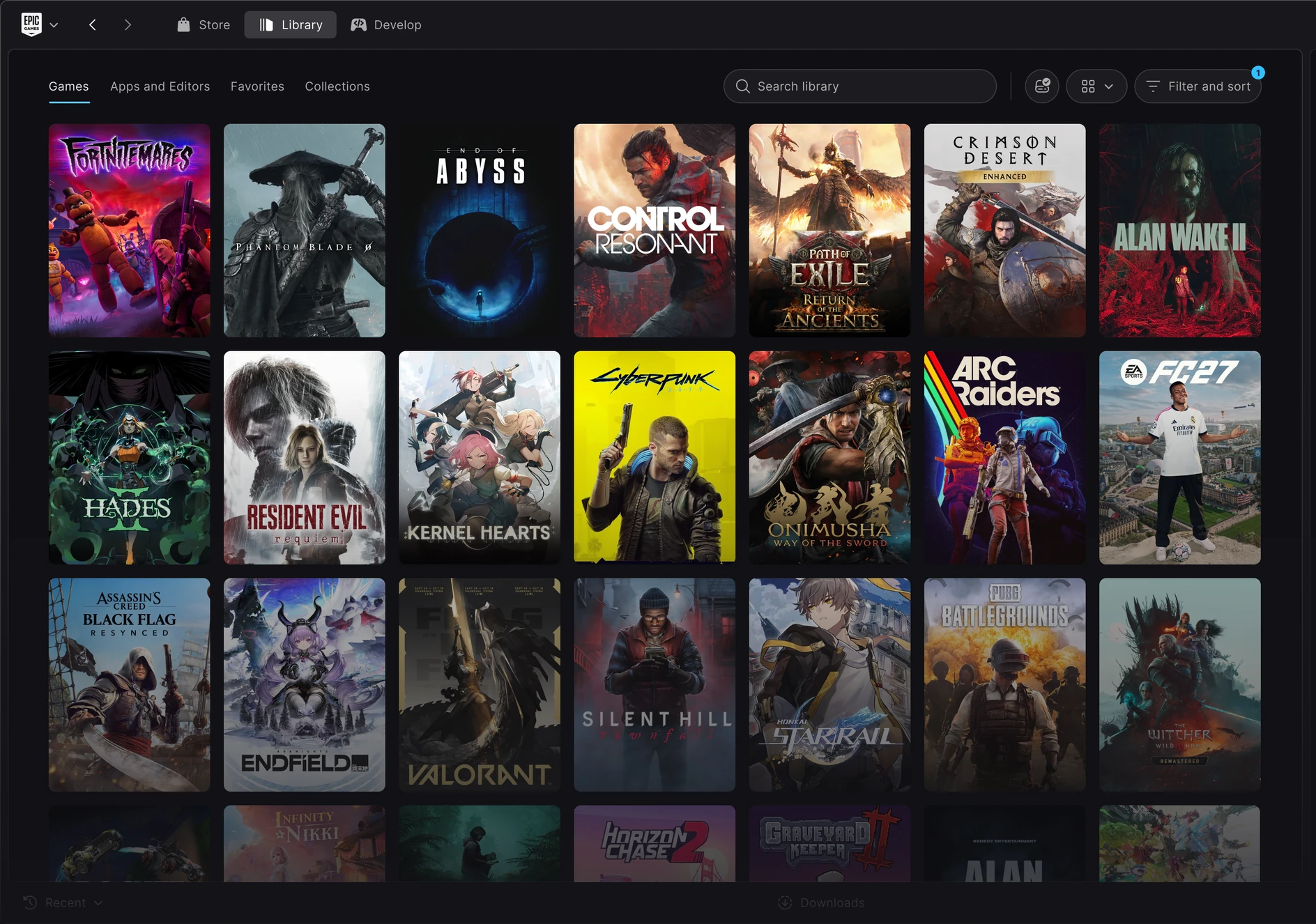
Ubuntu is already supported: Epic’s Preview page lists Ubuntu 22.04 LTS or newer, a 64-bit x86-64 dual-core 2GHz processor, 4 GB of RAM and 2 GB of free space. Not sure which release you run? Check your Ubuntu version first. Your purchases, installed games, cloud saves and progress carry over from your Epic account. Epic warns that the Preview is unfinished, so a few social and account features from the old launcher are still missing.
1. Download the official .deb from the Epic Games Launcher Preview page (click Download for Linux), or grab it in a terminal:
2. Install it with apt. The ./ tells apt to use the local file, and apt pulls in the few libraries it needs (WebKitGTK, GTK 3 and the Ayatana tray indicator):
3. Open it and sign in. Find Epic Games Launcher in your apps menu, or start it from a terminal:
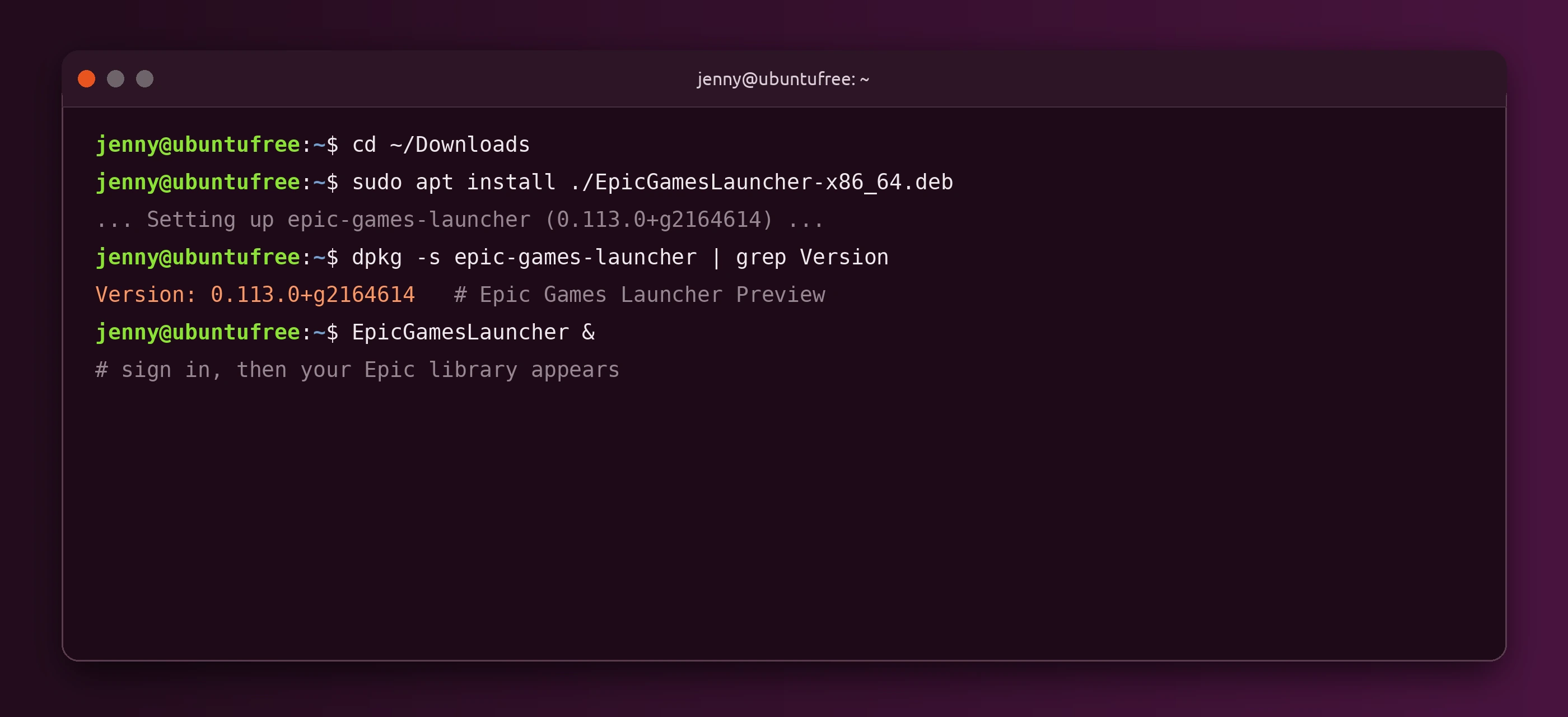
epic-games-launcher package. We checked version 0.113.0 on 9 November 2026.Check the installed version any time with:
Changed your mind? Remove it like any other apt package:
What about Fortnite and the Steam Deck?
The launcher and Fortnite are two different things: SteamOS support for the launcher does not mean Fortnite runs on SteamOS. Fortnite needs Epic’s new Easy Anti-Cheat (EAC) Linux v2, which depends on Secure Boot, TPM 2.0, a signed kernel and other security features. When Epic announced it, the company said the Steam Deck “does not support the required features for our EAC v2 solution, but we are actively talking with Valve and hope to support it in the future.”
Ubuntu is in a better position: Canonical’s Secure Boot key is on Epic’s list of well-known keys, so Ubuntu is one of the distros Epic is building EAC Linux v2 around. Fortnite itself still has no Linux release date. We covered the full EAC v2 requirement list in our earlier story, Epic Games Launcher Hits Linux, Fortnite Support Coming.
What Ubuntu gamers should know
- Native launcher, mostly Windows games: Epic says many games in its store are Windows-only builds and may need a compatibility layer such as Proton or Wine. Check each game before you install it.
- Keep your other tools: Steam with Proton and Lutris are still the easiest way to run many Windows-only Epic titles today.
- Get your GPU driver right first: if you game on NVIDIA, set up the driver with our NVIDIA drivers on Ubuntu guide. AMD users can follow our AMD drivers guide.
- Steam Deck owners: keep an eye on our SteamOS coverage. Until Epic ships an official SteamOS build, the Deck still relies on community launchers in Desktop Mode.
Source: GamingOnLinux: Epic Games comments on planned Linux distribution support.