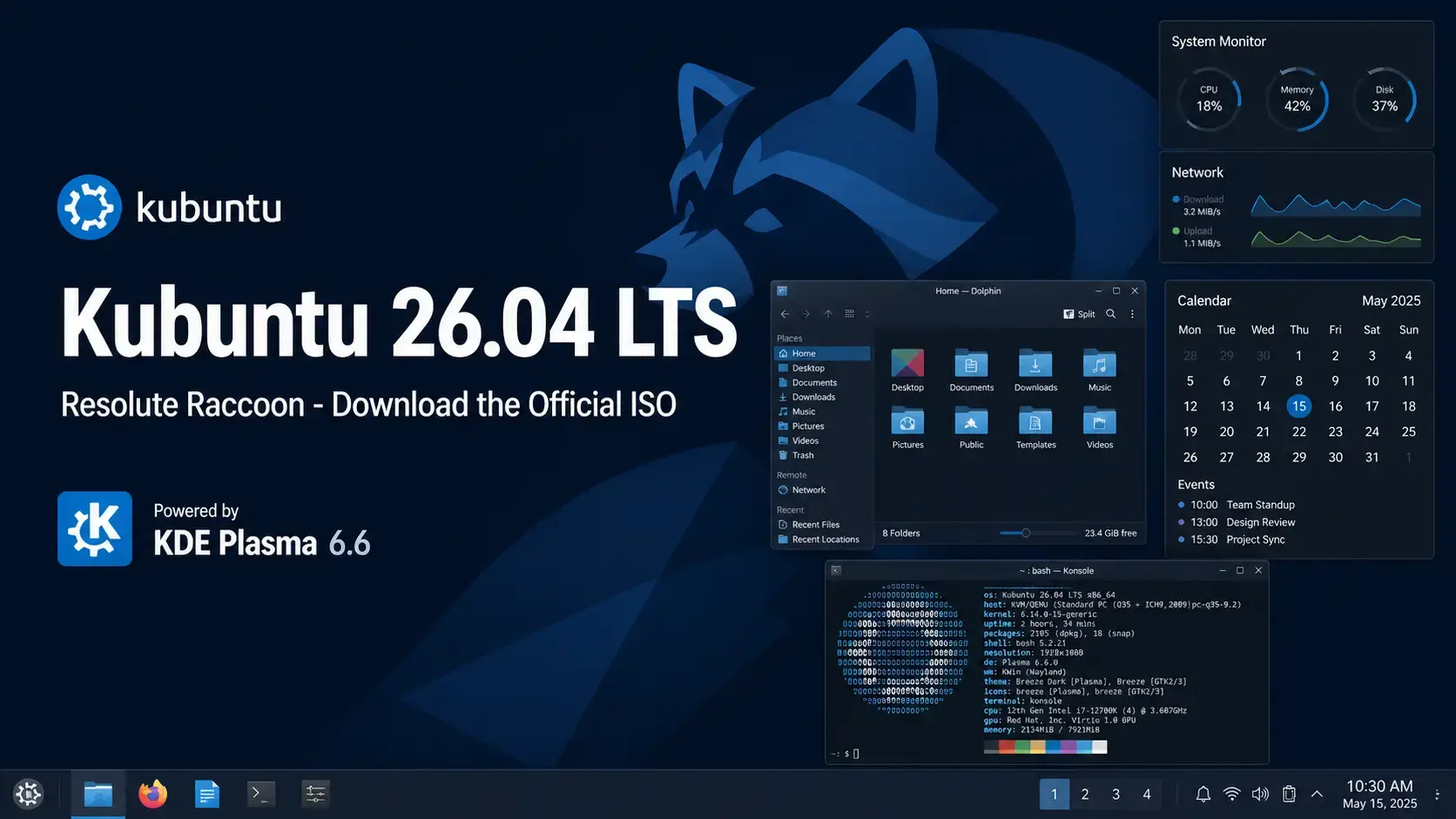
 Kubuntu 26.04 LTS Resolute Raccoon is available to download now from Canonical’s official image server. This long-term support release ships with KDE Plasma 6.6 and Linux kernel 7.0, and receives free security updates until April 2029. Below you will find the direct ISO link, torrent option, SHA256 verification steps, and system requirements.
Resolute Raccoon
Ubuntu with KDE Plasma 6.6. Free to use. Supported until April 2029.
What Is Kubuntu?
Kubuntu is the official Ubuntu flavor that replaces GNOME with the KDE Plasma desktop environment. It shares the same Ubuntu base, the same software repositories, and the same security update schedule – but the interface looks and behaves very differently from standard Ubuntu.
KDE Plasma is known for being highly configurable. You can change almost every aspect of the desktop: panel layout, window behavior, icon themes, animations, and more. If you want a desktop you can shape to fit exactly how you work, Kubuntu is a strong choice.
Download Kubuntu 26.04 LTS
The link below goes directly to cdimage.ubuntu.com, Canonical’s official image server for Ubuntu flavors.
Size: ~4.7 GB
What’s New in Kubuntu 26.04
This release is built around KDE Plasma 6.6, Qt 6.10.2, KDE Frameworks 6.24.0, and KDE Gear 25.12.3. The headline change is the final removal of the X11 session. For the full technical changelog, see the official Kubuntu 26.04 release notes.
The X11 session is no longer installed by default and is not supported by the Kubuntu team. Wayland is now the only official session. The plasma-session-x11 package remains in the Ubuntu archive for edge cases, but you are on your own if you use it.
Spectacle, the built-in screenshot tool, can now read text from images. Take a screenshot of anything containing text and Spectacle will extract it into selectable, copyable content – no third-party tool needed.
Plasma 6.6 ships a fully integrated on-screen keyboard. It supports multiple layouts, avoids covering input fields, and includes function keys and emoji. Useful for touchscreen devices and accessibility.
The NTSYNC kernel driver handles Windows sync primitives at the kernel level. This reduces CPU overhead for Windows games running through Wine or Proton, and is a notable improvement over the older user-space approach.
~/.config folder before logging into the new session for the first time.How to Verify Your Download (SHA256)
Always verify your ISO before writing it to a USB drive. This confirms the file downloaded completely and was not corrupted.
SHA256SUMS file to the same folder as your ISO.Run the checksumOn Linux or macOS:
sha256sum kubuntu-26.04-desktop-amd64.iso
On Windows (PowerShell):
Get-FileHash kubuntu-26.04-desktop-amd64.iso -Algorithm SHA256
How to Install Kubuntu 26.04
Once you have the ISO, the process is the same as any Ubuntu flavor.
System Requirements
Minimum and recommended specs for running Kubuntu 26.04 comfortably. KDE Plasma benefits noticeably from more RAM.
- CPU: 2 GHz dual-core processor
- RAM: 4 GB
- Storage: 25 GB free disk space
- Display: 1024 x 768
- USB: 8 GB for installation media
- CPU: 4-core 64-bit processor
- RAM: 8 GB or more
- Storage: 50 GB SSD
- Display: 1920 x 1080
- GPU: Works with most modern graphics cards
Free. Open source. KDE Plasma 6.6. Supported until April 2029.
Frequently Asked Questions
Can I try Kubuntu 26.04 without installing it?
Yes. When you boot from the USB installer, choose “Try Kubuntu” on the welcome screen. This loads a live version directly from the USB drive without touching your hard disk. You can test it as long as you like, then restart to return to your current system.
Will my old software still work on Kubuntu 26.04?
Most software continues to work. Kubuntu 26.04 includes a compatibility layer called XWayland so older apps generally open without any changes. A small number of screen recording or remote desktop tools may need updates from their developers.
What is the difference between an LTS release and a regular Ubuntu release?
LTS stands for Long Term Support. Canonical releases a new version of Ubuntu every 6 months, but only the LTS versions get multi-year security updates. Regular releases are only supported for 9 months. For most people on a work or home computer, LTS is the right choice.
Can I run Kubuntu 26.04 inside a virtual machine?
Yes. Kubuntu 26.04 works well inside VirtualBox, VMware, and GNOME Boxes. Use the AMD64 ISO for Intel and AMD host machines. Wayland compositing works correctly inside most modern hypervisors.
How do I create a bootable USB from the ISO file?
On Windows, use Rufus and select the ISO file. On macOS or Linux, use Balena Etcher. Both are free. Select your USB drive carefully as all data on it will be erased during the process.
Is Kubuntu 26.04 free to use on a business computer?
Yes. Kubuntu is free to download, install, and use on as many computers as you like, including in a business. There is no license fee.
What makes Kubuntu different from standard Ubuntu?
Kubuntu uses the KDE Plasma desktop environment instead of GNOME. It shares the same Ubuntu base, security updates, and software repositories, but gives you a different interface and a much higher degree of visual customization. KDE Plasma lets you change almost every aspect of how the desktop looks and behaves.
More Kubuntu 26.04 guides: What’s New in Kubuntu 26.04 · Upgrade to Kubuntu 26.04 · Kubuntu 26.04 Wallpapers · Ubuntu Desktop 26.04 Download · Xubuntu 26.04 Download