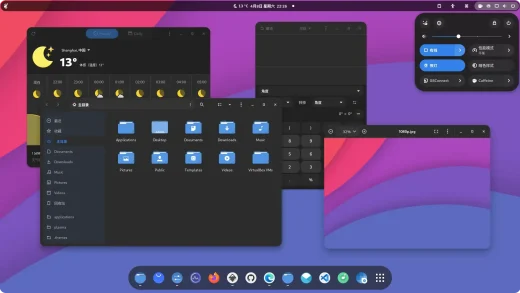
The best themes for Ubuntu 26.04 right now are Yaru, Colloid, Orchis, WhiteSur, and Tokyonight. All run perfectly on GNOME 50, and every theme on this list natively supports modern GTK4 interfaces so you can customize without breaking your desktop.
Whether you want a rock-solid daily theme for most of your work, games or themes that can make your Linux desktop look like the latest macOS or Windows 11 design, we have them here including a neon-colored(for some reason a lot of people love this??) developer palette for your terminal, there is a theme here for you.
We cover stability, how to install them using terminal commands, Snapcraft integration, legacy support, and visual customization for all 25. The GNOME ecosystem changes often. Always verify theme compatibility before running major system updates.
We link to every official GitHub and Snapcraft page so you can download the most recent, working versions directly from the creators. If we missed a theme you use every day, drop a comment or reach out to us directly.
How We Chose These Themes
We rigorously filtered out abandoned projects like Arc and Numix. Every theme below provides real fixes for modern GNOME, offers GTK4/libadwaita workarounds, and won’t shatter your desktop when Snapcraft or Flatpak apps open.
What Are The Best Themes For Ubuntu?
Stable Themes
Start here if you want maximum stability. These themes are highly compatible and rarely break during system updates.
1
Yaru Theme Suite
Top Pick
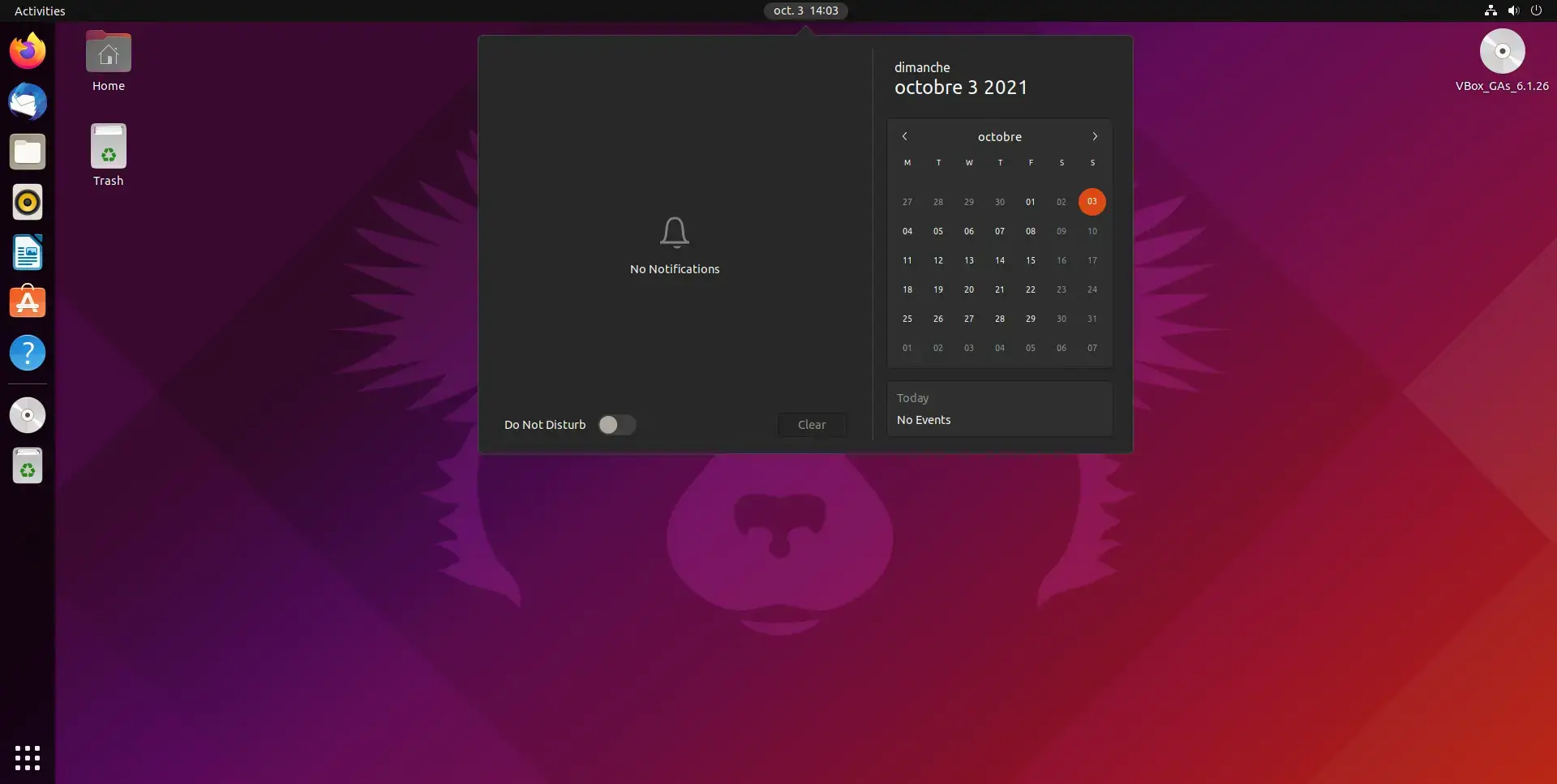
Yaru remains the undisputed safest choice for Ubuntu users. As Canonical’s official suite, it is perfectly synced with GNOME changes, ensuring absolute system stability without any visual fracturing.
Canonical Default100% StableGTK4 Perfect
Why We Like It: You literally cannot break it. It offers immense flexibility through color variants while respecting the underlying GNOME layout 100%.
Terminal Install
sudo apt update
sudo apt install yaru-theme-gtk yaru-theme-gnome-shell
2
adw-gtk3
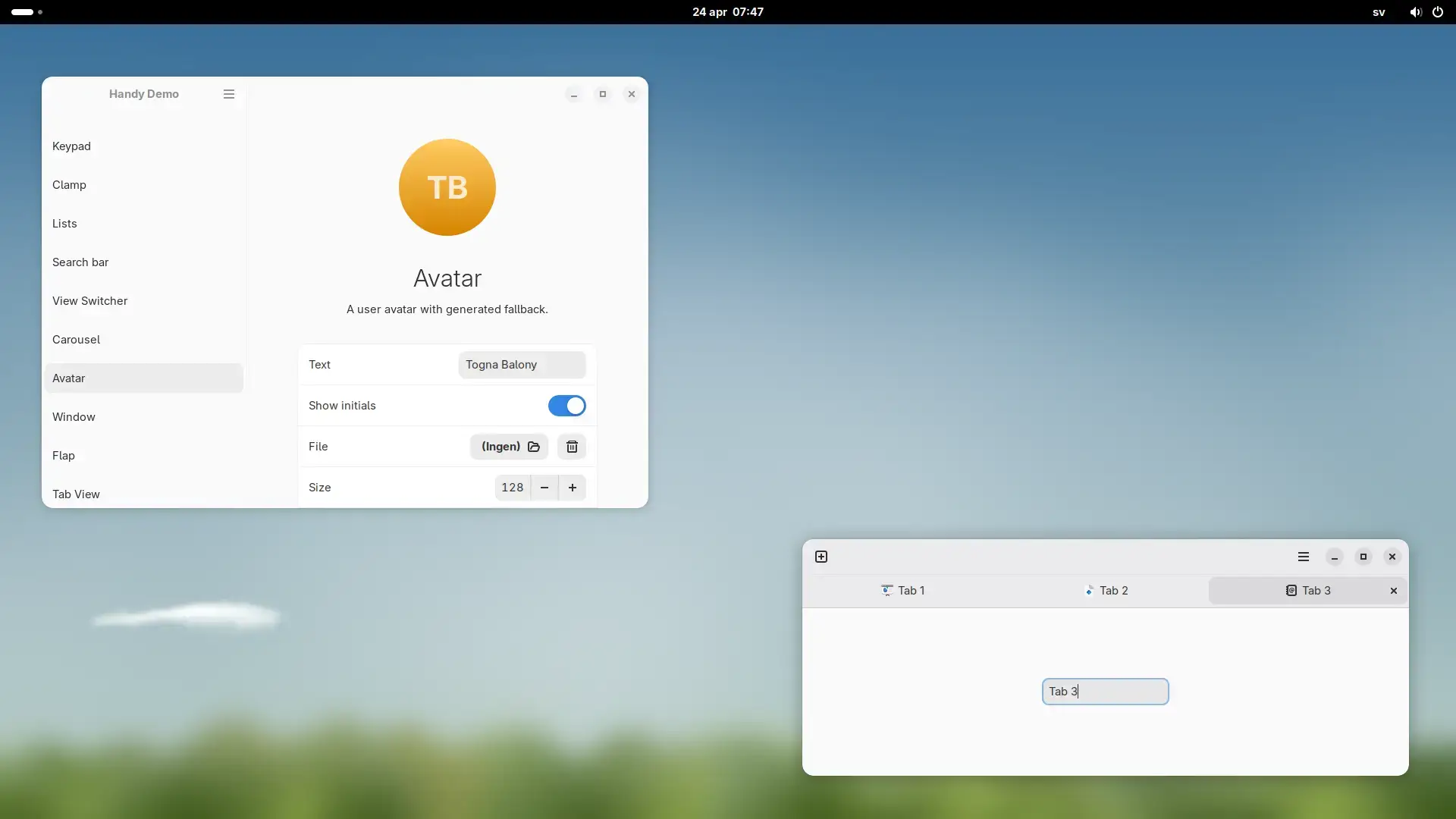
adw-gtk3 isn’t a flashy theme; it is the absolute must-have bridge that forces your older GTK3 applications to blend seamlessly with modern Libadwaita apps.
Libadwaita BridgeEssentialSnapcraft Available
Why We Like It: By using adw-gtk3, you essentially cure the ugly disconnect between updated GNOME apps and older software on your machine.
Terminal Install
sudo snap install gtk-theme-adw-gtk3
3
adw-colors
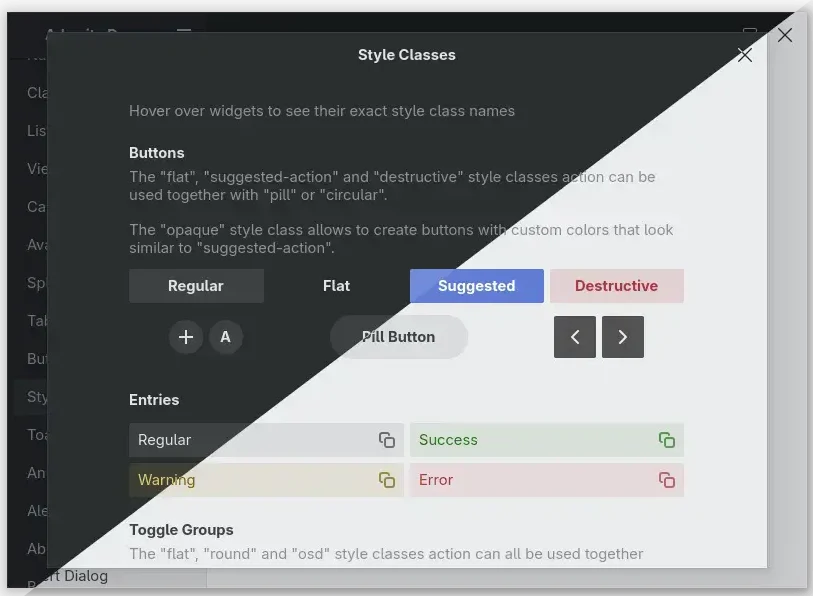
Designed specifically to work with adw-gtk3, this provides a modern color variants system for GNOME/libadwaita so you can theme elements without fighting the desktop framework.
Libadwaita ColorsModern UIPerfect Companion
Why We Like It: You get beautiful color choices baked perfectly into the libadwaita architecture, preventing standard GTK crashes while updating your entire aesthetic.
Terminal Install
git clone https://github.com/lassekongo83/adw-colors.git
cd adw-colors
./install.sh
4
Colloid GTK Theme
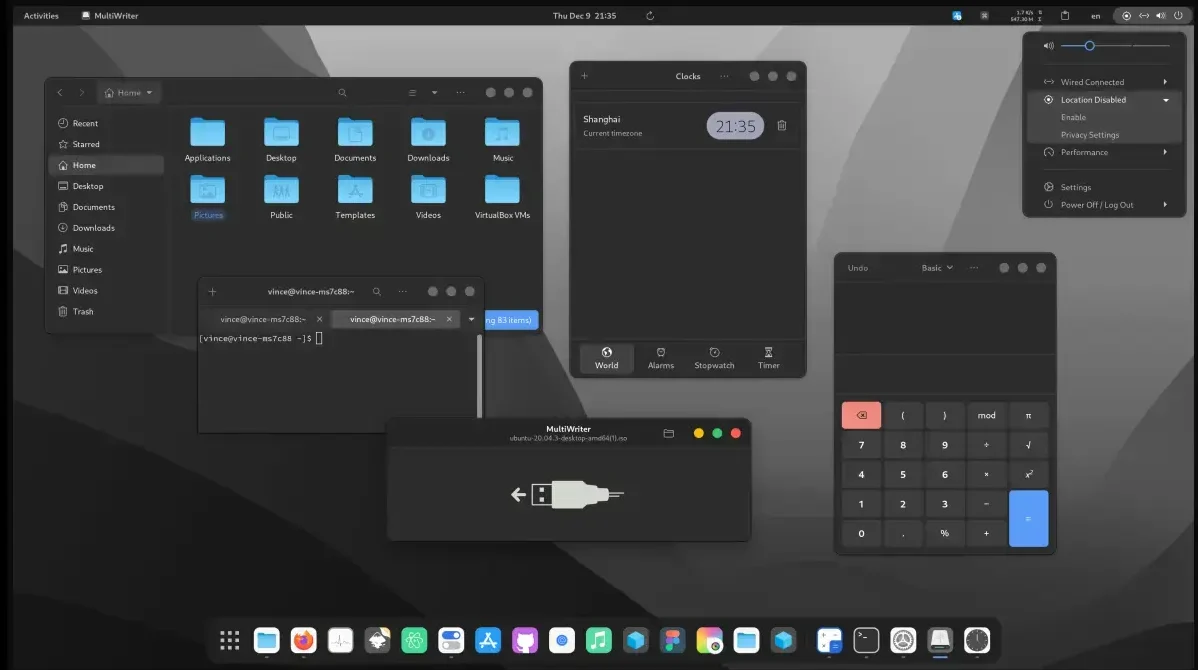 Colloid theme screenshot from Best Themes on Ubuntu
Colloid represents the pinnacle of modern GTK customization. It deploys clean structural lines and subtle frosted glass elements that instantly make Ubuntu feel like a premium operating system.
Frosted GlassModern UIHighly Maintained
Why We Like It: Colloid’s maintainers aggressively patch GTK4 issues, meaning you get an incredible-looking desktop without the random broken buttons found in older themes.
Terminal Install
sudo snap install gtk-theme-colloid
5
Orchis Theme
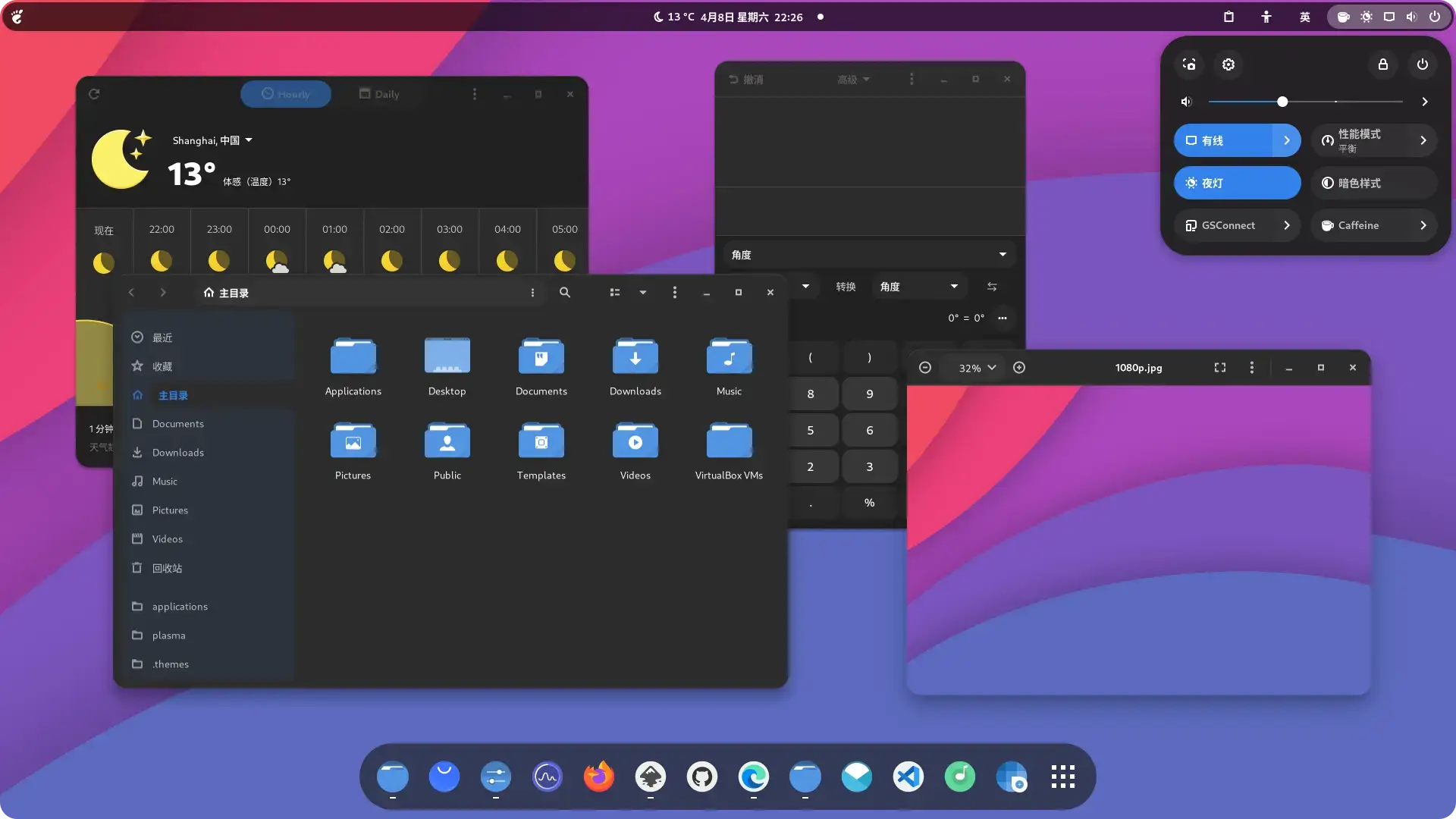
Orchis pulls heavily from modern Material Design, relying on softened borders and deeply rounded corners. It is arguably the most popular rounded theme in the ecosystem.
Material DesignRounded CornersRobust Installer
Why We Like It: Orchis has stood the test of time. It comes with a brilliant installation script to customize exactly what color highlights you want across your UI.
Terminal Install
sudo snap install gtk-theme-orchis
6
Qogir Theme
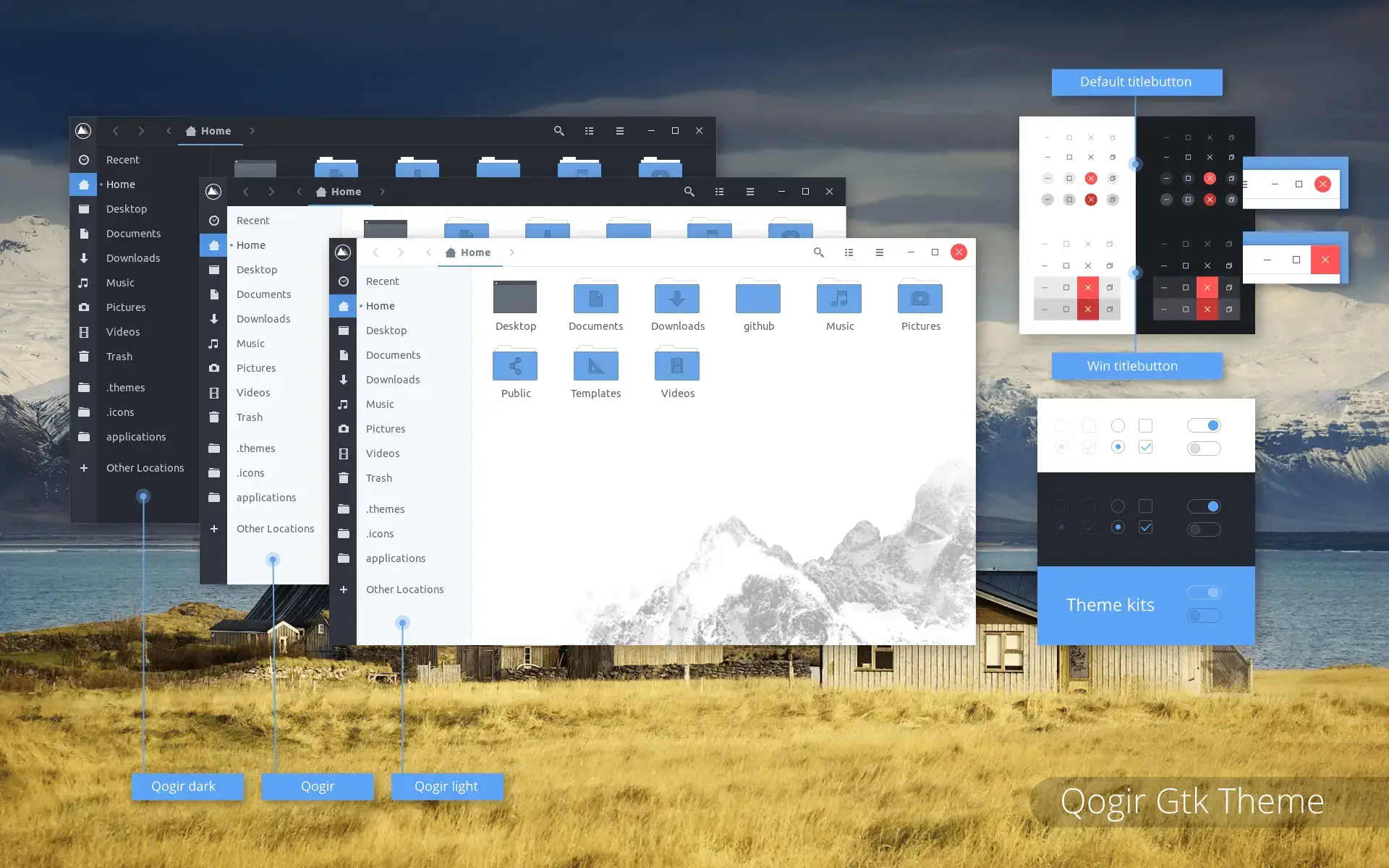
If you dislike the heavily rounded trend, Qogir delivers a flat, distinctive design built on sharp architectural geometry and striking backgrounds for the file manager.
Sharp CornersUtilitarianExcellent Legibility
Why We Like It: Qogir maximizes screen real estate. The sharp borders make it excellent for productivity, and the optional Nautilus background images are a fun touch.
Terminal Install
sudo snap install gtk-theme-qogir
7
Vimix GTK Themes
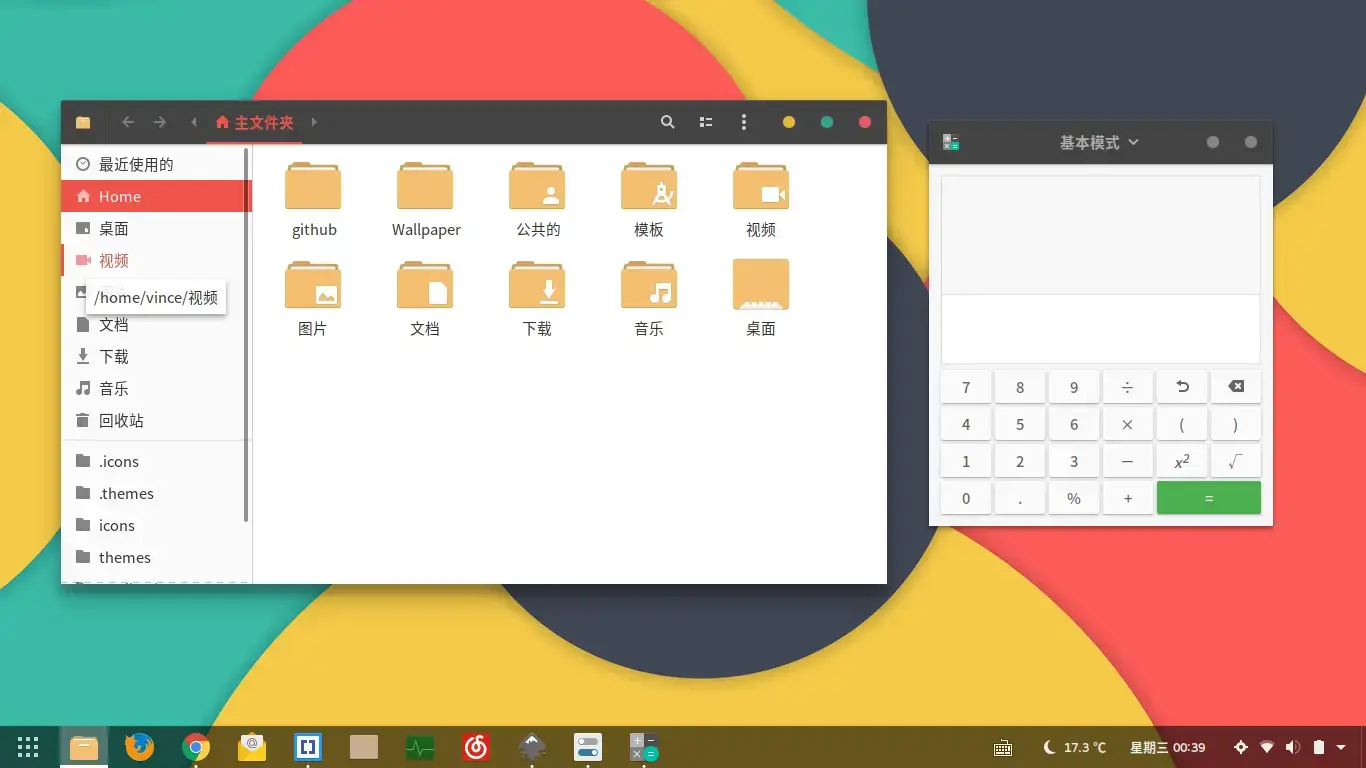
Vimix is an automotive-inspired Material Design theme. It is incredibly stable across diverse desktop environments, making it a safe bet if you ever switch from GNOME to Cinnamon or XFCE.
Cross-DE StableMaterialSnapcraft Available
Why We Like It: Vimix has survived generation after generation of GTK updates. The robust color variant options let you match practically any icon pack nicely.
Terminal Install
sudo snap install gtk-theme-vimix
8
Graphite GTK Theme
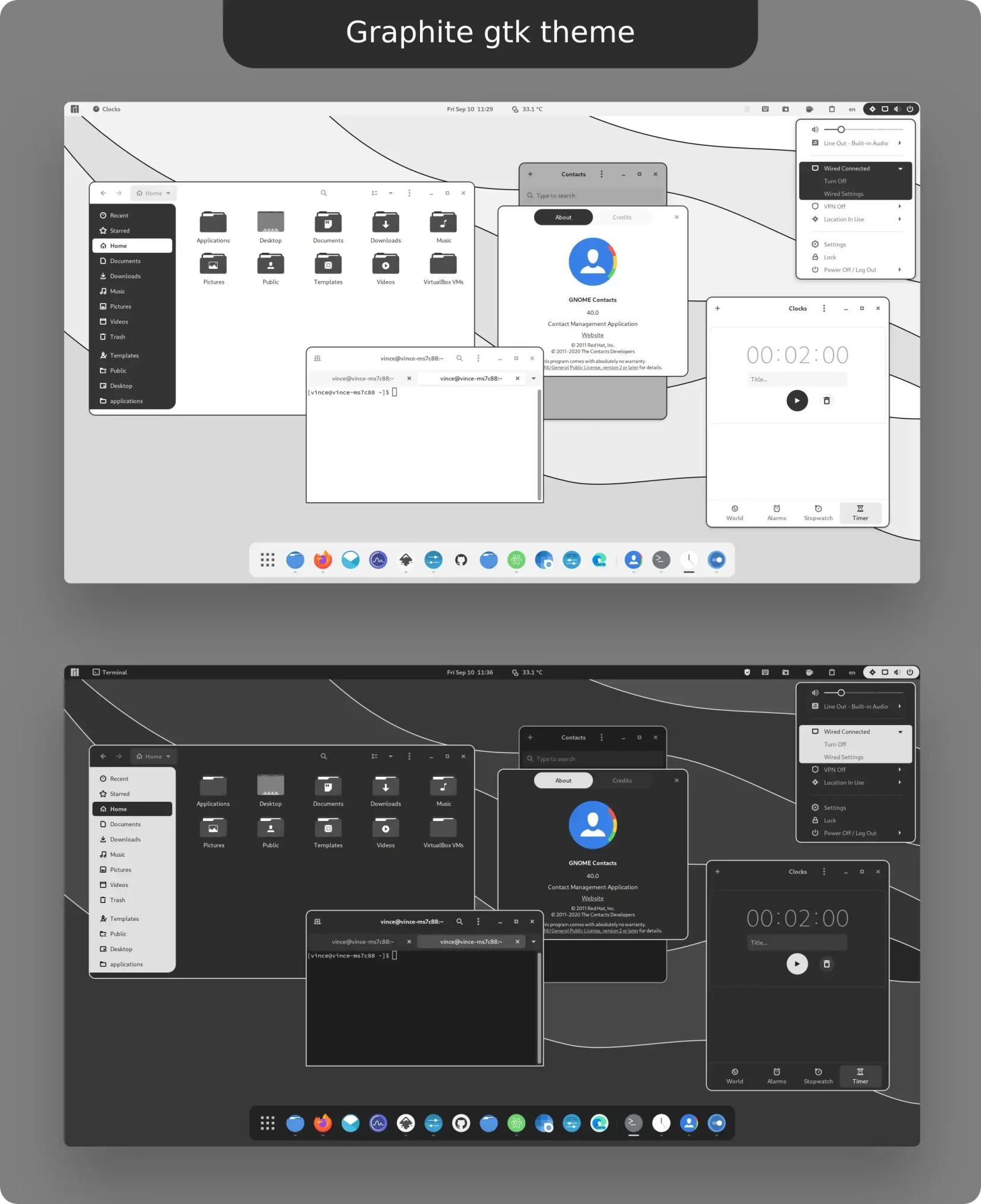
Graphite is a masterclass in monochrome. It creates a deeply elegant, premium desktop feel by relying entirely on grayscale depth and padding instead of loud neon colors.
MonochromeElegantMinimalist
Why We Like It: The simplicity of the color palette naturally prevents contrast inversion issues during system updates, meaning Graphite runs perfectly in almost any GNOME stack.
Terminal Install
git clone https://github.com/vinceliuice/Graphite-gtk-theme.git
cd Graphite-gtk-theme
./install.sh
9
Arc Theme (jnsh Fork)
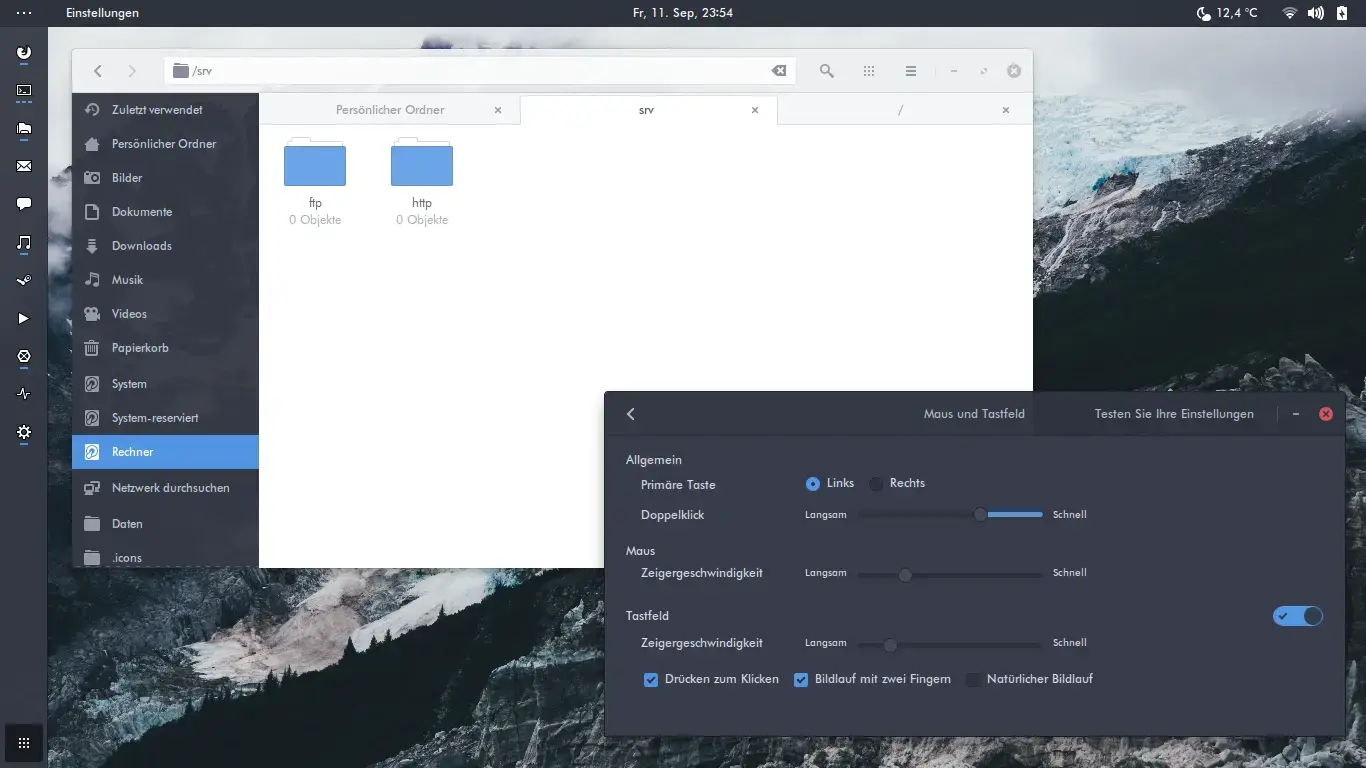
While the original Arc theme is effectively dead, this jnsh fork keeps the legendary flat, semi-transparent design alive with critical 2026 updates for modern Ubuntu.
ClassicMaintained ForkFlat UI
Why We Like It: Many users still swear by the translucent window headers of the Arc aesthetic. This is the only defensible way to use Arc in 2026 without breaking GNOME 50.
Terminal Install
sudo snap install gtk-theme-arc
10
Ant Theme
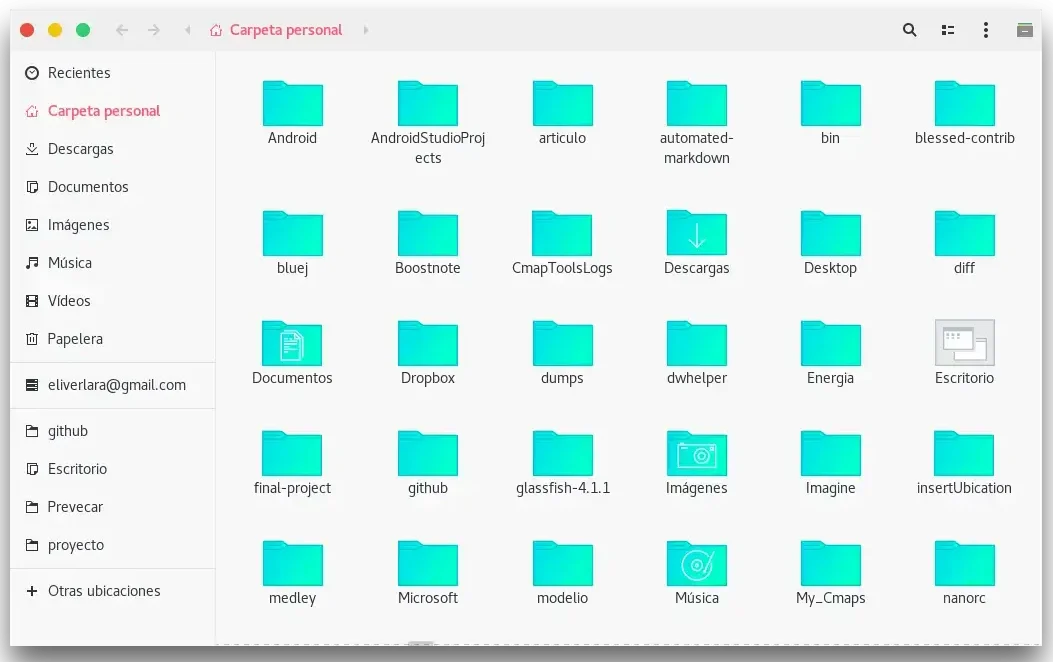
Ant is a long-standing flat GTK theme that has survived the transition from old GNOME to new GNOME. It offers a very clean, macOS-lite structure with unique red styling cues.
FlatMature ThemeHighly Legible
Why We Like It: It’s rare to find an older theme style that still receives fresh commits in 2026. Ant remains simple, stable, and visually pleasing without flashiness.
Terminal Install
git clone https://github.com/EliverLara/Ant.git
cd Ant
./install.sh
macOS & Windows Mimics
These themes transform Ubuntu to heavily mirror proprietary operating systems. Perfect for dual-booters or converts seeking a familiar environment.
11
WhiteSur GTK Theme
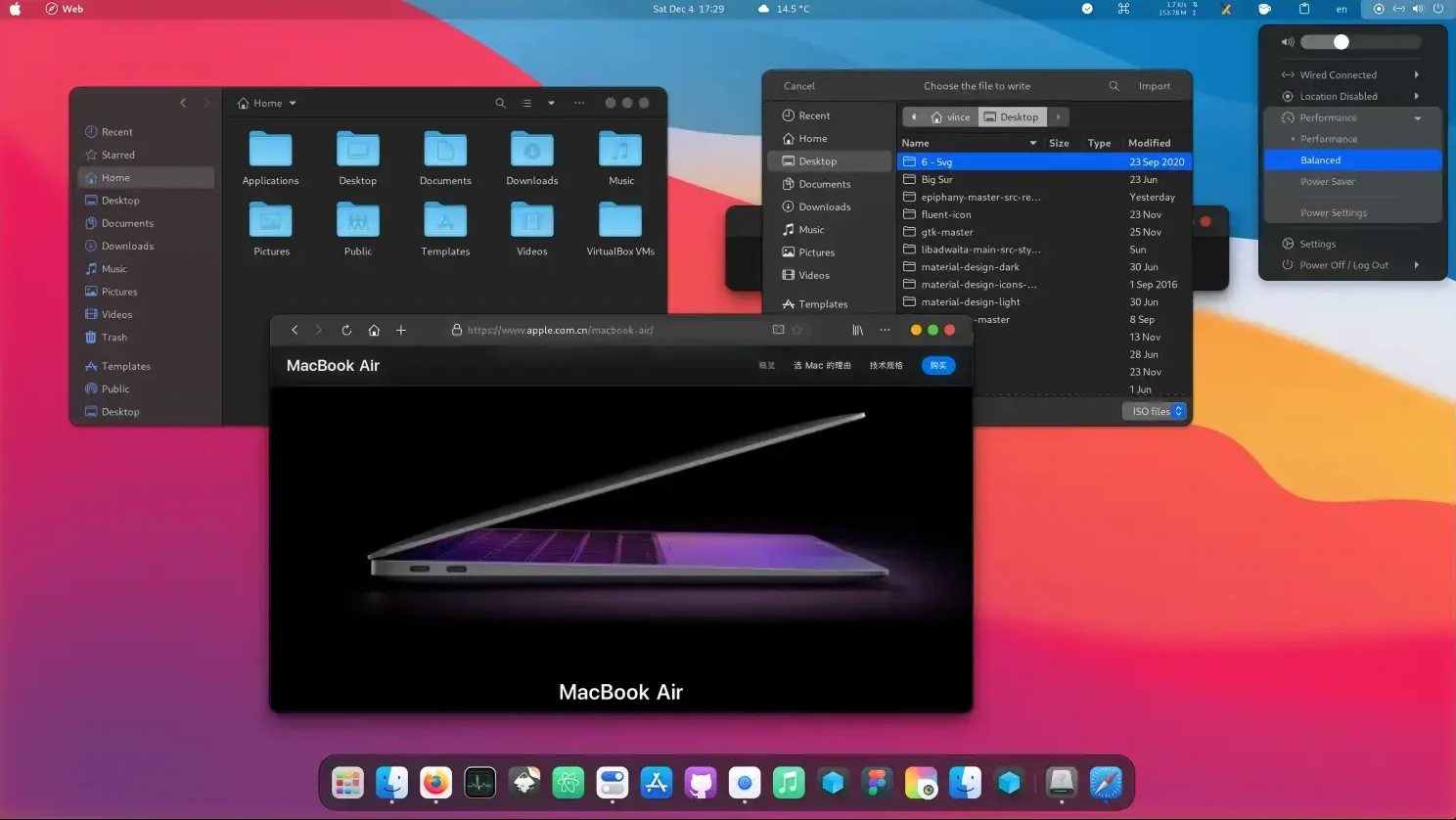
WhiteSur is still the most recognizable macOS Big Sur pixel-perfect replica entirely built for Linux. It aggressively bends GNOME into behaving like Apple’s OS.
macOS LookalikeComplex UIFan Favorite
Why We Like It: The ecosystem is massive. The installer scripts help you configure everything from the Apple logo up top to the dock transparency at the bottom.
Terminal Install
git clone https://github.com/vinceliuice/WhiteSur-gtk-theme.git
cd WhiteSur-gtk-theme
./install.sh
12
MacTahoe GTK Theme
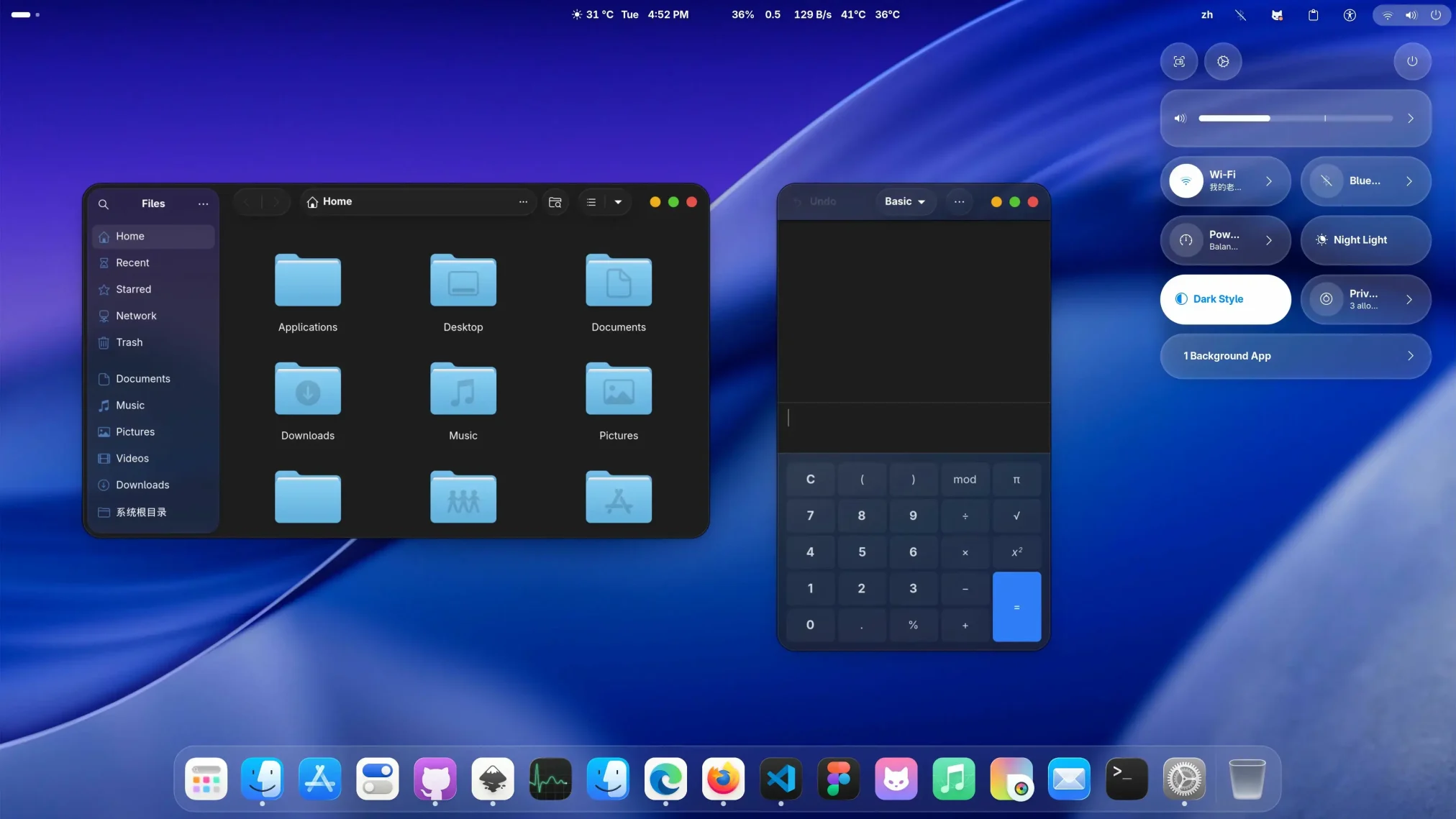
Consider MacTahoe to be WhiteSur’s fresher, even more modern sibling. It pushes design elements inspired by recent Apple iterations without feeling quite as derivative.
Modern AppleHigh GlossRecent Activity
Why We Like It: You get massive Apple-inspired aesthetics coupled with very recent, verified updates in 2026, meaning it plays nice with modern GNOME versions.
Terminal Install
git clone https://github.com/vinceliuice/MacTahoe-gtk-theme.git
cd MacTahoe-gtk-theme
./install.sh
13
Fluent GTK Theme
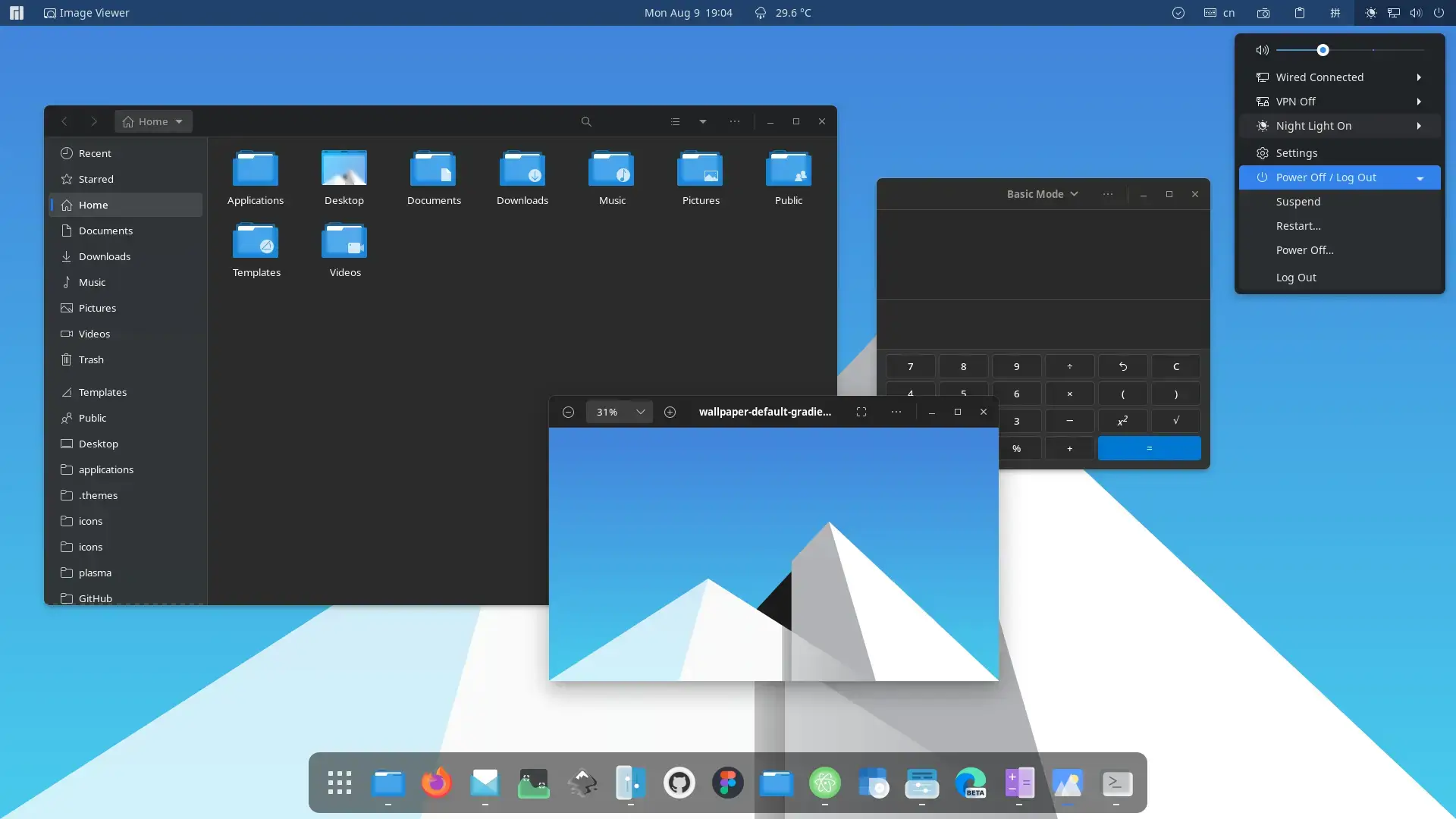
Fluent perfectly replicates the Microsoft Windows 11 Fluent design language. Expect heavy blurs, acrylic lighting effects, and snappy z-depth dimensions across UI components.
Windows MimicAcrylic BlurSnapcraft Available
Why We Like It: It achieves the translucent Windows vibe seamlessly on Linux. A practical snap configuration also helps sandboxed apps correctly display the Windows aesthetics.
Terminal Install
sudo snap install gtk-theme-fluent
14
We10X GTK Theme
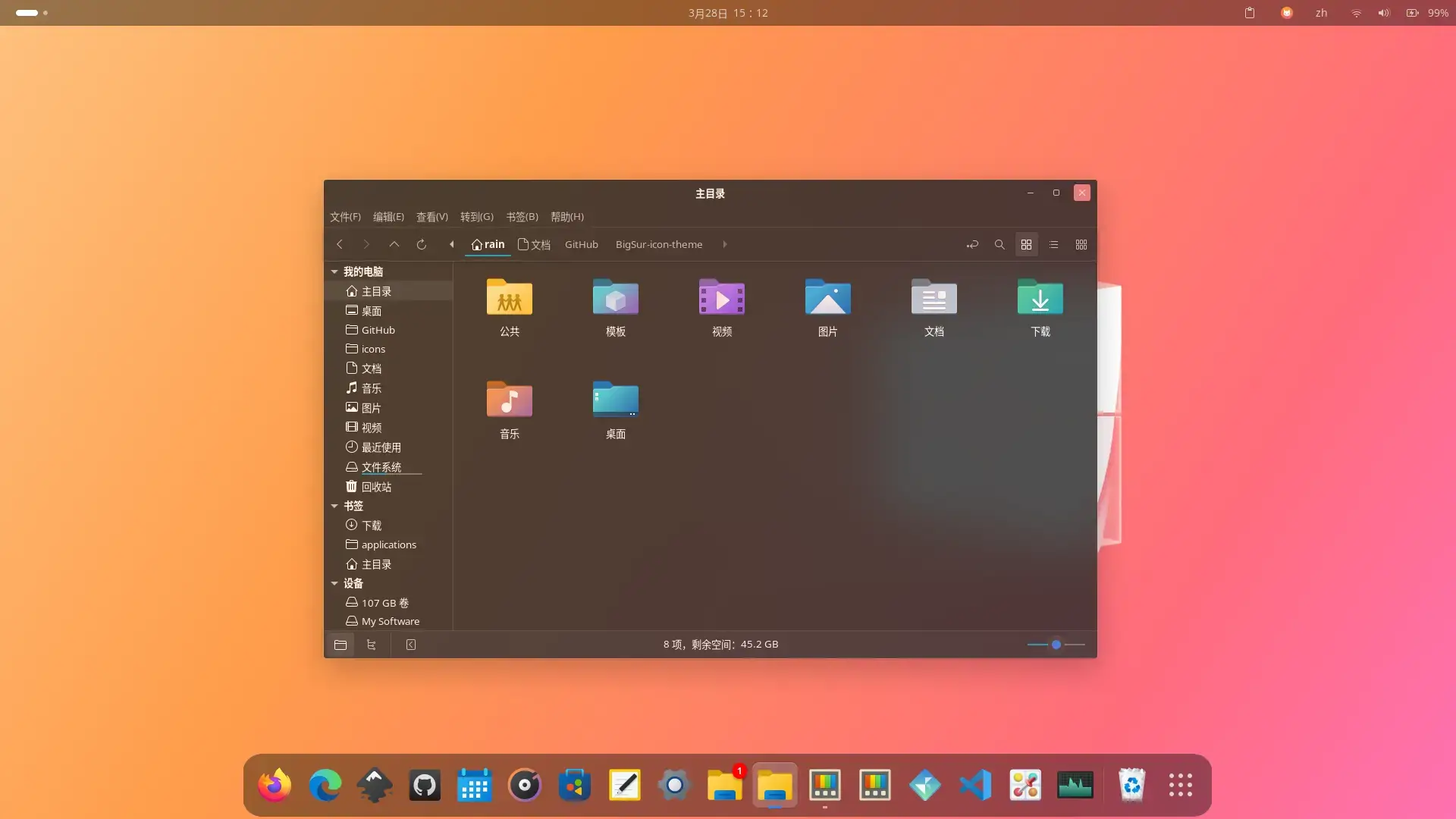
We10X is an astonishingly faithful Windows 10 replica complete with the harsher geometric structure and darker matte aesthetics of the Windows 10 era.
Windows 10 StyleFamiliaritySquare Edges
Why We Like It: It fills a massive demand for people transitioning from Windows 10 machines who just want a highly familiar operating setup.
Terminal Install
git clone https://github.com/yeyushengfan258/We10X-gtk-theme.git
cd We10X-gtk-theme
./install.sh
15
Reversal GTK Theme
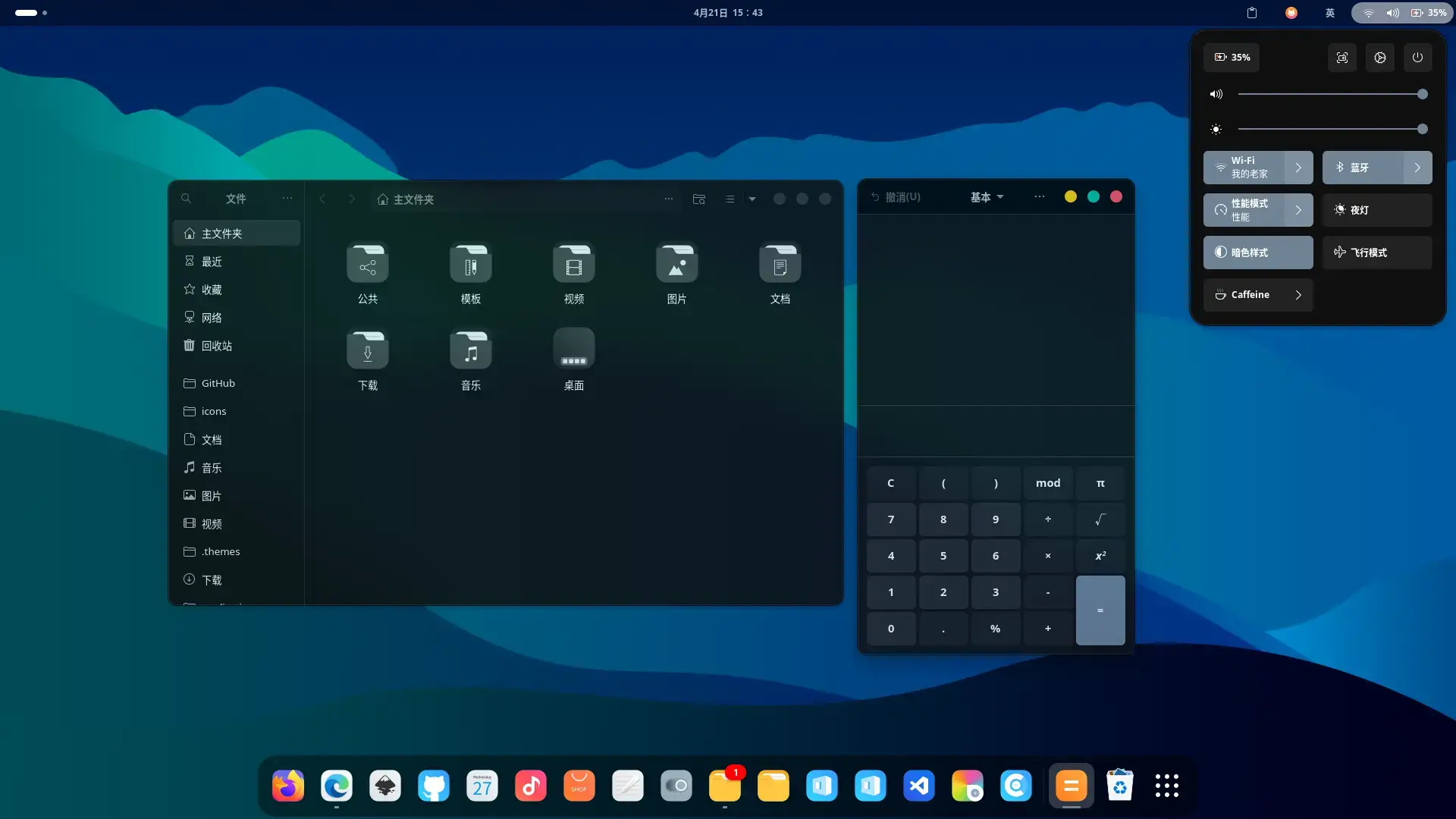
Reversal is a massive, modernized material design project from highly active developers that provides a gorgeous rounded aesthetic with extensive color options.
Rounded AestheticHighly ActiveGreat Support
Why We Like It: The developer is incredibly responsive, meaning this theme effortlessly handles GNOME 50 and GTK4 quirks while looking consistently fantastic.
Terminal Install
git clone https://github.com/yeyushengfan258/Reversal-gtk-theme.git
cd Reversal-gtk-theme
./install.sh
Trending Developer Palettes
These color regimes originated in code editors like Neovim and VS Code. They are scientifically tuned for long coding sessions and look absolutely fantastic.
16
Tokyonight GTK Theme
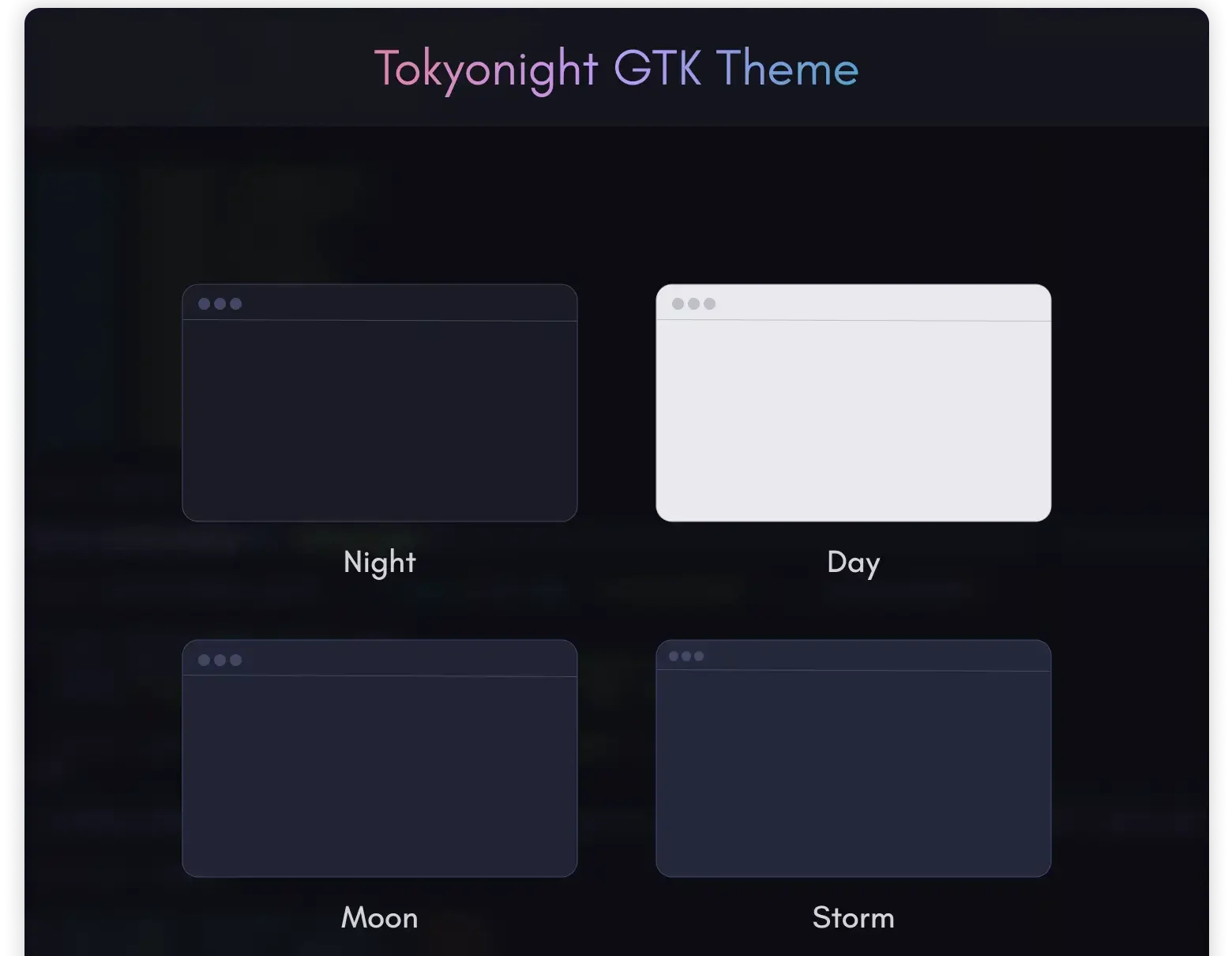
Tokyonight completely dominates the ricing community. It captures a cinematic neon Tokyo vibe full of deep blue-blacks and striking purple cyberpunk accents.
Cyberpunk VibesNeovim MatchedAtmospheric
Why We Like It: You can completely synchronize your terminal, code IDE, and GTK shell using one powerful, aesthetically pleasing color theory.
Terminal Install
git clone https://github.com/Fausto-Korpsvart/Tokyonight-GTK-Theme.git
cd Tokyonight-GTK-Theme
./install.sh
17
Catppuccin GTK Theme
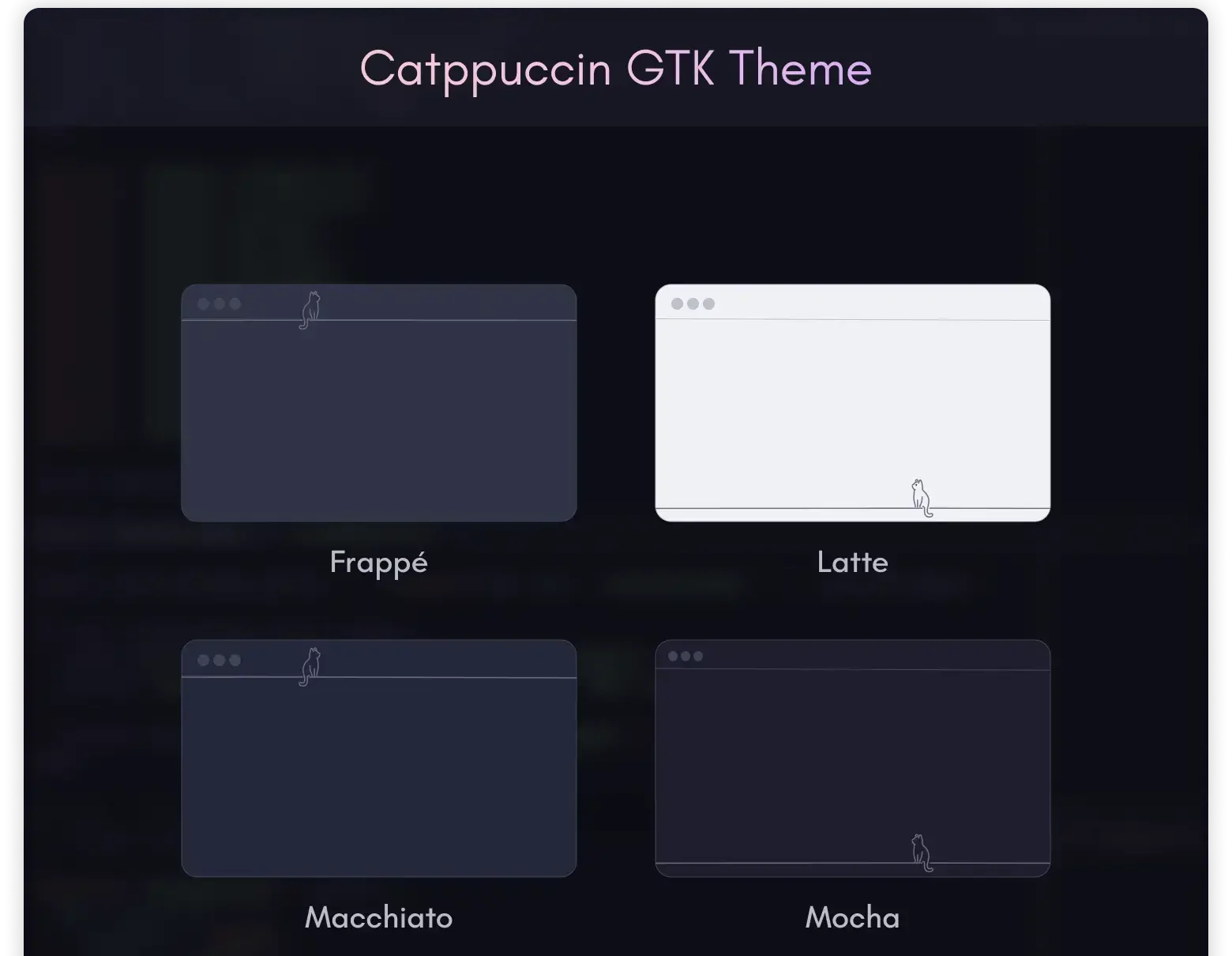
This port saves the hugely popular Catppuccin palette from GTK death. It utilizes warm, soothing pastels distributed across beautiful Mocha and Latte variants.
Pastel ColorsRelaxing UIMaintained Fork
Why We Like It: While the original group ceased GTK updates, Fausto-Korpsvart’s fork perfectly adapts these soothing palettes to handle Ubuntu 24.04 environments.
Terminal Install
git clone https://github.com/Fausto-Korpsvart/Catppuccin-GTK-Theme.git
cd Catppuccin-GTK-Theme
./install.sh
18
Rose-Pine GTK Theme
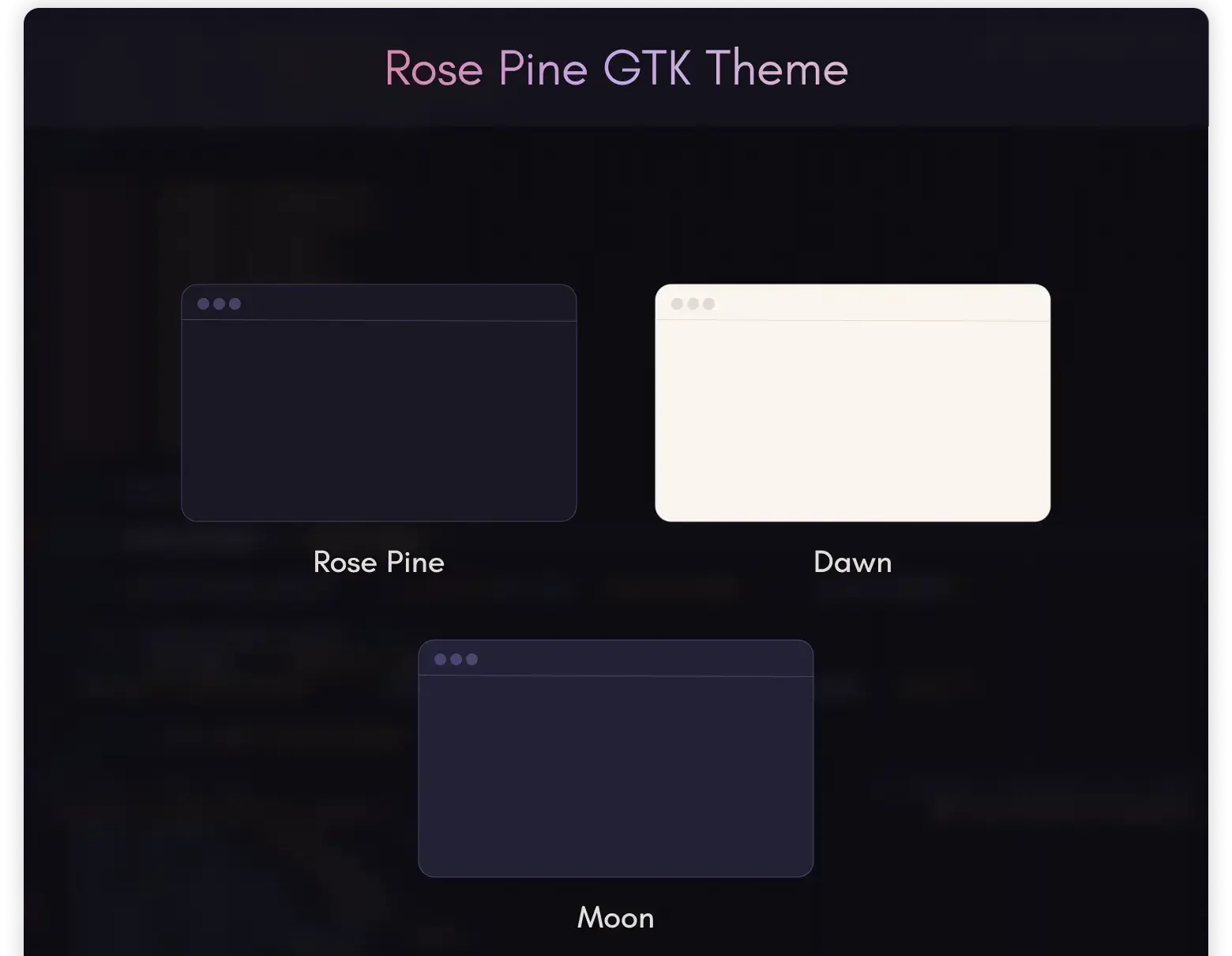
Rose-Pine is built to evoke a warm “Soho” vibe, trading stark blacks and bright whites for subtle natural pines and rosy gold accents.
Warm ContrastOrganic FeelMinimalist
Why We Like It: It offers an incredible alternative to aggressive dark modes, reducing eye fatigue through soft, well-designed luxury color theory.
Terminal Install
git clone https://github.com/Fausto-Korpsvart/Rose-Pine-GTK-Theme.git
cd Rose-Pine-GTK-Theme
./install.sh
19
Everforest GTK Theme
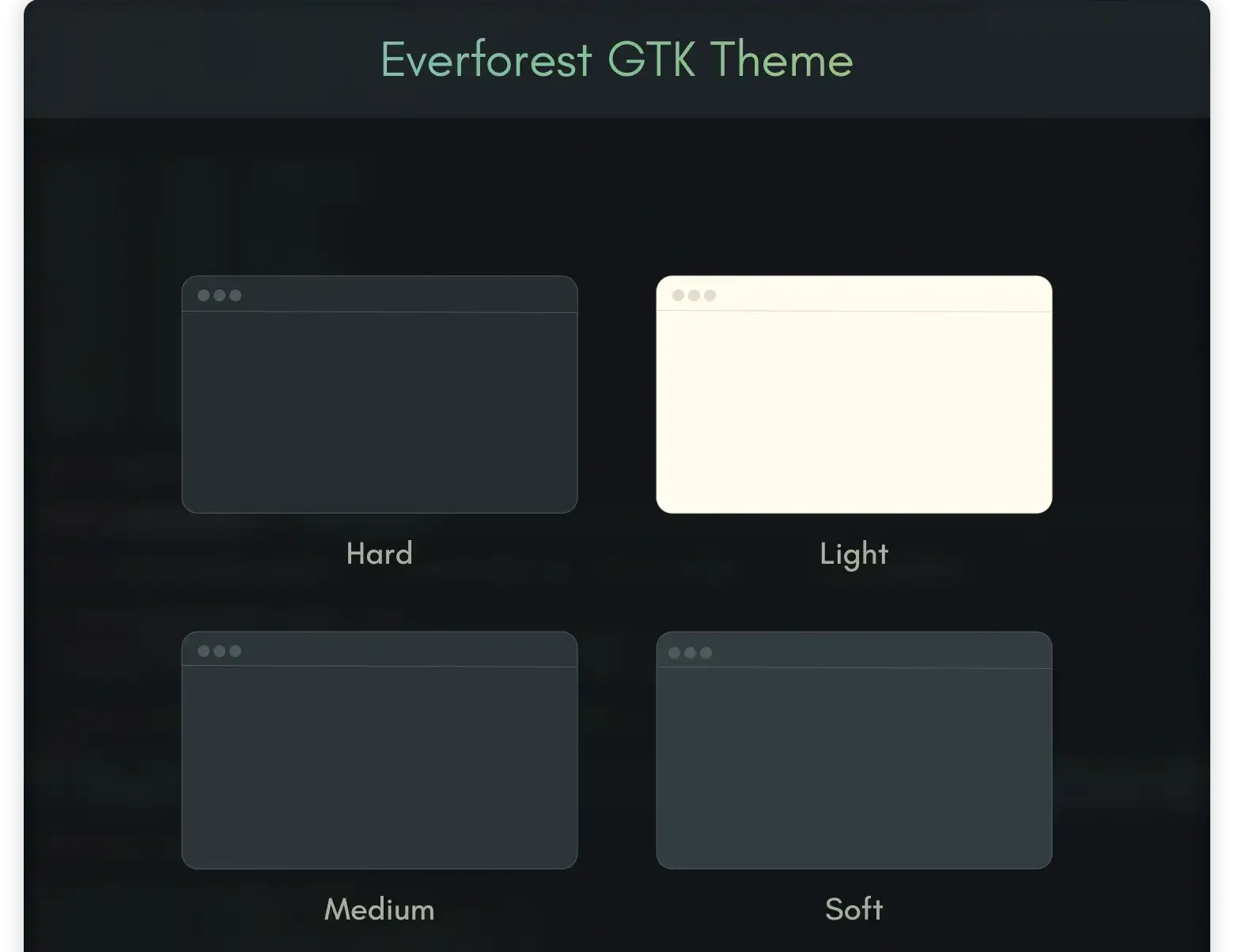
Everforest uses a scientifically formulated palette of warm greens and earthy browns meant to practically eliminate monitor glare and eye-strain.
ErgonomicGreen TonesLow Fatigue
Why We Like It: If you stare at a screen for 10 hours a day coding or writing, jumping to Everforest’s natural green tint is an absolute game-changer.
Terminal Install
git clone https://github.com/Fausto-Korpsvart/Everforest-GTK-Theme.git
cd Everforest-GTK-Theme
./install.sh
20
Gruvbox GTK Theme
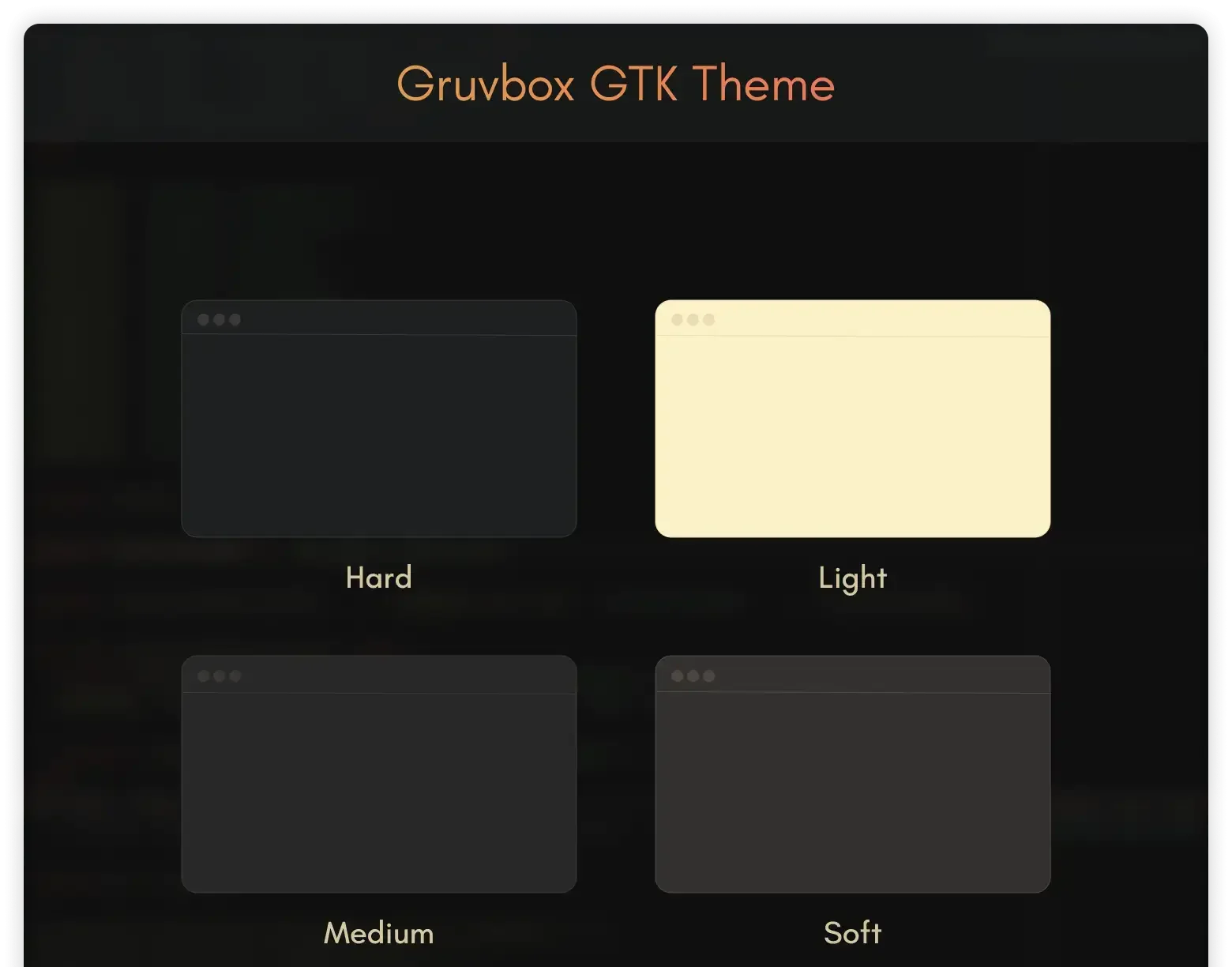
Gruvbox is an absolutely massive developer palette. This actively maintained theme ensures your Ubuntu environment correctly mimics the warm, earthy, high-contrast aesthetics without broken window borders.
EarthyDeveloper PaletteLegible
Why We Like It: It matches seamlessly with one of the most popular terminal palettes natively out of the box.
Terminal Install
git clone https://github.com/Fausto-Korpsvart/Gruvbox-GTK-Theme.git
cd Gruvbox-GTK-Theme
./install.sh
21
Nordic
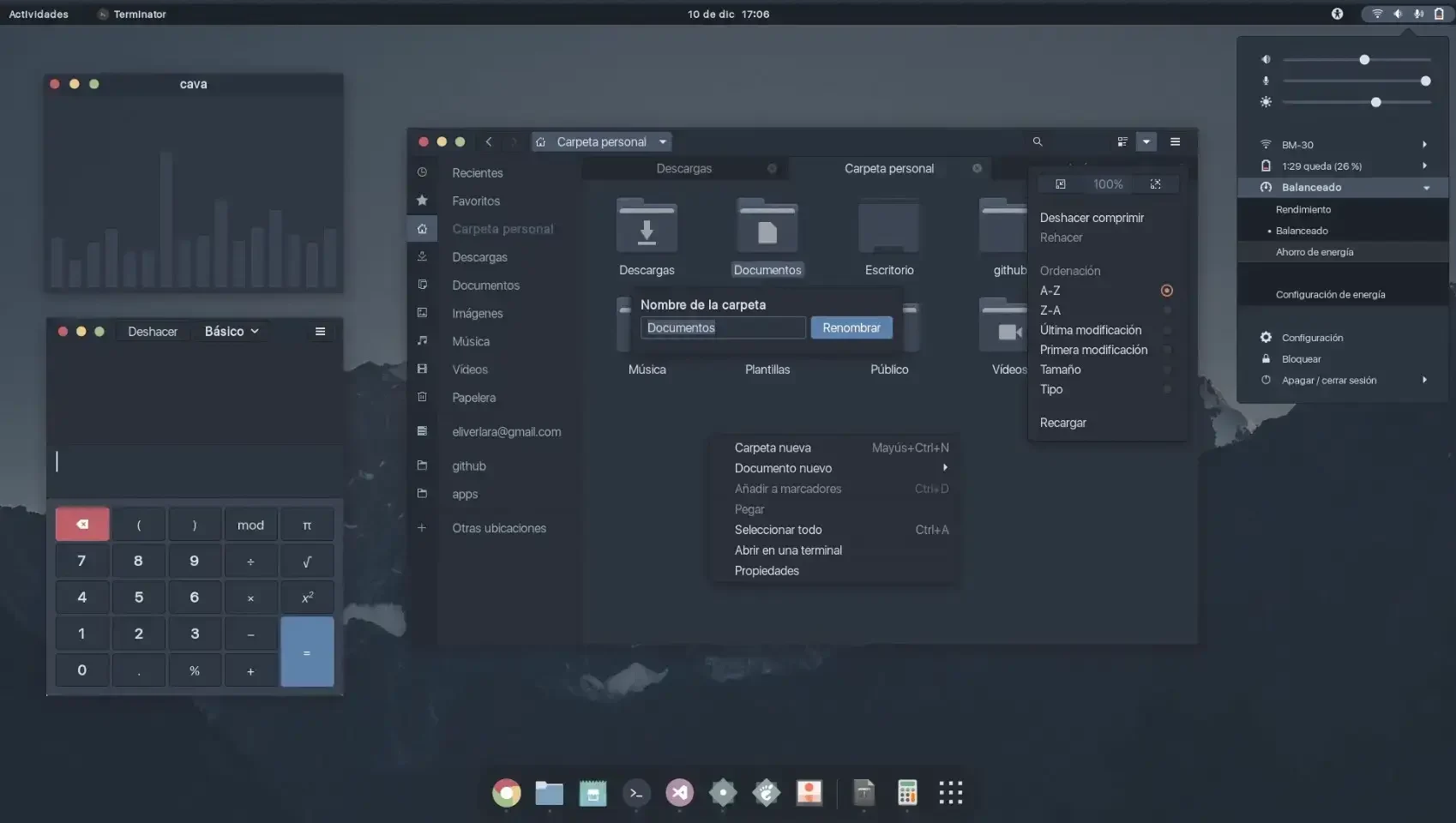
Nordic brings the famously cool, frosty Nord color palette to Ubuntu, providing a deeply soothing array of muted grays and arctic blues.
Nord ColorsCool DesktopFast Maintenance
Why We Like It: The maintainers are extremely quick to patch GNOME alignment anomalies, meaning your Nord setup rarely breaks during minor system updates.
Terminal Install
git clone https://github.com/EliverLara/Nordic.git
cd Nordic
./install.sh
22
Dracula GTK Theme
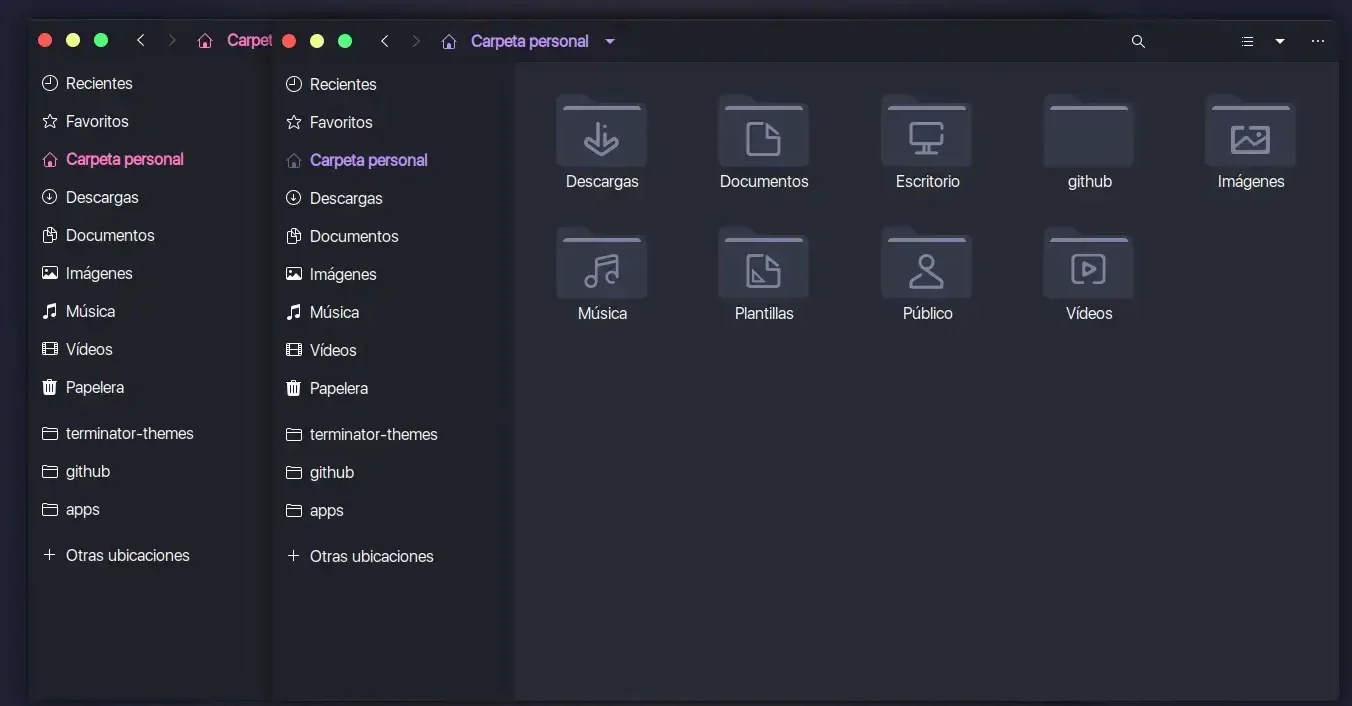
For users needing high contrast pops of color without burning their retinas, the famous Dracula palette makes an exceptionally readable daily theme.
Dracula PaletteHigh ContrastClassic
Why We Like It: The codebase is highly active as of 2026, proving it remains one of the premier recognizable aesthetics available on Linux.
Terminal Install
git clone https://github.com/EliverLara/Dracula.git
cd Dracula
./install.sh
Stylized & Bleeding Edge Picks
These themes push GNOME Shell to its absolute visual limits. Perfect if you value form, motion, and heavy aesthetics.
23
Sweet
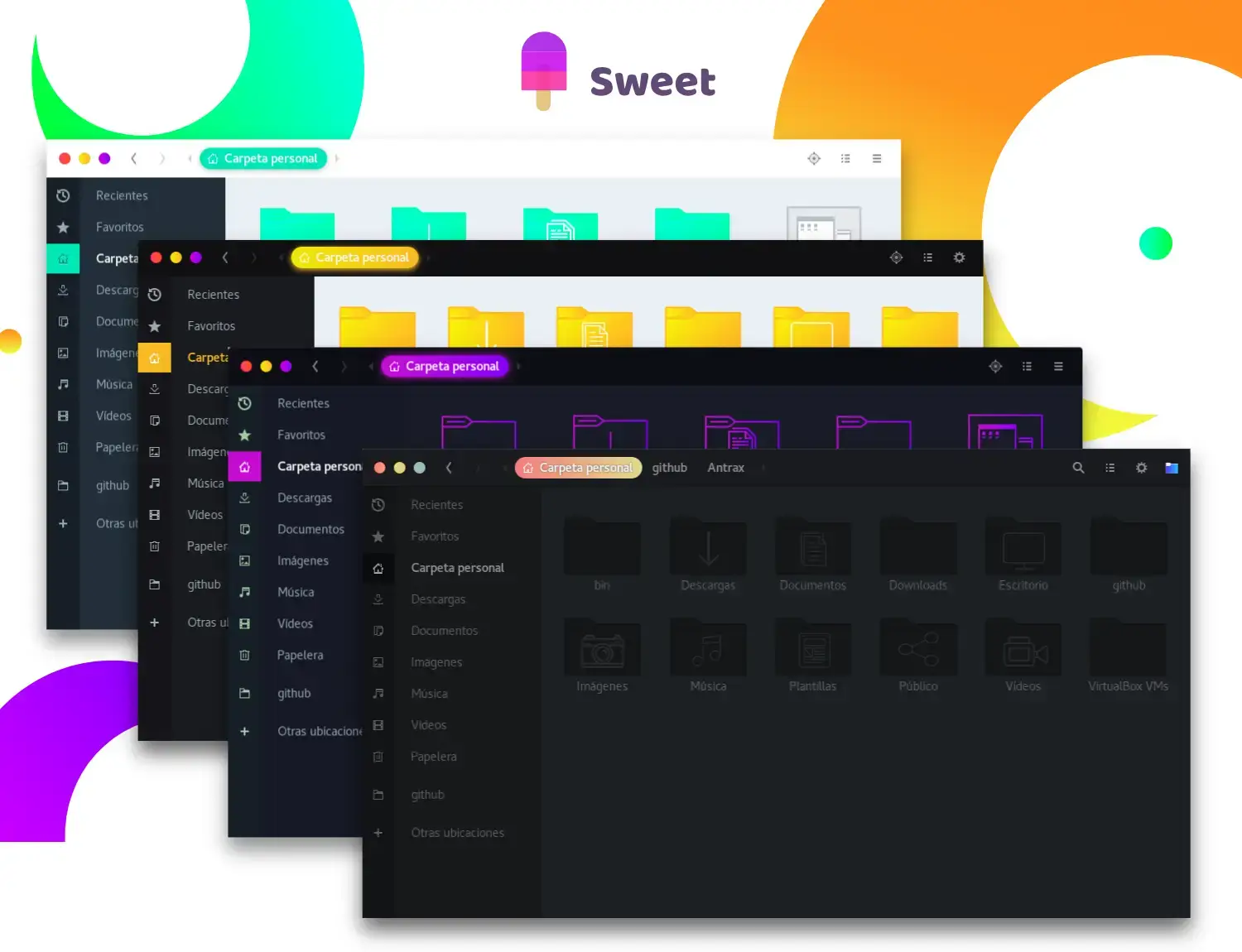
Sweet ignores subtle corporate design completely, injecting deep blacks contrasted perfectly with highly saturated neon purples, pinks, and blues.
Neon StyleAggressive LookGamers Pick
Why We Like It: Out of all the flashy, neon dark themes from years past, Sweet is the only one maintaining massive 2025/2026 compatibility updates.
Terminal Install
git clone https://github.com/EliverLara/Sweet.git
cd Sweet
./install.sh
24
Pocillo GTK Theme
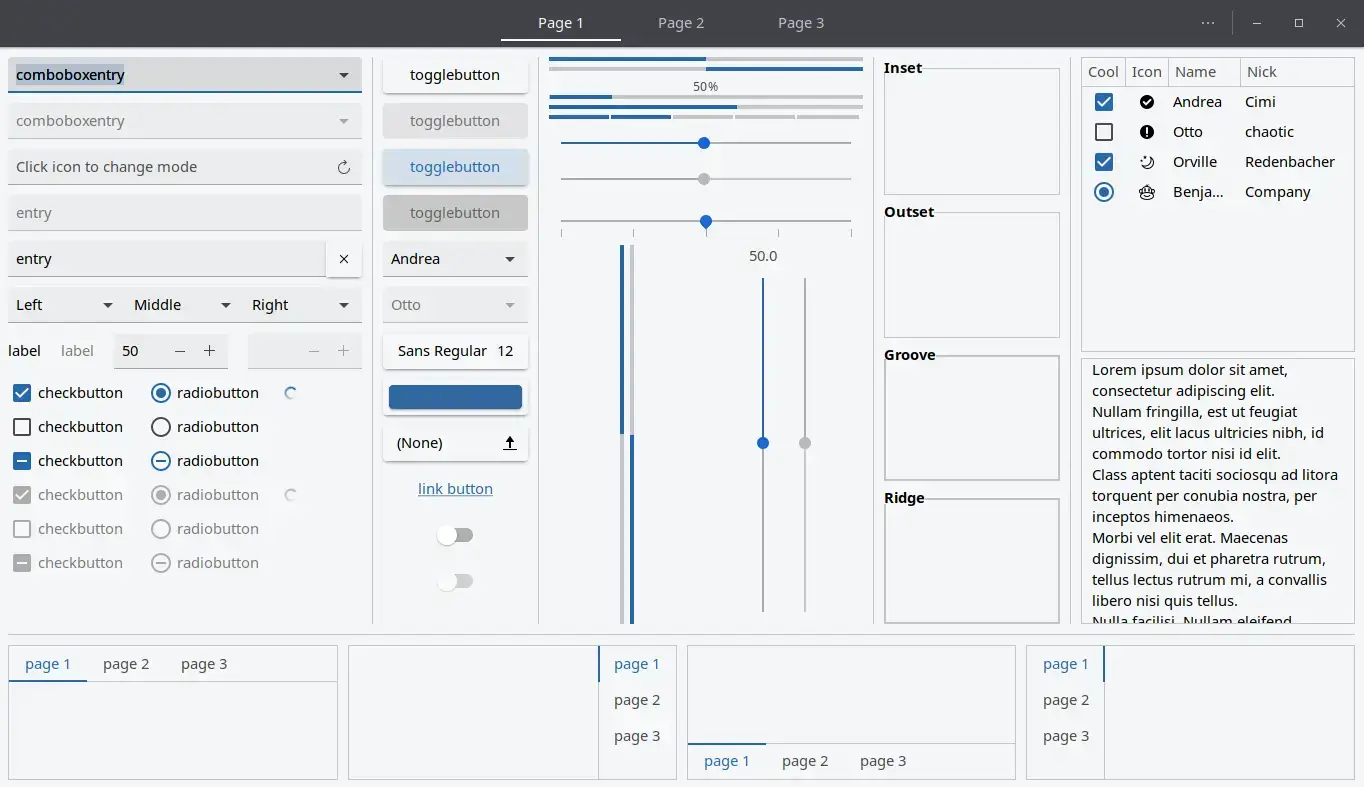
Born for Ubuntu Budgie, Pocillo provides a fresh Material-styled setup that carries explicit and actively maintained GTK4 support.
Budgie FriendlyGTK4 TestedFresh Aesthetic
Why We Like It: Rather than forcing old projects to work, Pocillo represents a newer wave of theming code engineered directly for modern Ubuntu distributions.
Terminal Install
sudo snap install gtk-theme-pocillo
25
HyperFluent GNOME Theme
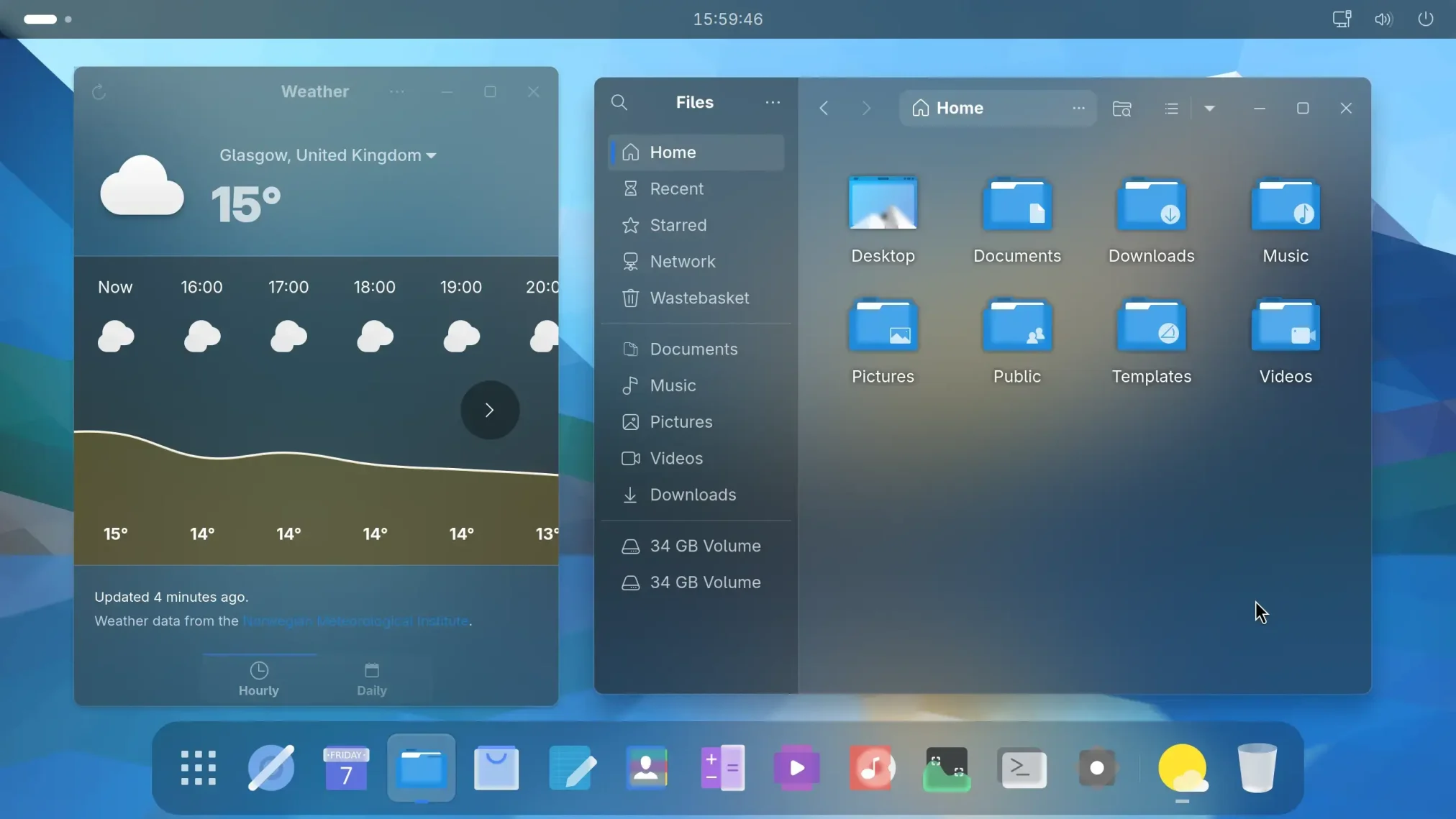
HyperFluent pushes GNOME’s rendering engine entirely with extreme translucency and dynamic glass physics that constantly alter the desktop landscape.
Massive BlurGNOME 48+ FocusNext Gen
Why We Like It: While demanding on system resources, this theme delivers a bleeding-edge, futuristic UI. (Best used on Ubuntu 26.04 which guarantees strong GNOME dependencies).
Terminal Install
git clone https://github.com/Coopydood/HyperFluent-GNOME-Theme.git
cd HyperFluent-GNOME-Theme
./install.sh
How to Install Ubuntu Themes Correctly
If a theme has a Snap package, connect it to ensure your flatpaks and snaps look identical to normal apps. For manual installations, the process remains simple.
1. Download the Theme
Download the GTK files entirely securely from official GitHub or Pling directories.
2. Manual Directory Install
Extract your theme folder and drag it into either ~/.themes or ~/.local/share/themes.
3. Enable with Tweaks
Launch GNOME Tweaks and update your Appearance tab to apply the newly discovered theme.
Frequently Asked Questions
What is the best theme for Ubuntu right now?
Yaru remains the best and safest theme for Ubuntu because it is officially maintained by Canonical. For third-party themes, Colloid and Orchis are top choices that offer excellent GTK4 support and Snapcraft coverage.
Do older GTK3 themes still work on Ubuntu 24.04 and 26.04?
Mostly no. Because GNOME 46 and GNOME 50 rely heavily on libadwaita and GTK4, older themes like Arc or Numix will often result in broken layouts, missing borders, or invisible text. You must use themes updated for 2026.
How do I make my older apps look like modern Ubuntu apps?
Use the adw-gtk3 theme. It acts as a bridge, forcing older GTK3 applications to use the modern Adwaita styling, creating a seamless visual experience across your entire desktop.
Can I make Ubuntu look like macOS or Windows?
Yes! Themes like WhiteSur and MacTahoe can perfectly mimic macOS Big Sur and Sonoma, while themes like Fluent and We10X replicate Windows 11 and Windows 10 aesthetics on your Linux desktop.
Why don’t my Snap or Flatpak apps use my custom theme?
Sandboxed applications (like Snaps and Flatpaks) isolate themselves from system files. To fix this, look for themes that offer a dedicated Snapcraft package (like Orchis or Vimix) which allows the theme to penetrate the sandbox correctly.
Complete Your Desktop Setup
Now that you have transformed your window decorations, don’t forget to overhaul the rest of your desktop aesthetics with our other guides:
Views: 55,164