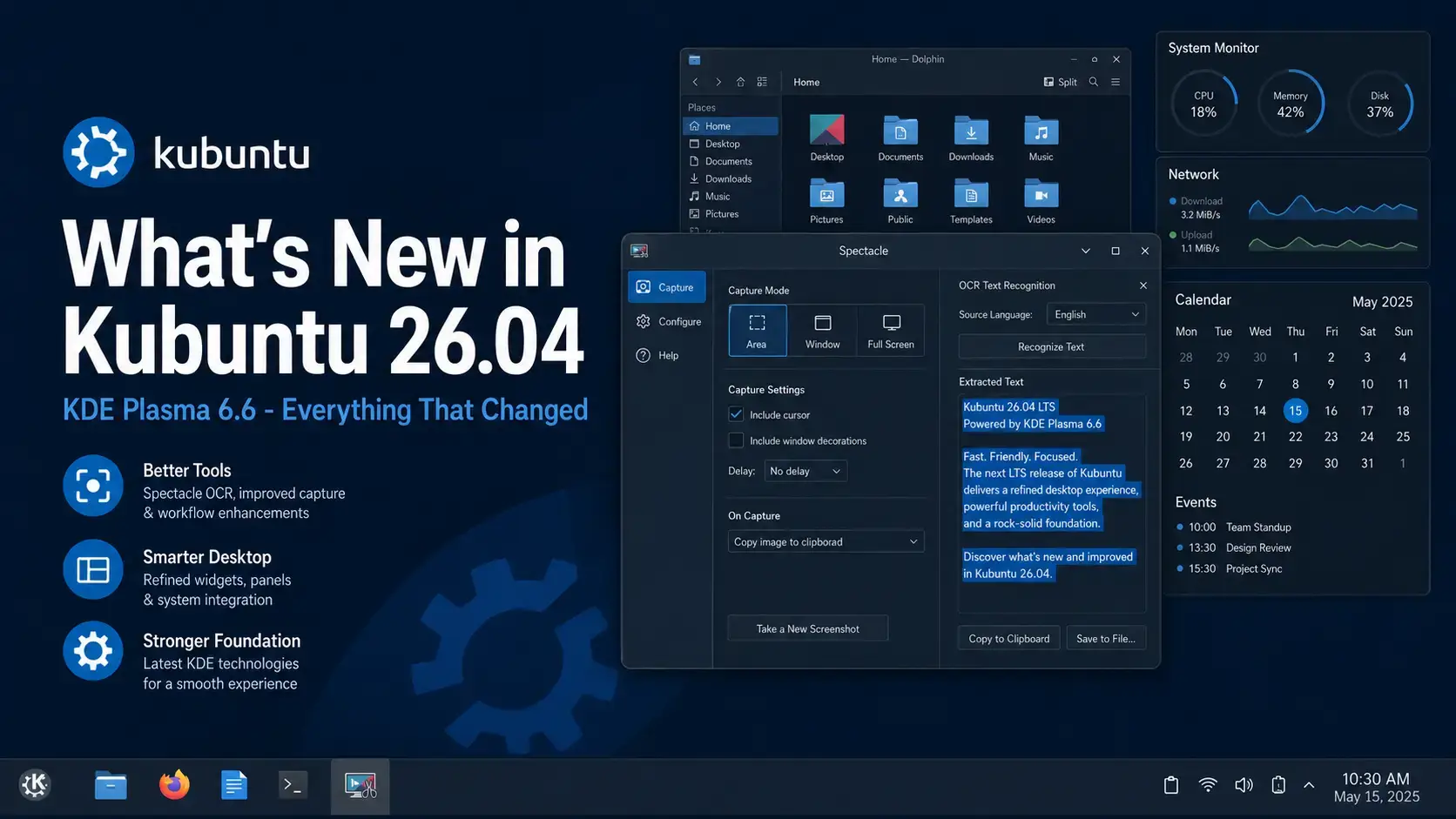
 Kubuntu 26.04 LTS Resolute Raccoon ships with KDE Plasma 6.6, Linux kernel 7.0, a Wayland-only desktop session, Spectacle OCR, and a new integrated on-screen keyboard. Below is a full breakdown of every major change worth knowing about before you upgrade or install fresh.
Resolute Raccoon
Every major change in this LTS release – from Plasma 6.6 and Wayland to kernel 7.0, gaming improvements, and new productivity tools.
KDE Plasma 6.6 – New Desktop Experience
Kubuntu 26.04 ships with KDE Plasma 6.6, the latest stable release of the KDE desktop at the time of Ubuntu’s April 2026 freeze. This is a full-stack upgrade: Plasma 6.6 runs on Qt 6.10.2 and KDE Frameworks 6.24.0. The desktop looks familiar, but several things work noticeably better – and a handful of entirely new features have been added.
Plasma 6.6 introduces a first-run setup wizard called Plasma Setup. On a fresh install, it walks you through account creation, network connection, and initial preferences as a separate step from the OS installer. The result is a cleaner first-boot experience where system setup and user setup are handled independently.
Plasma 6.6 expands what you can do with global themes. You can now save your current desktop layout as a custom global theme, share it, or restore it later. Color scheme handling has been refined throughout the shell and applications. Widget customization options have been deepened across panels and the desktop. There is also a new option to adjust the color intensity of app window frames.
On devices with an ambient light sensor, Plasma 6.6 adds an optional automatic screen brightness adjustment feature. When enabled, the screen dims or brightens based on the room lighting, similar to what you get on modern laptops and tablets. The feature is opt-in in Display settings.
The Color Blindness Correction settings in System Settings gain a new grayscale filter, bringing the total to four visual filters. Game controllers can now be used as general input devices across the desktop, not just in games. Focus indicators and keyboard navigation across system dialogs have also been improved.
Spectacle OCR – Copy Text From Screenshots
Spectacle, KDE’s built-in screenshot tool, gains one of its most practical new features in Plasma 6.6: optical character recognition (OCR). After taking a screenshot of anything that contains text – a document, an error dialog, a web page, a presentation slide – Spectacle can analyze the image and convert the visible text into selectable, copyable content. No third-party tools required.
sudo apt install tesseract-ocr-deu for German or tesseract-ocr-fra for French. Run apt search tesseract-ocr- to see all available language packs.| Use case | What Spectacle OCR can do |
|---|---|
| Error messages | Screenshot an error dialog and copy the text directly instead of typing it out manually. |
| Documents and PDFs | Extract text from a scanned image, a locked PDF, or any document you can see on screen. |
| Web content | Grab text from pages that block copying, or from images embedded in web pages. |
| Foreign language text | Capture text in any supported language and paste it into a translation tool. |
New On-Screen Keyboard
Plasma 6.6 introduces a fully integrated on-screen keyboard, making Kubuntu a much stronger choice for touchscreen laptops, tablets, and users with accessibility needs. The keyboard supports multiple languages and layouts. It adjusts its position intelligently to avoid covering the input field you are typing in, and it appears automatically when you tap a text field on touch-enabled hardware.
Standard keys, function keys, and emoji input. Multiple language layouts. Accessible via the system tray or via the Accessibility settings panel. Works across the full Plasma desktop – not just web browsers or specific apps.
Touchscreen laptop users who want a native KDE keyboard rather than relying on third-party solutions. Users with motor accessibility needs who need an on-screen input method. Tablet and convertible device owners running Kubuntu.
Wayland Only – X11 Session Removed by Default
Kubuntu 26.04 ships with the Plasma Wayland session as the only default and officially supported session. The X11 session is no longer installed. This is the change most likely to affect existing users upgrading from Kubuntu 24.04 or earlier.
plasma-session-x11 package remains in the Ubuntu archive, but it is not supported by the Kubuntu team.| Category | Status in Kubuntu 26.04 |
|---|---|
| Most KDE applications | Run natively on Wayland. No action needed. |
| Older X11 applications | Handled by XWayland. Work in the vast majority of cases without any changes. |
| Browsers (Firefox, Chrome) | Run natively on Wayland. Performance is improved over XWayland mode. |
| Gaming (Steam, Proton, Lutris) | Games run via XWayland with no issues in most cases. The NTSYNC driver in kernel 7.0 improves Windows game performance via Wine and Proton. |
| Screen recorders | Tools built for Wayland (OBS 30+, KDE’s built-in screen recorder) work fine. Older tools that require direct X server access may need updates from their developers. |
| Remote desktop (RDP/VNC) | KDE’s built-in remote desktop supports Wayland natively. Third-party VNC servers may need updating. |
Linux Kernel 7.0 – NTSYNC, sched_ext, and More
Kubuntu 26.04 ships with Linux kernel 7.0, up from the 6.8 kernel that powered Kubuntu 24.04. The jump brings hardware support for newer components and several improvements that matter directly to desktop users.
KDE Applications – What Changed
Kubuntu 26.04 ships with KDE Gear 25.12.3 – the stable December 2025 release of the KDE application suite. All core KDE apps are included: Dolphin, Konsole, Okular, Kdenlive, and more.
Dolphin now supports connecting to remote file systems and managing code repositories directly from the file manager. You can assign custom keyboard shortcuts to nearly any menu option, plugin, or extension. Quick-sort shortcuts for switching between sort-by-name and sort-by-date have also been added.
Okular gains native touchpad pinch gestures for zooming in and out of documents. New bookmark actions have been added to context menus, making it faster to add and remove bookmarks while reading without going through the toolbar.
Kdenlive adds animated previews in the transition list so you can see what a transition looks like before applying it. You can now change the speed of multiple clips at once, and audio thumbnails are generated automatically for sequences. A timeline context menu now lets you import a clip directly to the clicked position.
Konsole, KDE’s terminal emulator, continues to ship as the default terminal. NeoChat, KDE’s Matrix chat client, gains a rich text editor and thread support. The Merkuro Calendar app has a redesigned schedule view and event editor. Qt5 legacy packages remain in the archive for apps that have not yet completed their Qt6 migration.
System Changes – Security, Performance, and Tooling
Kubuntu 26.04 inherits Ubuntu 26.04’s platform-level upgrades. Several of these affect everyday use.
| Component | Kubuntu 24.04 | Kubuntu 26.04 | Notes |
|---|---|---|---|
| KDE Plasma | 5.27 | 6.6 | Major generational upgrade. Wayland-first, new setup wizard, theming overhaul. |
| Linux kernel | 6.8 | 7.0 | NTSYNC gaming driver, sched_ext, improved AMD/Intel GPU support. |
| Qt | 6.6.x | 6.10.2 | Qt5 (5.15.18) legacy packages remain in the archive. |
| sudo | sudo (C) | sudo-rs (Rust) | Memory-safe Rust reimplementation. Everyday usage is identical. |
| Firefox | Snap | 150 (Snap) | Runs natively on Wayland by default. |
| LibreOffice | 24.2 | 26.2 | Included in the full installation. Better Excel compatibility. |
| APT | 2.7 | 3.2 | New dependency solver, rollback commands (apt history-rollback), OpenSSL-backed TLS. |
Free to download. Supported until April 2029.
Upgrading From Kubuntu 24.04 – What to Know First
You can upgrade to Kubuntu 26.04 from Kubuntu 24.04 LTS or 25.10 using the standard sudo do-release-upgrade command. There is one important step to take before you log into the new desktop.
Due to the depth of configuration changes in Plasma 6.6, Qt 6.10.2, and KDE Frameworks 6.24.0, the Kubuntu team strongly recommends starting with a clean configuration folder after upgrading. Old Plasma configuration files can cause broken panel layouts, missing widgets, or visual glitches when the upgraded desktop loads.
Before logging into the upgraded desktop, run:
rm -rf ~/.config
This backs up your existing config to ~/.config-backup-24.04 before removing it. Plasma will regenerate a clean configuration on first login. You can refer to the backup if you need to recover specific settings.
What Did Not Change
Worth noting for users upgrading from Kubuntu 24.04 – several things that were rumored to change did not.
Frequently Asked Questions
What is the biggest change in Kubuntu 26.04?
The two biggest changes are KDE Plasma 6.6 and the move to Wayland as the only supported desktop session. Plasma 6.6 brings Spectacle OCR, a new on-screen keyboard, a first-run setup wizard, and major theming improvements. The X11 session is no longer installed by default, though the plasma-session-x11 package remains in the Ubuntu archive for those who need it.
Does Kubuntu 26.04 still support X11 applications?
Yes. Kubuntu 26.04 does not offer an X11 login session by default, but XWayland is installed so the vast majority of X11 applications continue to run without any changes. The plasma-session-x11 package is still in the Ubuntu archive if you need the full X11 session, but it is not supported by the Kubuntu team.
What version of KDE Plasma is in Kubuntu 26.04?
Kubuntu 26.04 ships with KDE Plasma 6.6, alongside Qt 6.10.2, KDE Frameworks 6.24.0, and KDE Gear 25.12.3. This is the most up-to-date stable KDE stack available at release time.
What kernel does Kubuntu 26.04 use?
Kubuntu 26.04 uses Linux kernel 7.0. This brings the NTSYNC driver for better Windows game compatibility via Wine and Proton, the sched_ext scheduling system, crash dumps enabled by default on desktops, and improved hardware support across AMD, Intel, and ARM64 platforms.
What is Spectacle OCR in Kubuntu 26.04?
Spectacle, the KDE screenshot tool, now includes built-in OCR (optical character recognition). After taking a screenshot, Spectacle can analyze the image and extract visible text directly to your clipboard. It supports multiple languages when the appropriate Tesseract language package is installed with sudo apt install tesseract-ocr-[language-code]. No third-party tools are required.
Can I upgrade to Kubuntu 26.04 from an older version?
Yes. You can upgrade from Kubuntu 24.04 LTS or 25.10 using sudo do-release-upgrade. If upgrading rather than installing fresh, the Kubuntu team strongly recommends backing up and clearing your ~/.config folder before logging into the new desktop. Old Plasma configuration files can cause broken layouts or visual glitches after the upgrade.
How long is Kubuntu 26.04 LTS supported?
Kubuntu 26.04 LTS receives free security updates and critical fixes until April 2029 – three years of support. This is the standard window for Ubuntu flavors, which is shorter than the five years offered for the main Ubuntu desktop. Extended support beyond April 2029 is not available for Kubuntu through Ubuntu Pro.
More Kubuntu 26.04 guides: Kubuntu 26.04 Download · Upgrade to Kubuntu 26.04 · Kubuntu 26.04 Wallpapers · Xubuntu 26.04 Download