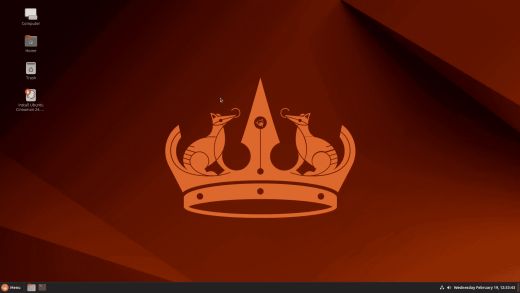
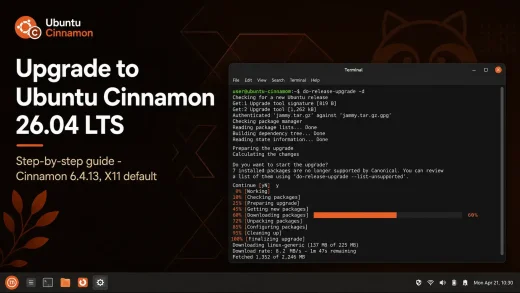
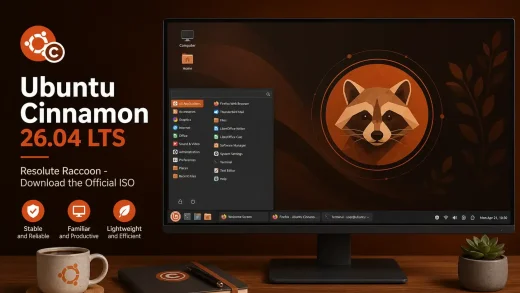
 Ubuntu Cinnamon 26.04 LTS Resolute Raccoon ships Cinnamon 6.4.13 running on X11 by default. Unlike most other Ubuntu 26.04 flavors, Ubuntu Cinnamon has not switched to Wayland – the Cinnamon desktop is still on X11 this cycle, making it one of the most familiar upgrade paths in the family. Below is a complete breakdown of every change worth knowing about since Ubuntu Cinnamon 24.04 LTS. Official release notes are on ubuntucinnamon.org.
Resolute Raccoon
Cinnamon 6.4.13. X11 default. New desktop theme. Every change since Ubuntu Cinnamon 24.04 LTS, explained plainly.
The Big Picture – Steady on X11
Ubuntu Cinnamon 26.04 is a release built on consistency. While Kubuntu, Ubuntu Budgie, and other flavors have moved fully to Wayland this cycle, Ubuntu Cinnamon 26.04 stays on X11. Cinnamon 6.4 does not yet have a stable Wayland session, and the team made the right call by not shipping an unstable one. The result is a desktop that works the same way it always has – predictable, familiar, and reliable.
This is worth saying clearly if you are coming from 24.04: most of the fundamental experience has not changed. The visual improvements, the new theme, and the app updates are welcome additions – but the core of what makes Ubuntu Cinnamon worth using is exactly the same. If it worked for you on 24.04, it will work on 26.04.
Cinnamon 6.4 – Component Versions
The release stays on the Cinnamon 6.4x line across most components, with a few updated to the 6.6x series. Here is the full component breakdown for anyone who needs exact version numbers.
Muffin 6.4.1
Nemo 6.4.5
Cinnamon Screensaver 6.4.1
Cinnamon Session 6.4.2
Cinnamon Settings Daemon 6.4.3
CJS 128.1 (mozjs 128)
Cinnamon Menus 6.6.0 ↑
XDG Desktop Portal (Xapp) 1.1.3
What Actually Changed in Cinnamon 6.4
The 6.4.x series landed a lot of improvements beyond just a version bump. Here is a plain-language breakdown of the most user-visible changes that shipped across the Cinnamon 6.4 release line – the changes you will actually notice day to day.
Modal dialogs across the desktop – password prompts, the end session dialog, the force quit dialog, network authentication, and the keyring unlock dialog – were all converted to native Cinnamon clutter dialogs. They are styled consistently, respect your active theme including dark mode, and support easier keyboard navigation. The old GNOME-style dialogs that could look off-theme on Cinnamon are gone.
A new StPasswordEntry widget replaced the old password input used in the polkit authentication dialog and the keyring unlock prompt. The polkit dialog now also supports selecting from multiple user accounts when authenticating – useful if you have more than one admin account on the system. Root authentication handling was also improved across the 6.4 series.
The workspace switcher OSD and the media keys OSD (volume, brightness) were both redesigned with cleaner styling. Gestures that change volume now show the OSD the same way keyboard shortcuts do, which was an inconsistency users had noticed. The workspace OSD also received a memory fix to clean up instances properly.
The calendar server now refreshes remote calendars when you open the event list – previously, remote events could appear stale until Cinnamon was restarted. The grouped window list got a new option to only show windows from the current monitor, and a fix for thumbnail hover flickering. Numpad arrow keys can now navigate the Applications Menu.
Night Light now has a dedicated tab in System Settings under Display. Previously this option was buried or missing entirely in Cinnamon’s control center. If you use Night Light to reduce blue light in the evening, you can now configure it directly from Display settings without digging into third-party tools.
A new native Cinnamon audio device selection dialog was added. When your system has multiple audio outputs – a common situation with HDMI monitors, USB headsets, or Bluetooth speakers – you can now switch between them through a consistent in-shell dialog rather than hunting through separate settings panels.
New Ubuntu-Cinnamon Theme
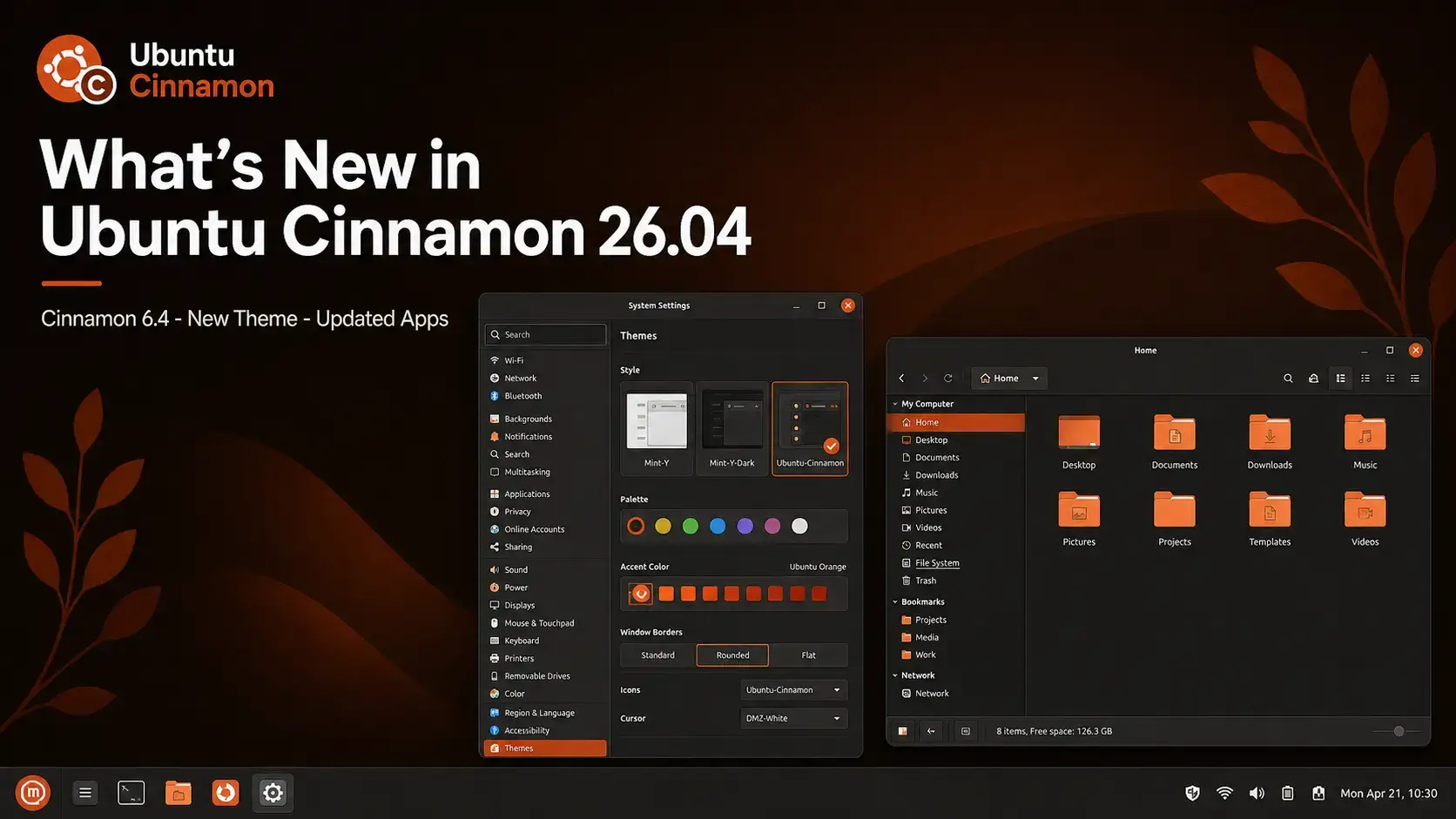
Ubuntu Cinnamon 26.04 introduces a brand new desktop theme called Ubuntu-Cinnamon. It was contributed by community member Initu Castilhos and is now available alongside the existing Yaru and Yaru-dark themes.
The Ubuntu-Cinnamon theme is designed to be color-neutral – meaning it does not lean into the Ubuntu orange accent color the way the Yaru variants do. It gives the desktop a cleaner, more restrained look that fits well with a wider range of wallpapers and icon packs. If you have always found the default orange accents a bit much, this is the alternative you have been waiting for.
• Go to Themes
• Select Ubuntu-Cinnamon under Window borders, Controls, or Desktop
• Changes apply immediately – no restart needed
Yaru Password Dialog Fix
A small but visible fix lands in this release. In previous versions of Ubuntu Cinnamon, the Yaru theme variants did not correctly colorize the password entry dialog – the box that appears when you are asked to enter your password for a system action. The text and border colors could look wrong depending on your theme variant.
In Ubuntu Cinnamon 26.04, the Yaru theme variants now properly colorize the password entry dialog. It matches your active theme, including dark mode variants. If you use Yaru or Yaru-dark and have noticed the password box looking out of place, this fix resolves it.
Font Manager Replaces gnome-font-viewer
Ubuntu Cinnamon 26.04 replaces gnome-font-viewer with Font Manager. The reason is simple: gnome-font-viewer follows GNOME’s design conventions, which can look visually inconsistent when opened on a Cinnamon desktop. Font Manager integrates better with Cinnamon’s theming system and gives a more consistent experience across the desktop.
Lets you browse, preview, install, and organize fonts on your system. You can preview text in any installed font, see character maps, and manage font collections. It supports all standard font formats and integrates cleanly with the Cinnamon theme.
Font Manager is in the Applications Menu under Accessories. You can also open any font file directly from the file manager – Nemo will use Font Manager to preview it. Double-clicking a downloaded .ttf or .otf file works the same as before.
Installer Slideshow
Ubuntu Cinnamon 26.04 adds a slideshow to the installer. While you are waiting for the system to install, a set of slides walks you through what Ubuntu Cinnamon is, what it includes, and where to find help. Other Ubuntu flavors have had this for years – it is a welcome catch-up for Ubuntu Cinnamon.
The slideshow does not change how the installer works. It is purely informational and runs in the background while files are being copied to disk. The overall install process and time remain the same.
Updated Applications
All the core apps ship at their latest stable versions. Most of these are incremental updates rather than major rewrites – the focus has been on stability, bug fixes, and compatibility with the newer Ubuntu 26.04 base.
| Application | Version in 26.04 | What It Does |
|---|---|---|
| LibreOffice | 26.2.2 | Full office suite – documents, spreadsheets, presentations |
| Nemo | 6.4.5 | File manager – built specifically for Cinnamon |
| GNOME Calculator | 50.0 | Standard and scientific calculator |
| GNOME Calendar | 50.0 | Calendar and events viewer |
| Evince | 49 | PDF and document viewer |
| Rhythmbox | 3.4.9 | Music player and library manager |
| Deja Dup | 50.0 | Backup tool – simple, beginner-friendly |
| gedit | 48.1 | Text editor |
| gThumb | 3.12.10 | Image viewer and light photo organizer |
| File Roller | 44.6 | Archive manager – open and create ZIP, tar, and other archives |
| Simple Scan | 48.1 | Scanner app – scan to PDF or image |
| Font Manager | New in 26.04 | Replaces gnome-font-viewer for better Cinnamon theming integration |
What the Ubuntu 26.04 Base Adds
Ubuntu Cinnamon is built on top of Ubuntu 26.04 LTS Resolute Raccoon, so it inherits everything in the base system. A few things worth knowing about:
Ubuntu Cinnamon 26.04 ships with Linux kernel 7.0. This brings better support for newer hardware – including recent graphics cards, USB devices, and peripherals that were not supported in Ubuntu 24.04.
The kernel includes an updated synchronization driver that reduces input lag and improves frame rates in games running through Proton or native Linux ports. If you play games on Linux, this is a meaningful improvement over 24.04.
The Ubuntu 26.04 package repositories contain newer versions of most software – including compilers, Python, and development tools. Everything you install with apt or the Software Manager benefits from this updated base.
As an LTS release, Ubuntu Cinnamon 26.04 receives security patches and bug fixes until April 2029. You do not need to upgrade your operating system every six months – install it once and it stays secure for three years.
Free to download. Familiar Cinnamon desktop. 3-year support included.
Frequently Asked Questions
Does Ubuntu Cinnamon 26.04 use Wayland?
No. Ubuntu Cinnamon 26.04 uses X11 by default. Cinnamon 6.4 does not include a stable Wayland session, and the team chose not to ship an unstable one for an LTS release. This makes Ubuntu Cinnamon one of the few Ubuntu 26.04 flavors still on X11.
What is the difference between Ubuntu Cinnamon and Linux Mint?
Both use the Cinnamon desktop, but they are separate operating systems. Linux Mint is built on Ubuntu but is its own independent distribution with its own tools, update manager, and release cycle. Ubuntu Cinnamon is an official Ubuntu flavor – it uses Canonical’s Ubuntu base directly, follows Ubuntu’s release dates, and gets updates from Ubuntu’s repositories. If you are already comfortable with Ubuntu, Ubuntu Cinnamon fits in more naturally. If you want a fully independent experience closer to Windows, Mint is the more common recommendation.
Is Ubuntu Cinnamon 26.04 good for older hardware?
It is a reasonable choice. Cinnamon uses more resources than lightweight desktops like Xfce or LXQt, but less than GNOME. The minimum requirement is 2 GB of RAM, with 4 GB recommended for a smooth experience. Running on X11 rather than Wayland also tends to use slightly less memory, which helps on older machines. If your hardware is below 2 GB RAM, Lubuntu 26.04 is the better option.
Can I install Cinnamon on regular Ubuntu 26.04 and get the same result?
You can install Cinnamon on Ubuntu 26.04 with apt, but the result is not the same. Ubuntu Cinnamon comes with pre-configured themes, Nemo as the file manager, the new Ubuntu-Cinnamon color-neutral theme, Font Manager, and settings tuned specifically for the Cinnamon desktop. A manual Cinnamon install gives you the bare desktop without any of that configuration. If you want the polished, ready-to-go experience, use the Ubuntu Cinnamon ISO.
Will apps that only work on X11 run on Ubuntu Cinnamon 26.04?
Yes. Since Ubuntu Cinnamon 26.04 runs on X11 by default, applications that require X11 work without any compatibility layers or workarounds. This is one practical advantage over Wayland-only flavors like Kubuntu or Ubuntu Budgie 26.04, where X11-only apps need XWayland and may still have limitations.
Can I run Ubuntu Cinnamon 26.04 in a virtual machine?
Yes. Ubuntu Cinnamon 26.04 runs well in VirtualBox, VMware, and QEMU/KVM. Since it uses X11, you are less likely to run into the display and cursor issues that Wayland-based flavors can have in VMs. For the best graphics performance, install the VirtualBox Guest Additions or the open-vm-tools package after setup. QEMU/KVM with virtio-gpu gives the smoothest experience.
How long is Ubuntu Cinnamon 26.04 supported?
Ubuntu Cinnamon 26.04 LTS is supported until April 2029 – three years from release. As an official Ubuntu flavor, it follows the standard flavor support window rather than the five-year window that Ubuntu Desktop receives.
More Ubuntu Cinnamon 26.04 guides: Ubuntu Cinnamon 26.04 Download · Upgrade to Ubuntu Cinnamon 26.04 · Ubuntu Cinnamon 26.04 Wallpapers