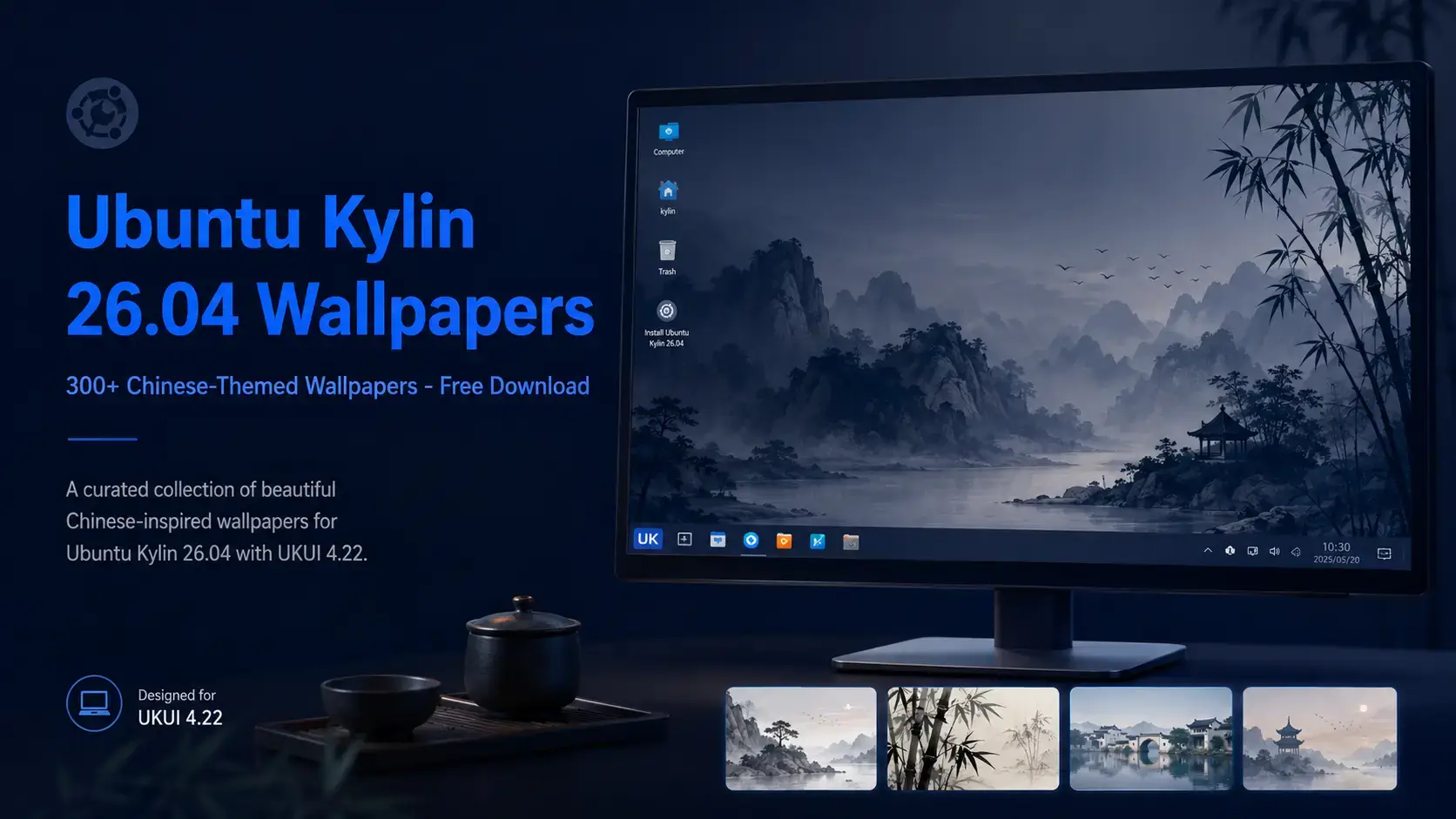
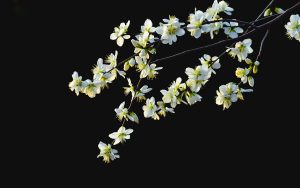
Ubuntu Kylin 26.04 Wallpapers – Official Chinese-Themed Collection
Mike Holbrook
Ubuntu Kylin 26.04 LTS · Official Wallpapers
Chinese-Themed Wallpaper Collection
Over 300 wallpapers spanning all Ubuntu Kylin releases – Chinese landscape photography, traditional ink-wash paintings, mountain scenery, and abstract artwork. Updated for 26.04 LTS and hosted on our server. The gallery below shows a curated selection from the collection.
• 300+ wallpapers in one pack – the complete Ubuntu Kylin collection spanning all releases, updated for 26.04 LTS Resolute Raccoon
• Chinese-themed art styles – landscape photography, traditional ink-wash paintings, mountain scenery, and decorative abstract artwork
• Gallery below shows 50-80 curated picks – the full 300+ collection is in the ZIP download
• Hosted on our server – no Google Drive, no third-party links, direct download only
• Free to download and use on any desktop – Ubuntu Kylin, other Linux desktops, Windows, or macOS
• JPG and PNG formats – standard image files, no special software needed to apply them on any operating system
Wallpaper Gallery
A smaller selection from the Ubuntu Kylin wallpaper collection. The full pack contains over 300 images – download it below to get everything.
Mountain from Ubuntu Kylin 26.04 Wallpapers – Official Chinese-Themed Collection
Butterflies and flowers from Ubuntu Kylin 26.04 Wallpapers – Official Chinese-Themed Collection
Buildings ornamental columns from Ubuntu Kylin 26.04 Wallpapers – Official Chinese-Themed Collection
Buildings heaventemple from Ubuntu Kylin 26.04 Wallpapers – Official Chinese-Themed Collection
Buildings chinesepavilion from Ubuntu Kylin 26.04 Wallpapers – Official Chinese-Themed Collection
Bright moon from Ubuntu Kylin 26.04 Wallpapers – Official Chinese-Themed Collection
Bright clouds in the south from Ubuntu Kylin 26.04 Wallpapers – Official Chinese-Themed Collection
Blue ray from Ubuntu Kylin 26.04 Wallpapers – Official Chinese-Themed Collection
Blue city from Ubuntu Kylin 26.04 Wallpapers – Official Chinese-Themed Collection
Bird and wall from Ubuntu Kylin 26.04 Wallpapers – Official Chinese-Themed Collection
Beach2 from Ubuntu Kylin 26.04 Wallpapers – Official Chinese-Themed Collection
Autumn dusk from Ubuntu Kylin 26.04 Wallpapers – Official Chinese-Themed Collection
Autumn from Ubuntu Kylin 26.04 Wallpapers – Official Chinese-Themed Collection
App from Ubuntu Kylin 26.04 Wallpapers – Official Chinese-Themed Collection
Mountain range from Ubuntu Kylin 26.04 Wallpapers – Official Chinese-Themed Collection
Mountain2 from Ubuntu Kylin 26.04 Wallpapers – Official Chinese-Themed Collection
Look from Ubuntu Kylin 26.04 Wallpapers – Official Chinese-Themed Collection
House from Ubuntu Kylin 26.04 Wallpapers – Official Chinese-Themed Collection
Horse from Ubuntu Kylin 26.04 Wallpapers – Official Chinese-Themed Collection
Flamingos from Ubuntu Kylin 26.04 Wallpapers – Official Chinese-Themed Collection
Bridgecity2 from Ubuntu Kylin 26.04 Wallpapers – Official Chinese-Themed Collection
Bridgecity from Ubuntu Kylin 26.04 Wallpapers – Official Chinese-Themed Collection
Bluebird from Ubuntu Kylin 26.04 Wallpapers – Official Chinese-Themed Collection
Firstgeneration from Ubuntu Kylin 26.04 Wallpapers – Official Chinese-Themed Collection
Nelumbo nucifera from Ubuntu Kylin 26.04 Wallpapers – Official Chinese-Themed Collection
Microcosm from Ubuntu Kylin 26.04 Wallpapers – Official Chinese-Themed Collection
Jasmine from Ubuntu Kylin 26.04 Wallpapers – Official Chinese-Themed Collection
Half the sky from Ubuntu Kylin 26.04 Wallpapers – Official Chinese-Themed Collection
Glittering water from Ubuntu Kylin 26.04 Wallpapers – Official Chinese-Themed Collection
Blue sky and sea from Ubuntu Kylin 26.04 Wallpapers – Official Chinese-Themed Collection
Holiday night from Ubuntu Kylin 26.04 Wallpapers – Official Chinese-Themed Collection
Good luck in the year of dog from Ubuntu Kylin 26.04 Wallpapers – Official Chinese-Themed Collection
Silence ridges and peaks around house from Ubuntu Kylin 26.04 Wallpapers – Official Chinese-Themed Collection
Winter quite from Ubuntu Kylin 26.04 Wallpapers – Official Chinese-Themed Collection
Easy3 from Ubuntu Kylin 26.04 Wallpapers – Official Chinese-Themed Collection
Rest from Ubuntu Kylin 26.04 Wallpapers – Official Chinese-Themed Collection
Love between bees and flowers from Ubuntu Kylin 26.04 Wallpapers – Official Chinese-Themed Collection
Starry sky from Ubuntu Kylin 26.04 Wallpapers – Official Chinese-Themed Collection
Dazzle light from Ubuntu Kylin 26.04 Wallpapers – Official Chinese-Themed Collection
Night in jinzhou bay from Ubuntu Kylin 26.04 Wallpapers – Official Chinese-Themed Collection
Gift from Ubuntu Kylin 26.04 Wallpapers – Official Chinese-Themed Collection
Blooming sunflower from Ubuntu Kylin 26.04 Wallpapers – Official Chinese-Themed Collection
Spring from Ubuntu Kylin 26.04 Wallpapers – Official Chinese-Themed Collection
Flying sparrow from Ubuntu Kylin 26.04 Wallpapers – Official Chinese-Themed Collection
Sea and sky from Ubuntu Kylin 26.04 Wallpapers – Official Chinese-Themed Collection
Red leaves from Ubuntu Kylin 26.04 Wallpapers – Official Chinese-Themed Collection
Tulip1904 from Ubuntu Kylin 26.04 Wallpapers – Official Chinese-Themed Collection
Tulip from Ubuntu Kylin 26.04 Wallpapers – Official Chinese-Themed Collection
Elegant from Ubuntu Kylin 26.04 Wallpapers – Official Chinese-Themed Collection
Unique from Ubuntu Kylin 26.04 Wallpapers – Official Chinese-Themed Collection
Melody from Ubuntu Kylin 26.04 Wallpapers – Official Chinese-Themed Collection
Playing kitty from Ubuntu Kylin 26.04 Wallpapers – Official Chinese-Themed Collection
The sea in the morning from Ubuntu Kylin 26.04 Wallpapers – Official Chinese-Themed Collection
Morning on the sea from Ubuntu Kylin 26.04 Wallpapers – Official Chinese-Themed Collection
Charm of the sea from Ubuntu Kylin 26.04 Wallpapers – Official Chinese-Themed Collection
Night in town from Ubuntu Kylin 26.04 Wallpapers – Official Chinese-Themed Collection
Worlds greatest barrier from Ubuntu Kylin 26.04 Wallpapers – Official Chinese-Themed Collection
Where to go from Ubuntu Kylin 26.04 Wallpapers – Official Chinese-Themed Collection
Think in wild from Ubuntu Kylin 26.04 Wallpapers – Official Chinese-Themed Collection
The dan gap from Ubuntu Kylin 26.04 Wallpapers – Official Chinese-Themed Collection
Prairie after rain from Ubuntu Kylin 26.04 Wallpapers – Official Chinese-Themed Collection
Ice world from Ubuntu Kylin 26.04 Wallpapers – Official Chinese-Themed Collection
Folks next to sea from Ubuntu Kylin 26.04 Wallpapers – Official Chinese-Themed Collection
Blue sea and blue sky from Ubuntu Kylin 26.04 Wallpapers – Official Chinese-Themed Collection
Blooming from Ubuntu Kylin 26.04 Wallpapers – Official Chinese-Themed Collection
Twilight in the north of xinjiang from Ubuntu Kylin 26.04 Wallpapers – Official Chinese-Themed Collection
Intimacy from Ubuntu Kylin 26.04 Wallpapers – Official Chinese-Themed Collection
Summer in the north from Ubuntu Kylin 26.04 Wallpapers – Official Chinese-Themed Collection
Bohai sea sunset from Ubuntu Kylin 26.04 Wallpapers – Official Chinese-Themed Collection
New town by the shore from Ubuntu Kylin 26.04 Wallpapers – Official Chinese-Themed Collection
Pearls and jewelry from Ubuntu Kylin 26.04 Wallpapers – Official Chinese-Themed Collection
Lotus reflection from Ubuntu Kylin 26.04 Wallpapers – Official Chinese-Themed Collection
Watch from Ubuntu Kylin 26.04 Wallpapers – Official Chinese-Themed Collection
Tiny from Ubuntu Kylin 26.04 Wallpapers – Official Chinese-Themed Collection
Sunny from Ubuntu Kylin 26.04 Wallpapers – Official Chinese-Themed Collection
Small flowers1810 from Ubuntu Kylin 26.04 Wallpapers – Official Chinese-Themed Collection
On the grassland from Ubuntu Kylin 26.04 Wallpapers – Official Chinese-Themed Collection
Light in the night from Ubuntu Kylin 26.04 Wallpapers – Official Chinese-Themed Collection
Leaf on the window from Ubuntu Kylin 26.04 Wallpapers – Official Chinese-Themed Collection
Freedom from Ubuntu Kylin 26.04 Wallpapers – Official Chinese-Themed Collection
City from Ubuntu Kylin 26.04 Wallpapers – Official Chinese-Themed Collection
Crystal from Ubuntu Kylin 26.04 Wallpapers – Official Chinese-Themed Collection
Celebration of new year from Ubuntu Kylin 26.04 Wallpapers – Official Chinese-Themed Collection
Kylin from Ubuntu Kylin 26.04 Wallpapers – Official Chinese-Themed Collection
Kylin running from Ubuntu Kylin 26.04 Wallpapers – Official Chinese-Themed Collection
Clear day after the snow from Ubuntu Kylin 26.04 Wallpapers – Official Chinese-Themed Collection
Magic forest from Ubuntu Kylin 26.04 Wallpapers – Official Chinese-Themed Collection
Green cluster from Ubuntu Kylin 26.04 Wallpapers – Official Chinese-Themed Collection
Fragrance from Ubuntu Kylin 26.04 Wallpapers – Official Chinese-Themed Collection
The yellow river from Ubuntu Kylin 26.04 Wallpapers – Official Chinese-Themed Collection
Beach down from Ubuntu Kylin 26.04 Wallpapers – Official Chinese-Themed Collection
Crab cactus from Ubuntu Kylin 26.04 Wallpapers – Official Chinese-Themed Collection
Dusk from Ubuntu Kylin 26.04 Wallpapers – Official Chinese-Themed Collection
About the Ubuntu Kylin Wallpapers
Ubuntu Kylin takes a different approach to wallpapers than other Ubuntu flavours. Rather than separating wallpapers by release or running annual design contests, the team packages the entire collection together and updates it with each new version. The result is one large archive that has grown with the project over the years.
The collection reflects Ubuntu Kylin’s identity as a Linux distribution built specifically for Chinese users, developed in partnership with the China Software and Integrated Circuit Promotions Center (CSIP) and the National University of Defense Technology. Most of the photography draws from Chinese landscapes – mountains shrouded in mist, river valleys, dense forests, temples, and seasonal scenes in bamboo groves. Traditional ink-wash paintings (水墨画) appear throughout, giving the collection a visual character that is distinct from any other Ubuntu flavor. Abstract and pattern-based designs make up the remainder.
The 26.04 update to the package – version 26.04, uploaded in March 2026 – added new wallpapers for the Resolute Raccoon release alongside the full existing archive. Because the Ubuntu Kylin team packages everything together rather than keeping release-specific subsets separate, the single download below gives you the complete updated collection.
🏠
Chinese Landscape Photography
The largest part of the collection. Mountain scenery, river valleys, bamboo forests, misty highland plains, and seasonal photography across different regions. Cooler tones and natural palettes throughout.
🎨
Traditional Ink-Wash Art
Ink-wash paintings (水墨画) rendered in the classical Chinese brushwork style – mountains, birds, branches, and water scenes in monochrome and muted colour. A visual style unique to this collection in the Ubuntu family.
🌟
Abstract and Pattern Artwork
Abstract digital compositions and decorative pattern designs that complement the UKUI desktop. A good alternative for users who prefer a clean, non-photographic background.
Download the Wallpapers
One pack with the complete Ubuntu Kylin wallpaper collection – over 300 images spanning all releases through 26.04 LTS. JPG and PNG formats, direct from our server.
Complete Collection · 300+ Wallpapers · All Releases
Ubuntu Kylin Wallpaper Pack – Updated for 26.04 LTS
The complete Ubuntu Kylin wallpaper archive updated for 26.04 Resolute Raccoon. Over 300 wallpapers including Chinese landscape photography, traditional ink-wash paintings, mountain scenery, abstract artwork, and decorative patterns – all releases combined in one download. JPG and PNG formats. The gallery above shows a curated selection; the ZIP contains the full collection.
The Ubuntu Kylin collection uses standard flat image files – not the multi-resolution KDE format used by KDE-based flavours. Each wallpaper is a single full-resolution file you can use directly on any desktop.
Style
Format
Notes
Landscape Photography
JPG
Full-resolution photos, most sized for HD to 4K screens
Ink-Wash Art
JPG / PNG
Mix of formats; PNG used where transparency or fine detail is needed
Abstract / Pattern
JPG / PNG
Digital artwork and decorative designs
Full Pack
ZIP archive
All 300+ wallpapers in one download, all formats included
Running Ubuntu Kylin 26.04?
Get the Full Ubuntu Kylin 26.04 ISO
The official Ubuntu Kylin 26.04 LTS download with UKUI 4.22, Chinese input methods, and the full wallpaper collection pre-installed.
Ubuntu Kylin 26.04 uses UKUI 4.22. Changing your wallpaper takes under a minute from the desktop or UKUI Control Center.
Method 1 – Right-click the desktop (quickest)
1. Download the wallpaper file and save it somewhere on your computer.
2. Right-click anywhere on an empty area of the desktop.
3. Select Desktop Settings.
4. Go to the Wallpaper tab. Click Add to browse to your downloaded file, select it, and click Apply. The desktop updates immediately.
Method 2 – UKUI Control Center (more options)
1. Open UKUI Control Center from the application menu or the system tray.
2. Go to Desktop and Personalization.
3. Select Background. Click Add Image and browse to your downloaded wallpaper. Select it and click Apply.
4. From the same screen you can set the wallpaper fill mode – Stretched fills the screen without borders, Centred works better for the ink-wash paintings where you want to preserve proportions.
Set a different login screen wallpaper (LightDM)
Ubuntu Kylin 26.04 uses LightDM with the ukui-greeter. The login screen wallpaper is separate from your desktop wallpaper. You can change it through UKUI Control Center under Login Screen settings. For most users the default login screen works fine without any changes.
Frequently Asked Questions
What is the default wallpaper in Ubuntu Kylin 26.04?
Ubuntu Kylin 26.04 ships with a default wallpaper from the ubuntukylin-wallpapers package as part of the UKUI 4.22 desktop. The default is set during the package install and reflects the Chinese-themed visual identity of the distribution. The full collection is available in UKUI desktop settings from the first login – right-click the desktop, select Desktop Settings, and browse the Wallpaper tab to see and apply all included images.
How many wallpapers are in the Ubuntu Kylin wallpaper collection?
The Ubuntu Kylin wallpaper package contains over 300 wallpapers spanning all releases through 26.04 LTS. Unlike most other Ubuntu flavours, Ubuntu Kylin does not separate its wallpapers by release – the entire collection is packaged together and updated with each new version. This means the full download below gives you everything in one ZIP.
What art styles are in the Ubuntu Kylin 26.04 wallpapers?
The collection covers three main styles. Chinese landscape photography dominates – mountains, rivers, bamboo forests, and seasonal scenes with cooler natural tones throughout. Traditional ink-wash paintings (水墨画) in the classical Chinese brushwork style appear alongside the photography, using monochrome and muted colour. Abstract and decorative pattern designs make up the remainder and work well as a clean neutral background on the UKUI desktop.
Do the Ubuntu Kylin wallpapers work on other Linux distributions or Windows?
Yes. The wallpapers are standard JPG and PNG image files and work on any desktop operating system including other Linux distributions, Windows, and macOS. There is nothing Ubuntu Kylin-specific about the file format – download the ZIP, extract it, and set any image as your wallpaper through your normal system settings.
How do I set a wallpaper on Ubuntu Kylin 26.04?
Right-click anywhere on an empty area of the UKUI desktop and select Desktop Settings. Go to the Wallpaper tab, click Add to browse to your downloaded file, select it, and click Apply. You can also open UKUI Control Center, go to Desktop and Personalization, and select Background for the same options plus fill mode control. Both paths take under a minute.
Can I change the login screen wallpaper on Ubuntu Kylin 26.04?
Ubuntu Kylin 26.04 uses LightDM with the ukui-greeter as the display manager. The login screen wallpaper is separate from your desktop wallpaper. You can change it through UKUI Control Center under Login Screen settings. For most users on a standard Ubuntu Kylin installation, changing the login screen wallpaper is not needed – the default fits the desktop theme.
What format are the Ubuntu Kylin 26.04 wallpapers?
The collection uses a mix of JPG and PNG files. Unlike KDE-based Ubuntu flavours, Ubuntu Kylin uses standard single-file images rather than the multi-resolution KDE format. Most landscape photographs are JPG files sized for HD to 4K screens. Some ink-wash paintings and abstract designs use PNG where the format better preserves fine detail or uses transparency. No special software is needed to use them – just download, extract, and apply through your desktop settings.