



Tela is available on GitHub, the Snap Store, and Pling, and you can install it on Ubuntu with a single Snap command or a quick install script. It brings a colorful flat design to your desktop with sharp lines, vibrant folder icons, and consistent coverage across hundreds of apps. Below is a full walkthrough of the setup that includes step by step instructions and bonus terminal commands to get everything running.
Feel free to leave a comment below or contact us directly for any feedback or help.
Quick Facts
How to Install Tela Icons on Ubuntu
You can install Tela on Ubuntu in two ways: through Snap or the GitHub install script. Here is how.
Option 1: Install with Snap (Easiest)
One command and you are done. Snap also handles future updates automatically.
sudo snap install tela-iconsOption 2: Install from GitHub (Recommended)
Clone the repo and run the install script. Use -a to install every color variant at once, or list specific colors you want.
git clone https://github.com/vinceliuice/Tela-icon-theme.git
cd Tela-icon-theme
./install.sh -a
Apply the Icon Theme
Open GNOME Tweaks (install it with sudo apt install gnome-tweaks if you do not have it), go to Appearance, and select Tela or any of its color variants under the Icons dropdown.
Screenshots
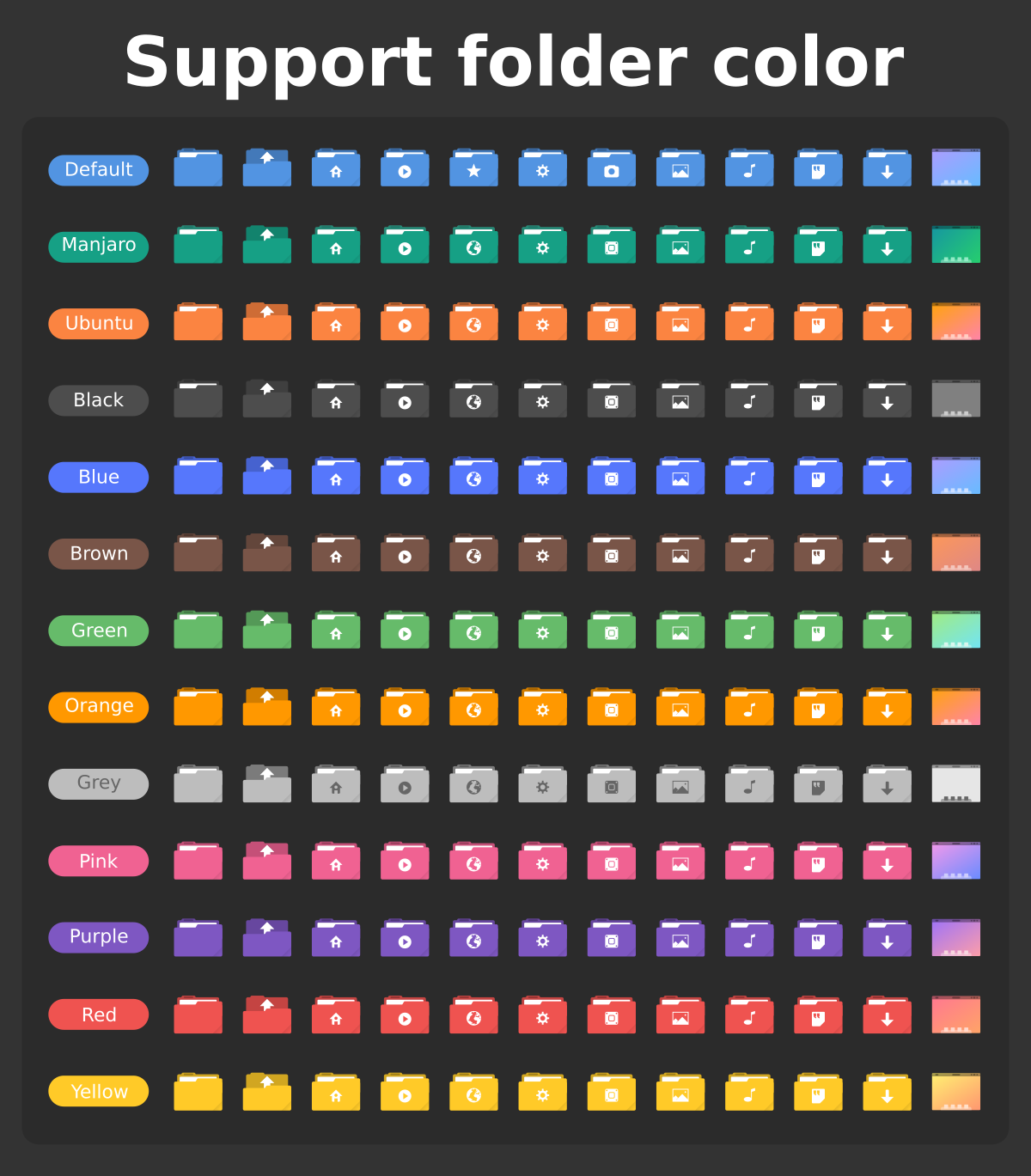

What Makes Tela Worth Installing?
Tela is one of the most polished flat icon themes available for Linux. The icons are sharp, colorful, and consistent, and the theme ships with over a dozen color variants so you can match it to almost any desktop setup. Whether you run a dark theme with purple accents or a light setup with orange folders, Tela has an option for it. It also receives regular updates and covers a wide range of apps. By the way, you can also take a quick look at Tela Circle Icons theme, an icon them from the same author.
✓ 15+ Color Variants ✓ Snap Support ✓ Actively Maintained ✓ Sharp Flat Design ✓ Multi-DE Support
Download Tela Icon Theme
Get the latest version from any of these official sources.
Frequently Asked Questions
How do I install Tela icons on Ubuntu?
The quickest way is through Snap by running sudo snap install tela-icons. You can also clone the GitHub repo and run the install script with ./install.sh. Both methods work on Ubuntu 24.04 and later.
Does Tela icon theme work on Ubuntu 24.04 and 26.04?
Yes. Tela works on Ubuntu 24.04 and Ubuntu 26.04. It supports GNOME, KDE Plasma, XFCE, and most other Linux desktop environments out of the box.
Where can I download Tela icon theme?
You can download Tela from its official GitHub repository, the Snap Store, or Pling. The Snap Store is the fastest option since it handles installation automatically.
What color variants does Tela include?
Tela comes with over a dozen color variants including standard, black, blue, brown, green, grey, orange, pink, purple, red, yellow, manjaro, ubuntu, dracula, and nord. You can install one or all of them during setup.
Is Tela icon theme still maintained?
Yes. Tela is actively maintained by vinceliuice on GitHub with over 590 commits and regular releases. The latest release was in early 2026.
More Ubuntu Customization Guides
Pair Tela with a matching GTK theme or cursor for a fully polished desktop.