


Tela Circle is available on GitHub and Pling, and you can install it on Ubuntu by cloning the repo and running a simple script. It is the rounded version of the popular Tela icon theme, giving your desktop soft, circular app icons while keeping the same vibrant color system. Below is a full walkthrough of the setup that includes step by step instructions and bonus terminal commands to get everything running.
Feel free to leave a comment below or contact us directly for any feedback or help.
Quick Facts
How to Install Tela Circle on Ubuntu
You can install Tela Circle on Ubuntu by cloning the GitHub repo or downloading it from Pling. Here is how.
Option 1: Install from GitHub (Recommended)
Clone the repo and run the install script. Use -a to install all color variants at once, or list specific colors like blue purple nord.
git clone https://github.com/vinceliuice/Tela-circle-icon-theme.git
cd Tela-circle-icon-theme
./install.sh -a
Option 2: Download from Pling
Download the archive from Pling, extract it, and copy the theme folder to your local icons directory.
mkdir -p ~/.local/share/icons
# Extract the downloaded archive into this directory
Apply the Icon Theme
Open GNOME Tweaks (install it with sudo apt install gnome-tweaks if you do not have it), go to Appearance, and select Tela-circle or any of its color variants under the Icons dropdown.
Screenshots
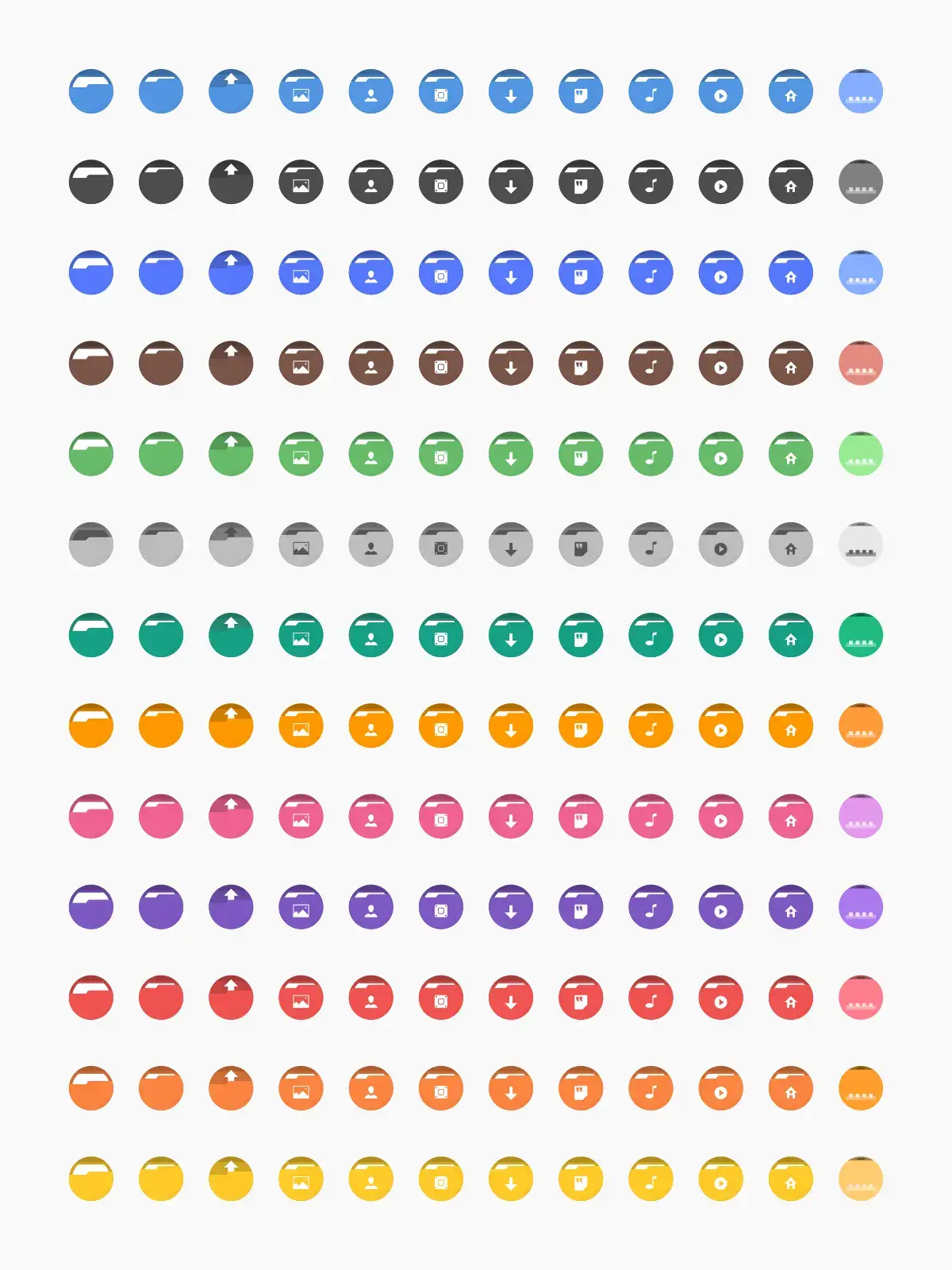

What Makes Tela Circle Worth Installing?
Tela Circle takes everything people love about the original Tela theme and wraps it in rounded, circular icon backgrounds. The result is a softer, more modern look that pairs especially well with GNOME and KDE setups that already use rounded UI elements. It includes the same 15+ color variants as regular Tela, so matching it to your desktop wallpaper or GTK theme is straightforward. If you want flat icons without the hard edges, this is an excellent pick.
✓ Rounded Style ✓ 15+ Colors ✓ Same Dev as Tela ✓ Actively Updated ✓ Great for GNOME
Download Tela Circle Icon Theme
Get the latest version from any of these official sources.
Frequently Asked Questions
How do I install Tela Circle icons on Ubuntu?
Clone the GitHub repository with git clone https://github.com/vinceliuice/Tela-circle-icon-theme.git, then run ./install.sh inside the folder. Add -a to install all color variants at once.
What is the difference between Tela and Tela Circle?
Tela uses square icon shapes while Tela Circle uses rounded, circular icon backgrounds. Both are made by the same developer and share the same color variants and design language.
Does Tela Circle work on Ubuntu 24.04 and 26.04?
Yes. Tela Circle works on Ubuntu 24.04 and Ubuntu 26.04. It supports GNOME, KDE Plasma, XFCE, and most other Linux desktop environments.
What color variants does Tela Circle include?
Tela Circle includes standard, black, blue, brown, green, grey, orange, pink, purple, red, yellow, manjaro, ubuntu, dracula, and nord color variants.
Is Tela Circle icon theme still maintained?
Yes. Tela Circle is actively maintained by vinceliuice on GitHub with nearly 690 commits and regular releases. The latest release was in February 2026.
More Ubuntu Customization Guides
Pair Tela Circle with a matching GTK theme or cursor for a fully polished desktop.