


Resolute Raccoon
UKUI 4.22. Qt6-native desktop. New style library. Improved Chinese input. Every change since Ubuntu Kylin 24.04 LTS, explained plainly.
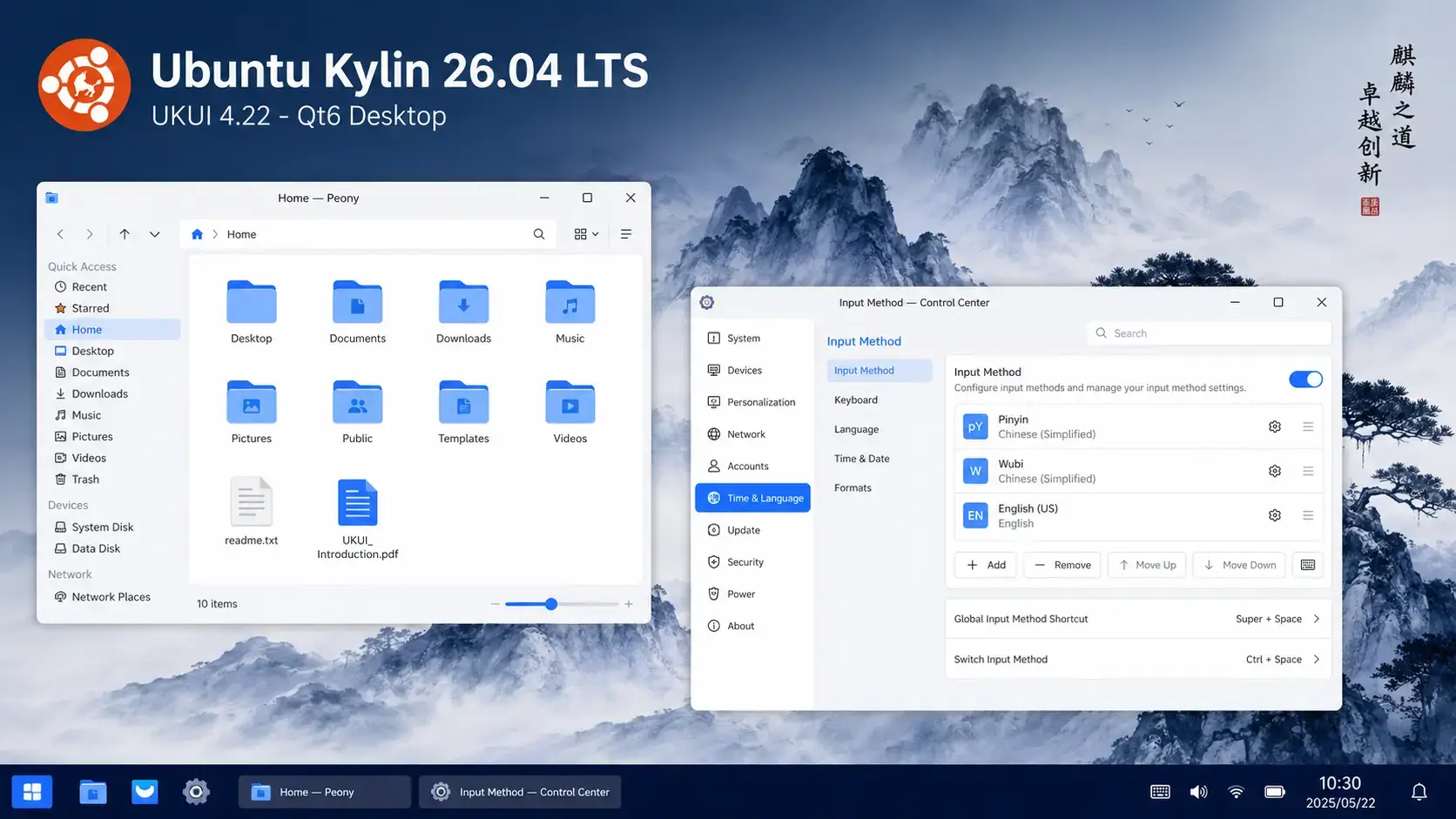
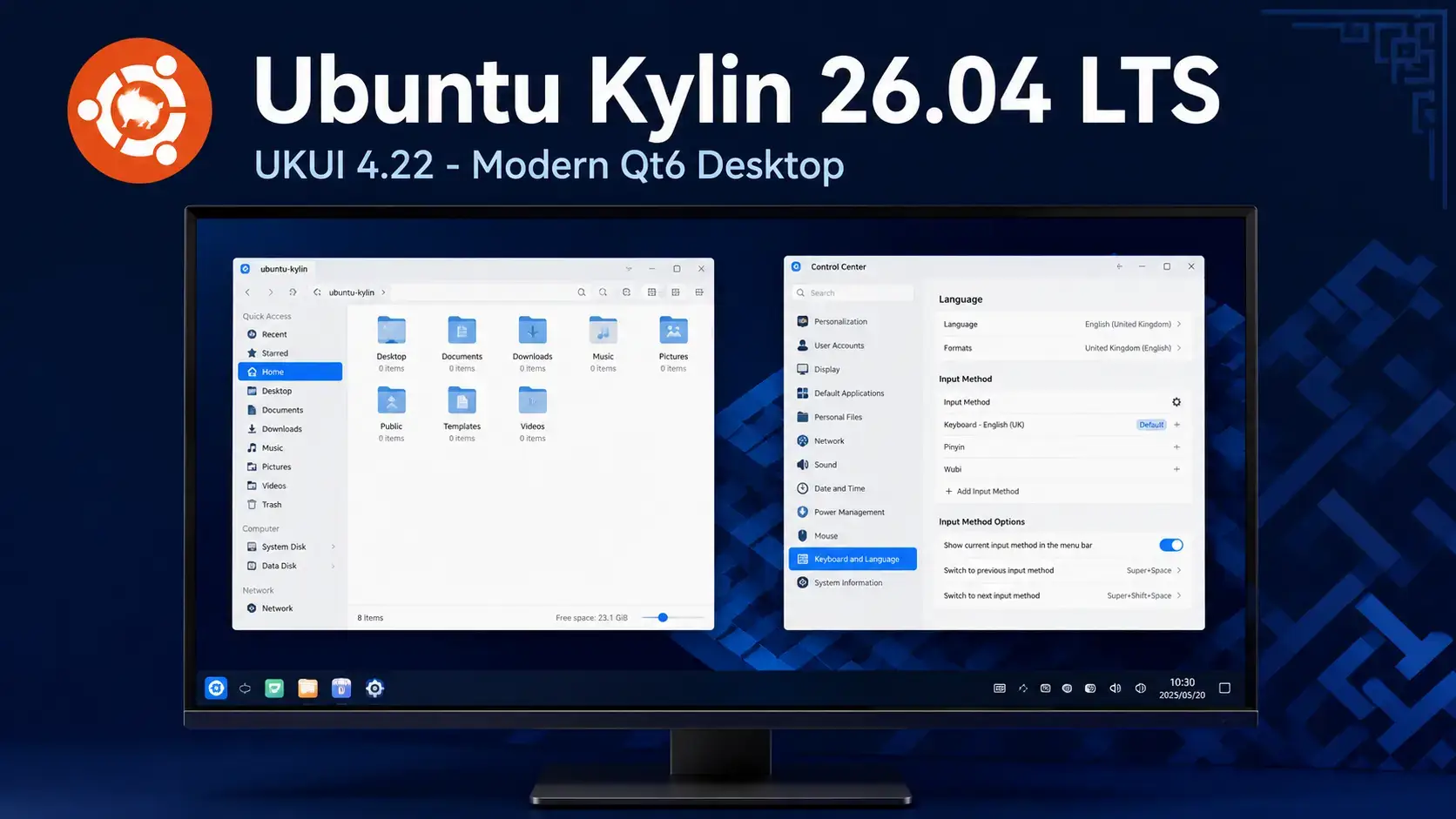
A screenshot of the new UKUI 4.22 screenshot
The Big Picture
Ubuntu Kylin 26.04 is a release built on consolidation. The UKUI desktop environment reaches version 4.22, completing a long transition to Qt6 that makes the entire desktop stack consistent and maintainable on a single modern toolkit. Where previous releases carried a mix of Qt5 and Qt6 components, UKUI 4.22 runs fully on Qt 6.10.2. That means the Peony file manager, the UKUI Control Center, and the desktop shell itself all share the same Qt6 foundation and benefit from the same improvements in rendering, performance, and accessibility.
The other significant change is the introduction of libukui-quick-platform, a new library in UKUI 4.22 that provides utility interfaces for style control. This is the plumbing behind consistent theming and visual behavior across UKUI components. It is not a user-visible feature in the obvious sense, but it is what enables UKUI’s interface to look and feel coherent as new components are added in future releases. For Chinese users, the release also refines the built-in input method stack with both iBus-Rime and Fcitx5 available from installation, covering Pinyin, Wubi, and Cangjie input schemes.
UKUI 4.22 Desktop Environment
The UKUI desktop environment reaches version 4.22 in this release. The ukui-desktop-environment metapackage version is 4.22.0.1, with the final bugfix landing on April 23, 2026, the same day Ubuntu Kylin 26.04 shipped. This release completes the full migration of UKUI to the Qt6 toolkit, with all core components now requiring Qt 6.10.2 or newer as a baseline dependency.
• New libukui-quick-platform style control library
• All components require Qt 6.10.2 minimum
• Desktop shell consistency improvements
• Bugfix release on launch day (April 23, 2026)
• Royal blue accent (#226EE9) throughout
• Dark and light theme variants
• Custom UKUI icon and cursor themes
• Designed for familiarity for Windows users
UKUI 4.22 introduces libukui-quick-platform, a new shared library that provides utility interfaces for style control across the UKUI desktop. The package version is 4.22.0.2 or newer and is a required dependency for the UKUI 4.22 metapackage.
In practical terms, this library is the mechanism that lets UKUI components consistently apply the same theme, color scheme, and visual style without each component implementing its own solution. It is the foundation for coherent theming as UKUI adds new components and utilities in future releases.
For users, the effect is subtle but real: the desktop feels more visually consistent, and switching between light and dark themes or adjusting accent colors applies uniformly across all UKUI applications that link to this library. For developers building Qt6 apps that integrate with UKUI, it provides a stable interface for style queries.
Core Component Versions
The table below shows the key UKUI component versions shipped in Ubuntu Kylin 26.04 LTS, based on the Ubuntu Resolute Raccoon package archive.
| Component | Version | Notes |
|---|---|---|
| ukui-desktop-environment | 4.22.0.1 | UKUI 4.22 metapackage. Released April 23, 2026. Introduces libukui-quick-platform dependency. |
| peony | 4.20.2.1 | UKUI file manager. Full Qt6 rewrite, requires libqt6core6t64 >= 6.10.2. |
| ukui-control-center | 4.20.0.1 | UKUI Settings panel. Qt6-native, depends on Qt 6.10.2 and KF6 libraries. |
| libukui-quick-platform | 4.22.0.2+ | New in UKUI 4.22. Utility interfaces for desktop style control. Required by the UKUI 4.22 metapackage. |
| Qt framework | 6.10.2 | Minimum Qt version required by all UKUI 4.22 components. Qt5 components removed from the UKUI stack. |
| Linux kernel | 7.0 | Shared with all Ubuntu 26.04 flavors. Improved hardware support and performance. |
Peony File Manager
Peony is UKUI’s built-in file manager, and in Ubuntu Kylin 26.04 it ships at version 4.20.2.1, fully rewritten in Qt6. The previous Peony versions carried Qt5 dependencies that created inconsistencies with the rest of the UKUI stack. Version 4.20.2.1 requires libqt6core6t64 >= 6.10.2, which means it now lives entirely within the Qt6 world alongside every other UKUI component.
Peony follows the familiar two-pane layout with a sidebar for bookmarks, devices, and recent locations. The right panel shows files and folders in icon or list view. For users coming from Windows, the layout is immediately recognizable. The Qt6 rewrite improves rendering on high-DPI displays and enables better dark mode support through the new libukui-quick-platform style layer.
• Two-pane layout with sidebar bookmarks
• Icon and list view switching
• Integrated search within folders
• Network and removable media support
• High-DPI rendering improvements
• Consistent theme and style from libukui-quick-platform
• Better dark mode integration
• Improved Wayland readiness for future releases
• No more Qt5/Qt6 version conflicts on the system
UKUI Control Center
The UKUI Control Center is the central settings panel for the Ubuntu Kylin desktop. In version 4.20.0.1 it runs natively on Qt6 and depends on Qt 6.10.2 alongside KF6 (KDE Frameworks 6) libraries for certain settings modules. From here users manage display, sound, network, input devices, user accounts, and the appearance of the desktop including themes and accent colors.
The Control Center is the primary place to configure Chinese input method preferences. Users can switch between iBus-Rime and Fcitx5, and within each framework select the input scheme that suits their writing system: Pinyin for phonetic Mandarin input, Wubi for character-component input, or Cangjie for Cantonese input. The settings integrate with the system-wide input method configuration so changes take effect across all applications immediately.
Download the AMD64 ISO and get the full UKUI 4.22 desktop with Qt6 components and Chinese input support built in.
Chinese Input Methods
Chinese input support is one of the defining features of Ubuntu Kylin, and Ubuntu Kylin 26.04 ships with both major input method frameworks pre-installed and configured: iBus-Rime and Fcitx5. Users can choose which framework they prefer from the UKUI Control Center.
iBus-Rime integrates the Rime input engine with the iBus framework. Rime is known for its flexibility and accuracy, with strong support for:
• Wubi (character-component stroke input)
• Cangjie (traditional Cantonese character input)
• Customizable input schemas via YAML config
Fcitx5 is a rewrite of the popular Fcitx framework, designed for modern Linux desktops. In Ubuntu Kylin it provides:
• Better Wayland compatibility than Fcitx4
• Lightweight memory footprint
• Qt6 and GTK4 application support
Both frameworks are available from installation. For most users, Fcitx5 is the modern choice with better Wayland readiness for future Ubuntu Kylin releases. iBus-Rime remains the preferred option for users who rely on Rime’s highly customizable input schema system, particularly those using less common input methods or needing fine-grained configuration via YAML.
Display Manager and Session
Ubuntu Kylin 26.04 uses LightDM as its display manager with the ukui-greeter login screen. The greeter maintains the UKUI visual style from the moment the system boots – the login screen uses the same royal blue palette as the desktop itself, providing a consistent experience from first login.
The default session is X11. Wayland support for UKUI continues to develop and is available as an optional session, but X11 remains the default and recommended session for this release. The underlying UKUI components, having completed the Qt6 migration, are better positioned for Wayland adoption in a future release than they were under the split Qt5/Qt6 codebase of Ubuntu Kylin 24.04.
Default Applications
Ubuntu Kylin 26.04 ships a set of default applications that reflect both the UKUI desktop environment and the China-focused user base. The application defaults lean toward lightweight, familiar tools alongside the UKUI-specific utilities.
| Category | Application | Notes |
|---|---|---|
| File Manager | Peony 4.20.2.1 | UKUI-native Qt6 file manager. Two-pane layout, integrated search, network and removable media. |
| Terminal | mate-terminal | Lightweight terminal from the MATE project. Familiar tab and split-pane support. |
| Text Editor | pluma | MATE text editor. Clean interface, syntax highlighting, tab support for multiple files. |
| Document Viewer | atril | MATE document viewer. Opens PDF, DjVu, TIFF, and EPUB files. |
| Archive Manager | engrampa | MATE archive manager. Handles ZIP, RAR, 7z, tar, and other formats. |
| Web Browser | Firefox (snap) | Mozilla Firefox delivered as a snap package. Auto-updates independently of the system. |
| Software Center | UKUI Software Center | UKUI’s built-in app store. Browse and install .deb packages with a graphical interface. |
| Settings | UKUI Control Center 4.20.0.1 | Qt6-native settings panel. Display, sound, network, input methods, themes, and user accounts. |
Who Should Use Ubuntu Kylin 26.04
• Users coming from Windows who want a familiar desktop layout
• Deployments in China requiring a Canonical-backed LTS
• Anyone who prefers a Qt-based desktop on Ubuntu
• Users who want a stable 3-year LTS with AMD64 support
• Wayland is available but X11 is still the default session
• GNOME and KDE Plasma are not available – UKUI is the only desktop
• 3-year support window, not 5 years
• Chinese input is built in but optional – you can ignore it entirely
System Requirements
| Requirement | Minimum | Recommended |
|---|---|---|
| Architecture | AMD64 (64-bit x86) | AMD64 (64-bit x86) |
| RAM | 2 GB | 4 GB or more |
| Storage | 25 GB | 50 GB or more |
| Display | 1024×768 | 1920×1080 |
| Internet | Not required for install | Broadband for updates |
| ARM / Pi | Not supported. AMD64 only. | |
If you are running Ubuntu Kylin 24.04 LTS, you can upgrade to 26.04 using the standard Ubuntu upgrade process. The UKUI components will update to version 4.22 and the Qt6 stack will be installed automatically as part of the upgrade.
Before upgrading, back up your important files and note any custom input method configurations, as input method settings may need to be re-applied after the upgrade completes.
Tips for Getting Started
sudo apt update && sudo apt upgrade in mate-terminal before installing new software to ensure all UKUI components are at the latest patch level.Frequently Asked Questions
What is new in Ubuntu Kylin 26.04 LTS? +
Ubuntu Kylin 26.04 LTS ships UKUI 4.22 fully built on Qt6 with Linux kernel 7.0. The biggest changes are the new libukui-quick-platform library for desktop style control, a fully Qt6-native Peony file manager (version 4.20.2.1) and UKUI Control Center (version 4.20.0.1), all components requiring Qt 6.10.2, and improved iBus-Rime and Fcitx5 Chinese input with Pinyin, Wubi, and Cangjie support. It is supported until April 2029 and available for AMD64 only.
What version of UKUI ships with Ubuntu Kylin 26.04? +
Ubuntu Kylin 26.04 LTS ships UKUI 4.22. The ukui-desktop-environment metapackage version is 4.22.0.1, released on April 23, 2026. UKUI 4.22 introduces the libukui-quick-platform library, which provides utility interfaces for desktop style control across all UKUI components.
Does Ubuntu Kylin 26.04 support Wayland? +
Ubuntu Kylin 26.04 uses X11 as the default session. Wayland support is in development and available as an optional session, but X11 remains the default and recommended session for this release. With the full Qt6 migration now complete, UKUI is better positioned for Wayland as a default in a future release.
What Chinese input methods does Ubuntu Kylin 26.04 include? +
Ubuntu Kylin 26.04 includes both iBus-Rime and Fcitx5. Both support Pinyin for standard Mandarin phonetic input, Wubi for character-component stroke input, and Cangjie for traditional Cantonese input. Users can choose which framework to use from the UKUI Control Center.
Can Ubuntu Kylin 26.04 run on a Raspberry Pi or ARM device? +
No. Ubuntu Kylin 26.04 LTS is available for AMD64 (64-bit x86) only. There is no ARM or Raspberry Pi image for this release. If you need Ubuntu on ARM or Raspberry Pi, the main Ubuntu Desktop flavor offers Pi images.
What is libukui-quick-platform and why does it matter? +
libukui-quick-platform is a new shared library introduced in UKUI 4.22. It provides utility interfaces for style control across UKUI desktop components. In practice, it is what makes theming consistent – when you switch between light and dark modes or change the accent color, libukui-quick-platform applies the change uniformly across all UKUI applications that link to it. It is a required dependency of the UKUI 4.22 metapackage.
How long is Ubuntu Kylin 26.04 LTS supported? +
Ubuntu Kylin 26.04 LTS is supported until April 2029, three years from the April 23, 2026 release date. As an official Ubuntu flavor, it follows the standard three-year flavor support window rather than the five-year window that Ubuntu Desktop receives.
More Ubuntu Kylin 26.04 guides: Download · Upgrade Guide · Wallpapers