

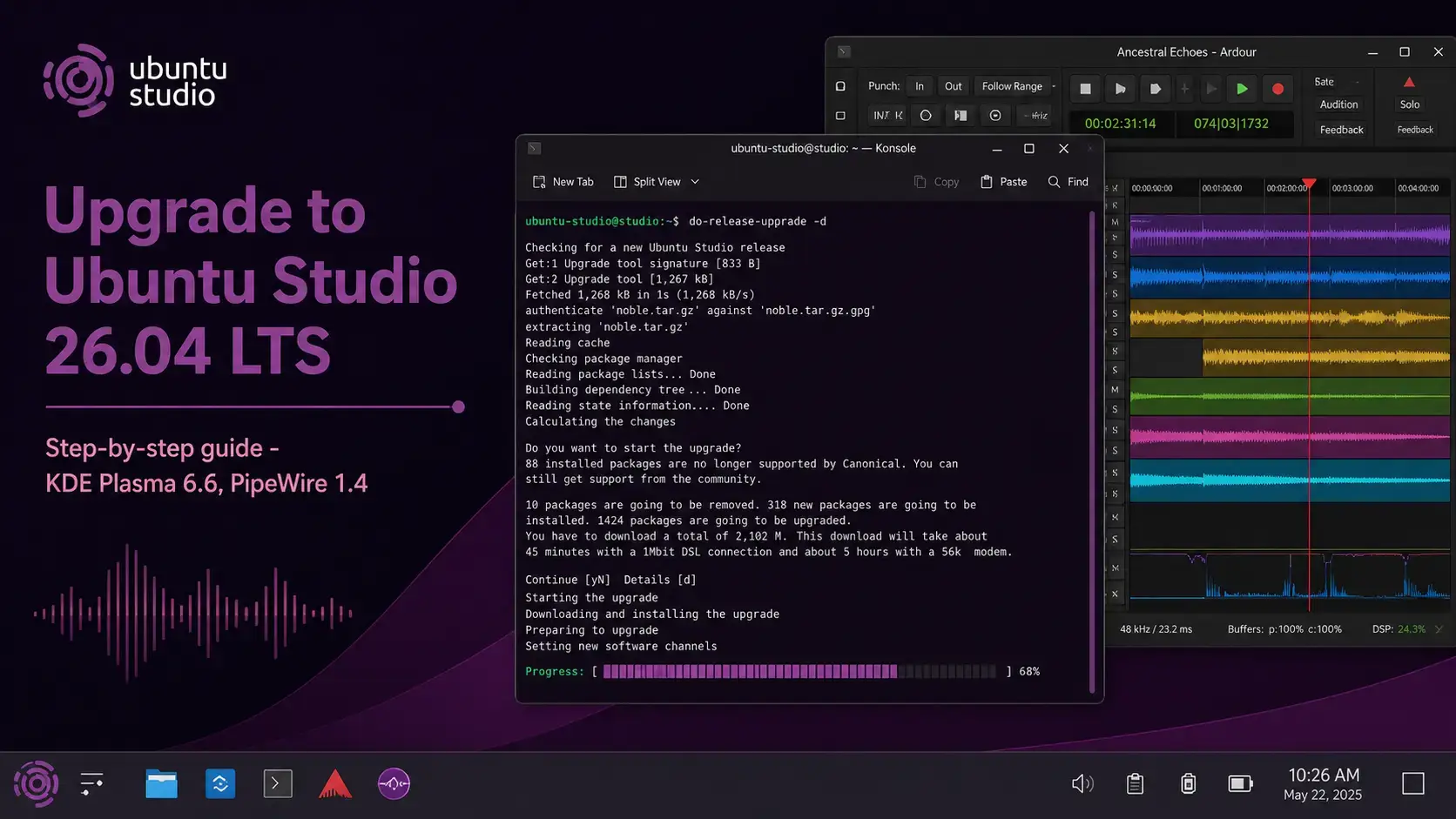

The complete step-by-step guide for upgrading from Ubuntu Studio 24.04 LTS to 26.04 LTS. Covers KDE Plasma config backup, PipeWire config backup, the new Ubuntu Studio Audio Configuration tool, the TLP conflict fix, and what to verify after the upgrade finishes.
~/.config/pipewire/ can conflict with the new Audio Configuration toolpower-profiles-daemon – you will need to remove TLP after upgrading-d flag until thenThe Biggest Change: Ubuntu Studio Controls Is Gone
If you are upgrading from Ubuntu Studio 24.04, the first thing you will notice after the upgrade is that Ubuntu Studio Controls is no longer on your system. It has been removed and replaced by Ubuntu Studio Audio Configuration – a complete rewrite of the tool from the ground up.
The new tool does everything the old one did: managing PipeWire buffer settings and quantum, granting real-time privileges, adjusting the CPU governor for audio work, configuring FFADO FireWire devices, and managing interface profiles. The difference is how it looks and how it launches. Ubuntu Studio Audio Configuration was rewritten in Python with both a GTK4 frontend and a Qt6 frontend. It detects your desktop environment automatically and opens whichever interface fits – so on KDE Plasma it opens the Qt6 version, and on a GNOME session it opens GTK4.
You will find it in your application menu under Ubuntu Studio Audio Configuration. Any settings you had configured in the old Ubuntu Studio Controls will need to be reapplied through the new tool after the upgrade. There is no automatic migration of those settings.
Which Upgrade Path Applies to You?
Not every Ubuntu Studio version can upgrade directly to 26.04. The table below shows which paths are supported. If your version is not listed as direct, follow the step column before attempting this guide. If you would prefer a clean install over an in-place upgrade, the Ubuntu Studio 26.04 download page has the official ISO link and verification steps.
| Current Version | Direct to 26.04? | What to Do |
|---|---|---|
| Ubuntu Studio 24.04 LTS | Yes | Follow this guide directly |
| Ubuntu Studio 25.10 | Yes | Follow this guide directly – use -d flag until 26.04.1 ships |
| Ubuntu Studio 22.04 LTS | No | Upgrade to 24.04 first, then follow this guide |
| Ubuntu Studio 23.10 / 25.04 (EOL) | No | These releases are end-of-life. Fresh install of 26.04 recommended |
| Ubuntu Studio 20.04 LTS or older | No | Upgrade through each LTS in sequence, or do a fresh install |
Before You Upgrade – 5 Steps
Do not skip this section. Ubuntu Studio carries more upgrade-specific considerations than most other Ubuntu flavors. The KDE config backup and PipeWire backup steps here are specific to this flavor and not part of a standard Ubuntu upgrade preparation.
The upgrade preserves your home directory, but hardware failures and power cuts do not care about timing. Back up anything important before starting. A full system snapshot is ideal if you are on a virtual machine.
Upgrading from KDE Plasma 6.1 to Plasma 6.6 can cause panel layouts and widget configurations to look different on first login. Run both commands before starting:
If your panel looks wrong after the upgrade, you can restore specific files from this archive or reset the panel to Plasma 6.6 defaults.
If you had customized PipeWire directly in ~/.config/pipewire/ – for example, setting a custom quantum or buffer size outside of Ubuntu Studio Controls – those manual configs can conflict with the new Ubuntu Studio Audio Configuration tool. Back them up and let the new tool manage settings going forward:
After the upgrade, use Ubuntu Studio Audio Configuration to set your buffer size and quantum rather than editing config files directly.
The ubuntu-studio-desktop meta-package ensures all required Ubuntu Studio components are present before the upgrade tool runs. If it is missing or was partially removed at some point, the upgrade may not install all 26.04 Studio components correctly.
The upgrade tool will refuse to run if your system has pending updates. Run all four commands and reboot if the kernel was updated before continuing.
sudo apt upgrade
sudo apt dist-upgrade
sudo apt autoremove
How to Upgrade via Terminal
This is the recommended method. It works on any Ubuntu Studio system and gives you the most visibility into what the upgrade is doing.
Make sure the Ubuntu Studio desktop meta-package is present before proceeding. This command installs it if missing and confirms it if already installed.
The update-manager-core package provides the do-release-upgrade command. It is usually already installed on Ubuntu Studio 24.04, but this confirms it.
Because the automatic LTS-to-LTS upgrade prompt is not yet enabled (it activates with 26.04.1 in August 2026), use the -d flag. This tells the tool to fetch the newly available release directly. Ubuntu Studio 26.04 is a full production release – the -d flag does not mean unstable.
After 26.04.1 ships in August 2026, you can drop the -d flag and run sudo do-release-upgrade on its own.
The tool walks you through a series of prompts. Here is what to expect at each stage:
The tool checks for blockers, then shows a summary: how many packages will be upgraded, installed, and removed. Read this. If anything looks unexpected, press N to cancel and investigate before continuing. Ubuntu Studio has a larger package count than most flavors – a removal count in the dozens is not unusual and mainly reflects old workflow packages being updated.
The tool downloads all required packages. Ubuntu Studio has a larger package footprint than most flavors – this step can take longer than you might expect on slower connections. Do not close the terminal or interrupt this process.
For system configuration files you have previously modified, the tool asks whether to keep your version or install the package maintainer’s version. If you have not customized the file, choose the maintainer’s version. If you have customized it, keep yours and compare the two manually after the upgrade.
Near the end of the process, the upgrade tool will ask you to close open applications and will terminate the Plasma session to replace desktop components. Once all packages are installed, it prompts for a full system reboot. Choose yes – the system reboots into Ubuntu Studio 26.04.
When you run sudo do-release-upgrade -d on a remote system over SSH, the tool automatically opens a secondary SSH port (default: 1022) as a fallback in case your main connection drops during the upgrade. Before starting, open port 1022 through your firewall. If you use UFW: sudo ufw allow 1022/tcp. The tool will remind you and wait for confirmation before continuing.
A clean install gives you a fresh KDE Plasma 6.6 setup with no leftover configuration from older releases. Get the official 6.7 GB ISO directly.
How to Upgrade via Software Updater (Desktop Only)
The graphical upgrade path uses Software Updater. There is one important caveat: Software Updater will not show a 26.04 upgrade prompt until Ubuntu Studio 26.04.1 ships in August 2026. Until then, you need to launch it with a flag that tells it to check for newly available releases. Before using this method, still complete the five pre-upgrade steps above.
Software Updater opens and begins checking for updates. After applying any pending updates, it will show a banner: “Ubuntu Studio 26.04 LTS is now available.” Click Upgrade to begin. The GUI walks you through the same process as the terminal method with a visual progress bar and dialog boxes for configuration decisions. Total time: 60-90 minutes.
When the upgrade finishes, Software Updater will ask you to restart. Click Restart Now. Your system reboots into Ubuntu Studio 26.04 with KDE Plasma 6.6 on Wayland.
After the Upgrade – What to Check
Once the system reboots into Ubuntu Studio 26.04, run through these checks. Several of them are specific to this flavor and will not appear in a generic Ubuntu upgrade guide.
Should show Ubuntu 26.04 LTS and codename resolute.
Find it in your application menu. Open it and reapply your preferred PipeWire buffer size, quantum, and CPU governor settings. Do not try to restore old manual PipeWire config files – let this tool manage those settings going forward.
Should report a 7.x kernel with PREEMPT_DYNAMIC enabled. Ubuntu Studio no longer uses a separate LowLatency kernel – low-latency configuration is applied through Audio Configuration instead.
Should show active (running). If it is not running, start it with systemctl --user start pipewire.
sudo apt upgrade
A handful of packages often have updates available immediately after a release upgrade.
Ubuntu Studio 26.04 adds a Plasma PipeWire Settings widget to the system tray by default. It lets you adjust the PipeWire quantum and sample rate on the fly from the panel. This is new from 24.04 – if you see an unfamiliar icon in the tray, this is it.
Known Issues and Fixes
These are the issues most likely to affect users upgrading from Ubuntu Studio 24.04. Most have clear solutions or workarounds.
What it is: After the upgrade completes and you log in for the first time, Ubuntu Studio may prompt you to reboot again to apply audio-production group configuration. This is expected behavior and is tracked at Launchpad bug #2063899. It is not a sign of a failed upgrade.
What to do: Accept the reboot prompt. After this second reboot, your user account will be correctly configured as a member of the audio production group, which grants the real-time privileges that Ubuntu Studio needs for low-latency audio work.
Cause: Ubuntu Studio 26.04 uses power-profiles-daemon for CPU governor management, which is controlled directly by Ubuntu Studio Audio Configuration. TLP also manages CPU and power settings. The two tools conflict – they overwrite each other’s kernel tuning and produce unpredictable results when both are active.
Check if you are affected:
If TLP is installed, remove it and let power-profiles-daemon take over. Ubuntu Studio Audio Configuration’s performance mode toggle handles the CPU governor correctly for audio work.
Cause: KDE Plasma configuration files from Plasma 6.1 can conflict with Plasma 6.6’s updated component structure. Panels may appear empty or widgets may fail to load on first login after the upgrade.
Fix: If you backed up your Plasma config before upgrading (Step 2 above), you can restore specific files from the archive. For a clean reset, rename the panel config folder and let Plasma regenerate defaults:
Log out and back in. Plasma will recreate the panel from the default Ubuntu Studio 26.04 layout. You can then re-add your preferred widgets manually.
Cause: Manual PipeWire configuration files in ~/.config/pipewire/ that were set up outside of Ubuntu Studio Controls can conflict with the new Ubuntu Studio Audio Configuration tool’s management of the same settings. You may see audio dropouts, xruns, or an unexpected sample rate after the upgrade.
Fix: Move your old PipeWire config folder out of the way and let Ubuntu Studio Audio Configuration rebuild it:
Restart PipeWire with systemctl --user restart pipewire, then open Ubuntu Studio Audio Configuration and reapply your buffer size, quantum, and sample rate preferences.
Cause: The upgrade tool disables third-party PPAs during the upgrade to prevent conflicts. They are not deleted, just disabled. Some may also not yet have packages built for Ubuntu 26.04 – this is common for audio production PPAs that package DAW plugins or hardware drivers.
Fix: Open Software & Updates, go to the Other Software tab, and re-enable the PPAs you need. Run sudo apt update after. If a PPA fails, check whether the maintainer has released a 26.04-compatible version yet. Many audio PPAs take a few months to catch up after a new Ubuntu release.
If the upgrade is interrupted – by a power cut, a dropped SSH connection, or a package error – do not panic and do not try to reboot straight away. Open a terminal and run these two commands in order. They repair packages left in a half-installed state and resolve broken dependencies.
sudo apt install -f
Once both commands complete without errors, run the upgrade command again. The tool will pick up where it left off rather than starting from scratch.
Frequently Asked Questions
Can I upgrade directly from Ubuntu Studio 22.04 to 26.04?
No. Ubuntu Studio follows the same LTS upgrade path as Ubuntu. You cannot skip releases. You must first upgrade from Ubuntu Studio 22.04 LTS to 24.04 LTS, then from 24.04 LTS to 26.04 LTS. Run sudo do-release-upgrade on your 22.04 system first to reach 24.04, then repeat the process.
Why does do-release-upgrade say no new release found on my Ubuntu Studio 24.04 system?
This is expected. The automatic LTS-to-LTS upgrade prompt is not enabled until the first point release, which for 26.04 is planned for around August 2026. To upgrade before then, run sudo do-release-upgrade -d to access the release directly. The -d flag means development or newly released, not unstable. Ubuntu Studio 26.04 is a full production release.
Where is Ubuntu Studio Controls after the upgrade?
Ubuntu Studio Controls has been replaced by Ubuntu Studio Audio Configuration in 26.04. The new tool handles everything the old one did – PipeWire buffer settings, real-time privileges, CPU governor, FFADO FireWire support, and interface profiles – but it has been fully rewritten in Python with GTK4 and Qt6 frontends. Find it in your application menu under Ubuntu Studio Audio Configuration.
Should I back up my KDE Plasma settings before upgrading?
Yes. Upgrading from KDE Plasma 6.1 to Plasma 6.6 can cause panel layouts and widget configurations to look different on first login. Back up your KDE configuration with: tar -czf ~/kde-config-backup-$(date +%Y%m%d).tar.gz ~/.config/plasma* ~/.local/share/plasma*. If anything looks wrong after the upgrade, you can restore from this archive or reset the panel to defaults.
I have TLP installed for battery management. Will it break the upgrade?
TLP conflicts with power-profiles-daemon, which Ubuntu Studio 26.04 uses for CPU governor management via Ubuntu Studio Audio Configuration. The upgrade may warn about this conflict or remove one of the two packages automatically. After upgrading, check whether TLP is still installed with dpkg -l tlp. If it is, remove it with sudo apt remove tlp tlp-rdw and let power-profiles-daemon handle power management instead.
What is the first-login reboot prompt after upgrading?
After the upgrade completes and you log in for the first time, Ubuntu Studio may prompt you to reboot again to apply audio-production group configuration. This is expected behavior and not a sign of a problem. The prompt exists because the installer cannot automatically configure the audio group membership for existing users during an in-place upgrade. Accept the reboot and your audio group permissions will be correctly applied.
How long does the upgrade from Ubuntu Studio 24.04 to 26.04 take?
On a typical broadband connection, the full upgrade takes between 60 and 90 minutes. Ubuntu Studio is a larger distribution than most flavors at 6.7 GB, and the package count reflects that. The process is largely unattended after the initial prompts, so you can leave it running.
More Ubuntu Studio 26.04 guides: Ubuntu Studio 26.04 ISO Download · What’s New in Ubuntu Studio 26.04 · Ubuntu Studio 26.04 Wallpapers