

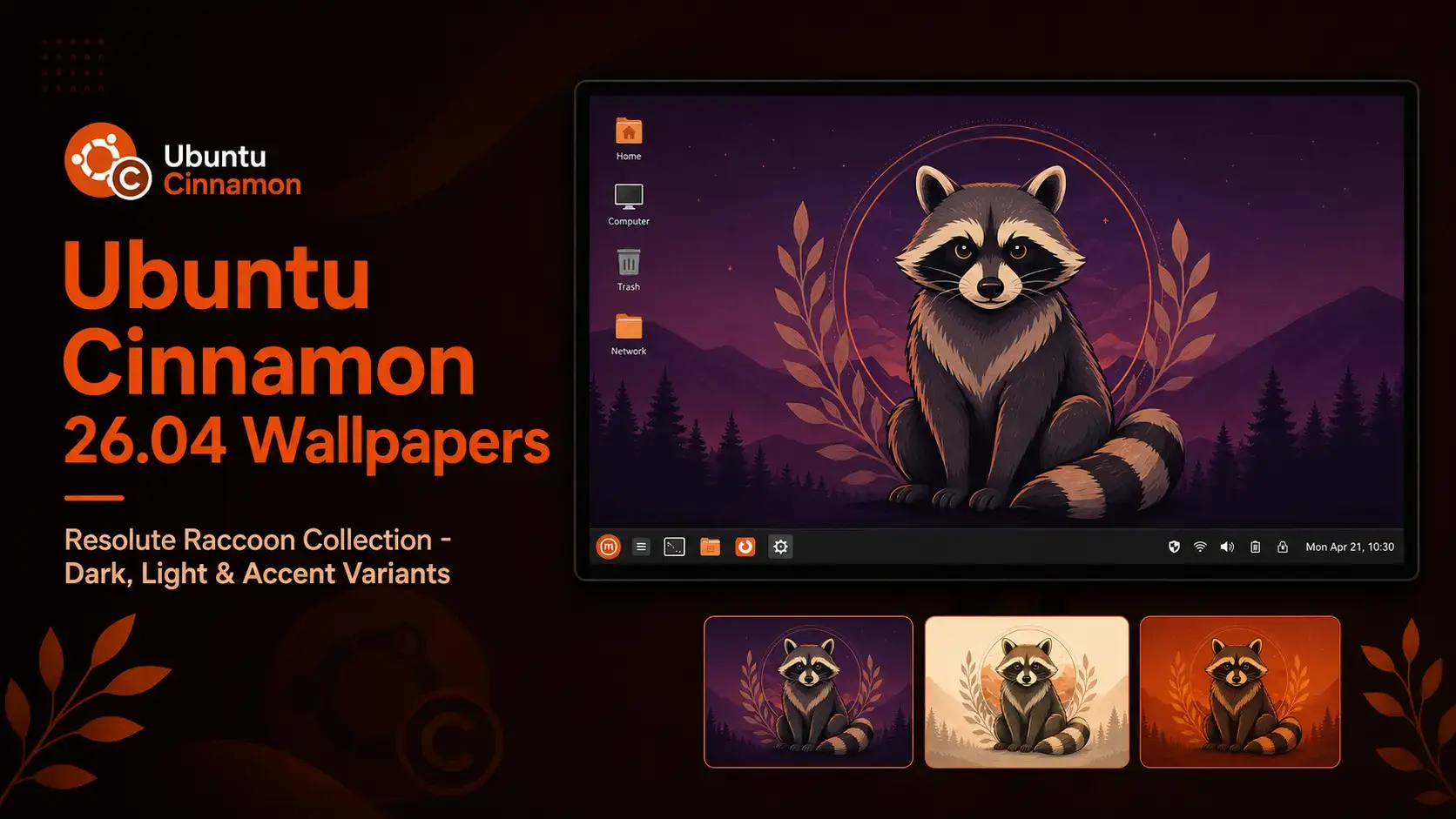

The official Ubuntu Cinnamon 26.04 LTS wallpapers. The Resolute Raccoon collection with dark, light, and accent color variants – all hosted on our server and free to download.
Wallpaper Gallery
Browse the Ubuntu Cinnamon 26.04 wallpaper collection below. Click any image to open the full-size version.











About the Ubuntu Cinnamon 26.04 Wallpapers
Ubuntu Cinnamon 26.04 LTS ships with the Resolute Raccoon as its release wallpaper – a Canonical-designed piece featuring the raccoon mascot centered on a rich purple gradient. The composition uses sweeping rounded curves rather than the sharper geometric angles of previous releases, giving it a softer, more polished feel. The purple tones sit naturally against the Cinnamon desktop without competing with the panel or taskbar.
Three variants of the artwork are included in the pack. The dark version is what ships as the default on a fresh install. The light variant inverts the background tones for users who prefer a brighter desktop. The accent color version introduces a warm highlight that pairs well with Ubuntu Cinnamon’s burnt-orange brand color. All three are available at HD, 1440p, and 4K in a single ZIP archive.
The default wallpaper on every fresh Ubuntu Cinnamon 26.04 install. Raccoon mascot on a rich purple gradient with deep tones.
The same Resolute Raccoon artwork with an inverted background. A clean lighter tone for users who prefer a brighter desktop.
A warm accent version that complements Ubuntu Cinnamon’s burnt-orange brand palette. Pairs well with the default Cinnamon theme.
Download the Wallpapers
One pack with all three variants included. Dark, light, and accent color versions at HD, 1440p, and 4K – direct from our server.
The complete Ubuntu Cinnamon 26.04 LTS wallpaper collection. All three Resolute Raccoon variants – dark, light, and accent color – at HD (1920×1080), 1440p (2560×1440), and 4K (3840×2160) in a single ZIP archive.
Available Resolutions
The pack includes all three variants at each standard desktop resolution. Pick the size that matches your screen for the sharpest result.
| Resolution | Name | Best For |
|---|---|---|
| 1920 x 1080 | Full HD | Most laptops and standard desktop monitors |
| 2560 x 1440 | 1440p / QHD | Sharper 27″ and larger desktop displays |
| 3840 x 2160 | 4K / UHD | 4K monitors and HiDPI displays |
The official Ubuntu Cinnamon 26.04 LTS download with Cinnamon 6.4.13 and the full Resolute Raccoon wallpaper collection pre-installed.
How to Set Your Wallpaper on Ubuntu Cinnamon 26.04
Cinnamon gives you two straightforward ways to change your wallpaper. Both take under a minute.
Frequently Asked Questions
What is the default wallpaper in Ubuntu Cinnamon 26.04?
The default wallpaper in Ubuntu Cinnamon 26.04 LTS is the Resolute Raccoon artwork. It features a Canonical-designed raccoon mascot centered on a rich purple gradient with sweeping rounded curves – a departure from the sharper geometric style of previous releases. It ships on every fresh Ubuntu Cinnamon 26.04 installation automatically.
Does Ubuntu Cinnamon 26.04 use a different wallpaper for the login screen?
No. Ubuntu Cinnamon 26.04 uses LightDM as the display manager, and the login screen displays the same default Resolute Raccoon wallpaper as the desktop. There is no separate login screen artwork in this release.
Do the Ubuntu Cinnamon 26.04 wallpapers work on other Linux distributions or Windows?
Yes. The wallpapers are standard image files and work on any desktop operating system including other Linux distributions, Windows, and macOS. There is nothing Ubuntu Cinnamon-specific about the file format.
How do I set a wallpaper on Ubuntu Cinnamon 26.04?
Right-click anywhere on an empty area of the desktop and select Change Desktop Background. Click the Add button, browse to your downloaded image, and select it. The wallpaper applies immediately. You can also open System Settings and go to Backgrounds to reach the same panel and choose a scaling mode.
More Ubuntu Cinnamon 26.04 guides: Ubuntu Cinnamon 26.04 Download · What’s New in Ubuntu Cinnamon 26.04 · Upgrade to Ubuntu Cinnamon 26.04