

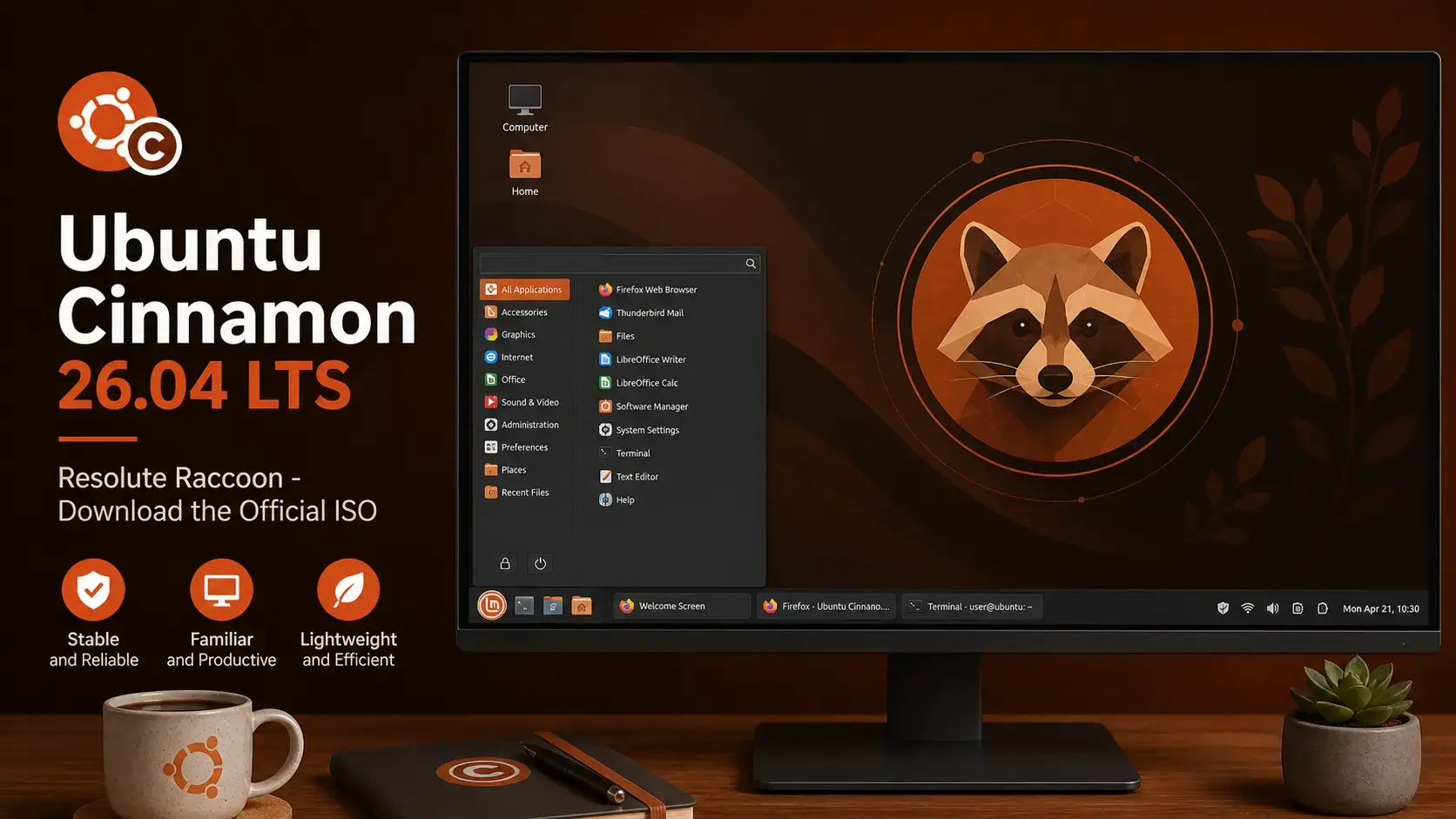

Resolute Raccoon
Ubuntu with the Cinnamon desktop. Traditional layout. Free to use. Supported until April 2029.
What Is Ubuntu Cinnamon?
Ubuntu Cinnamon is the official Ubuntu flavor that uses the Cinnamon desktop environment. Cinnamon was originally built by the Linux Mint team, and it gives you a familiar, traditional desktop: a taskbar at the bottom, a classic application menu, and a straightforward panel. If you are coming from Windows or from an older Linux setup, Cinnamon feels immediately recognizable.
It shares the same Ubuntu base, software library, and security update schedule as standard Ubuntu. You get the same reliable system underneath, with a desktop that works the way most people expect.
Download Ubuntu Cinnamon 26.04 LTS
The link below goes directly to cdimage.ubuntu.com, Canonical’s official image server for Ubuntu flavors. Ubuntu Cinnamon 26.04 is available as a single 64-bit desktop ISO only.
Size: ~5.3 GB
Desktop: Cinnamon 6.4.13
What’s New in Ubuntu Cinnamon 26.04
This release brings Cinnamon 6.4.13 along with updated core components including the Nemo file manager, the Muffin window manager, and improved system integration through the Xapp portal. A handful of newer Cinnamon components are also included where they improve compatibility. For the full changelog, see the official Ubuntu Cinnamon 26.04 release notes.
A new color-neutral Cinnamon theme ships in 26.04, contributed by Initu Castilhos. It works cleanly with the Yaru color themes and gives you a consistent, polished look across the desktop without locking you into a specific accent color.
The default font viewer has been replaced with Font Manager, a tool that fits better with the Cinnamon desktop. It makes it easier to browse, preview, and manage fonts installed on your system, and it looks consistent with the rest of the interface.
The installer now shows a slideshow while it copies files to your computer. This brings Ubuntu Cinnamon in line with other Ubuntu flavors and gives you something useful to read while the setup runs.
Ships with LibreOffice 26.2.2, GNOME Calculator 50.0, GNOME Calendar 50.0, Rhythmbox 3.4.9, Deja Dup 50.0, and Evince 49. A long-standing bug where the password entry box showed the wrong color has also been fixed.
How to Verify Your Download (SHA256)
Always verify your ISO before writing it to a USB drive. This confirms the file downloaded completely and was not corrupted or tampered with.
SHA256SUMS file to the same folder as your ISO.Run the checksumOn Linux or macOS:
sha256sum ubuntucinnamon-26.04-desktop-amd64.iso
On Windows (PowerShell):
Get-FileHash ubuntucinnamon-26.04-desktop-amd64.iso -Algorithm SHA256
How to Install Ubuntu Cinnamon 26.04
Once you have the ISO, the process is the same as any Ubuntu flavor.
System Requirements
Minimum and recommended specs for running Ubuntu Cinnamon 26.04 comfortably. Cinnamon uses less memory than GNOME and runs well on modest hardware.
- CPU: 2 GHz dual-core processor
- RAM: 2 GB (4 GB for a comfortable experience)
- Storage: 25 GB free disk space
- Display: 1024 x 768
- USB: 8 GB drive for installation
- CPU: 4-core 64-bit processor
- RAM: 4 GB or more
- Storage: 50 GB SSD
- Display: 1920 x 1080
- GPU: Works with most modern graphics cards
Free. Open source. Cinnamon 6.4.13. Supported until April 2029.
Frequently Asked Questions
Can I try Ubuntu Cinnamon 26.04 without installing it?
Yes. When you boot from the USB installer, choose “Try Ubuntu Cinnamon” on the welcome screen. This loads a live session directly from the USB drive without touching your hard disk. You can test it as long as you like, then restart to return to your current system.
What is the difference between Ubuntu Cinnamon and Linux Mint?
Both use the Cinnamon desktop, but they are separate operating systems. Linux Mint is its own independent distribution with its own tools, update manager, and release cycle. Ubuntu Cinnamon is an official Ubuntu flavor – it uses Canonical’s Ubuntu base directly, follows Ubuntu’s release dates, and gets security updates from Ubuntu’s repositories. If you are already in the Ubuntu ecosystem, Ubuntu Cinnamon is the more natural fit.
What is the difference between an LTS release and a regular Ubuntu release?
LTS stands for Long Term Support. Canonical releases a new version of Ubuntu every 6 months, but only the LTS versions receive multi-year security updates. Regular releases are only supported for 9 months. For most people on a work or home computer, LTS is the right choice.
Can I run Ubuntu Cinnamon 26.04 inside a virtual machine?
Yes. Ubuntu Cinnamon 26.04 works well inside VirtualBox, VMware, and QEMU/KVM. Use the 64-bit ISO for Intel and AMD computers. After installing, add the VirtualBox Guest Additions or open-vm-tools for better display resolution and clipboard sharing. GNOME Boxes can also work but gives you fewer display options.
How do I create a bootable USB from the ISO file?
On Windows, use Rufus and select the ISO file. On macOS or Linux, use Balena Etcher. Both are free. Select your USB drive carefully as all data on it will be erased during the process.
Is Ubuntu Cinnamon 26.04 free to use on a business computer?
Yes. Ubuntu Cinnamon is free to download, install, and use on as many computers as you like, including in a business. There is no license fee.
Can I upgrade from Ubuntu Cinnamon 24.04 LTS to 26.04 without reinstalling?
Yes. You can upgrade in-place without wiping your computer. Back up your home folder and any important files first, then follow the upgrade path using the Software Updater or the terminal. Your apps, settings, and personal files carry over. The full step-by-step process is covered in the upgrade guide linked in the footer below.
More Ubuntu Cinnamon 26.04 guides: What’s New in Ubuntu Cinnamon 26.04 · Upgrade to Ubuntu Cinnamon 26.04 · Ubuntu Cinnamon 26.04 Wallpapers · Ubuntu Budgie 26.04 Download · Lubuntu 26.04 Download