Ubuntu Budgie 26.04 Wallpapers – Official Indigo Collection
Juniya Sankara
Ubuntu Budgie 26.04 LTS · Official Wallpapers
Budgie Desktop Wallpaper Collection
The official Ubuntu Budgie 26.04 LTS wallpaper pack. Over 200 wallpapers combining the official release artwork and curated community submissions – everything in one free download, hosted on our server.
• One combined pack with over 200 wallpapers – official release artwork and community submissions together in a single ZIP
• Official release wallpapers include the default desktop background that ships with every Ubuntu Budgie 26.04 install
• Community submissions from the Ubuntu Budgie 26.04 wallpaper contest, curated for quality and desktop compatibility
• Hosted on our server – no Google Drive, no third-party links, direct download only
• Free to download and use on any desktop – Ubuntu Budgie, other Linux desktops, Windows, or macOS
• Works on any screen size – files included for HD, 1440p, and 4K displays
Wallpaper Gallery
Browse a preview of the Ubuntu Budgie 26.04 wallpaper collection below. We uploaded around 50, but the full package has over 200 backgrounds. Click any image to open the full-size version.
12cordas by gill santos from Ubuntu Budgie 26.04 Wallpapers – Official Indigo Collection
A day on beach by relja trdenic from Ubuntu Budgie 26.04 Wallpapers – Official Indigo Collection
Ai generated wood struct t1 by marc gilligan from Ubuntu Budgie 26.04 Wallpapers – Official Indigo Collection
Alley antique by brett sayles from Ubuntu Budgie 26.04 Wallpapers – Official Indigo Collection
Antigue building marko tabak from Ubuntu Budgie 26.04 Wallpapers – Official Indigo Collection
Beauty of mandarins by erwan hesry from Ubuntu Budgie 26.04 Wallpapers – Official Indigo Collection
Bike spoke by aniruddha kibey from Ubuntu Budgie 26.04 Wallpapers – Official Indigo Collection
Bike wheel by michal kulesza from Ubuntu Budgie 26.04 Wallpapers – Official Indigo Collection
Espresso in small cup by brodie vissers from Ubuntu Budgie 26.04 Wallpapers – Official Indigo Collection
Explore by andrew neel from Ubuntu Budgie 26.04 Wallpapers – Official Indigo Collection
Feather on windowsill by jill heyer from Ubuntu Budgie 26.04 Wallpapers – Official Indigo Collection
Feathers by andre tr from Ubuntu Budgie 26.04 Wallpapers – Official Indigo Collection
Fern by sigisagi from Ubuntu Budgie 26.04 Wallpapers – Official Indigo Collection
Fish 3062034cosmic from Ubuntu Budgie 26.04 Wallpapers – Official Indigo Collection
Lonely tree by aabhas lall from Ubuntu Budgie 26.04 Wallpapers – Official Indigo Collection
Mattress 2489615cosmic from Ubuntu Budgie 26.04 Wallpapers – Official Indigo Collection
Message in a bottle 3437294cosmic from Ubuntu Budgie 26.04 Wallpapers – Official Indigo Collection
Origami by bruno glatsch from Ubuntu Budgie 26.04 Wallpapers – Official Indigo Collection
Rough water by ryan mcgilchrist from Ubuntu Budgie 26.04 Wallpapers – Official Indigo Collection
Rusty old by jim oreilly from Ubuntu Budgie 26.04 Wallpapers – Official Indigo Collection
Salt in a glass container by karolina grabowska from Ubuntu Budgie 26.04 Wallpapers – Official Indigo Collection
Sand by andre at s xavier from Ubuntu Budgie 26.04 Wallpapers – Official Indigo Collection
Sea coast by pasquale vitiello from Ubuntu Budgie 26.04 Wallpapers – Official Indigo Collection
Sea sky light by didier baertschiger from Ubuntu Budgie 26.04 Wallpapers – Official Indigo Collection
Ship to nowhere by acedexplorerabl from Ubuntu Budgie 26.04 Wallpapers – Official Indigo Collection
Skateboard by tabea from Ubuntu Budgie 26.04 Wallpapers – Official Indigo Collection
Skyscraper 3094696cosmic from Ubuntu Budgie 26.04 Wallpapers – Official Indigo Collection
Sleeping beauty by jordan whitt from Ubuntu Budgie 26.04 Wallpapers – Official Indigo Collection
Snow cabin entrance by anton strogonoff from Ubuntu Budgie 26.04 Wallpapers – Official Indigo Collection
Stardust by angela c from Ubuntu Budgie 26.04 Wallpapers – Official Indigo Collection
Starry night by adrian pelletier from Ubuntu Budgie 26.04 Wallpapers – Official Indigo Collection
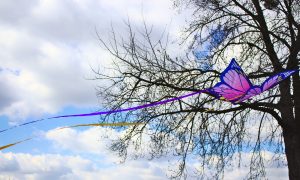
Streaming butterfly by xander jara from Ubuntu Budgie 26.04 Wallpapers – Official Indigo Collection
Sun through trees by annie spratt from Ubuntu Budgie 26.04 Wallpapers – Official Indigo Collection
Sundown beach by quino al from Ubuntu Budgie 26.04 Wallpapers – Official Indigo Collection
Ubuntu budgie wallpaper1 from Ubuntu Budgie 26.04 Wallpapers – Official Indigo Collection
Ubuntu budgie wallpaper2 from Ubuntu Budgie 26.04 Wallpapers – Official Indigo Collection
Ubuntu budgie wallpaper3 from Ubuntu Budgie 26.04 Wallpapers – Official Indigo Collection
Unknown flower by ngynloc from Ubuntu Budgie 26.04 Wallpapers – Official Indigo Collection
Wald by sigi sagi from Ubuntu Budgie 26.04 Wallpapers – Official Indigo Collection
Walk to the gate by peter heeling from Ubuntu Budgie 26.04 Wallpapers – Official Indigo Collection
Warrior door handle by mattias andersson from Ubuntu Budgie 26.04 Wallpapers – Official Indigo Collection
Watch macro by peter heeling from Ubuntu Budgie 26.04 Wallpapers – Official Indigo Collection
Water and coffee by alexey dulin from Ubuntu Budgie 26.04 Wallpapers – Official Indigo Collection
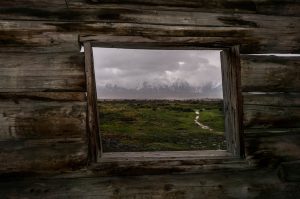
Window in window by stefan serena from Ubuntu Budgie 26.04 Wallpapers – Official Indigo Collection
Wintermas lights by radu galan from Ubuntu Budgie 26.04 Wallpapers – Official Indigo Collection
Witch holding a glass of wine by joanna foto from Ubuntu Budgie 26.04 Wallpapers – Official Indigo Collection
Woman pauses at foot of waterfall by daria lisovtsova from Ubuntu Budgie 26.04 Wallpapers – Official Indigo Collection
Wood wooden by alex klopcic from Ubuntu Budgie 26.04 Wallpapers – Official Indigo Collection
World photo walk day by mr drizz from Ubuntu Budgie 26.04 Wallpapers – Official Indigo Collection
Xplo by hugo cliff from Ubuntu Budgie 26.04 Wallpapers – Official Indigo Collection
About the Ubuntu Budgie 26.04 Wallpapers
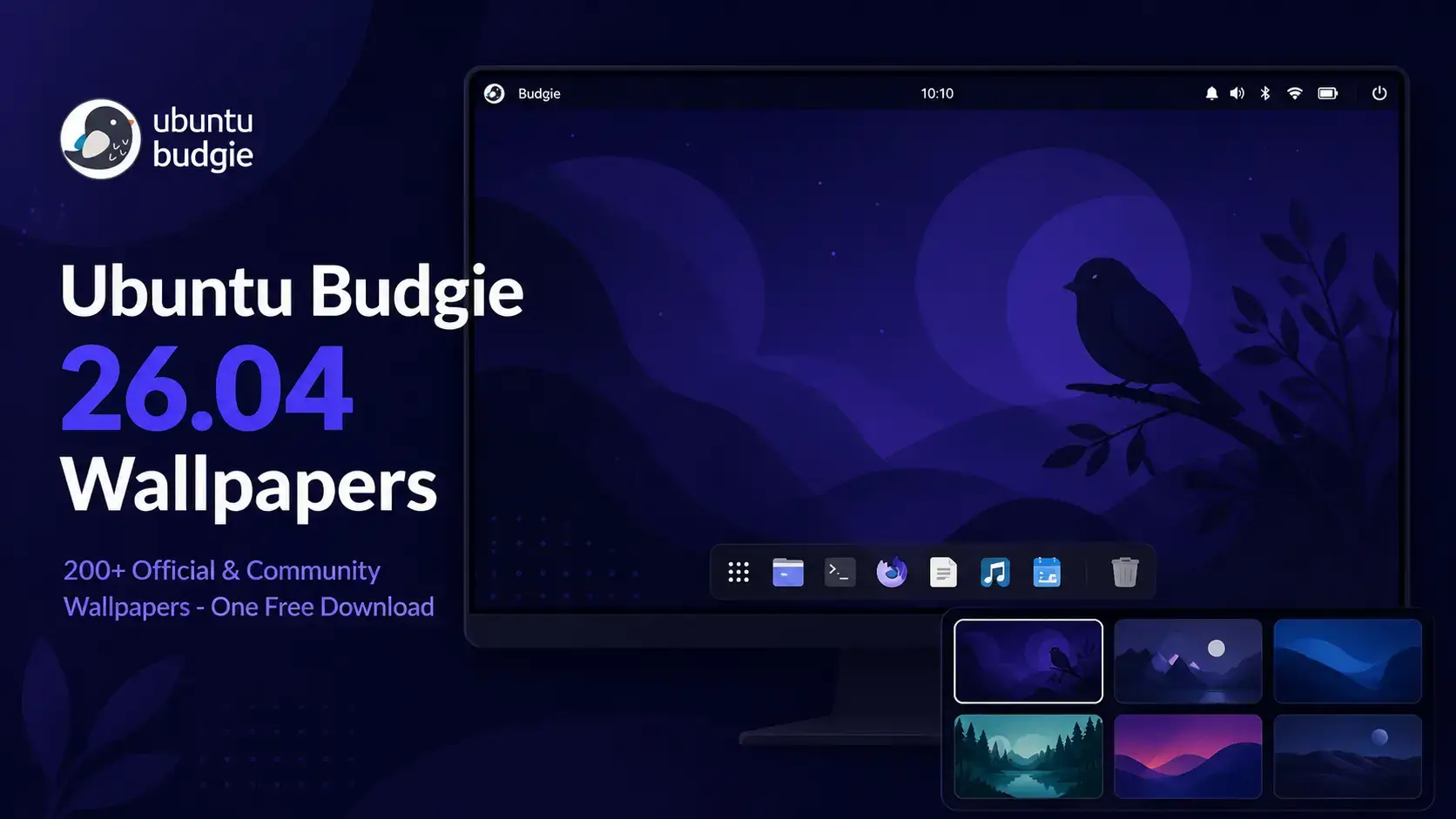
Ubuntu Budgie 26.04 LTS ships with release wallpapers designed to match the deep indigo-purple palette that defines the Budgie desktop in this release. The artwork carries the visual identity established across the Budgie panel, Crystal Dock, and SDDM greeter – a consistent, settled aesthetic rather than a departure from previous releases.
Ubuntu Budgie runs a community wallpaper contest alongside each LTS release, inviting users to submit designs that complement the Budgie aesthetic. For 26.04, the official release wallpapers and the best community contest submissions have been combined into one pack – over 200 wallpapers in a single download. You can also find the upstream source package on Launchpad if you prefer to pull wallpapers directly from the Ubuntu archive.
🌑
Default Wallpaper
The primary Ubuntu Budgie 26.04 wallpaper that ships on every fresh installation. Deep indigo tones in the Budgie visual identity.
🌞
Official Release Art
All release artwork prepared by the Ubuntu Budgie team for this LTS release, included in the combined pack.
👥
200+ Community Designs
Community-submitted wallpapers from the 26.04 contest, curated for quality. A wide range of styles all in the same download.
Download the Wallpapers
One combined pack with everything included. Official release artwork and community contest submissions together – over 200 wallpapers in a single ZIP, direct from our server.
Combined Wallpaper Pack · 200+ Wallpapers
Ubuntu Budgie 26.04 Wallpaper Pack
The complete Ubuntu Budgie 26.04 LTS wallpaper collection. Includes the official release artwork that ships with every Budgie 10.10.2 install and the full curated set of community-submitted designs from the 26.04 wallpaper contest. Available in HD, 1440p, and 4K in a single ZIP archive.
Ubuntu Budgie 26.04 runs on Wayland exclusively with the labwc compositor. Setting a wallpaper works through the standard Budgie background settings. Two methods are available depending on how you prefer to work.
Method 1 – Right-click the desktop (quickest)
1. Download the wallpaper file and save it somewhere on your computer.
2. Right-click anywhere on an empty area of the desktop.
3. Select Change Desktop Background.
4. Browse to your downloaded image, select it, and click Open. The wallpaper applies immediately.
Method 2 – System Settings (more options)
1. Open System Settings from the Budgie Menu or the panel.
2. Click Background.
3. Click the folder icon or the image picker and navigate to your downloaded wallpaper. Select it and click Open.
4. To set a separate image for the lock screen, stay in the Background panel and use the lock screen tab. Ubuntu Budgie 26.04 supports independent lock screen wallpapers via SDDM per-user settings.
Set a scaling mode
In the Background panel, you can also set how the image scales to fit your screen. Zoom fills the screen without distortion for most wallpapers. Centered works well for artwork with a focal point. The release notes confirm that wallpaper scaling in Ubuntu Budgie 26.04 correctly respects the selected background style under Wayland.
Frequently Asked Questions
What is the default wallpaper in Ubuntu Budgie 26.04?
The default wallpaper in Ubuntu Budgie 26.04 LTS is the official release artwork that ships with the Budgie Desktop 10.10.2 environment. It reflects the deep indigo-purple palette that Ubuntu Budgie uses across its branding and desktop theme. It appears on every fresh Ubuntu Budgie 26.04 installation automatically.
Where can I download the official Ubuntu Budgie 26.04 wallpapers?
The Ubuntu Budgie 26.04 wallpapers are available to download directly from this page. The combined pack with over 200 wallpapers is hosted on our server – use the download button in the section above. You can also browse the upstream source package on Launchpad.
What is included in the Ubuntu Budgie 26.04 wallpaper pack?
The pack combines two things in one download: the official release artwork that ships with Ubuntu Budgie 26.04 LTS (including the default desktop wallpaper) and a curated selection of community-submitted designs from the 26.04 wallpaper contest. Over 200 wallpapers total in a single ZIP archive.
Are the Ubuntu Budgie 26.04 wallpapers free to use?
Yes. The pack is free to download and use on your own desktop. The official release artwork is distributed as part of the Ubuntu Budgie project under open terms, and the community submissions were contributed for public use.
Do the Ubuntu Budgie 26.04 wallpapers work on other Linux distributions or Windows?
Yes. The wallpapers are standard image files and work on any desktop operating system including other Linux distributions, Windows, and macOS. There is nothing Ubuntu Budgie-specific about the file format.
How do I set a wallpaper on Ubuntu Budgie 26.04?
Right-click anywhere on an empty area of the desktop and select Change Desktop Background. Browse to your downloaded image, select it, and click Open. The wallpaper applies immediately. You can also open System Settings and go to Background to reach the same panel. Ubuntu Budgie 26.04 supports setting a separate wallpaper for the lock screen through SDDM per-user settings.
Does the SDDM login screen use a different wallpaper in Ubuntu Budgie 26.04?
Yes. Ubuntu Budgie 26.04 uses SDDM with a custom Ubuntu Budgie greeter theme. The login screen supports per-user wallpapers, meaning each user account can display a different background at the login screen. You can customise this using the slickSDDM-customize tool included with the release.
What resolutions are the Ubuntu Budgie 26.04 wallpapers available in?
The wallpapers are available at standard desktop resolutions suitable for HD (1920×1080), 1440p (2560×1440), and 4K (3840×2160) displays. All sizes are included in the single ZIP archive.