



This guide focuses on music players that are still useful on Ubuntu 26.04 or newer now. It covers full library managers, modern GNOME and KDE players, lightweight classics, and simple local-file players, with install commands and practical notes for each one.
If you think we missed any other software, please contact us or leave a comment below.
Top Picks at a Glance
- Strawberry: Best overall music library player for most Ubuntu users
- Rhythmbox: Best familiar Ubuntu and GNOME music player
- Tauon Music Box: Best modern player for visual album browsing
- fooyin: Best Foobar2000-style player built for Linux
- Elisa: Best KDE music player for a clean daily setup
- Audacious: Best lightweight classic player
Start with Strawberry if you have a real music collection. Choose Rhythmbox if you want the most familiar Ubuntu option. Choose Amberol if you just want to play a few local files. Choose Audacious if you want a small player that opens quickly and stays out of the way.
Best All-Round Music Players
These are the safest first choices for most Ubuntu users. They handle local libraries, playlists, album art, search, and daily listening without needing much setup.
Best For: Ubuntu users with a serious local music collection, album art, playlists, lyrics, and Last.fm or ListenBrainz tracking
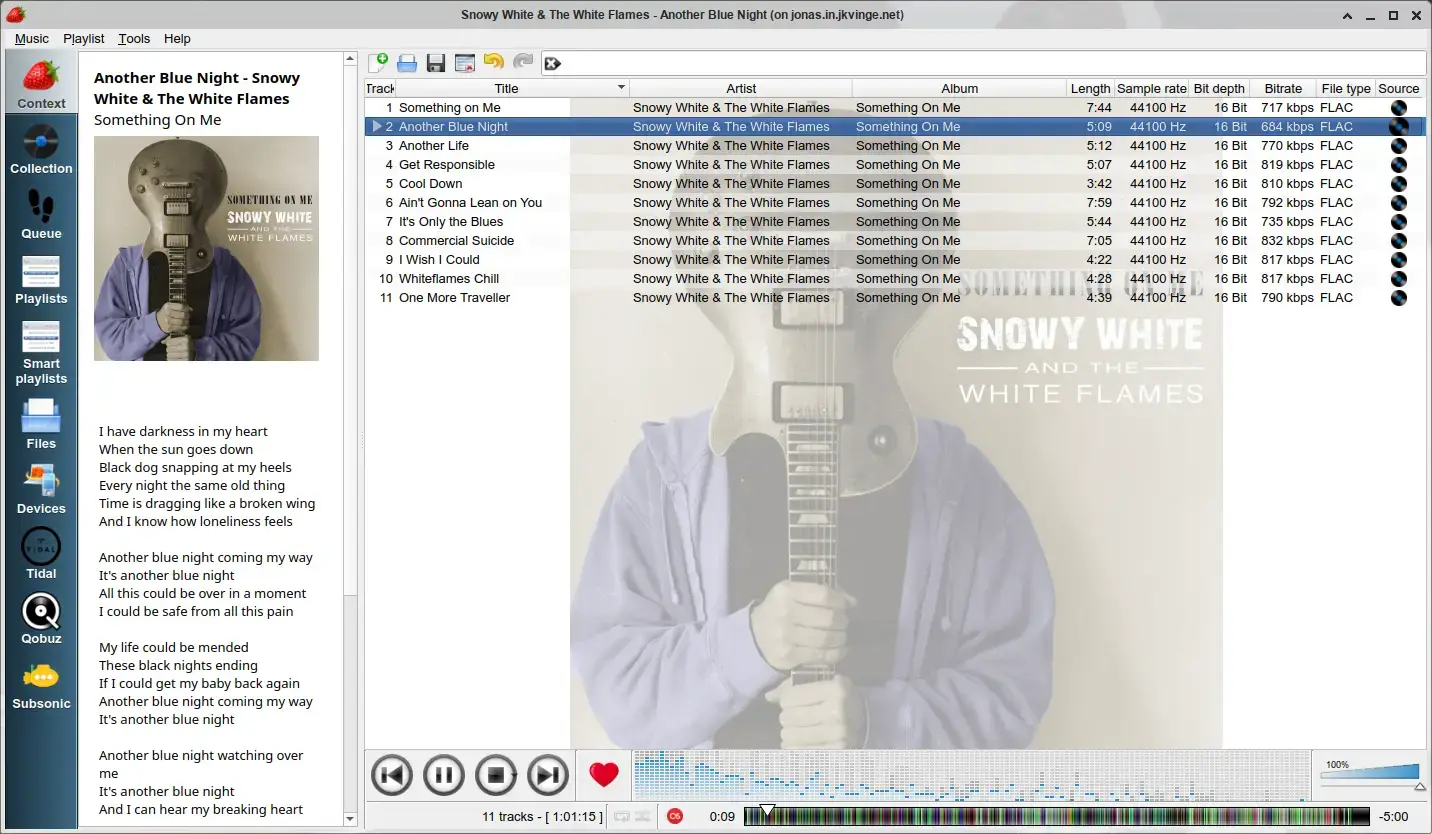

Why Choose It? Strawberry is the best all-round music player for Ubuntu because it balances modern maintenance with a full library workflow. It plays common audio formats, manages playlists, edits tags, finds album art, shows lyrics, tracks plays through Last.fm and ListenBrainz, and works well for large local collections.
- Library tools: Browse by artist, album, playlist, and saved views
- Music tracking: Last.fm and ListenBrainz support
- Metadata: Tag editing, MusicBrainz lookup, album art, and lyrics
- Audio support: Good support for FLAC, MP3, OGG, AAC, WAV, and more
Note: Strawberry is more powerful than a simple player, so it makes the most sense if you keep a real music library on your computer.
Install Command:
Best For: Ubuntu users who want a familiar, stable music library app with podcasts, radio streams, and simple playlists
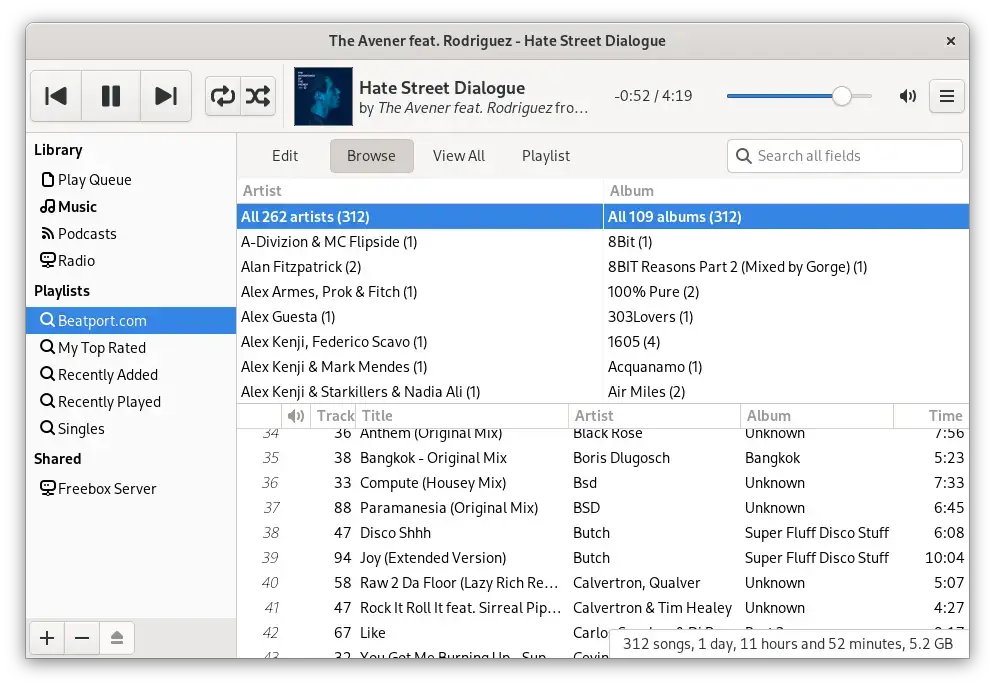

Why Choose It? Rhythmbox is still a sensible choice if you want a traditional Ubuntu music player. It is not flashy, but it handles normal local libraries, playlists, podcasts, radio, network shares, and portable devices well enough for many users.
- Easy install: Available from Ubuntu repositories and Flathub
- Library basics: Sort by artist, album, song, genre, and playlist
- Extra sources: Podcasts, internet radio, network shares, and some device support
- Plugins: Extra features through Python and C plugins
Note: Rhythmbox looks older than newer GNOME apps. Choose it for reliability, not visual polish.
Install Command:
Best For: Users who want a modern visual player with album art, themes, Last.fm, ListenBrainz, and easy playlist work
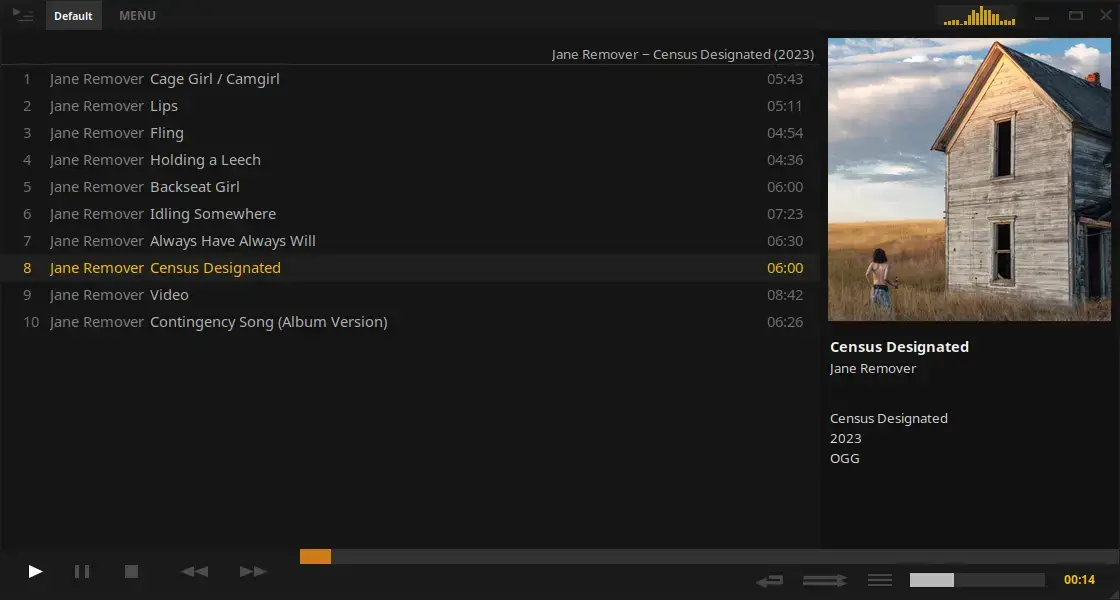

Why Choose It? Tauon Music Box feels newer than many traditional Linux music players. It is good for people who browse by albums, like large cover art, and want a player that can connect local music with services such as Jellyfin, Plex, Airsonic, Last.fm, and ListenBrainz.
- Modern layout: Large album art, gallery views, and color themes
- Library workflow: Drag and drop importing, folder-based album grouping, and playlist tools
- Extra services: Last.fm, ListenBrainz, Jellyfin, Airsonic, Plex, and Spotify playlist import
- Playback: Gapless playback, CUE sheet support, and synced lyrics support
Install Command:
Best For: Foobar2000 fans, advanced library users, custom layouts, filters, tag editing, and deep control
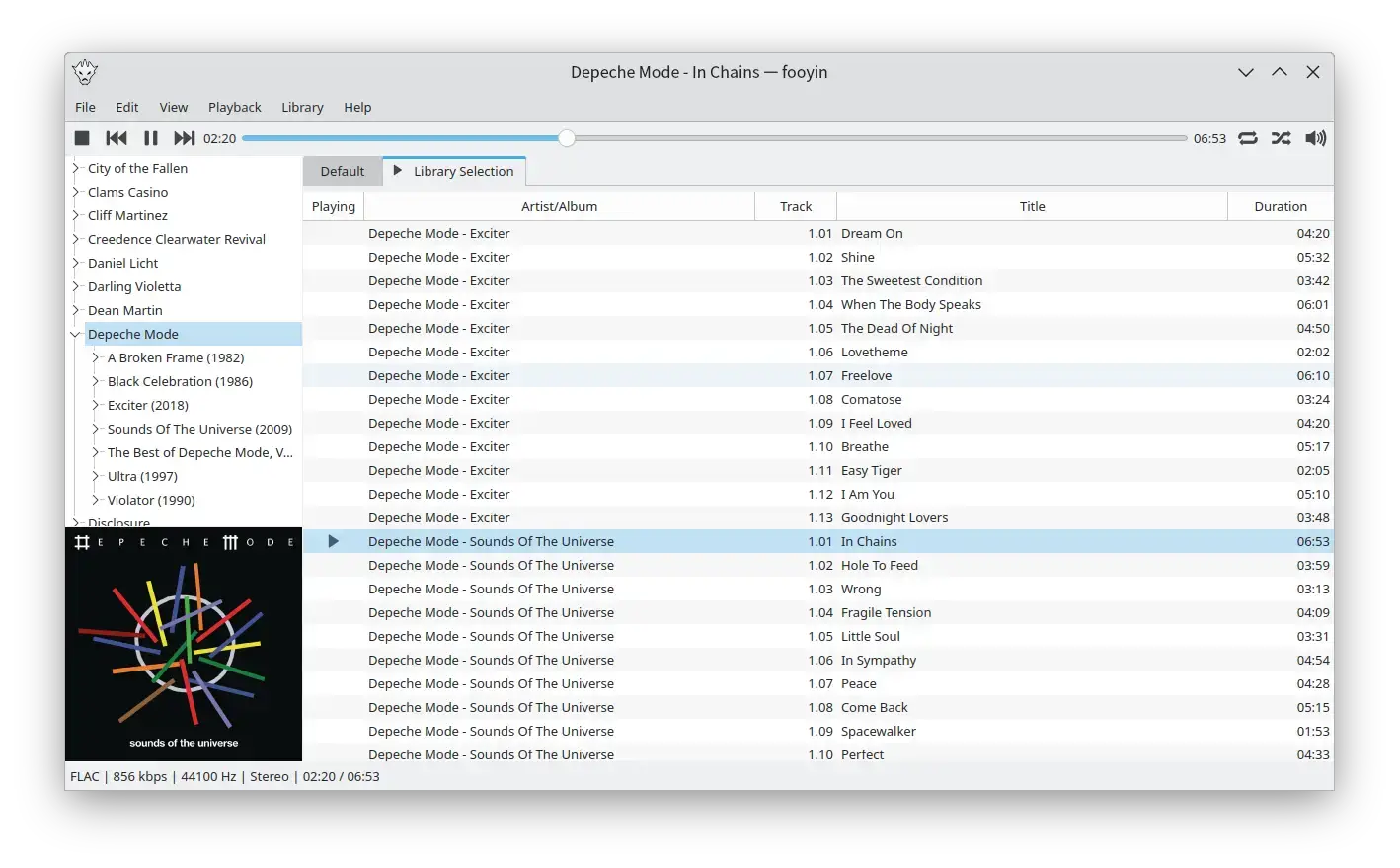

Why Choose It? fooyin is one of the strongest newer Linux music players for people who want control. Its layouts can be rearranged, it supports rich library views, has tag tools, and includes advanced playback features such as gapless playback, ReplayGain, crossfade, equalizer, and plugin support.
- Custom interface: Rearrange widgets and build your own layout
- Library browsing: Filters, tree views, directory browser, and playlists
- Playback extras: ReplayGain, gapless playback, equalizer, DSP tools, and crossfade
- Metadata: Tag editing, artwork tools, lyrics, and scripting features
Note: fooyin is powerful, but it is not the easiest first player. Try it if you like tuning the way your music library looks and works.
Install Command:
Modern GNOME and KDE Music Players
These apps fit best if you care about the desktop experience. Elisa and Amarok feel most natural on KDE Plasma, while Lollypop and Amberol fit GNOME-style desktops well.
Best For: KDE Plasma and Kubuntu users who want a clean music player that follows the desktop theme
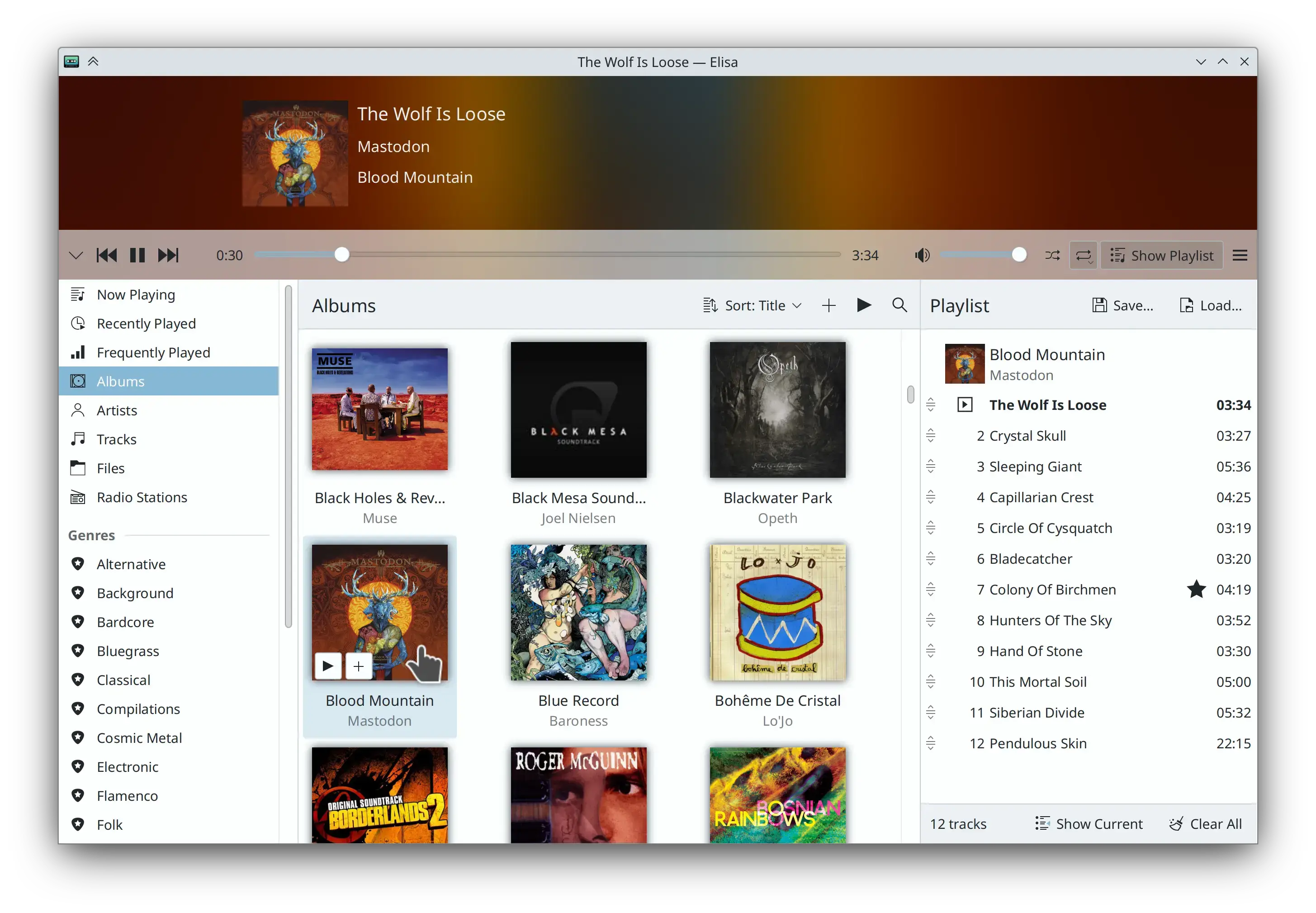

Why Choose It? Elisa is KDE’s clean, friendly music player. It is not trying to be a huge library power tool. It is better for users who want album, artist, genre, track, playlist, radio, and lyric support in a simple interface that looks at home on Plasma.
- KDE integration: Uses KDE colors and fits Plasma well
- Library views: Browse by genre, artist, album, and track
- Playlists: Create and manage playlists without extra setup
- Extra touches: Online radio, lyrics, and Party Mode
Install Command:
Best For: KDE users who want a revived classic music player with a deeper library workflow than Elisa
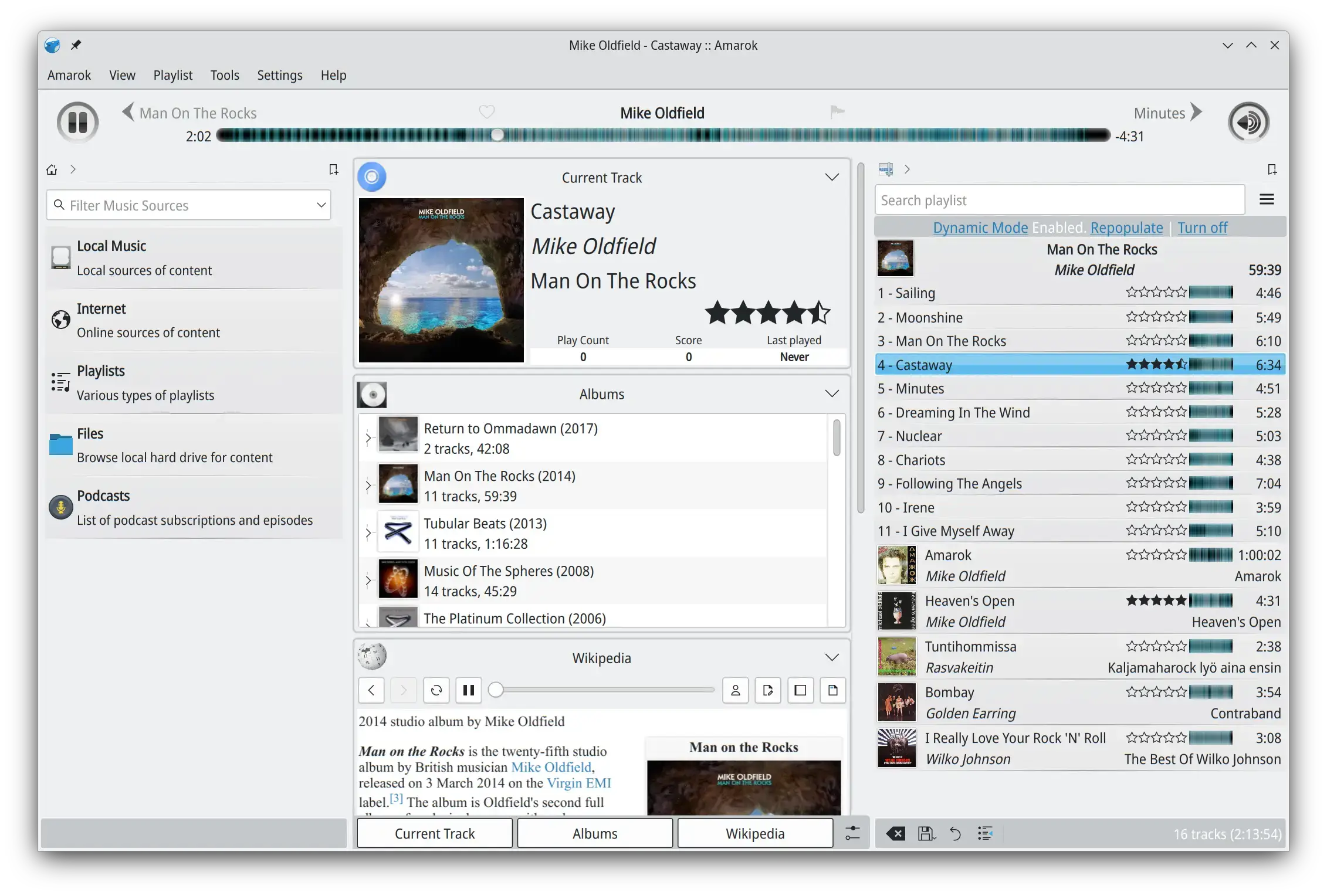

Why Choose It? Amarok used to be one of the biggest names in Linux music players, and it is active again. It is worth including now because KDE has shipped recent releases, including the modern Amarok 3 series. Choose it if you like the older power-user music library style and want something KDE-native.
- Classic library style: Designed for deeper music browsing and collection views
- Recent releases: Active Amarok 3 updates from KDE
- KDE fit: Best on KDE Plasma and Kubuntu systems
- Good for: Users who miss older Linux music player workflows
Note: Amarok is worth recommending again, but it is still a heavier choice than Elisa or Amberol.
Install Command:
Best For: GNOME users who want an album-focused music player with a clean visual library
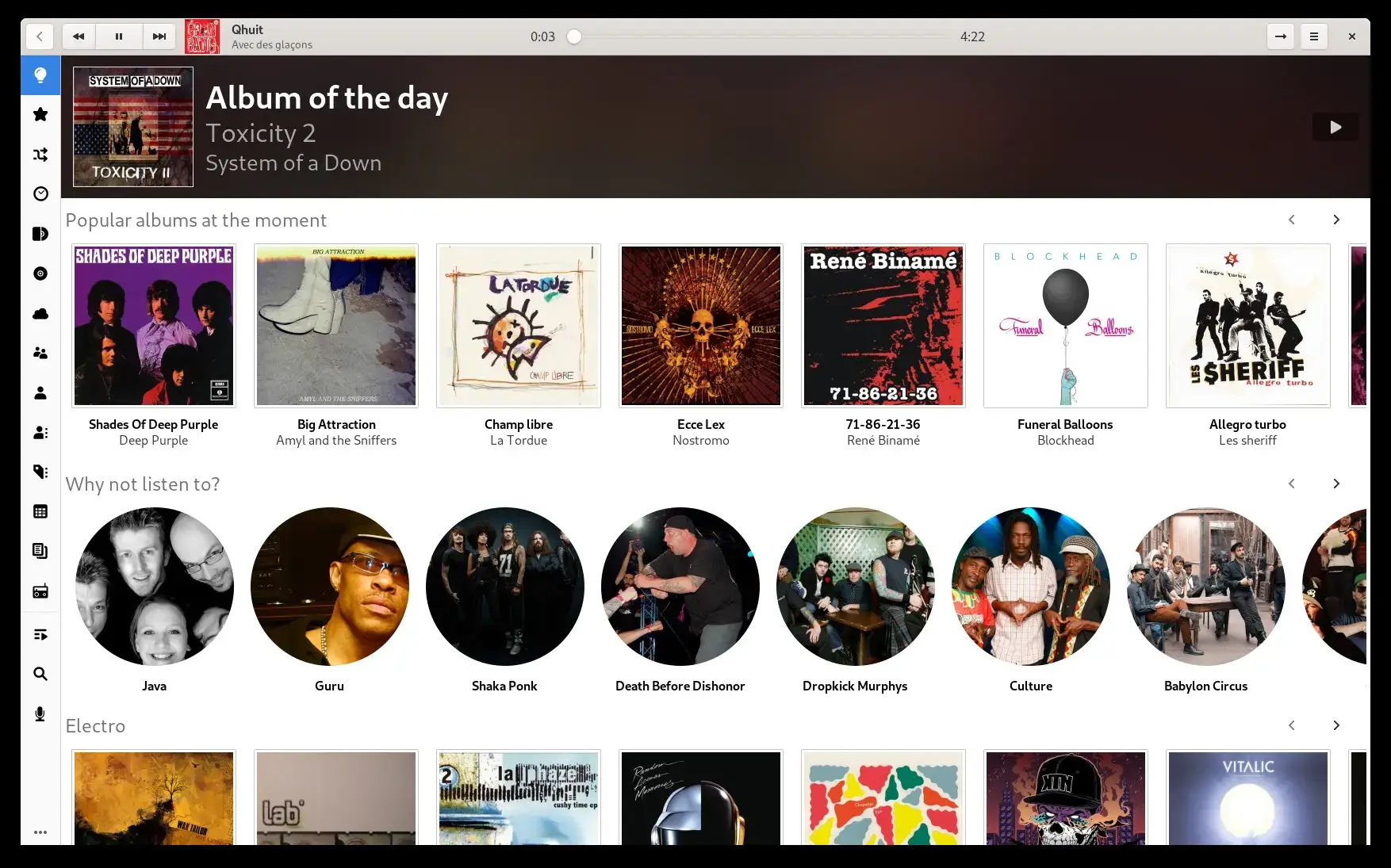

Why Choose It? Lollypop remains a good choice for people who want a GNOME-style music player that puts albums and artwork first. It is lighter than some full library apps but still offers lyrics, artwork lookup, ReplayGain, and a music collection view.
- Album-first design: Easy browsing by album art and collection views
- Online extras: Lyrics, artwork, and artist information lookup
- ReplayGain: Helps keep volume levels consistent
- GNOME fit: Works well on Ubuntu’s default desktop
Install Command:
Best For: Users who only want to open local songs, queue them, and listen without a full library manager
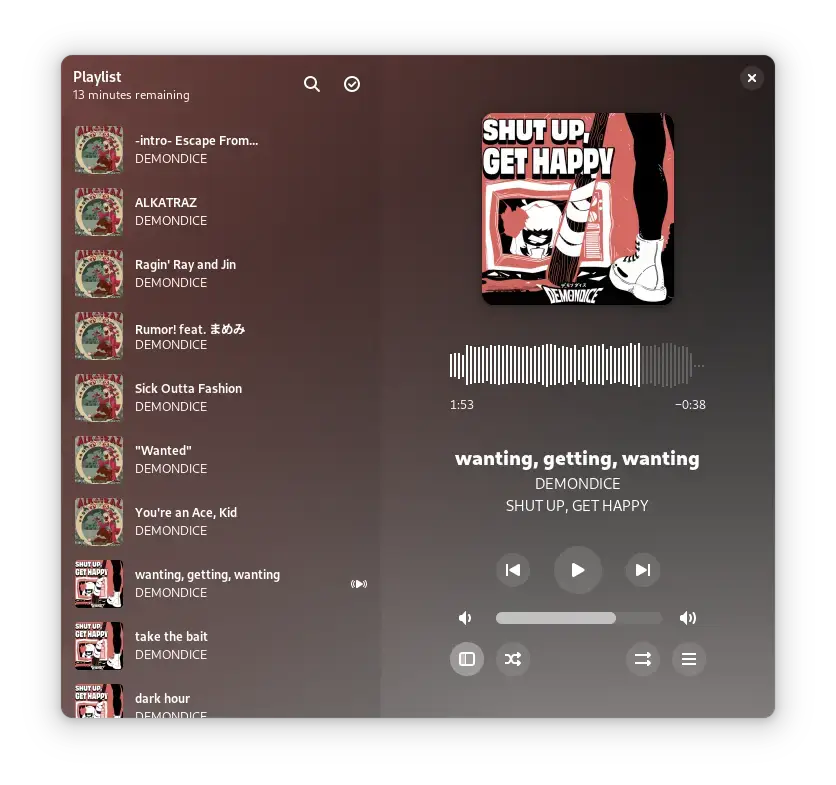

Why Choose It? Amberol is the opposite of a heavy music manager. It is for people who want to drag in songs, press play, and move on. It has a clean GNOME-style interface, adaptive layout, shuffle, repeat, and desktop media controls.
- Simple playback: Open files and folders without scanning a full library
- Queue support: Drag and drop songs into a play queue
- Clean interface: Adapts to screen size and uses album art colors
- Desktop controls: MPRIS support for media keys and desktop controls
Note: Amberol is not meant for big libraries, tags, smart playlists, or online services.
Install Command:
Lightweight and Classic Players
These players are best if you care more about speed, playlists, equalizers, file browsing, or a familiar desktop layout than modern app styling.
Best For: Users who want a fast player with playlists, an equalizer, internet streams, and optional classic skins
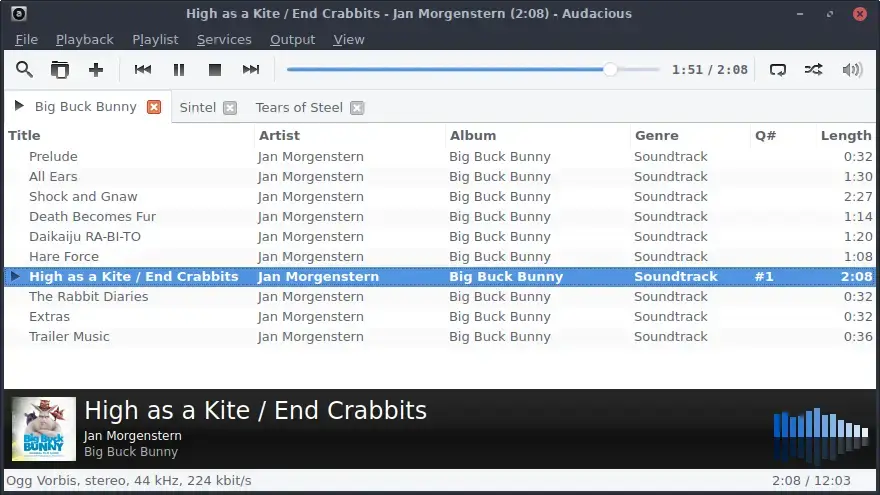

Why Choose It? Audacious opens quickly, uses fewer resources than large library managers, and still gives you enough tools for daily listening. It works well if you usually play folders, playlists, CDs, or internet streams instead of building a huge tagged library.
- Low resource use: Good for older laptops and simple desktops
- Playback controls: Playlists, search, equalizer, audio effects, and internet streams
- Interface choice: Modern Qt or GTK interface plus classic skin support
- Active project: Recent updates and active development
Install Command:
Best For: Users who organize music by folders, use CUE sheets, play unusual formats, or want a highly customizable file-based player
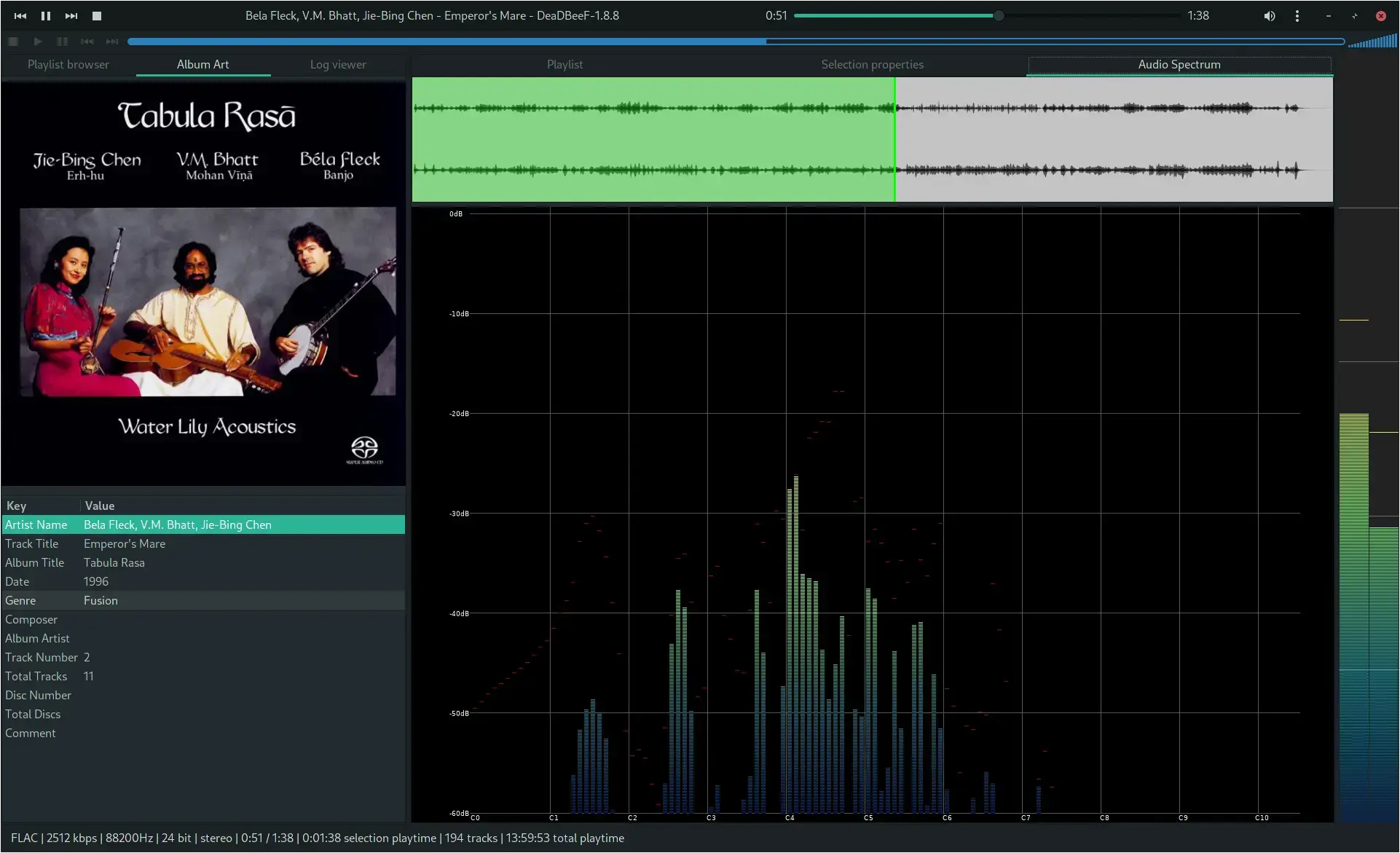

Why Choose It? DeaDBeeF is still useful because it is direct and flexible. It supports many audio formats, CUE sheets, tag editing, ReplayGain, plugins, internet radio, and a layout that can be customized heavily. It is a better fit for careful file-based libraries than for beginners.
- Format support: MP3, OGG, FLAC, AAC, ALAC, WAV, WavPack, tracker formats, chiptune formats, and more
- CUE sheets: Good support for album images split into tracks
- Tag tools: Reads and writes many common tag formats
- Plugins: Extra features for layout, formats, and audio processing
Note: DeaDBeeF is not as easy to install from standard Ubuntu sources as some other players. Use the official site if your Ubuntu release does not package it.
Install Command:
Best For: Users who want the classic Clementine layout and do not mind that Strawberry is the stronger modern fork
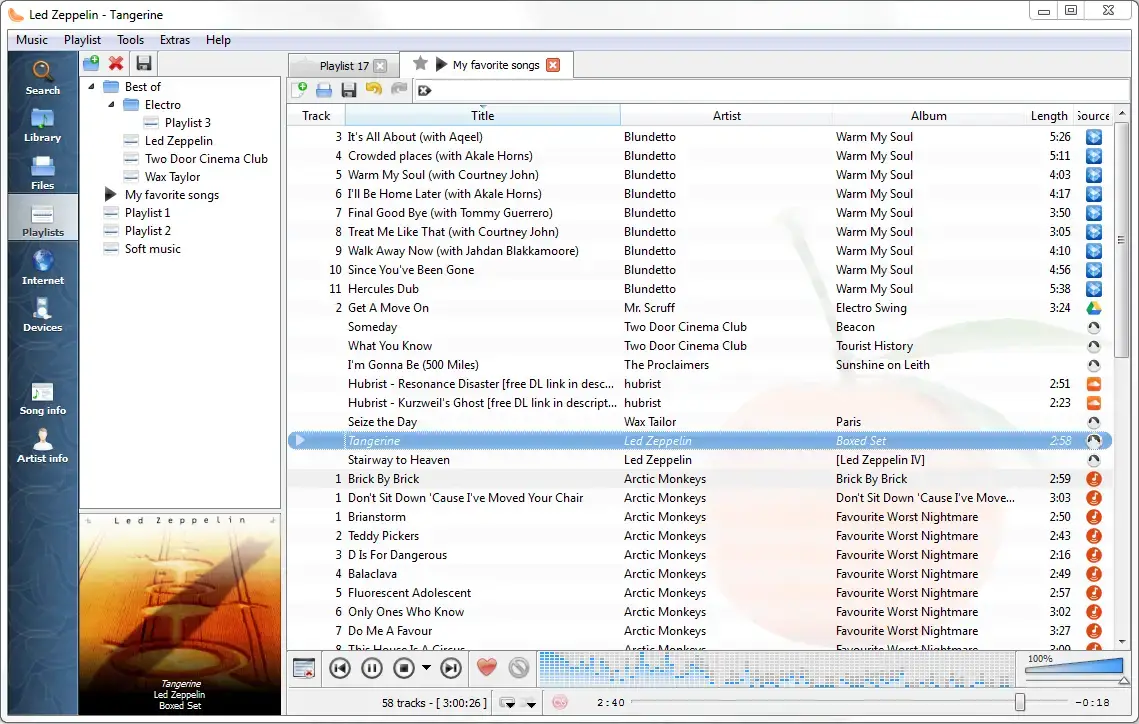

Why Choose It? Clementine still has fans because its layout is simple, fast, and familiar. Development has resumed after a long quiet period, but for most users Strawberry is still the better default because it is a more active Clementine fork with newer features.
- Familiar interface: A classic library player layout many Linux users know
- Fast browsing: Quick library search and playlist handling
- Local collection: Good for normal albums, playlists, and file playback
- Best for: Users who already like Clementine and want to keep that workflow
Note: New users should usually try Strawberry first. Clementine is here because it is still useful, not because it is the most future-proof choice.
Install Command:
Best For: Users who want a classic GTK music player with smart playlists, tagging, album art, lyrics, radio, and plugins
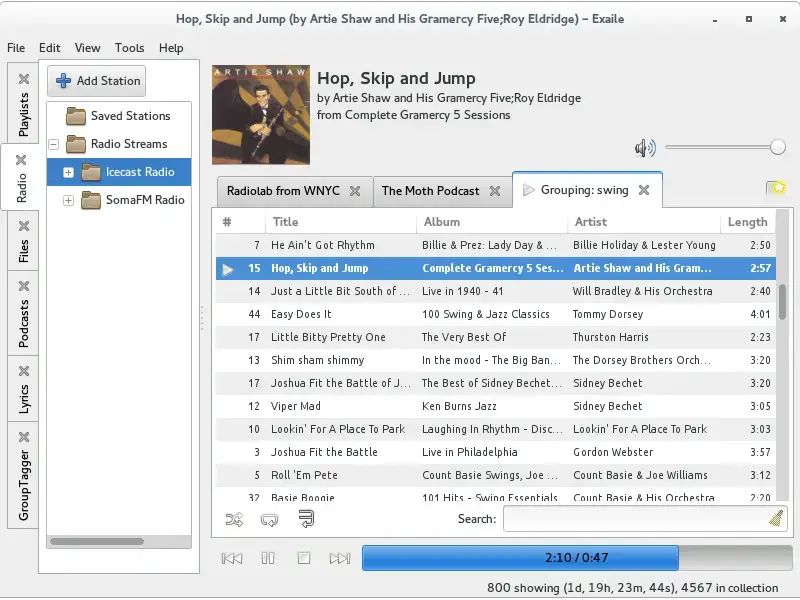

Why Choose It? Exaile is still alive and has recent releases. It is a good middle ground for users who want classic library tools without moving to KDE-style apps. It supports smart playlists, tags, album art, lyrics, radio, podcasts, and a large plugin system.
- Music management: Smart playlists, track tagging, album art, and lyrics
- Extra sources: Streaming radio and podcasts
- Plugins: More than 50 plugins available
- Good fit: Users who want a GTK app with more classic library features than Amberol
Install Command:
Library Managers for Large Collections
If you have thousands of tracks, inconsistent tags, folder-based collections, or custom search habits, these two are worth a closer look. They are less flashy, but they reward careful music collectors.
Best For: Large libraries, custom tags, advanced searches, podcasts, internet radio, and users who care about metadata
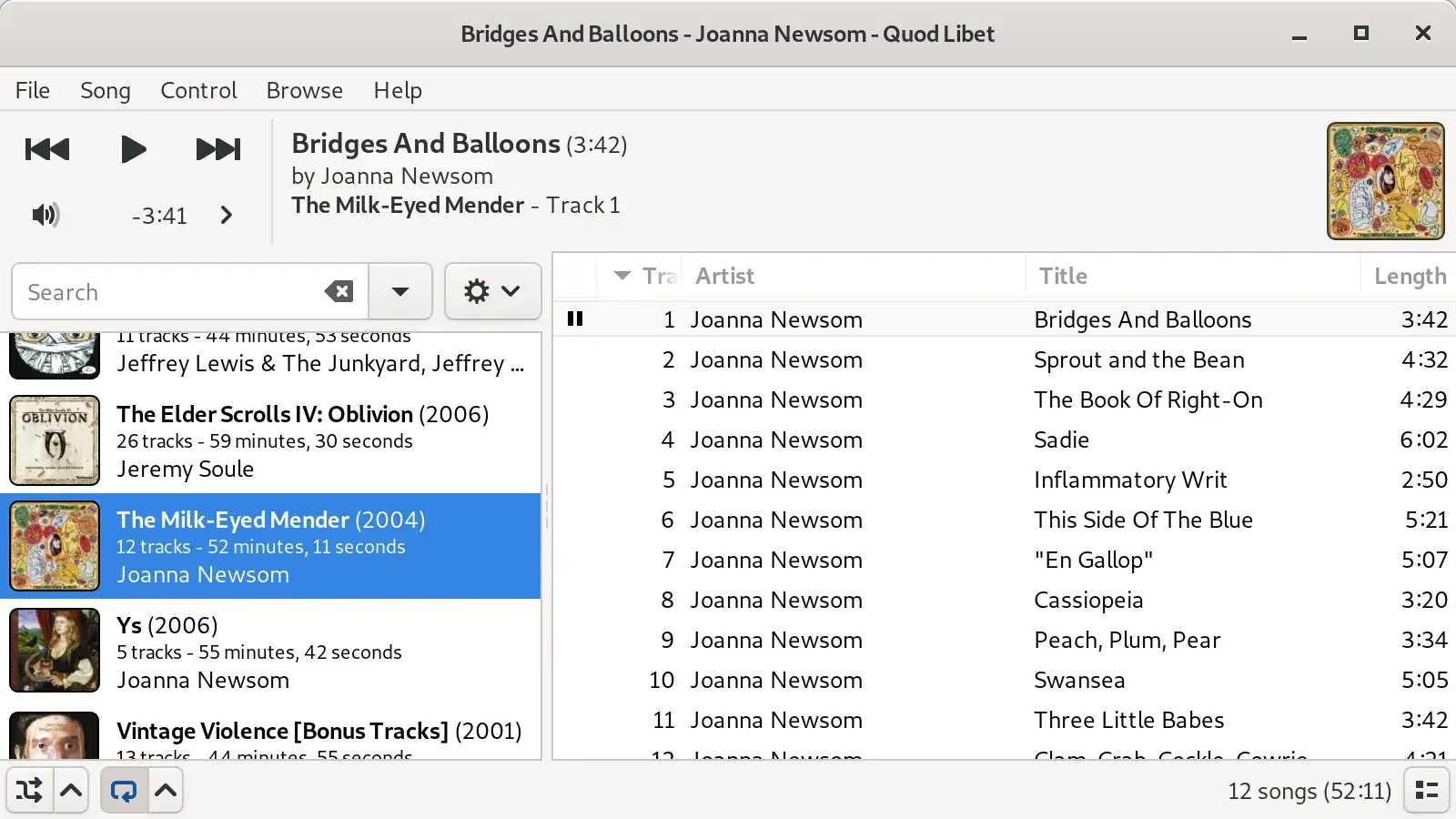

Why Choose It? Quod Libet is built around the idea that you know how your music should be organized. It scales to very large libraries, lets you edit tags deeply, supports flexible searches, and includes features such as ReplayGain, internet radio, podcasts, album art, and major audio formats.
- Large library support: Designed to handle tens of thousands of songs
- Tag editing: Edit and display the tags that matter to your collection
- Search control: Powerful searches, with normal search available too
- Extra tools: Internet radio, podcasts, ReplayGain, and album art support
Install Command:
Best For: Users who want a fast Qt music player with library views, playlists, equalizer, podcasts, streams, and tag editing
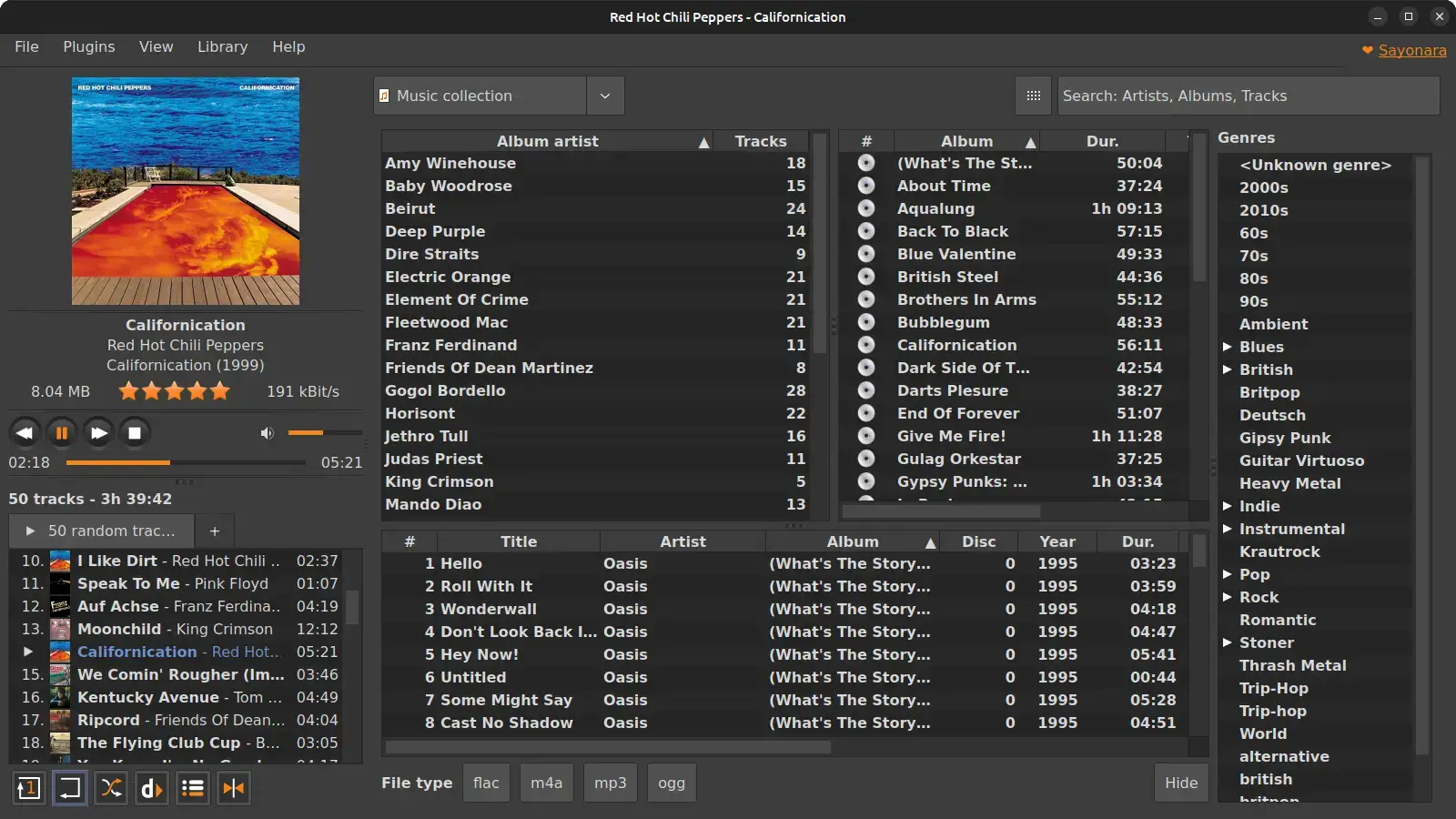
Why Choose It? Sayonara is a practical choice for users who want speed and a lot of normal music player features in one app. It has playlists in tabs, multiple library views, tag editing, equalizer, spectrum tools, podcasts, streams, and several install options for Ubuntu.
- Fast interface: Built around low resource use and quick library searches
- Library views: Multiple ways to browse artists, albums, tracks, and genres
- Audio tools: Equalizer, spectrum analyzer, bookmarks, and converter tools
- Install options: Ubuntu packages, Flatpak, Snap, and AppImage options are available
Install Command:
Music Player Comparison
| App | Best Use | Install Method | Best For |
|---|---|---|---|
| Strawberry | Full local library | Flatpak | Most users with music collections |
| Rhythmbox | Familiar Ubuntu player | apt or Flatpak | GNOME users who want stable basics |
| Tauon Music Box | Modern album browsing | Flatpak | Visual music library users |
| fooyin | Custom library layouts | Flatpak | Foobar2000-style workflows |
| Elisa | Simple KDE player | apt or Flatpak | Kubuntu and KDE Plasma users |
| Amarok | Classic KDE library | Flatpak | KDE users who want more depth |
| Lollypop | Album art browsing | Flatpak | GNOME users who like visual libraries |
| Amberol | Simple file playback | Flatpak | Users who do not need a library manager |
| Audacious | Light player and playlists | apt | Older PCs and classic-player fans |
| DeaDBeeF | File-first advanced playback | apt or official downloads | Folder-based collections and CUE sheets |
| Clementine | Classic library layout | apt | Users who prefer the old Clementine workflow |
| Exaile | GTK library with plugins | apt | Classic GNOME-style music management |
| Quod Libet | Large libraries and tags | Flatpak | Metadata-heavy collections |
| Sayonara | Fast Qt library manager | Flatpak, Snap, or Ubuntu packages | Users who want speed and many built-in tools |
Frequently Asked Questions
What is the best music player for Ubuntu?
Strawberry is the best music player for most Ubuntu users who want a full local music library app. It handles playlists, album art, lyrics, Last.fm and ListenBrainz, tag editing, and large music collections. Rhythmbox is easier if you want a familiar Ubuntu-style app, while Tauon is better if you want a modern visual layout.
What is the best simple music player for Ubuntu?
Amberol is the best simple music player for Ubuntu if you only want to open local music files and play them without managing a full library. Audacious is also a good simple choice if you prefer a small classic desktop player with playlists and an equalizer.
Which Ubuntu music player is best for large music libraries?
Strawberry, Quod Libet, fooyin, and Sayonara are the best choices for large music libraries. Strawberry is the easiest full-library option, Quod Libet is strongest for tags and custom searches, fooyin is best for users who want a Foobar2000-style layout, and Sayonara is fast with good library views.
Is Rhythmbox still good on Ubuntu?
Yes. Rhythmbox is still a good Ubuntu music player if you want a stable GNOME-style app for local music, podcasts, radio streams, network shares, and portable devices. It is not the most modern-looking option, but it remains useful and easy to install.
Is Amarok still maintained?
Yes. Amarok is active again and has recent KDE releases. It is a good choice for KDE users who liked the classic Amarok workflow, but it is not the simplest option. If you want a cleaner daily music player, try Elisa, Strawberry, or Tauon first.
Should I use VLC as my music player on Ubuntu?
VLC is useful for playing single audio files and unusual formats, but it is not the best music library manager. Use VLC when you need one app that plays almost anything. Use Strawberry, Rhythmbox, Tauon, Elisa, or Quod Libet when you want a proper music library.
What happened to Banshee on Ubuntu?
Banshee is no longer a good recommendation for new Ubuntu installs because development stopped years ago. If you miss the old Banshee-style library app, use Strawberry, Rhythmbox, Clementine, or Quod Libet instead.
More Ubuntu app guides: Best Media Players for Ubuntu | Best Audio Editors for Ubuntu | Best Ubuntu Software | Best Browsers for Ubuntu