

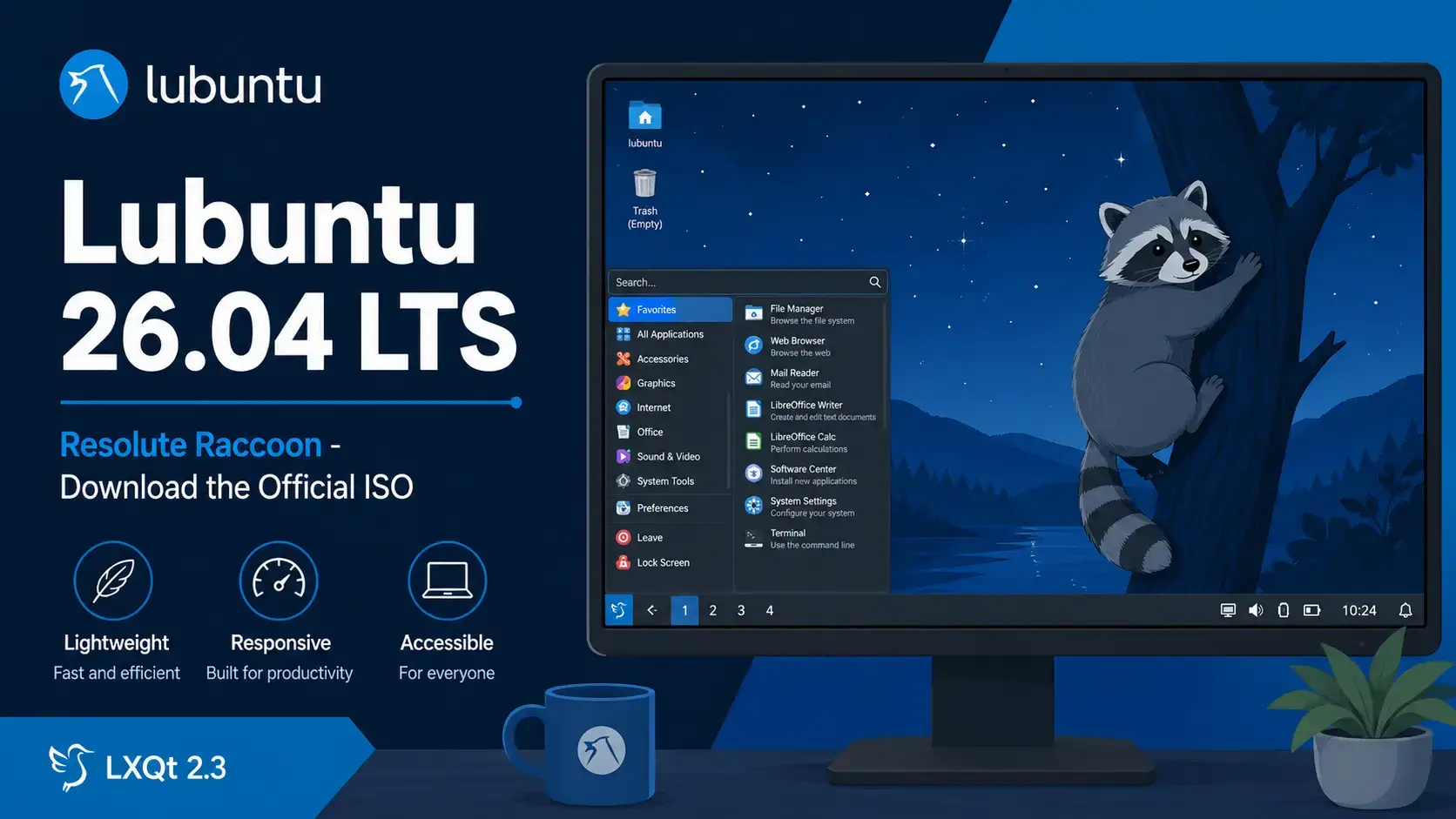

Resolute Raccoon
Ubuntu with the lightweight LXQt 2.3 desktop. Free to use. Supported until April 2029.
What Is Lubuntu?
Lubuntu is the official Ubuntu flavor that uses the LXQt desktop environment. LXQt is designed to run on less RAM and CPU than GNOME or KDE Plasma, which makes Lubuntu a practical choice for older computers, low-spec machines, or anyone who wants a desktop that stays out of the way.
Lubuntu 26.04 is also a milestone: it is the 30th release of the project and the 16th to ship LXQt as the default desktop. Under the hood it is the first Ubuntu LTS to include Rust-based coreutils and sudo-rs, giving the core system a more modern and memory-safe foundation.
Lubuntu shares the same Ubuntu base, the same software repositories, and the same security update schedule as standard Ubuntu. You get a familiar apt-based system with a lighter desktop on top.
Download Lubuntu 26.04 LTS
The link below goes directly to cdimage.ubuntu.com, Canonical’s official image server for Ubuntu flavors.
Size: ~3.6 GB
Includes: Full LXQt desktop with default apps
What’s New in Lubuntu 26.04
The headline update is LXQt 2.3, released in November 2025. It brings meaningful improvements to Wayland support, the file manager, and the application menu. For the full changelog, see the official Lubuntu 26.04 release notes.
Lubuntu now ships with the improved Fancy Menu application launcher by default. It replaces the older classic menu and offers a more organised layout, making it easier to find applications without scrolling through a flat list.
LXQt 2.3 adds screenshot support under Wayland compositors that support the wlr screencopy protocol, including Hyprland and Sway. The LXQt panel and power management also gained improved Wayland integration.
The file manager adds a “Safely Remove” option in the side pane context menu for external drives and a new “Extract Here” option for archive files. The LXImage-Qt image viewer also picks up support for animated WebP images.
Lubuntu 26.04 is the first LTS to ship with Rust-based coreutils and sudo-rs, replacing many traditional GNU tools with memory-safe Rust rewrites. This was introduced in Ubuntu 25.10 and now carries forward into the first LTS release.
How to Verify Your Download (SHA256)
Always verify your ISO before writing it to a USB drive. This confirms the file downloaded completely and was not corrupted.
SHA256SUMS file to the same folder as your ISO.Run the checksumOn Linux or macOS:
sha256sum lubuntu-26.04-desktop-amd64.iso
On Windows (PowerShell):
Get-FileHash lubuntu-26.04-desktop-amd64.iso -Algorithm SHA256
How to Install Lubuntu 26.04
Once you have the ISO, the process is the same as any Ubuntu flavor.
System Requirements
LXQt uses fewer resources than GNOME or KDE Plasma. Lubuntu runs well on hardware that other desktops would struggle with.
- CPU: 1 GHz dual-core processor
- RAM: 2 GB
- Storage: 15 GB free disk space
- Display: 1024 x 768
- USB: 8 GB for installation media
- CPU: 4-core 64-bit processor
- RAM: 4 GB or more
- Storage: 30 GB SSD
- Display: 1920 x 1080
- GPU: Works with most modern and older graphics cards
Free. Open source. LXQt 2.3. Supported until April 2029.
Frequently Asked Questions
Can I try Lubuntu 26.04 without installing it?
Yes. When you boot from the USB installer, choose “Try Lubuntu” on the welcome screen. This loads a live version directly from the USB drive without touching your hard disk. You can test it as long as you like, then restart to return to your current system.
Will my old software still work on Lubuntu 26.04?
Most software continues to work. Lubuntu 26.04 includes a compatibility layer called XWayland so older apps generally open without any changes. A small number of screen recording or remote desktop tools may need updates from their developers.
What is the difference between an LTS release and a regular Ubuntu release?
LTS stands for Long Term Support. Canonical releases a new version of Ubuntu every 6 months, but only the LTS versions get multi-year security updates. Regular releases are only supported for 9 months. For most people on a work or home computer, LTS is the right choice.
Can I run Lubuntu 26.04 inside a virtual machine?
Yes. Lubuntu 26.04 works well inside VirtualBox, VMware, and GNOME Boxes. Use the AMD64 ISO for Intel and AMD host machines. LXQt’s low resource usage makes it one of the best choices for a virtual machine with limited RAM allocation.
How do I create a bootable USB from the ISO file?
On Windows, use Rufus and select the ISO file. On macOS or Linux, use Balena Etcher. Both are free. Select your USB drive carefully as all data on it will be erased during the process.
Is Lubuntu 26.04 free to use on a business computer?
Yes. Lubuntu is free to download, install, and use on as many computers as you like, including in a business. There is no license fee.
What makes Lubuntu different from standard Ubuntu?
Lubuntu uses the LXQt desktop environment instead of GNOME. LXQt uses significantly less RAM and CPU than GNOME, which makes Lubuntu a practical choice for older computers or anyone who wants a faster, more responsive desktop on modest hardware. It shares the same Ubuntu base, security updates, and software repositories as standard Ubuntu.
More Lubuntu 26.04 guides: What’s New in Lubuntu 26.04 · Upgrade to Lubuntu 26.04 · Lubuntu 26.04 Wallpapers · Kubuntu 26.04 Download · Xubuntu 26.04 Download