



This guide focuses on email clients that are still useful on Ubuntu today. Some are full desktop apps. Some are light and old-school. Some are modern paid or proprietary tools.
A few well-known names are left out of the main list because they are no longer strong recommendations for normal Ubuntu 26.04, 24.04 and 22.04 LTS users in 2026 and beyond.
Feel free to leave a comment below or contact us if you any other questions or feedback on the apps we have listed.
Top Email Clients at a Glance
- Thunderbird: Best all-round email client for most Ubuntu users
- Evolution: Best Outlook-style app for mail, calendar, contacts, and Exchange
- KMail: Best native choice for KDE Plasma users
- Claws Mail: Best lightweight graphical email client
- Mailspring: Best polished modern client if you accept some paid features
- Proton Mail Bridge: Best helper for Proton Mail users, but not a full email client
Start with Thunderbird if you want the safest default. Choose Evolution if you need work calendar and Exchange support. Choose KMail on KDE Plasma if you want native desktop integration. Choose Claws Mail if your main goal is speed.
Best All-Round Email Clients
These are the safest first choices for most Ubuntu users. They support normal mail accounts, multiple inboxes, folders, search, and enough extra features to work well as daily email apps.
Best For: Most Ubuntu users who want one reliable email app for personal and work accounts
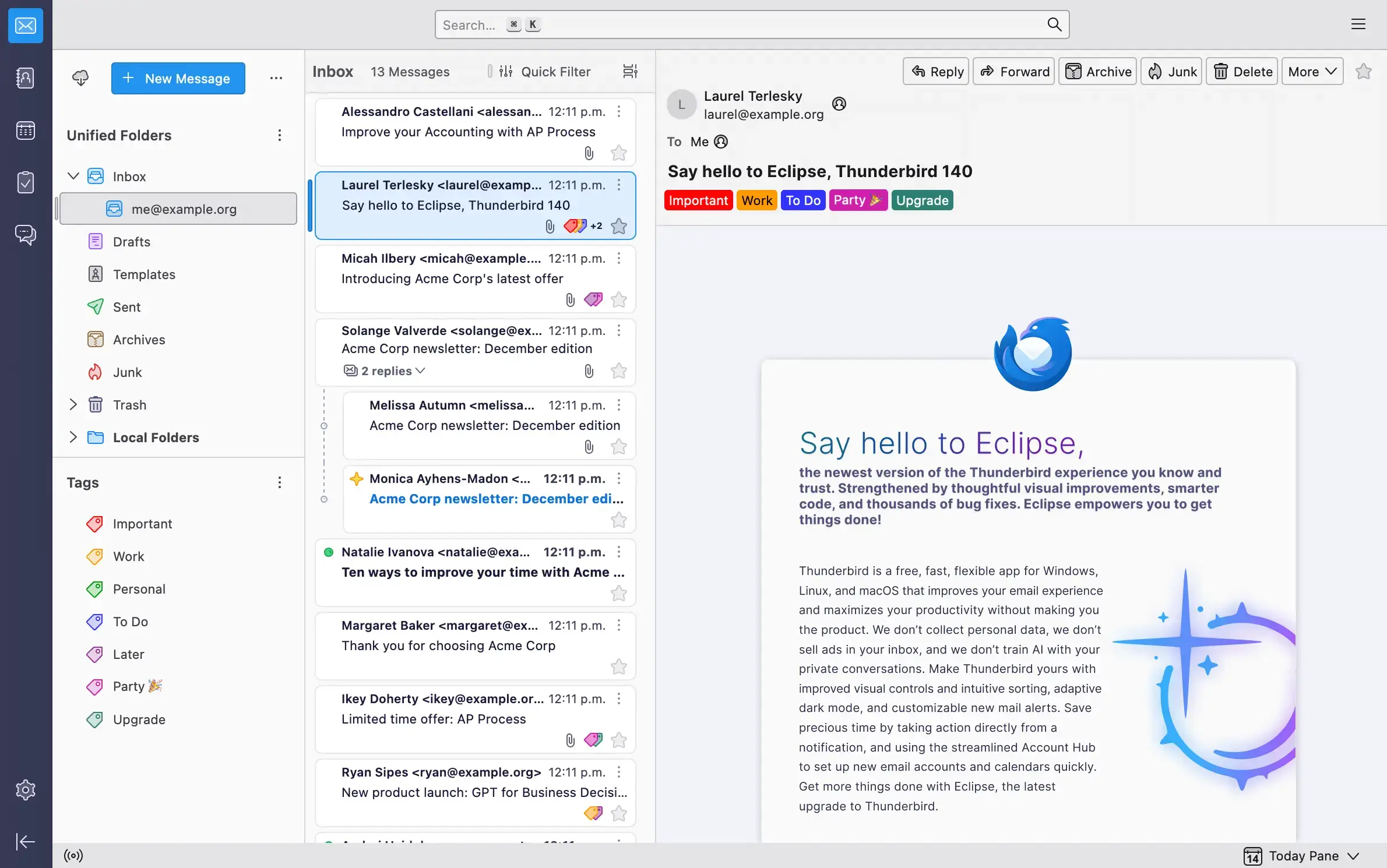

Why Choose It? Thunderbird is still the best default email client on Ubuntu. It handles multiple accounts, calendars, contacts, encryption, add-ons, and large inboxes better than most Linux mail apps. It is also the safest pick if you want something widely used and easy to find help for. Read our full guide.
- Account support: Works with Gmail, Outlook, Yahoo, Fastmail, iCloud, and standard IMAP mail providers
- Built-in tools: Includes calendar, contacts, tasks, news feeds, and OpenPGP encryption
- Add-ons: Large extension library for extra features and layout changes
- Best install path: Flatpak gives you a current official build across Ubuntu versions
Note: Thunderbird has many settings. That is useful for power users, but it can feel busy if you only want a simple inbox.
Install Command:
Best For: Thunderbird users who want extra fixes, small interface changes, and newer behavior without switching apps
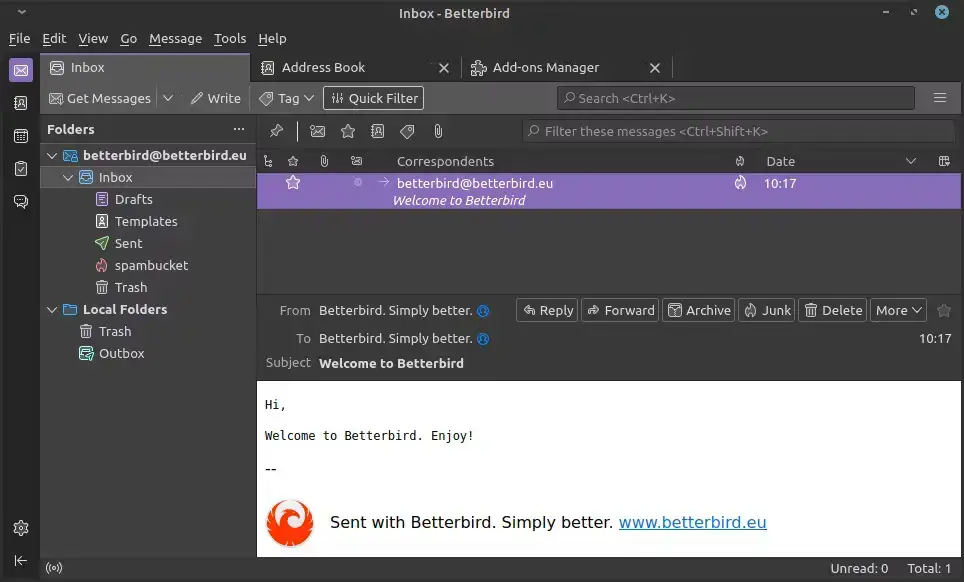

Why Choose It? Betterbird is based on Thunderbird, but it includes extra fixes and interface options that often arrive faster than they do in Thunderbird. It is a good choice if you already like Thunderbird but want a more tuned version.
- Familiar base: Looks and works much like Thunderbird
- Profile migration: Existing Thunderbird users can usually move without relearning everything
- Linux builds: Current Linux tarballs and Flatpak options are available
- Good fit: Better for users who notice Thunderbird issues and want a more patched build
Note: Betterbird is smaller than Thunderbird as a project. If you want the safest long-term default, Thunderbird is still the first recommendation.
Install Command:
Best For: Ubuntu users who want an Outlook-style app for email, calendar, contacts, tasks, and work accounts
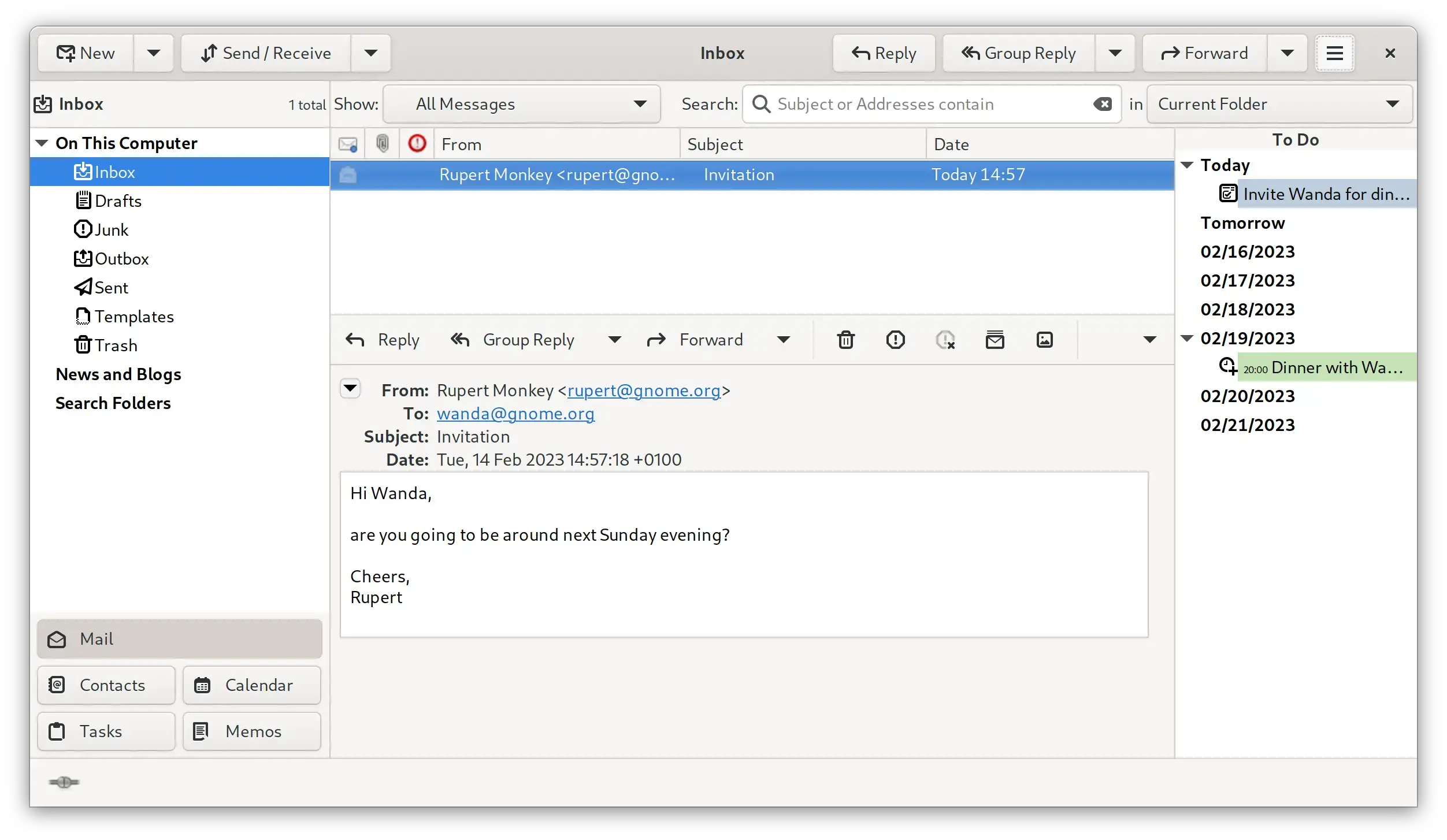

Why Choose It? Evolution is the closest thing to Outlook on a Linux desktop. It combines mail, calendar, contacts, tasks, and meeting invites in one app. It is especially useful if your Ubuntu machine needs to work with Microsoft 365 or Exchange accounts.
- Work accounts: Supports IMAP, POP, SMTP, and Exchange Web Services through the EWS extension
- Calendar focus: Strong meeting invite and schedule handling
- GNOME fit: Integrates well with GNOME Online Accounts
- Security: Supports S/MIME and OpenPGP mail security
Note: Evolution is powerful, but it feels more like a work suite than a simple personal inbox. Choose it for features, not minimal design.
Install Command:
GNOME and KDE Native Email Clients
These apps make the most sense if you care about your desktop environment. KMail fits KDE Plasma. Geary fits GNOME-style desktops. Both are useful, but each comes with a different tradeoff.
Best For: Kubuntu and KDE Plasma users who want email integrated with Kontact, KOrganizer, and KAddressBook
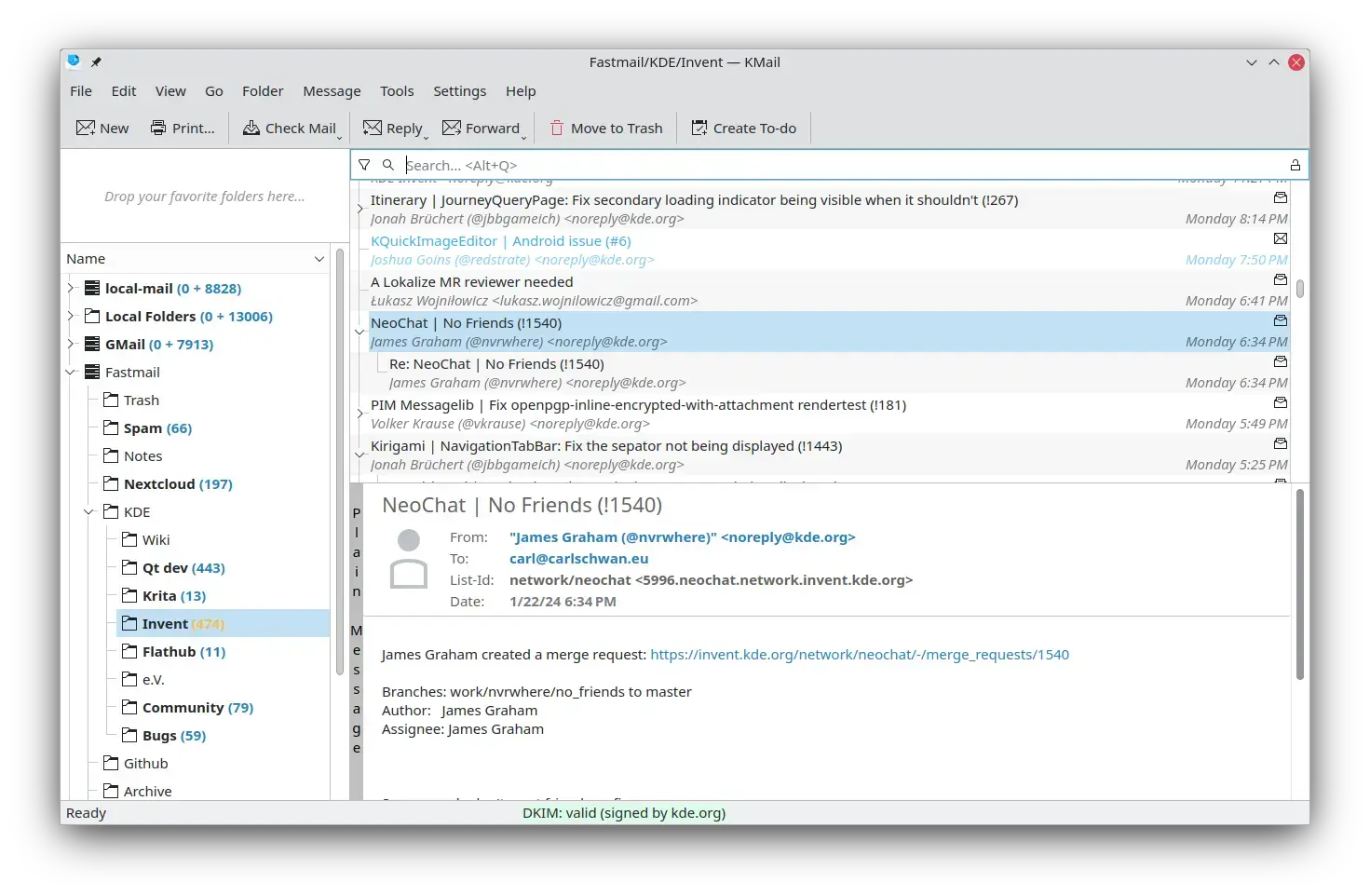

Why Choose It? KMail is the native KDE email client and part of the wider Kontact suite. It is powerful, privacy-aware, and deeply tied into KDE’s calendar and address book tools. It is the right first test on Kubuntu if you want a desktop-native workflow.
- KDE integration: Works with KOrganizer, KAddressBook, and other KDE personal information tools
- Account support: Supports IMAP, POP3, and Microsoft Exchange through EWS
- Security: Strong OpenPGP, PGP/MIME, and S/MIME support
- Filtering: Good rules, tagging, search, and offline mail features
Note: KMail depends on KDE’s Akonadi background system. When it works, it is excellent. When it misbehaves, troubleshooting can be harder than with Thunderbird.
Install Command:
Best For: GNOME users who want a clean conversation-style inbox and do not need a full office-style mail suite
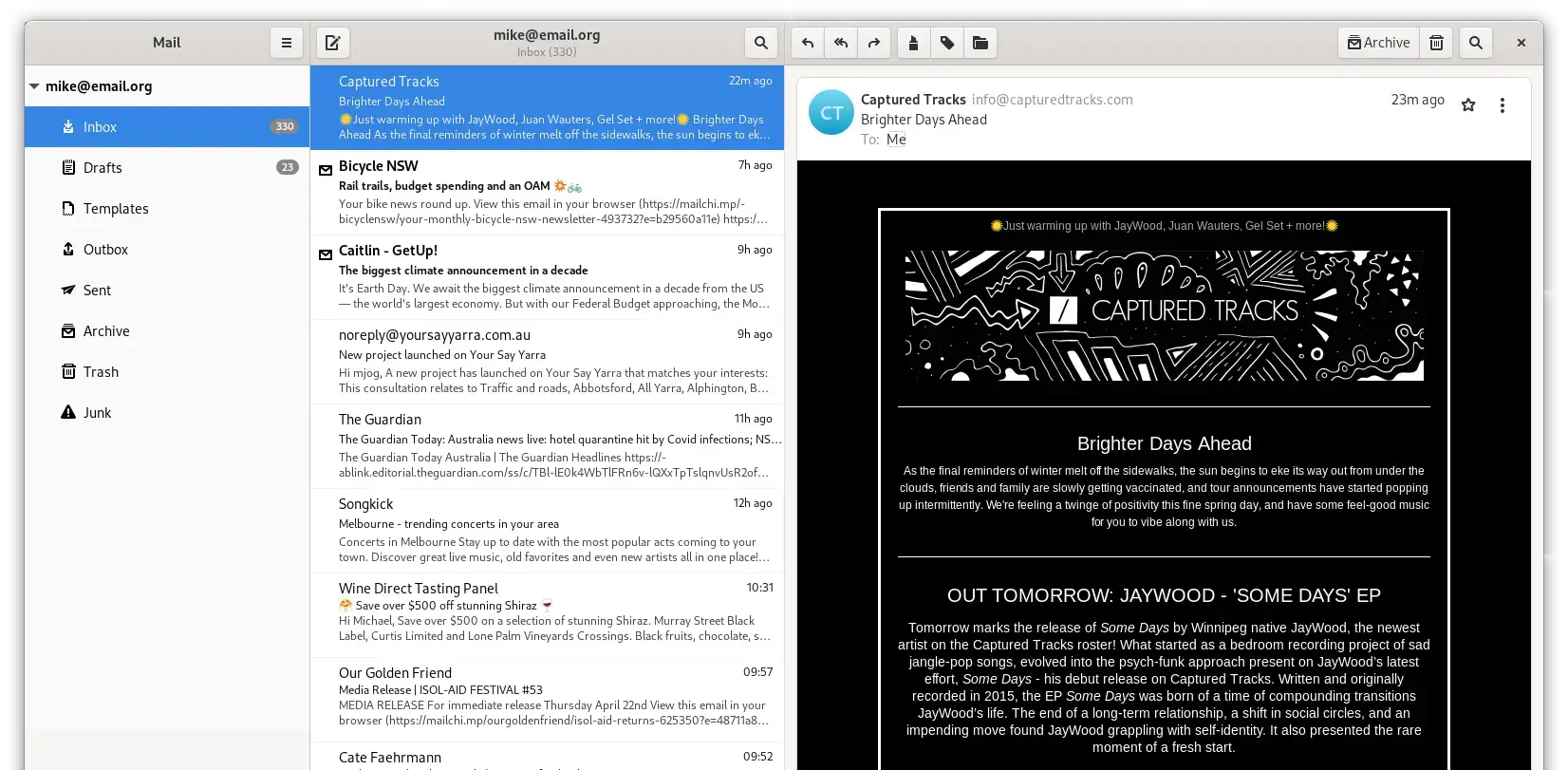

Why Choose It? Geary is simple, friendly, and built around email conversations. It is easier to look at than Evolution and much less busy than Thunderbird. For personal Gmail, Outlook.com, Yahoo, or standard IMAP accounts, it can be a pleasant daily client. Read our full guide.
- Clean layout: Conversation view keeps related replies together
- GNOME setup: Works with GNOME Online Accounts
- Search: Simple full-text and keyword search
- Best use: Personal inboxes and light daily email
Note: Geary’s release pace is slower than Thunderbird, Evolution, or KMail. It is worth including, but it should not be framed as the strongest overall choice.
Install Command:
Lightweight and Classic Email Clients
Some Ubuntu users do not want a modern app with cloud features, AI tools, or a heavy interface. If you want fast local email with a traditional layout, this group matters.
Best For: Users who want a fast, traditional desktop email client with low resource use
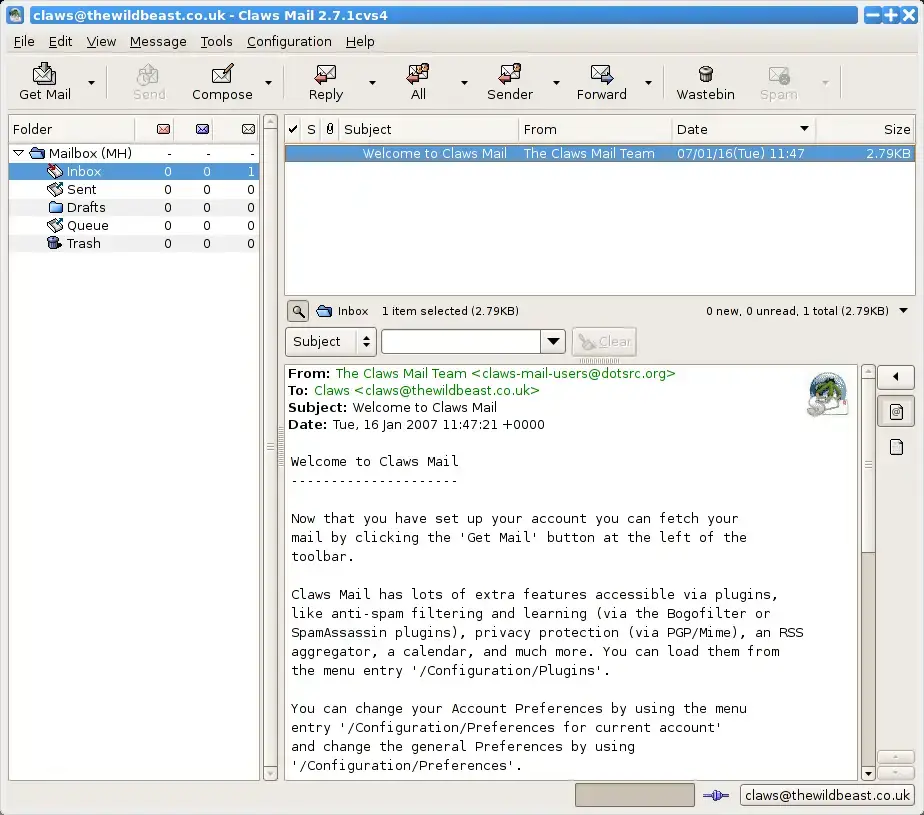

Why Choose It? Claws Mail is not trying to look new. It is built to be fast, stable, and keyboard-friendly. It is a strong choice for older PCs, large local mail archives, and users who prefer a classic email workflow.
- Speed: Opens quickly and uses fewer resources than most modern clients
- Plugins: Adds extras such as RSS, calendar, and notification features through plugins
- Mail storage: Uses standard local message storage that is easy to back up
- Good fit: Best for users who value function over modern design
Note: The interface looks dated. If visual polish matters more than speed, use Thunderbird, Mailspring, or BlueMail instead.
Install Command:
Modern Cross-Platform Email Clients
These apps are useful if you want a more modern interface, mobile desktop consistency, or features like snooze, send later, reminders, and smart sorting. The tradeoff is that some features may be proprietary, paid, or tied to optional cloud services.
Best For: Ubuntu users who want a polished inbox with unified search, themes, and a cleaner interface than Thunderbird
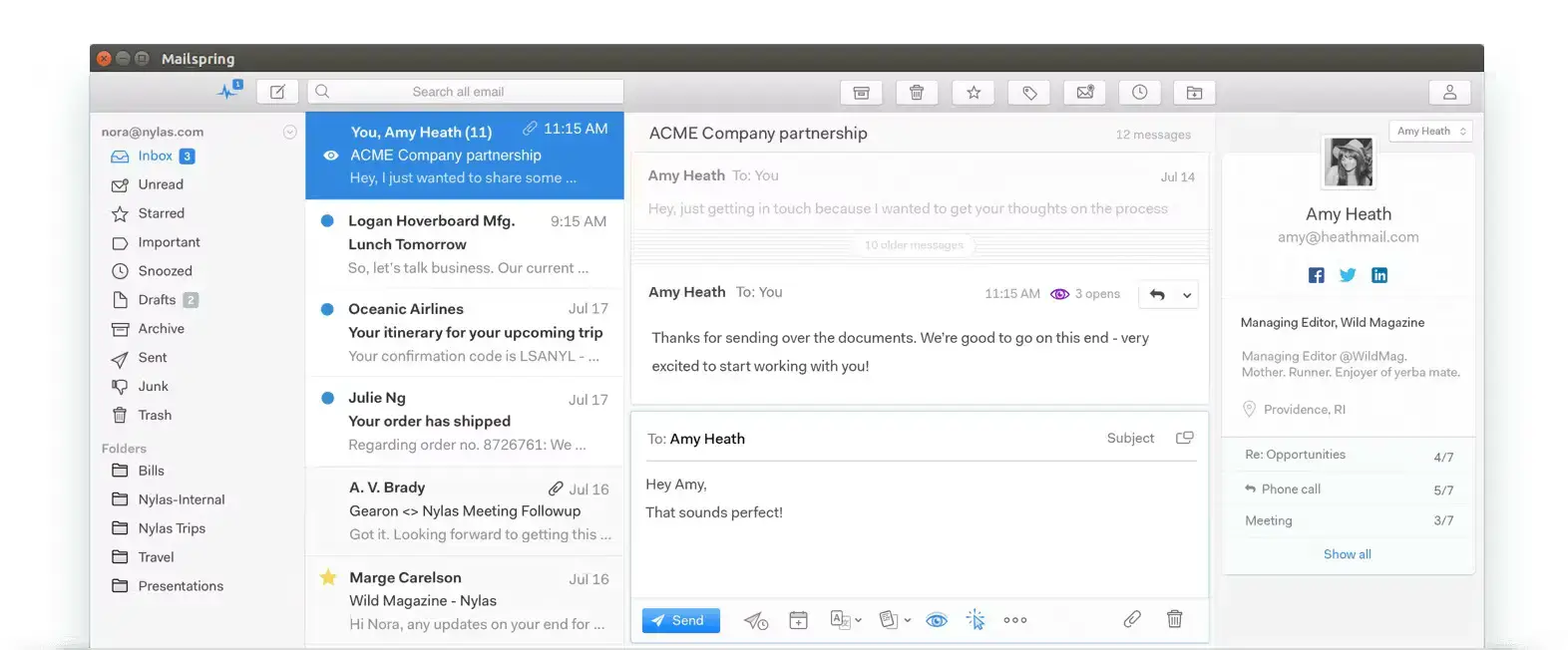

Why Choose It? Mailspring is one of the better-looking modern email clients available on Linux. It supports multiple accounts, unified inbox, fast search, themes, and desktop integration. Development also became more active again in 2025 and 2026. Read our full guide.
- Account support: Works with Gmail, Outlook.com, Office 365, iCloud, Yahoo, Fastmail, and IMAP accounts
- Desktop fit: Supports Linux notifications, tray features, X11, and Wayland
- Free tier: Core email works without paying
- Pro tier: Read receipts, link tracking, send later, reminders, and templates are paid features
Note: Mailspring is best if you accept a freemium model. If you want a fully open-source community client with no paid feature line, choose Thunderbird, Betterbird, Evolution, KMail, or Claws Mail.
Install Command:
Best For: Users who want the same email app across Ubuntu, Windows, macOS, Android, and iOS
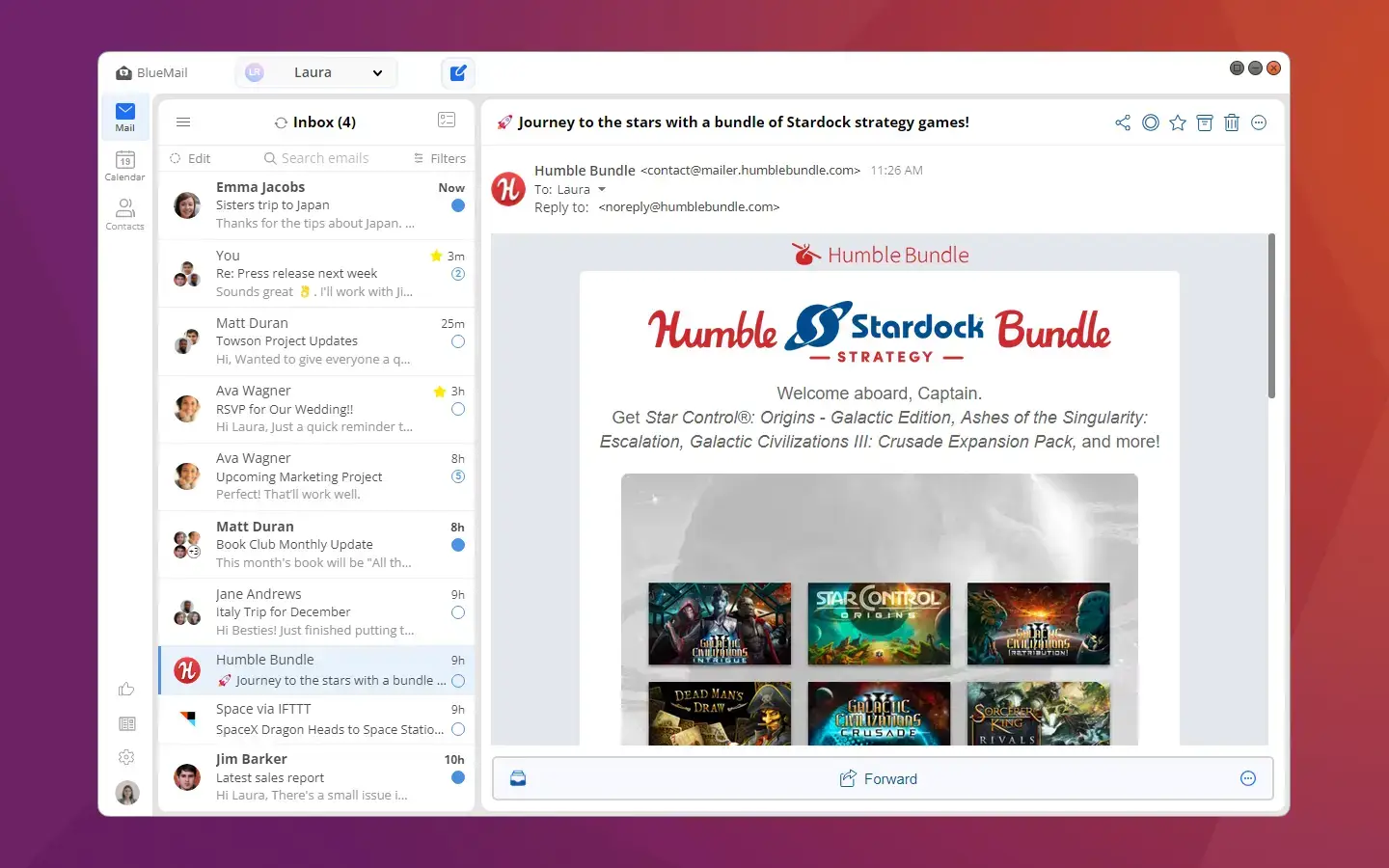

Why Choose It? BlueMail is a modern proprietary email and calendar app with strong cross-platform support. It is useful if you manage many accounts and want a consistent interface on desktop and mobile. Read our full guide.
- Accounts: Supports Gmail, Outlook, Office 365, Yahoo, iCloud, Exchange, IMAP, POP3, and SMTP
- Calendar: Includes calendar support with CalDAV and Exchange calendar sync
- Sorting: Offers people-focused and group-focused inbox views
- AI tools: Includes AI-assisted features, which some users may like and others may want to avoid
Note: BlueMail is proprietary. Privacy-focused users may prefer Thunderbird, Betterbird, Evolution, KMail, or Claws Mail because those choices are open source.
Install Command:
Best For: Vivaldi browser users who want mail, calendar, feeds, and web browsing in one app
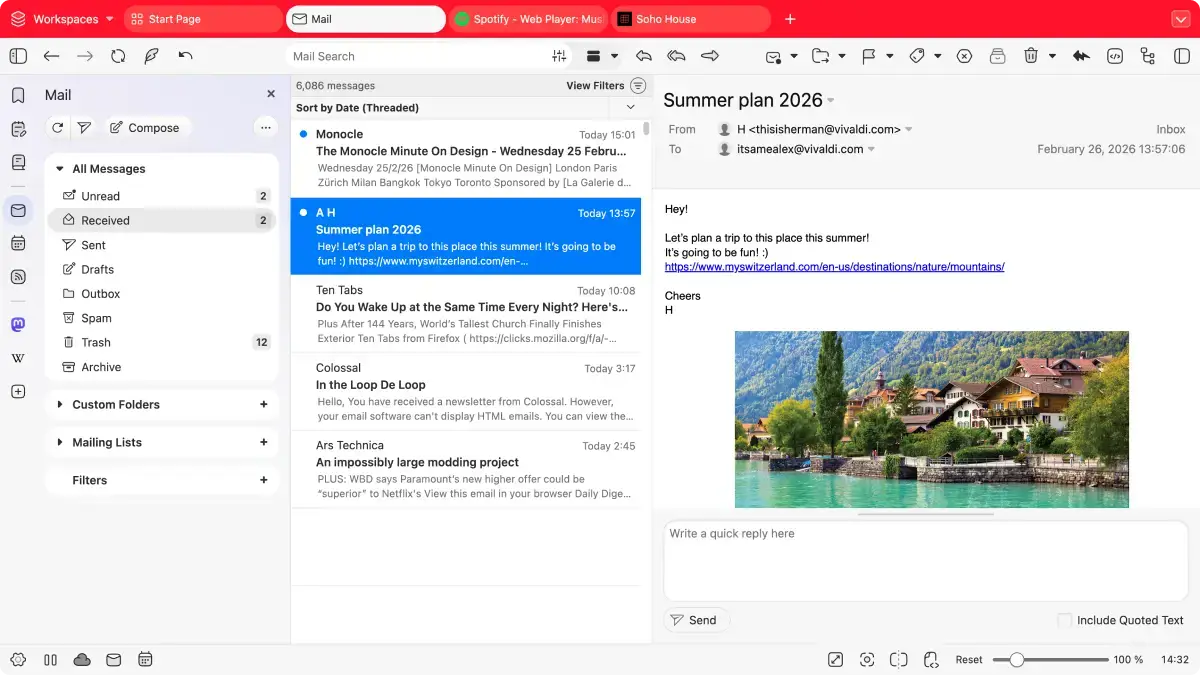

Why Choose It? Vivaldi Mail is part of the Vivaldi browser. It combines email, calendar, and feed reading in the same app you use for browsing. This makes sense if you already live in Vivaldi and want fewer separate windows.
- Unified workflow: Mail, calendar, RSS feeds, and browser tabs in one program
- Local indexing: Helps search and sort messages on your computer
- Linux support: Vivaldi provides Linux builds for Ubuntu and other distributions
- Best use: People who already prefer Vivaldi over Firefox or Chrome
Note: Vivaldi Mail is not a separate email client. If you do not want your browser and email tied together, choose Thunderbird, Evolution, or Mailspring instead.
Install Command:
echo “deb [signed-by=/usr/share/keyrings/vivaldi-browser.gpg arch=$(dpkg –print-architecture)] https://repo.vivaldi.com/archive/deb/ stable main” | sudo tee /etc/apt/sources.list.d/vivaldi.list
sudo apt update
sudo apt install vivaldi-stable
Privacy and Provider-Specific Helpers
Some mail services do not work like normal IMAP accounts. Proton Mail is the main example. If you use Proton Mail on Ubuntu, the tool below matters, but it should be described correctly.
Best For: Proton Mail users who want to read and send Proton Mail in Thunderbird, Betterbird, or Evolution
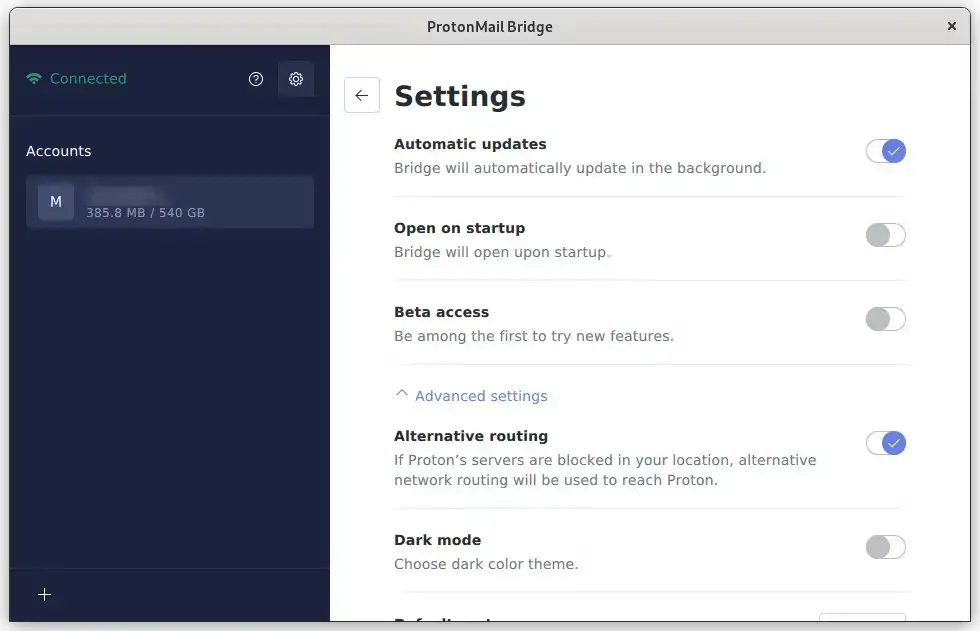

Why Choose It? Proton Mail Bridge lets normal desktop email apps connect to Proton Mail through local IMAP and SMTP. It is not a mail client by itself. Think of it as the translator between Proton Mail and your chosen email app.
- Works with: Thunderbird, Betterbird, Evolution, and other email apps that support IMAP and SMTP
- Linux packages: Available for DEB, RPM, and Arch-style systems
- Ubuntu support: Proton officially supports the latest Ubuntu LTS and latest Fedora for Bridge
- Requirement: Needs a paid Proton Mail plan and a secret-service password manager such as GNOME Keyring or Pass
Note: Do not install Proton Mail Bridge expecting a full inbox app. Install Thunderbird, Betterbird, or Evolution first, then use Bridge to connect Proton Mail to that client.
Install Command:
sudo apt install ./protonmail-bridge*.deb
Terminal Email Clients
Terminal email clients are not for everyone. They are best for developers, server users, keyboard-first users, and people who already live in a terminal. For normal desktop users, start with Thunderbird instead.
Best For: Keyboard-first users who want a fast terminal mail client with deep control
Why Choose It? NeoMutt is a modern continuation of the classic Mutt mail client. It is fast, scriptable, and highly customizable. It makes sense if you want email inside a terminal and are willing to spend time setting it up.
- Speed: Very fast once configured
- Control: Works well with local mail, notmuch, GPG, filters, and custom scripts
- Best use: Users who already know terminal tools and text editors
- Learning curve: Setup is much harder than a graphical mail app
Install Command:
Best For: Developers who want terminal email with tabs, Git email workflows, and multiple account support
Why Choose It? aerc is a newer terminal email client that feels more modern than old terminal mail tools. It supports multiple accounts, IMAP, Maildir, Notmuch, Mbox, and JMAP, plus Git email workflows for developers.
- Multiple accounts: Handles more than one inbox from the terminal
- Developer workflows: Strong support for patch review and Git email
- Message support: Handles IMAP, Maildir, Notmuch, Mbox, and JMAP backends
- Best use: Technical users who want email inside their existing terminal workflow
Note: aerc is not a beginner email client. It is excellent for the right user, but most Ubuntu readers should start with a graphical app.
Install Command:
Quick Comparison Table
| Email Client | Best For | License | Install Method | Main Tradeoff |
|---|---|---|---|---|
| Thunderbird | Most Ubuntu users | Open source | Flatpak, Snap, apt, tarball | Many settings |
| Betterbird | Thunderbird users who want fixes | Open source | Flatpak, tarball | Smaller project |
| Evolution | Work accounts and calendar | Open source | Flatpak, apt | Feels like a full suite |
| KMail | KDE Plasma users | Open source | apt, Discover | Akonadi can be complex |
| Geary | Simple GNOME inbox | Open source | Flatpak, apt | Slower release pace |
| Claws Mail | Lightweight classic email | GPL | apt | Old-school interface |
| Mailspring | Modern polished inbox | Open source core | Snap, DEB, RPM | Some features are paid |
| BlueMail | Same app across devices | Proprietary | Snap | Closed source and AI features |
| Vivaldi Mail | Browser plus mail users | Proprietary browser | DEB repo | Not standalone |
| Proton Mail Bridge | Proton Mail with desktop clients | Proton app | DEB package | Not a full email client |
| NeoMutt | Terminal power users | Open source | apt | Hard setup |
| aerc | Developers and Git email | Open source | apt | Technical audience |
Ubuntu Email Client FAQ
What is the best email client for Ubuntu?
Thunderbird is the best email client for most Ubuntu users. It is free, open source, actively maintained, works with most email providers, and includes mail, calendar, contacts, and add-ons in one app.
Is Thunderbird still good on Ubuntu in 2026?
Yes. Thunderbird is still one of the strongest email clients on Ubuntu in 2026. It has active releases, official Linux support, a verified Flatpak, and wide support for normal email accounts, calendars, contacts, encryption, and add-ons.
What is the best Outlook-style email client for Ubuntu?
Evolution is the best Outlook-style email client for Ubuntu. It combines email, calendar, contacts, tasks, and Microsoft Exchange support in one app. It is a better fit than Thunderbird if your main need is work calendar and Exchange integration.
What is the best lightweight email client for Ubuntu?
Claws Mail is the best lightweight graphical email client for Ubuntu. It is fast, mature, and actively maintained. It looks more old-school than modern email apps, but it works well for users who want speed and control.
Can I use Proton Mail with an Ubuntu email client?
Yes, but Proton Mail usually needs Proton Mail Bridge for desktop email clients such as Thunderbird, Betterbird, or Evolution. Proton Mail Bridge is not a full email client. It is a helper app, and it requires a paid Proton Mail plan.
Are Mailspring and BlueMail free on Ubuntu?
Mailspring and BlueMail both have free options, but they are not the same as fully free open-source apps. Mailspring has paid Pro features such as read receipts and send later. BlueMail is proprietary and includes cloud-connected and AI-assisted features.
Which Ubuntu email client should KDE users choose?
KDE users should try KMail first if they want a native KDE app with strong Plasma integration. Thunderbird or Betterbird are safer choices if you want a simpler setup, fewer moving parts, and the same email client across different desktops.
More Ubuntu app guides: Best Browsers for Ubuntu | Best Media Players for Ubuntu | Best Remote Desktop Apps for Ubuntu